Blue Fox OS workstations
Every Blue Fox OS workstation takes its configuration from your Symbifox, from install to login.
A workstation is set up once, by hand, and then it drifts. The next one is built from memory, a little differently, and nobody knows any more which one is right.
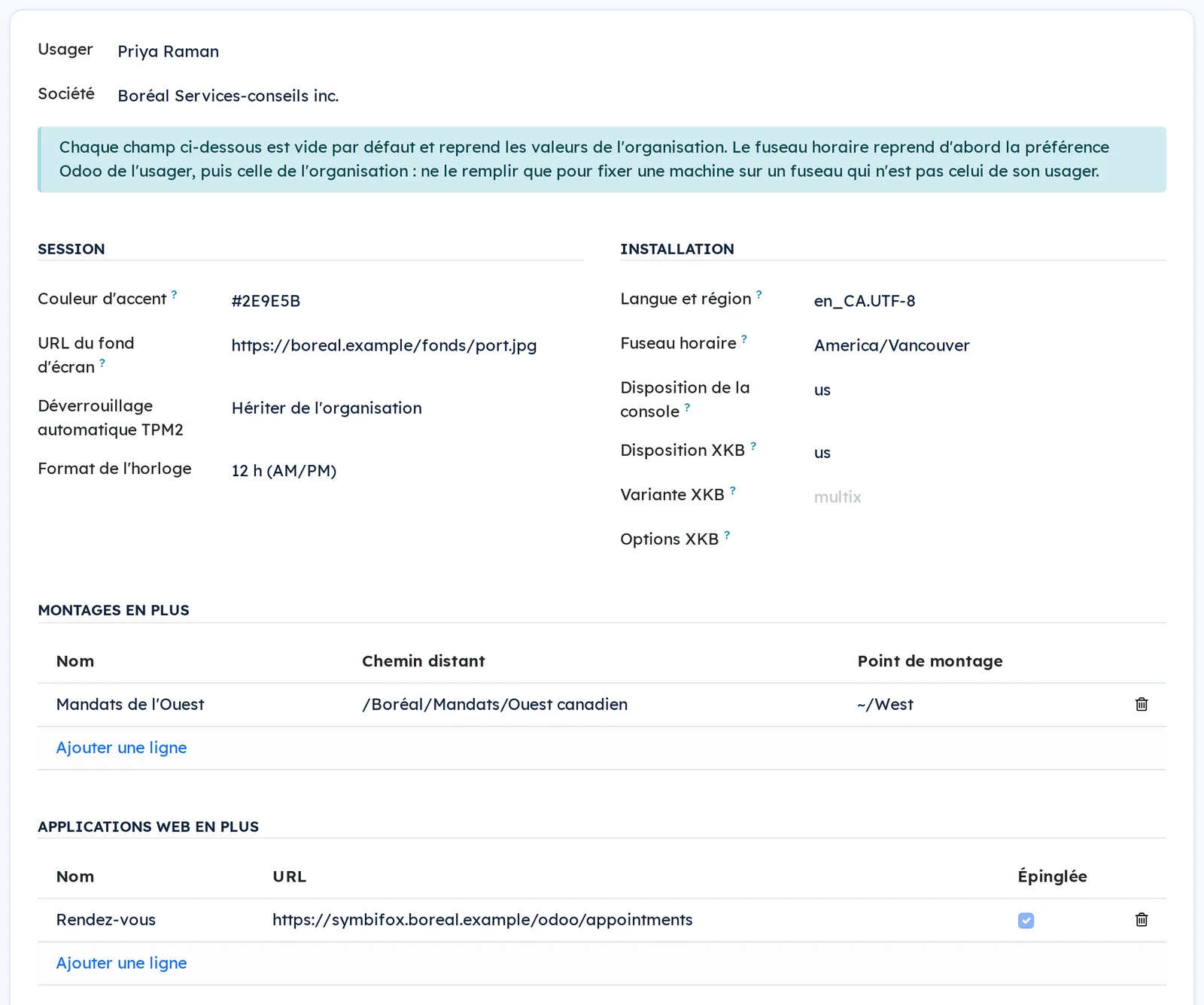
Here, the configuration of every Blue Fox OS workstation comes from your Symbifox. One record per organisation sets the defaults, and each person can have their own on top: language, keyboard, time zone, login, wallpaper, mounted Nextcloud folders, pinned applications, browser extensions. An edited record also reaches machines already installed, not only the next ones.
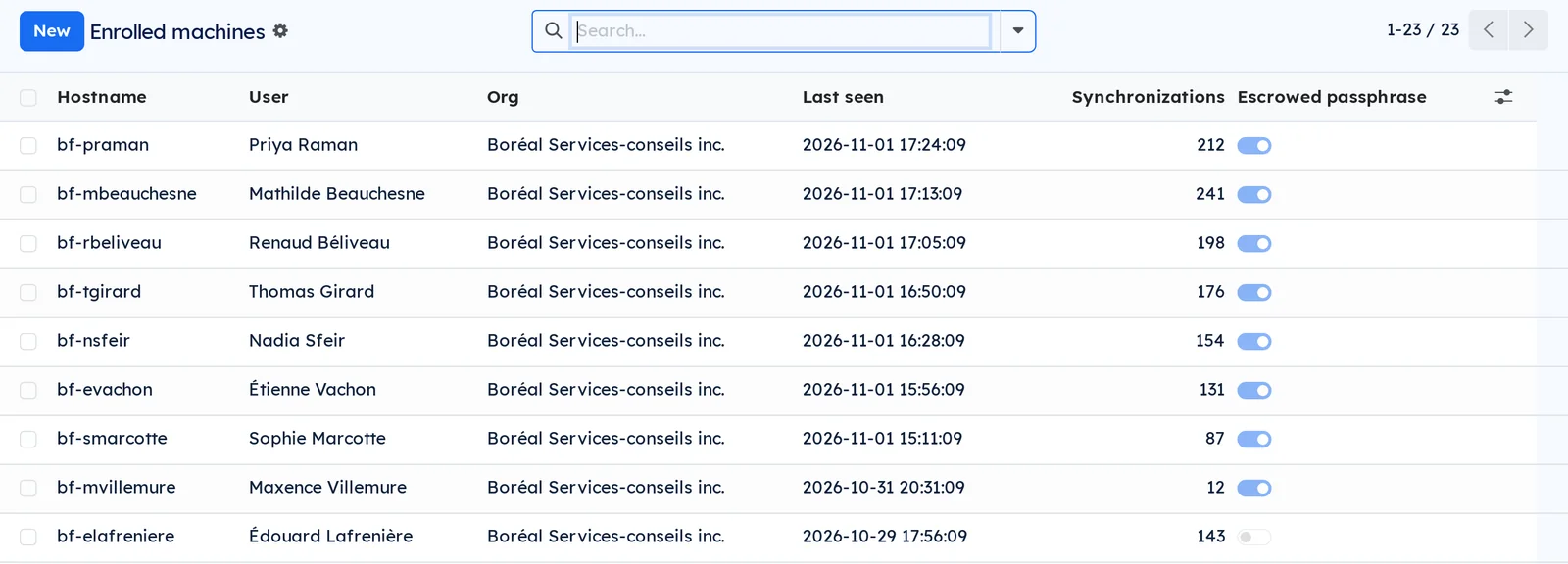
Installation is zero-touch, from the same record: boot the machine on the installer, type the organisation's address, sign in on a second device, and the workstation installs as planned. Symbifox decides who may enrol a machine and keeps the list of enrolled workstations.
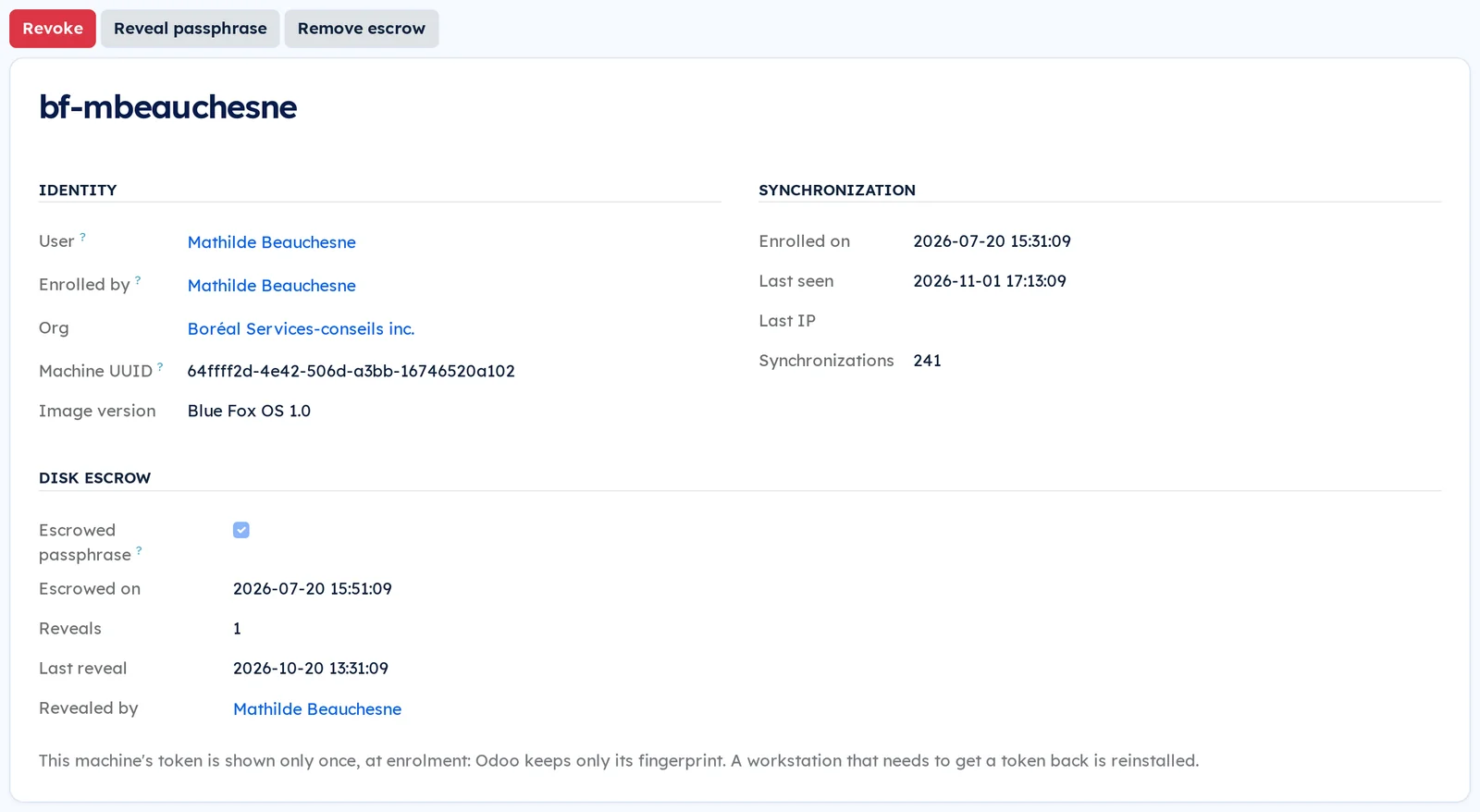
The disk is encrypted from installation, and the passphrase that unlocks it is held in escrow in Symbifox rather than written on a scrap of paper. Reading it back takes a separate right, and every reveal stays on record on the machine's page.
At login, the welcome screen shows the person's photo, taken from their employee record.
Comparable to Intune and Autopilot, for Blue Fox OS workstations
Shall we look at your case together?
Tell us what you run today. We will tell you honestly whether Symbifox helps or not.
The catalog grows almost every month.
What gets added, what we learn deploying it, and nothing else. You leave whenever you want.
One confirmation email, and nothing before you follow its link. Then 10 welcome emails, one a week, then the updates. No tracker, no resale.