Notepad
Quick searchable notes you can attach to any record and convert into an activity.
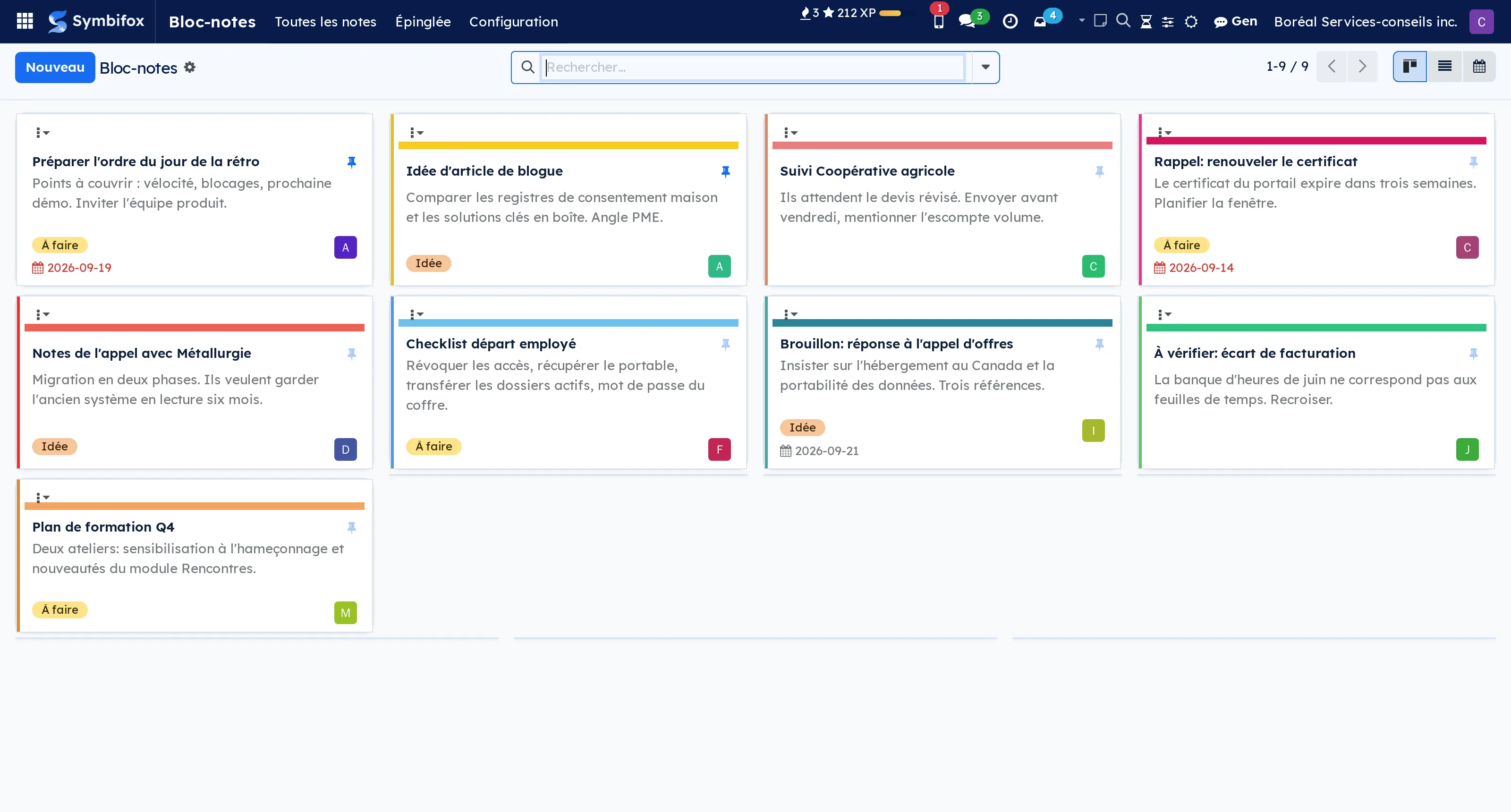
Something worth remembering rarely arrives while the right screen is open. It arrives during a call, in the middle of a quotation, and it ends up on a scrap of paper or in an email you send yourself.
A note is taken from any screen, through the icon in the top bar or a keyboard shortcut, without changing tab. It is private by default, formatted, and attaches to one or several records: a contact, a quotation, a project, a ticket. Any record with a message thread can carry one.
You find it again by search, by its tags, by the pin, or from the linked record itself through a quick-access button. The day the note becomes something to do, it converts into a dated activity or a project task without re-entering the context.
Each note takes any colour you like: your swatches, the company's, or a free code. The notepad shows as Keep-style cards, minimal rows or a list, and that choice follows you from desk to phone.
On the phone, the Notes page installs on the home screen and opens on the text field. A note typed without a network stays on the device and goes out once the network is back, exactly once; Android's Share menu turns anything into a note in one gesture, photos and PDFs included in the Symbifox Mobile app, which reads the same notes.
That last point is what separates it from a notebook: a note that does not know what it refers to makes you tell the same story twice.
Comparable to Apple Notes, but wired into your records
Shall we look at your case together?
Tell us what you run today. We will tell you honestly whether Symbifox helps or not.
The catalog grows almost every month.
What gets added, what we learn deploying it, and nothing else. You leave whenever you want.
One confirmation email, and nothing before you follow its link. Then 10 welcome emails, one a week, then the updates. No tracker, no resale.