Work blocks
Book focus, production or catch-up time in one click, each type with its own pictogram and colour.
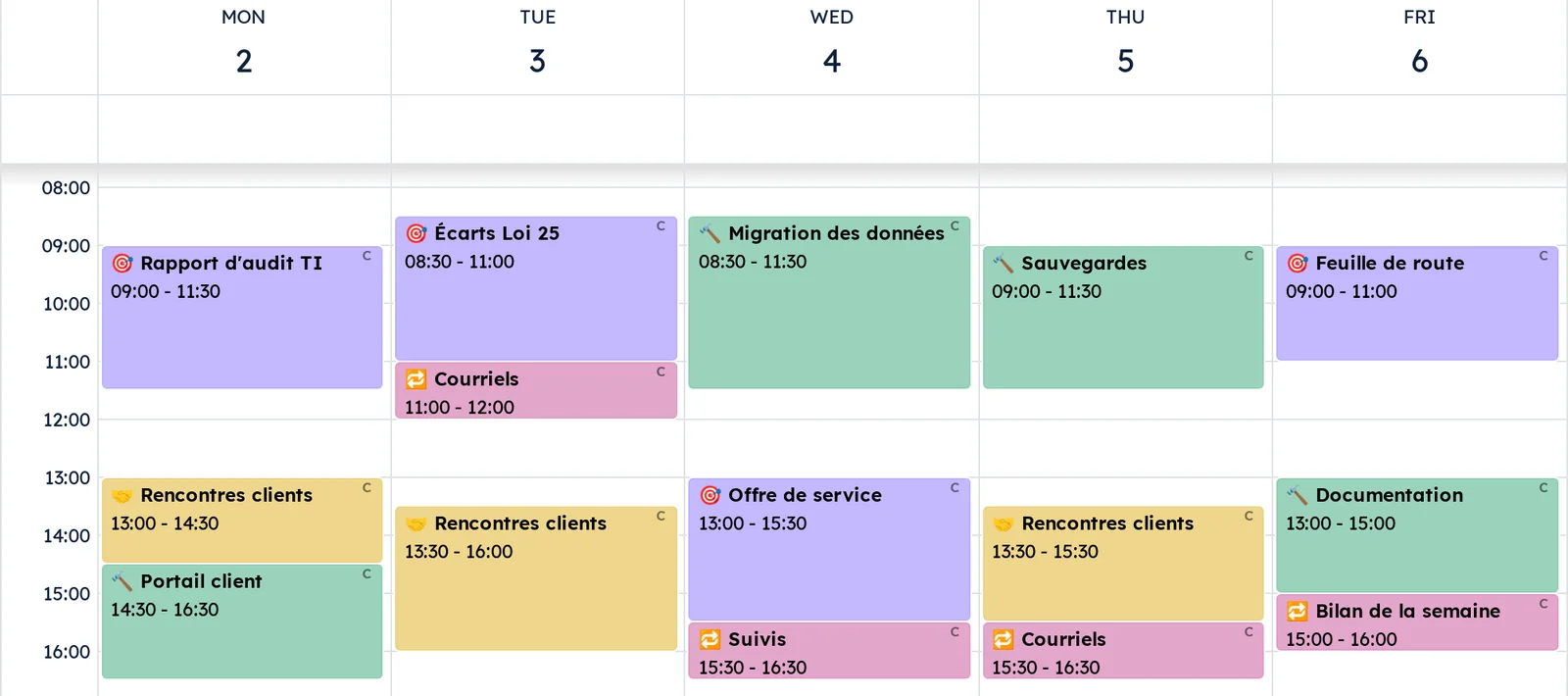
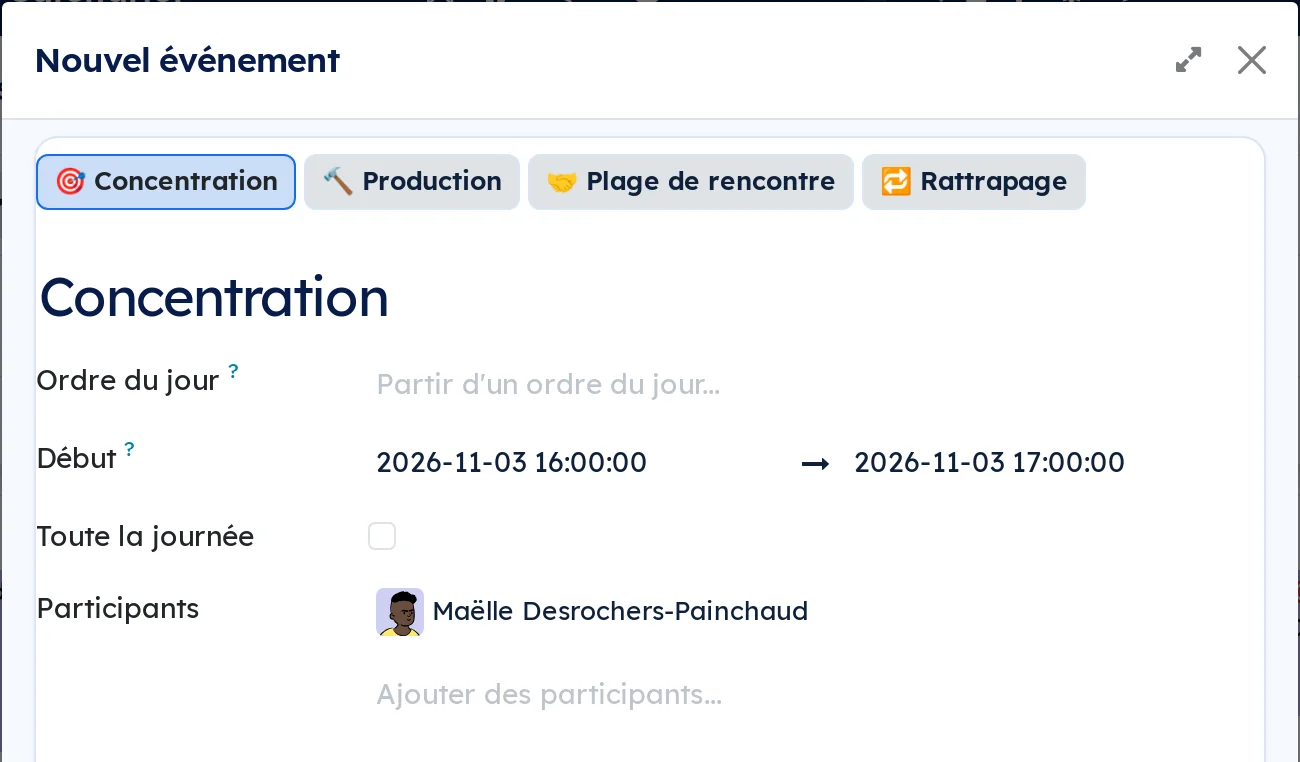
The calendar's quick create opens on one button per block type: Focus, Production, Meeting slot and Catch-up. One click sets the title, the colour and the availability: busy, so online booking no longer offers that time, or available for a meeting slot, which opens time instead of closing it. The type's pictogram comes before the title in the grid, a filter keeps only the blocks and a grouping counts them by type. The type follows the block into Nextcloud, and from there into Thunderbird, Apple Calendar and the phone. On a colleague's private meeting, the type stays hidden like the title.
Shall we look at your case together?
Tell us what you run today. We will tell you honestly whether Symbifox helps or not.
The catalog grows almost every month.
What gets added, what we learn deploying it, and nothing else. You leave whenever you want.
One confirmation email, and nothing before you follow its link. Then 10 welcome emails, one a week, then the updates. No tracker, no resale.