Universal Search
Cross-module search over close to twenty-five models via a command palette (Cmd+K).
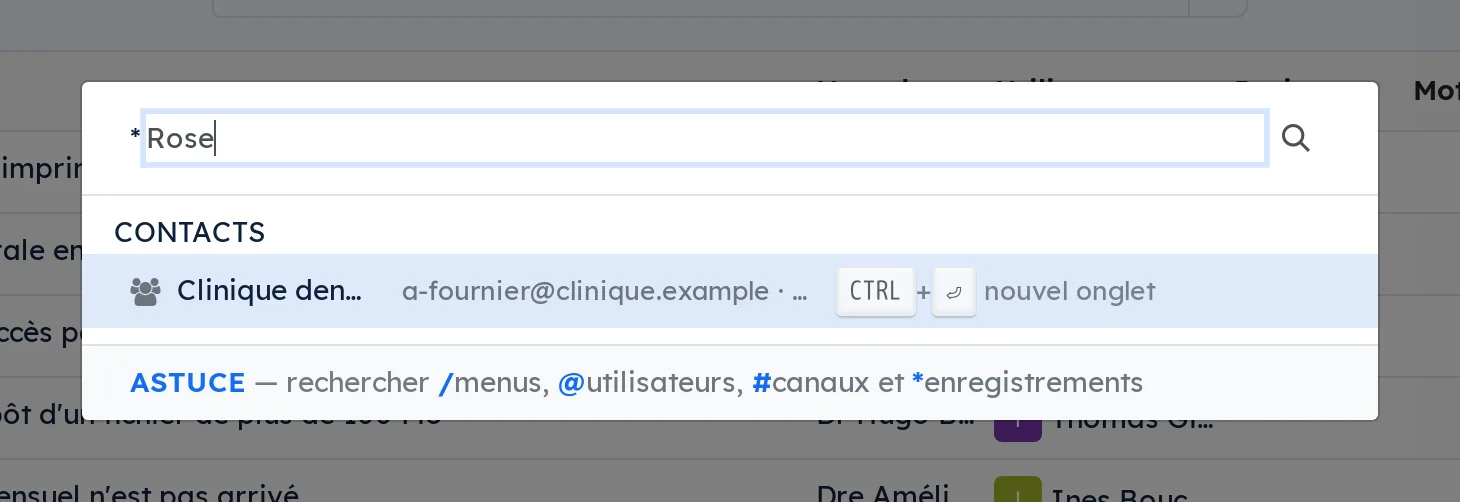
Searching an ERP assumes you already know where the thing lives. You open the application, then the list, then you type. Three gestures before the first useful character.
Cmd+K opens one bar that crosses nearly twenty-five data types: contacts, opportunities, projects, tasks, meetings, emails, SMS, calls, invoices, signature requests, secure transfers, matrices, resolutions, articles, products, documents.
Type a number to jump straight to a task or a ticket. Active records come first and closed files are greyed: a search that puts a closed file at the top wastes more time than it saves.
Arrow-key navigation, opening in one click or in a new tab with Ctrl+Enter. Nothing to configure: the palette follows what is installed.
Comparable to Linear or Notion's Cmd+K, inside Odoo
Shall we look at your case together?
Tell us what you run today. We will tell you honestly whether Symbifox helps or not.
The catalog grows almost every month.
What gets added, what we learn deploying it, and nothing else. You leave whenever you want.
One confirmation email, and nothing before you follow its link. Then 10 welcome emails, one a week, then the updates. No tracker, no resale.