

Part 10 · Symbifox Personal
Credit and Identity
Read the guide to your credit rights in Quebec and keep private reminders to check your Equifax and TransUnion credit files.
The Credit & Identity application brings two things together: a guide to your credit rights, written for people who live in Quebec, and private reminders to check your credit files at Equifax and at TransUnion. It is for each member of a Symbifox Personal household instance, for their own use. The result: a look at one of your files every six months, a freeze lifted for a loan that does not stay lifted by oversight, and a security alert renewed before its six years are up.
Overview#
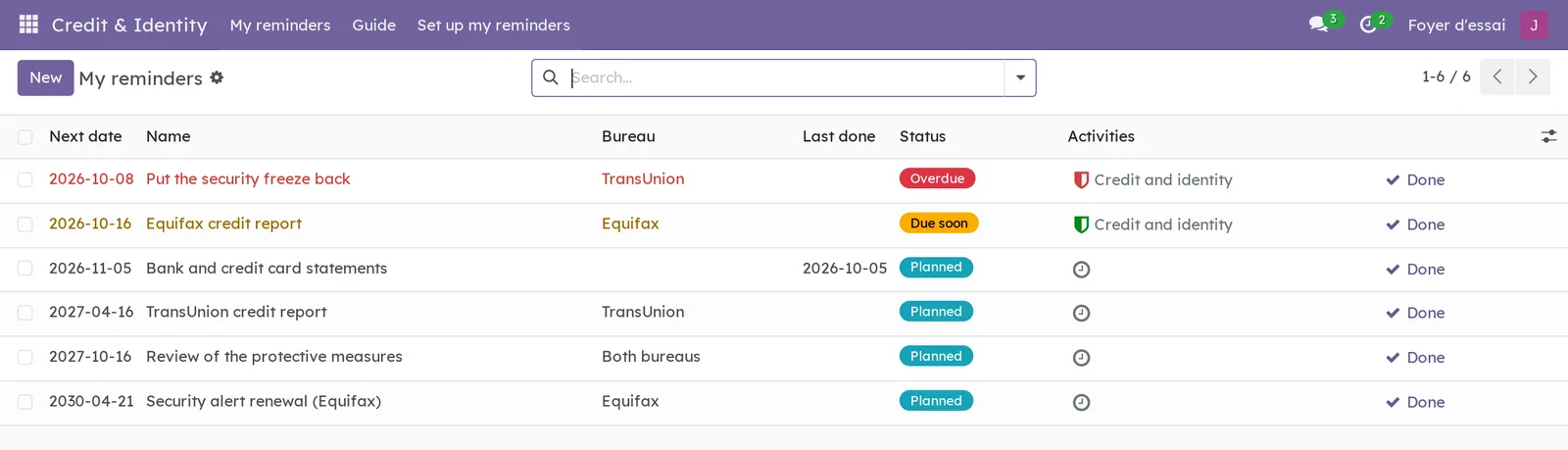
The application opens on My reminders. Each row shows the next date, the reminder's name, the bureau, the date it was last done, its status and its activity, with the Done button at the end of the row.
Seven notions are enough.
- Reminder: something to do on a date, for example checking your Equifax credit file. A reminder belongs to the person who created it, and to them alone.
- Kind: what the reminder is about. The kind suggests the reminder's name and the official page to open.
- Bureau: Equifax, TransUnion, or both. Each bureau keeps its own file, and a measure placed with one does not apply to the other.
- Status: Overdue once the date has passed, Due soon within the next seven days, Planned beyond that.
- Activity: seven days before the date, the reminder becomes a Credit and identity activity in your name, like a to-do that shows in your activities.
- Starter calendar: the reminders that the Set up my reminders dialog creates in one go.
- Guide: the text of your rights, in your language, with its official sources.
The application connects to no bureau and no bank. It stores no credit data: only dates, a name and a free note.
Configuration#
Access and permissions#
Everyone on the instance opens the application: there is no group to tick. What each person sees depends on a single rule: a reminder is visible only to the person who owns it.
| Who | What they see and do |
|---|---|
| Anyone on the instance | Read the guide. Create, edit, complete, archive and delete their own reminders. Run the setup dialog for themselves. |
| Other people, administrators included | Nothing of anyone else's reminders: not the list, not the dates, not the name. Wherever Odoo still shows a reminder's name, they read “Private reminder”. |
| A system administrator | The same as everyone else. They can, however, change the security rules themselves. |
A reminder cannot be created for someone else, nor handed over: it stays with the person who created it.
Settings#
The application adds no setting under Settings. Its timings are fixed in advance.
| Timing | Value |
|---|---|
| Notice for a reminder | Seven days before its date, the reminder becomes an activity. |
| Equifax credit file | On the chosen date, then every 12 months. |
| TransUnion credit file | Six months after the Equifax file, then every 12 months. |
| Bank and credit card statements | One month after the chosen date, then every month. |
| Review of the protective measures | One year after the chosen date, then every year. |
| Security alert renewal | Once, 30 days before the alert turns six years old. |
Base data#
Nothing needs to be created before you start. The Credit and identity activity type is provided, and the Set up my reminders dialog creates your starter calendar.
Getting started#
This walkthrough creates your starter calendar, with a security alert already placed at both bureaus.
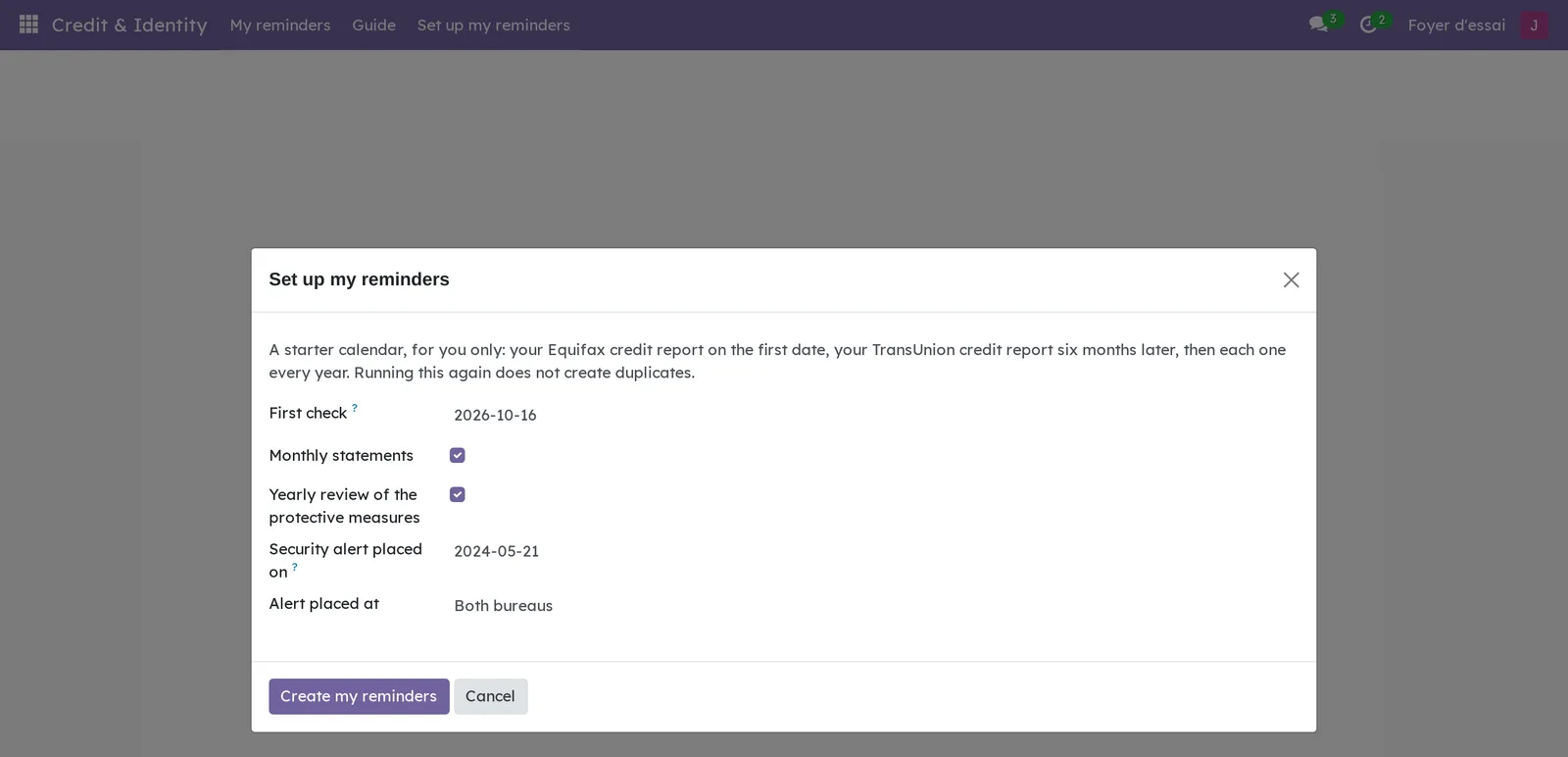
- Go to Credit & Identity › Set up my reminders.
- In First check, enter the day you will check your Equifax file, for example “2026-10-16”.
- Keep Monthly statements and Yearly review of the protective measures checked.
- In Security alert placed on, enter the date of your alert, for example “2024-05-21”.
- In Alert placed at, keep Both bureaus.
- Select Create my reminders.
The My reminders list opens with six reminders: Equifax credit report on 2026-10-16, TransUnion credit report on 2027-04-16, statements on 2026-11-16, review of the measures on 2027-10-16, and the alert renewal at each bureau on 2030-04-21. A reminder due within seven days already has its activity: here, the Equifax credit report.
Common tasks#
Check a file and mark the reminder done#
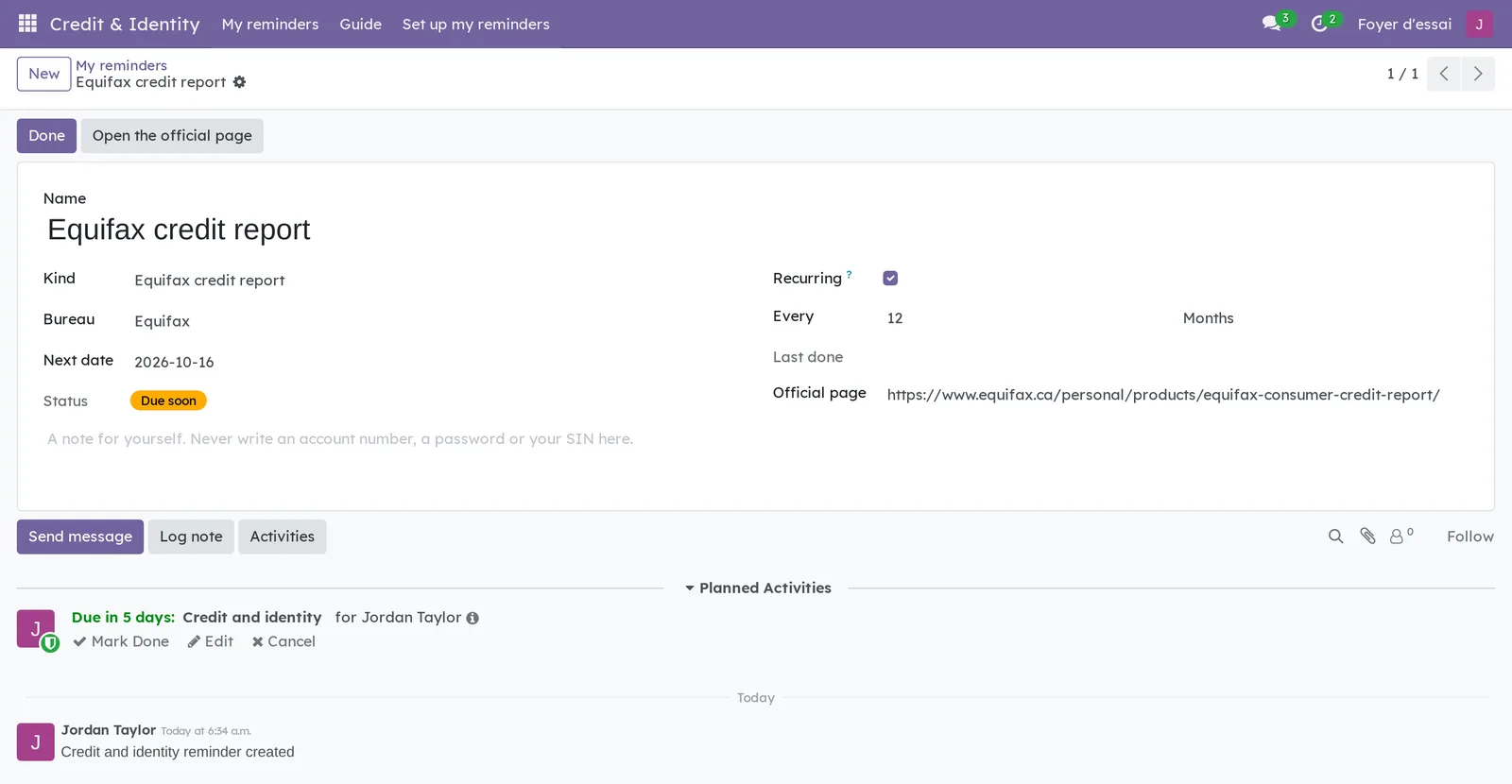
The reminder opens the bureau's official page. You check your file on its website, then come back to say it is done.
- Go to Credit & Identity › My reminders, then open the Equifax credit report reminder.
- Select Open the official page.
- Check your file on the bureau's website, in the tab that opened.
- Back in Symbifox, select Done.
Last done takes today's date, and Next date restarts from today: twelve months later for a credit file. The reminder's activity closes. The Done button in the list does the same without opening the reminder.
Complete a reminder from its activity#
A reminder's activity is handled like any activity. Marking it done also completes the reminder.
- Open the reminder.
- Under Planned Activities, select Mark Done on the Credit and identity activity.
- In the small window that opens, select Done.
The reminder moves forward as it does with its Done button: it restarts from the day you did it. The same action is available from the icon in the Activities column of the list. In the activities menu of the top bar, reminders are grouped under Credit and identity reminder.
Add a reminder by hand#
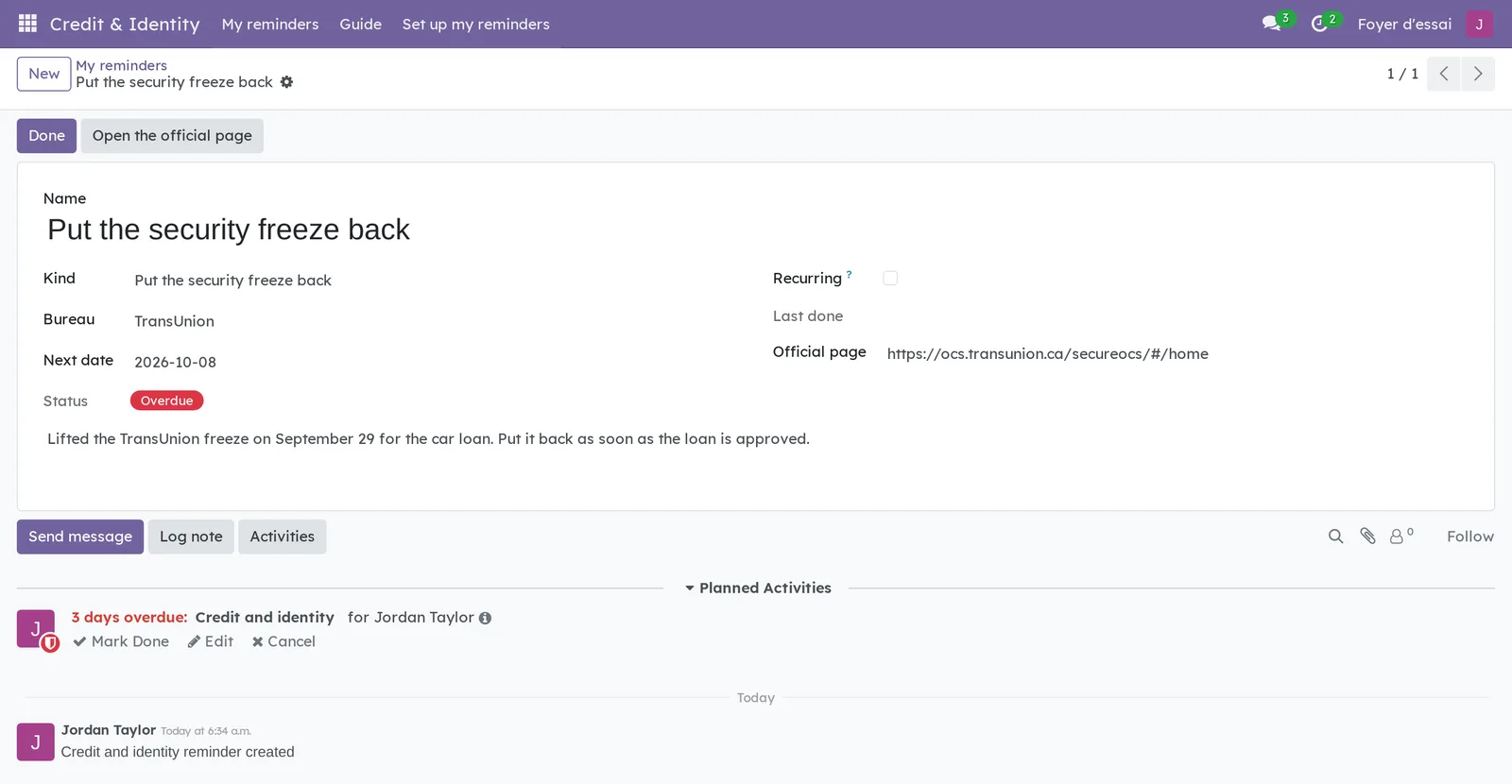
Some reminders do not come from the starter calendar. For example, you lift your TransUnion freeze to apply for a loan, and it will need to go back on.
- Go to Credit & Identity › My reminders, then select New.
- In Kind, choose Put the security freeze back.
- In Bureau, choose TransUnion.
- In Next date, enter the day you want to be reminded.
- If needed, write a note for yourself, with no numbers in it.
- Save.
The name and the official page follow the kind and the bureau. To put a freeze back or renew an alert, Recurring is cleared: the reminder comes only once, and it is archived when done. The Other kind covers everything else.
Change a reminder's date or frequency#
A date falls badly, or you prefer another rhythm.
- Open the reminder.
- Change Next date, or Every and its unit (Days, Weeks, Months or Years).
- Clear Recurring for a reminder that does not come back.
- Save.
An activity already created follows the new date. A recurring reminder needs an interval of at least 1.
Find a reminder#
The My reminders search looks at the name. The Overdue, Next 30 days and Archived filters sort out the rest, and Group By offers Kind and Bureau. A one-off reminder that was done is found under Archived.
Read the guide#
Go to Credit & Identity › Guide. The guide shows in your language, in nine sections followed by its sources.
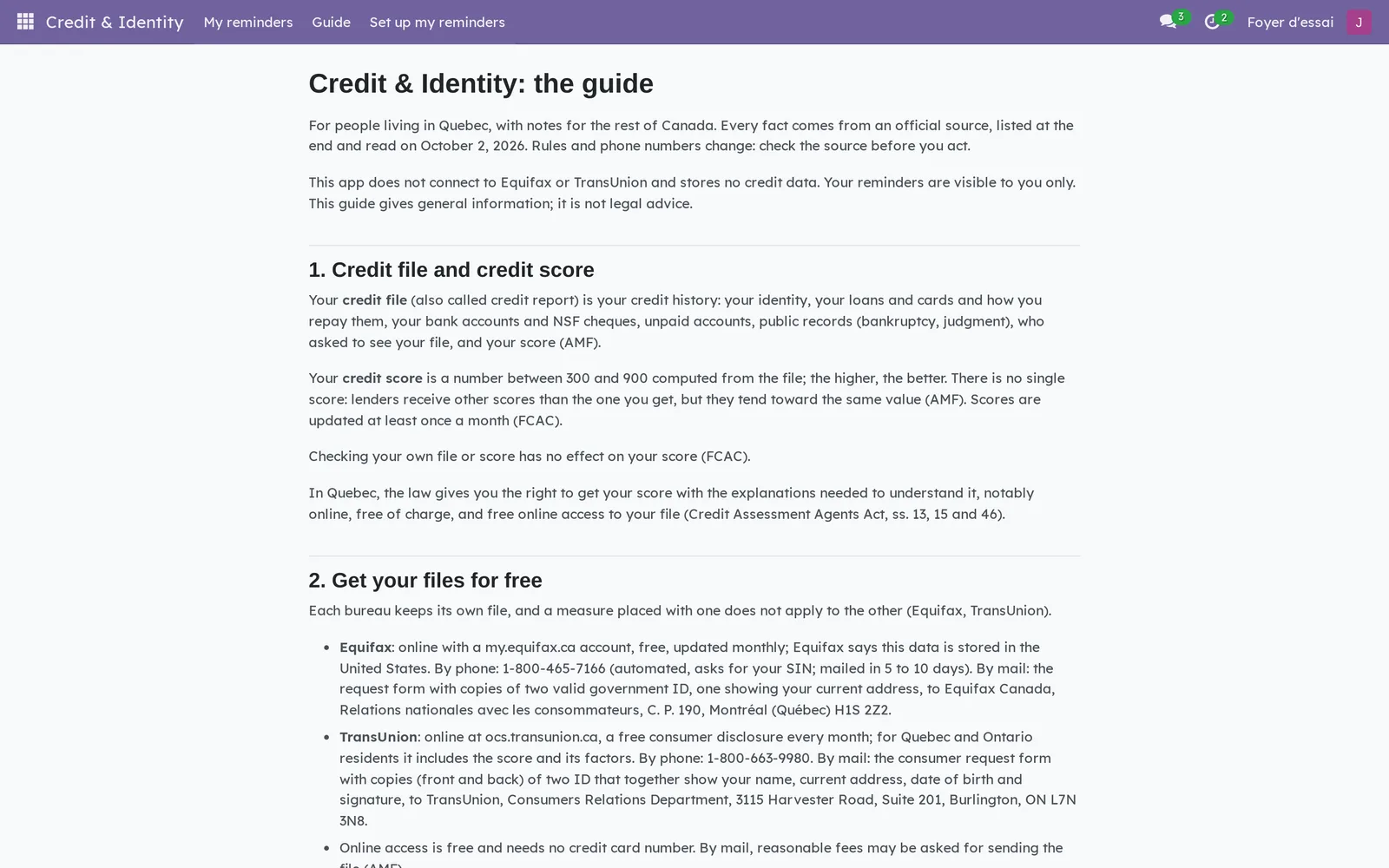
Each fact names its official source in parentheses, and the list of sources at the end dates their reading to October 2, 2026. The guide itself warns that rules and phone numbers change: check the source before you act. The links in the list of sources lead to the French pages that were read, even in the English guide; most of these sites also offer an English version.
Run the setup dialog again#
The dialog can be run again safely, for example after placing a security alert.
- Go to Credit & Identity › Set up my reminders.
- Fill in the fields, then select Create my reminders.
An active reminder of the same kind, at the same bureau, is kept as it is: the dialog creates only what is missing.
Archive or delete a reminder#
- Open the reminder.
- Open the gear icon next to the name, in the breadcrumb.
- Select Archive or Delete.
An archived reminder no longer receives an activity. The Archived filter finds it.
The menus, one by one#
Credit & Identity: the application's root. It opens on My reminders.
Credit & Identity › My reminders: your reminders, as a list (screenshot above), from nearest to furthest. The Next date, Name, Bureau, Last done, Status and Activities columns, then the Done button; Kind and Recurring can be added from the column settings. An overdue row shows in red, a row due soon in amber. With no reminder at all, the screen shows “No reminder yet” and points to Set up my reminders.
Credit & Identity › Guide: the guide to your rights, on one page (see Read the guide).
Credit & Identity › Set up my reminders: the starter calendar dialog (see Getting started).
Reference#
Fields of the Reminder form#
| Field | Description | Required or default |
|---|---|---|
| Name | The reminder's name, suggested by the kind. | Yes |
| Kind | Equifax credit report, TransUnion credit report, Bank and credit card statements, Review of the protective measures, Security alert renewal, Put the security freeze back or Other. | Other |
| Bureau | Equifax, TransUnion or Both bureaus. | Optional |
| Next date | The reminder's day. | Today |
| Status | Overdue, Due soon or Planned. | Computed |
| Recurring | Cleared, the reminder is archived once done. | Checked |
| Every | The interval and its unit. | 12 months |
| Last done | The day the reminder was last done. | Filled in by Done |
| Official page | The page of the bureau or of the Autorité des marchés financiers (AMF), suggested by the kind and the bureau. | Depends on the kind |
| Note | A note for yourself, with no account number, password or social insurance number. | Optional |
Fields of the Set up my reminders dialog#
| Field | Description | Required or default |
|---|---|---|
| First check | The day of the Equifax file; TransUnion follows six months later. | Today |
| Monthly statements | Adds the reminder for bank and card statements, every month. | Checked |
| Yearly review of the protective measures | Adds the review of the freeze and the alert, every year. | Checked |
| Security alert placed on | The date of an alert already placed. Leave it empty if there is none. | Empty |
| Alert placed at | Equifax, TransUnion or Both bureaus: one renewal reminder per bureau. | Both bureaus |
Reports and exports#
The application adds no report and no export.
Automations#
A process runs every day. Each reminder whose date falls within the next seven days, or has passed, receives a Credit and identity activity for its owner, due on the reminder's date. It receives only one; a deleted activity comes back on the next run as long as the reminder is due. The setup dialog also creates, right away, the activity of reminders already inside that window. None of these activities sends an email notice.
Public pages and portal#
The application has no public page.
Modules that extend this application#
The daily email digest, if installed alongside, does not yet make the distinction.
Understanding#
Why private, administrators included. Knowing that someone has placed a security alert, or lifted their freeze for a loan, already says a lot. The rule that closes a reminder therefore applies to every account, administrators included. A reminder has no followers, and its chatter (the message thread at the bottom of the form) notifies no one: not a note, not a mention, not an activity assignment. Nobody else can be named in it, and only its owner can place an activity or a file on it.
The limit of this rule. Automated processing reads every reminder to create the activities. A system administrator can also change the security rules. Privacy holds between the people on the instance, not against whoever administers it.
Why Equifax, then TransUnion six months later. Official sources advise checking your file at least once a year, and whenever something looks suspicious. Alternating between the two bureaus gives you a look every six months, without paying anything: online access is free.
Why a reminder restarts from the day it is done. A file checked late does not need to be checked twice in a row. The reminder therefore restarts from the day you did it, not from its planned date, and delays do not pile up.
Why a reminder to put the freeze back. To apply for credit with a freeze on, the guide advises lifting it first at both bureaus. At TransUnion, a suspension with an end date is announced from July 1, 2027; until then, a lifted freeze is not restored automatically. A one-off reminder keeps it from staying lifted.
Why a renewal for an alert. Quebec law sets no duration for an alert, but Equifax and TransUnion keep it six years. The reminder falls 30 days before, once per bureau.
What the application does not do. It connects neither to the bureaus nor to banks, reads neither your file nor your score, and monitors nothing on your behalf. The guide gives general information; it is not legal advice. It also points out that the bureaus' monitoring services are paid and do not include the security alert.
What the module tells other modules. It marks its reminders as sensitive for the modules that can read that mark. No published version uses it yet: it is planned for version 18.0.2.4.0 of the daily digest and for version 18.0.1.36.0 of Gen.
Troubleshooting#
| Symptom | Likely cause | Fix |
|---|---|---|
| “A reminder stays with the person who created it.” | An attempt to give the reminder to another person. | Each person creates their own reminders. |
| “A recurring reminder needs an interval of at least 1.” | Every is 0 on a recurring reminder. | Enter 1 or more, or clear Recurring. |
| “This reminder is private: you cannot mention or notify anyone on it.” | A mention or a recipient in the reminder's chatter. | Remove the mention: a reminder's chatter stays yours. |
| “An activity on a credit reminder stays with the reminder's owner.” | The activity is assigned to another person. | Keep yourself as the assignee. |
| Follow changes nothing in a reminder's chatter. | A reminder has no followers, by design. | Nothing to do: the activity reaches you without following. |
| A due reminder has no activity yet. | It was created by hand, unarchived or moved into the coming week, and today's run has not happened yet. | Wait for the daily run, or select Done if it is already done. |
| The setup dialog recreates a reminder that was already done. | The one-off reminder was archived once done, and the dialog counts only active reminders. | Archive or delete the extra reminder. |
| The activity shows “Credit and identity” in a French interface. | French was added to the instance after the module. | Ask the administrator to reload the module's translations, overwriting the existing terms. |
See also#
- People I've Met: another personal application of a household instance.
- To-do, Notepad and Timer: the daily email digest, and personal to-dos.
- Common actions in every application: activities, filters, grouping, archiving.