

Part 3 · Projects, time and knowledge
Federation
Link your Symbifox to a partner's so that tasks, deliverables, meeting agendas and process maps cross over, and whatever moves on their side comes back to yours.
Watch it
The Fédération (Federation) application links two Symbifox instances that trust each other. An object shared on one side appears on the other, and whatever moves comes back: the state of a task, the read receipt on a deliverable, a topic proposed for a meeting agenda. It is for organizations working with a partner, a subcontractor, a general contractor or a client who also runs Symbifox. Nobody has an account to open anywhere, and no password changes hands.
Overview#
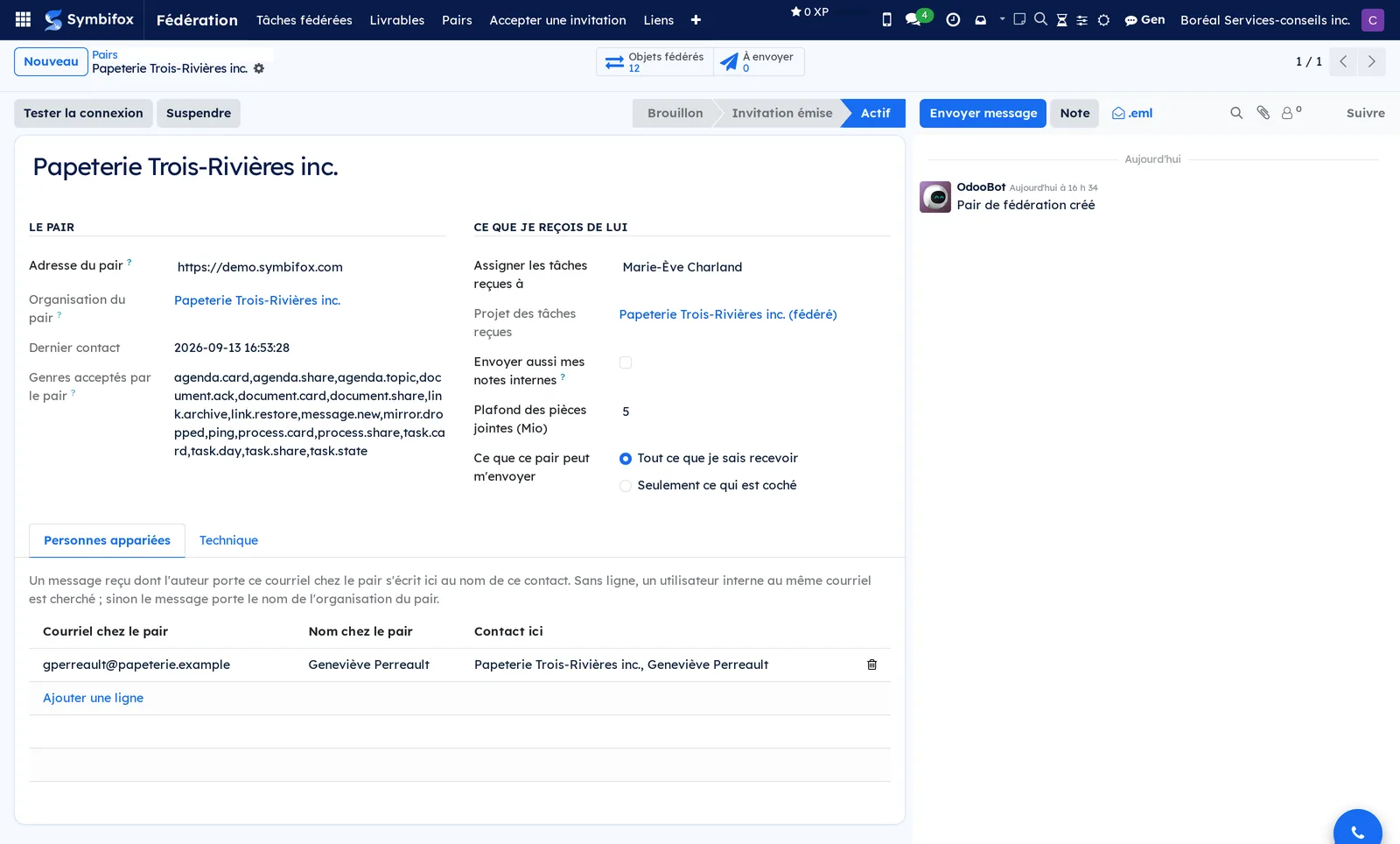
A peer is the other instance. You have as many as you have linked partners. Each peer record carries its address, the state of the link, the person who receives objects from that peer by default, and the size ceiling you accept for attachments.
The link is born of a pairing: one instance issues a single-use code, the other accepts it. A shared secret is derived from both halves, so neither instance picks it alone, and it signs every message from then on.
A federated link ties an object of yours to its mirror at the peer. The original stays yours; the mirror is a living copy that updates and can answer. Nothing is ever deleted: withdrawing a share archives the mirror.
Nine kinds of object cross over, each brought by its own module:
- tasks, with their state, their due day, their messages and their attachments;
- delivered documents, with their title, version, date and files;
- meeting agendas, read-only, with their status and the option to propose a topic;
- meeting reports, read-only, with their state at the side that held the meeting;
- process maps, with their full drawing and their successive versions;
- the conversation, as one discussion channel per shared object;
- schedules, with their lines, milestones, dependencies and progress;
- timesheet statements, closed for a period and delivered as a deliverable;
- prospecting reports, from the agency to the client it prospects for.
What never crosses: your timesheet lines one by one, amounts and rates, an hour bank balance, a schedule's planned hours, a meeting transcript, your credentials, and any message whose text begins with a padlock. Your internal notes stay with you, unless your organisation has chosen to send them to this partner; even then, a note that begins with a padlock does not leave.
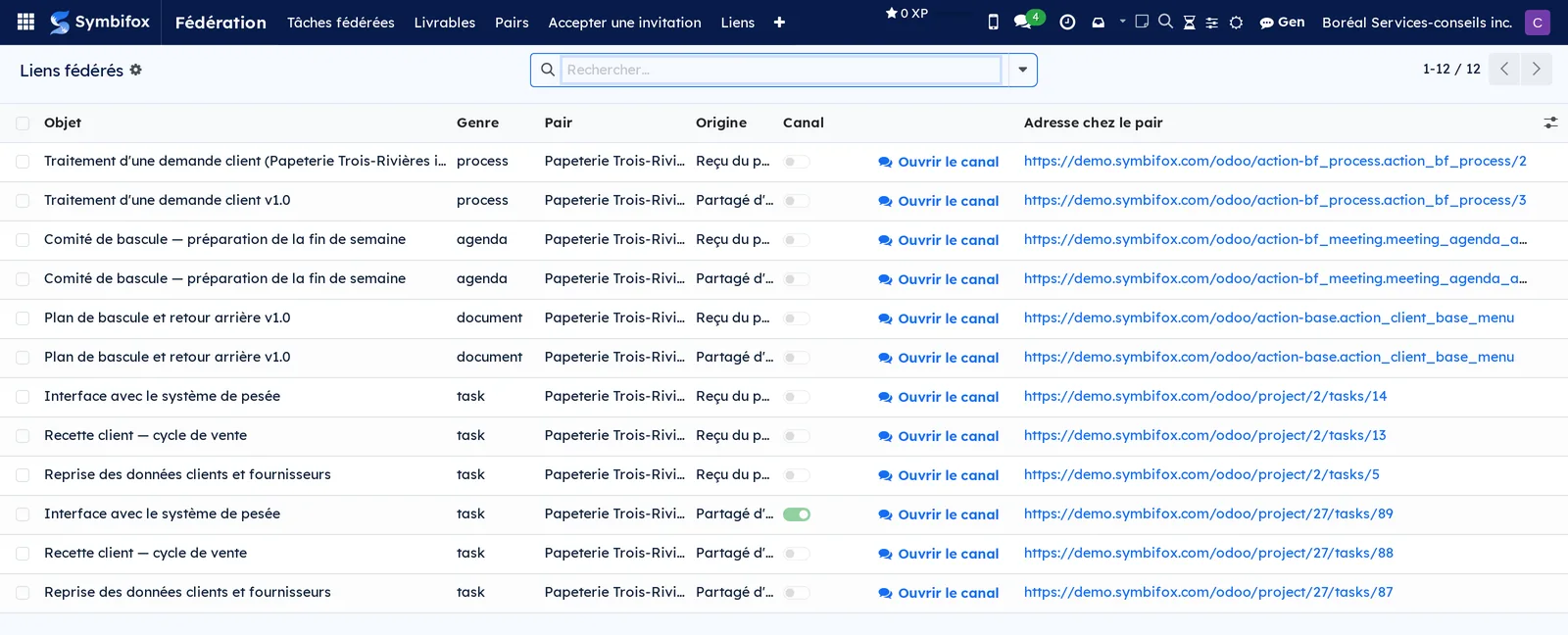
The list of links gathers everything that has a twin at a partner's, whatever the kind of object.
Configuration#
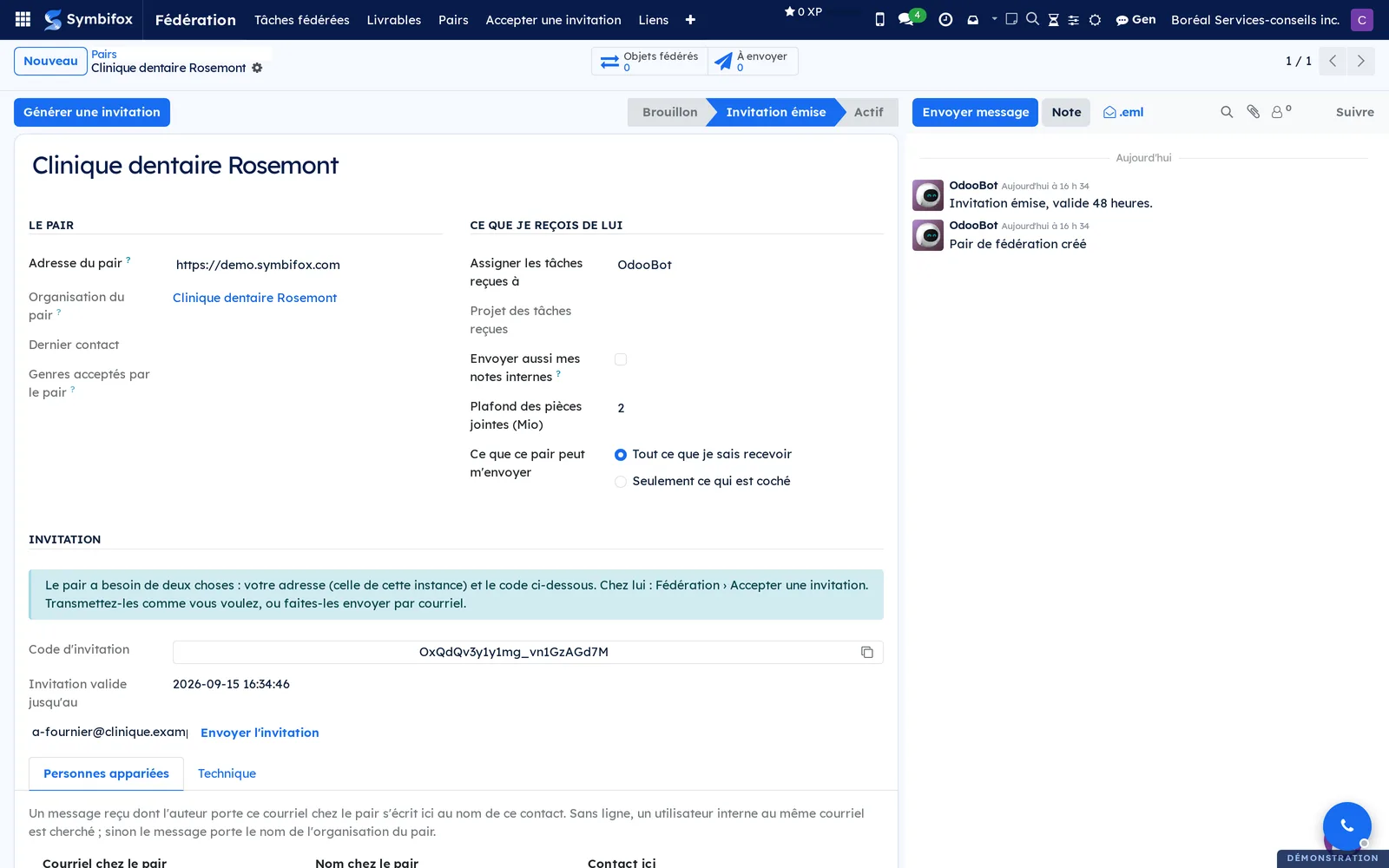
Pairing is for administrators only. From Fédération > Pairs, create the partner record, then Générer une invitation (generate an invitation). The peer needs two things: your instance's address and the code, valid for forty-eight hours and usable once. You pass them along however you like, or you fill in an email address and let the record send them, in which case it keeps a trace of the recipient.
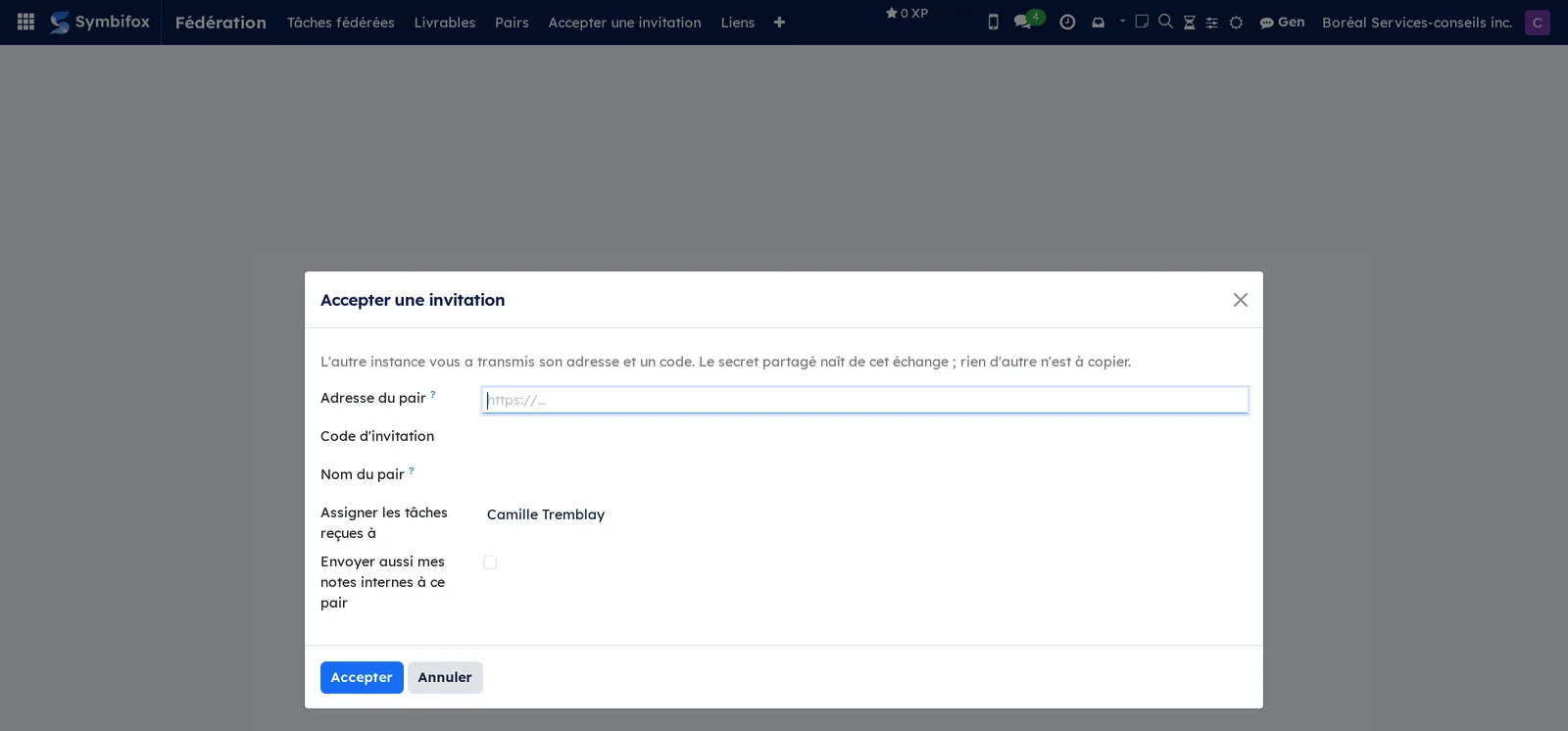
At the partner's end, Fédération > Accepter une invitation asks for your address, the code, a name for the peer and the person who will receive by default. Both instances are then active, and Tester la connexion confirms it.
The name matters. If it is typed in and exactly one company by that name already exists in your contacts, the peer record is linked to it, and a note says so: the partner is then recognized as the client or supplier you already know. Left blank, the name is the one the partner announces, and a new company record is created. An announced name never links to an existing record: a partner presenting itself under one of your clients' names must not inherit that client's record.
Three settings deserve a decision, on the peer record:
- The person who receives by default. Mirrors arrive in a closed project, visible to its followers only, and go to that person, unless the partner addressed the task to someone you have matched (see below). It must be an active internal account: an archived person or a portal account cannot be chosen, and if the chosen person is archived later, tasks arrive with nobody assigned, and a note says so.
- What this peer may send you. By default, everything your instance can receive. You may instead tick a precise list: a partner you only want tasks from will not be allowed to drop deliverables on you. The refusal happens before your instance looks up the object in question, so it reveals nothing about what exists on your side.
- The attachment ceiling. Above it, a file stays with the sender, and the mirror says so rather than pretending otherwise.
Getting started#
Share a first task. On the project, name the peer under Pairs de fédération: without that, no task in the project offers federation, and the field does not even appear. Then open a task and fill in Fédéré avec. A note on the message thread sums up what leaves and what stays. If you know who at the partner's should handle it, also fill in Destinataire chez le pair (addressee at the peer; see Address a task to a person at the partner's).
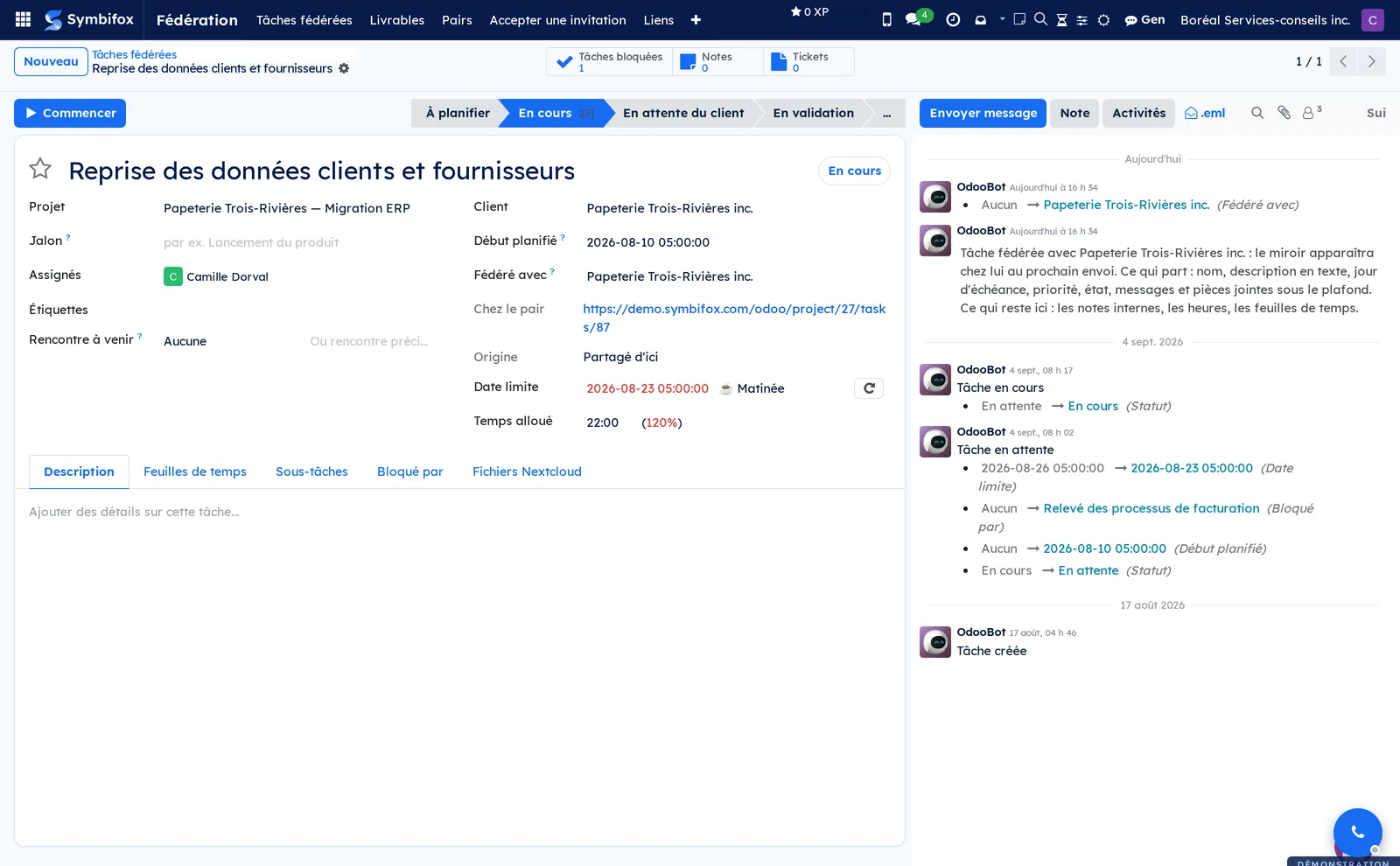
The mirror appears at the partner's on the next pass of the outbox, within two minutes. They see it in a project named after you, with three columns: to do, waiting on you, done.
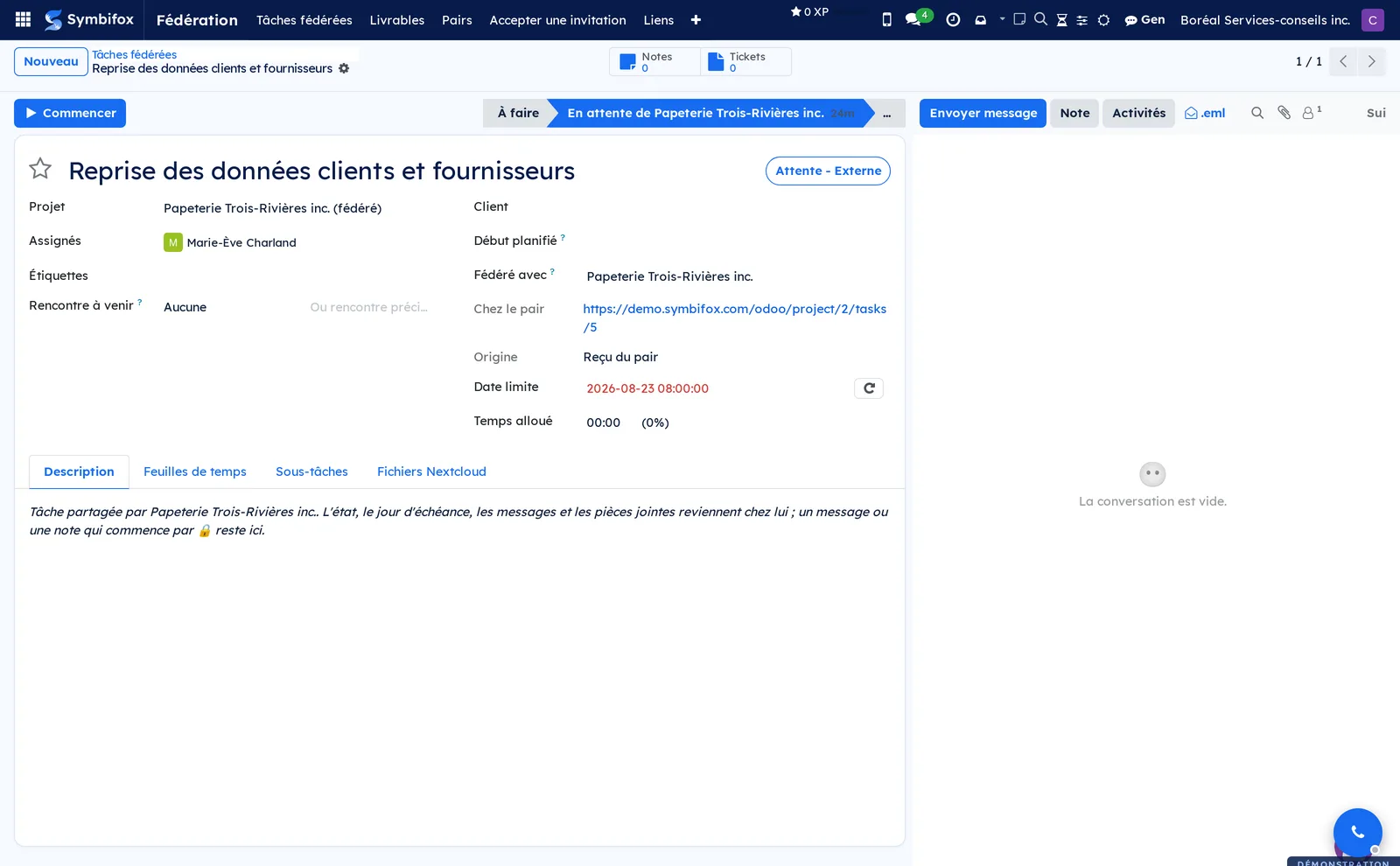
When they move their task to Terminé (done), it returns to you En cours (in progress) rather than closing: their part is finished, the ball is in your court. That is the state flip, and it is what keeps a federated task from getting lost.
Common tasks#
Address a task to a person at the partner's. On a federated task, the Destinataire chez le pair (addressee at the peer) field offers the people linked, in your contacts, to the partner's company record, as long as they have an email address. Pick the person: their name and address travel with the task. It is a proposal, not an assignment. At the partner's, the task goes to the account that their table of matched people associates with that address; if there is none, it goes to their default person, with a note naming the intended person and saying what to complete. You do not learn whether the proposal was followed, unless the person replies to you on the task. Addressing a task requires the project manager role, like federating it. The proposed addressee only counts when the mirror is created: if you change it afterwards, the partner gets a note, and the task does not change hands on their side. Changing the peer or withdrawing the share clears the field.
Receive tasks addressed to your people. On the peer record, the Personnes appariées (matched people) tab says who is who between the two instances. For each person, enter their address at the partner's, the contact who represents them on your side, and, if that contact does not have exactly one active internal account, the Compte ici (account here) that will receive their tasks. An address has only one row per peer. The first task addressed to someone missing from the table tells you so in a note: add the row, and the next one will land in the right place.
Deliver a document. From Fédération > Livrables, create the delivery: a title, a version, a date, a plain-text summary and the files. Fill in the recipient, the contact the delivery is addressed to: they determine which peers may receive it, and with no recipient no peer is offered. The read receipt comes back with the name of whoever read it and the date.
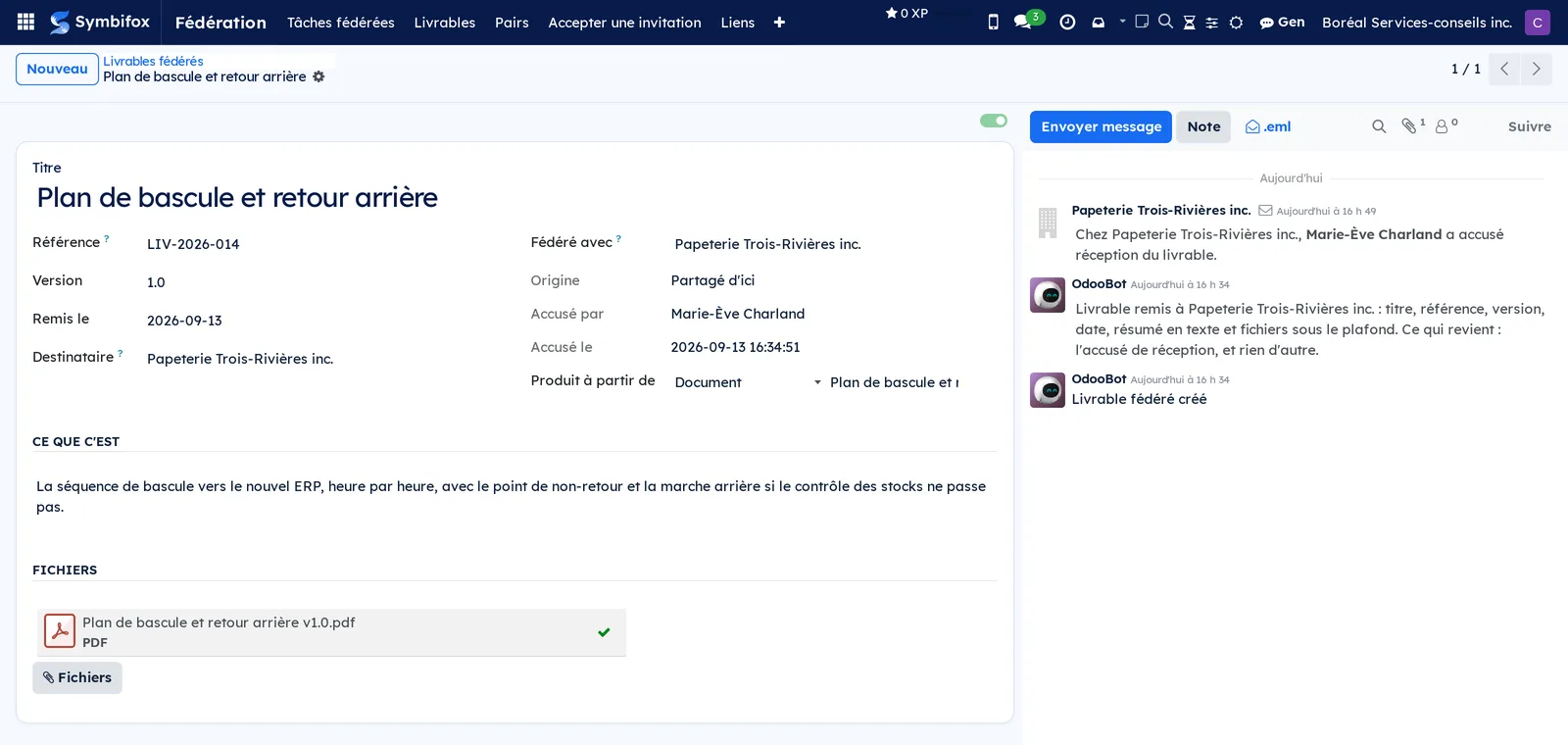
Publish a new version. Change the version and replace the files. At the partner's, the new one replaces the old, files included, and the previous version's receipt drops on both sides: a receipt is about content, not about a title.
Share a meeting agenda. On an agenda whose project names a peer, fill in Fédéré avec. The partner reads it on their side: title, date, place, duration, objectives, context and published topics. They cannot rewrite it, and a banner tells them so. What they can do is Proposer un sujet (propose a topic): it arrives on your side marked as proposed by a recipient, for review, and enters neither the printed document nor the email until you accept it. The status follows without anyone copying it: an agenda confirmed, done or cancelled on your side is so at the partner's too. Cancellation matters most, since nothing else would tell them. The mirror's banner also says where sending stands on your side, and reminds them that nothing left from theirs.
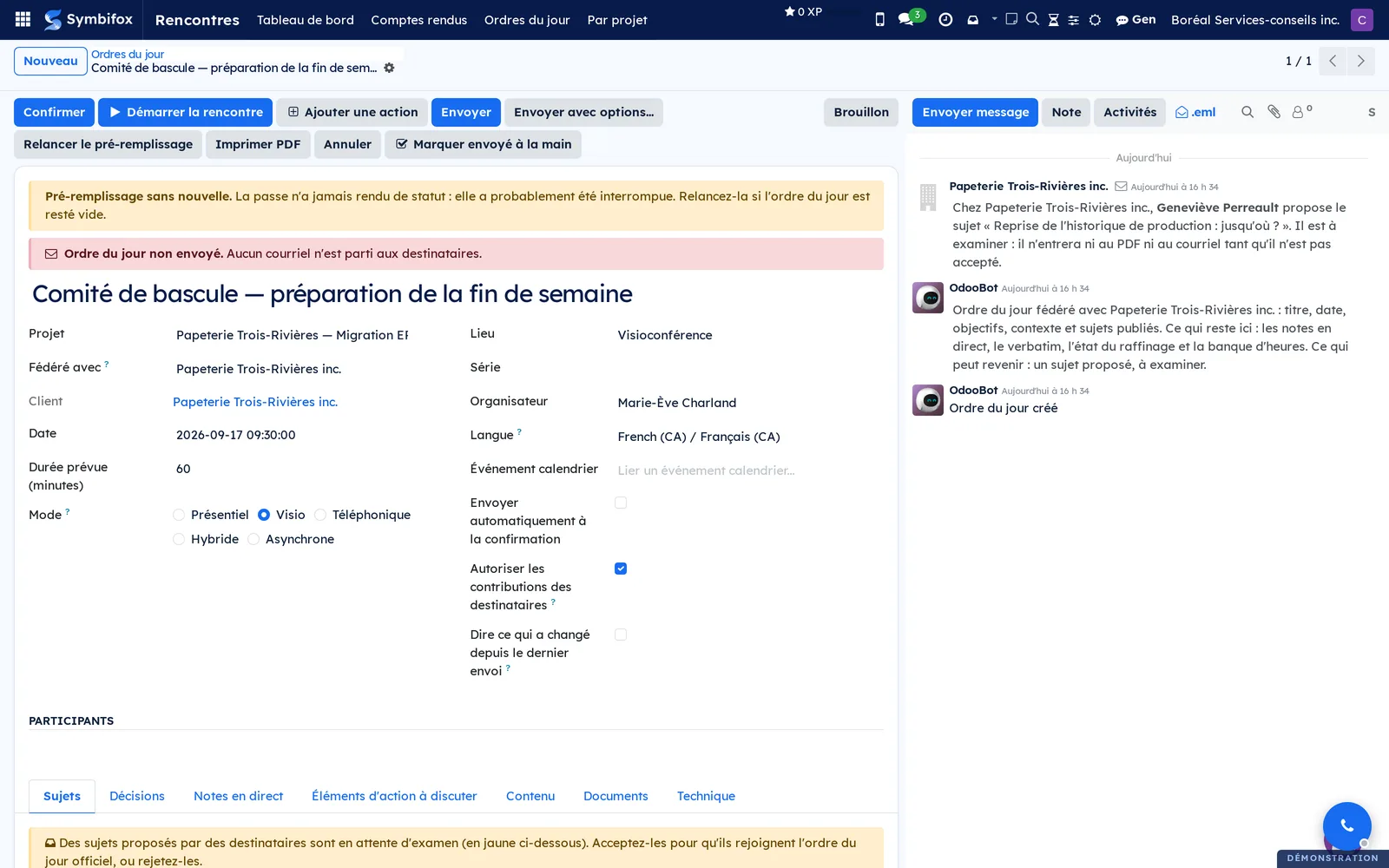
Share a meeting report. On a report whose project names a peer, fill in Fédéré avec. The partner receives, read-only, what the report's PDF shows and nothing else: live notes, the verbatim and the email recipients stay with you, and corrections are made on your side. A banner tells them where the report stands on your side (Brouillon, Révisé or Envoyé, that is draft, reviewed or sent, with the sending date), and their list offers the optional Chez le pair (at the peer) column. On their side, the mirror's state stays “Brouillon”: they have sent nothing to anyone, and the report does not show on their client portal. If they had already received this report by email, their copy is linked to the share rather than duplicated.
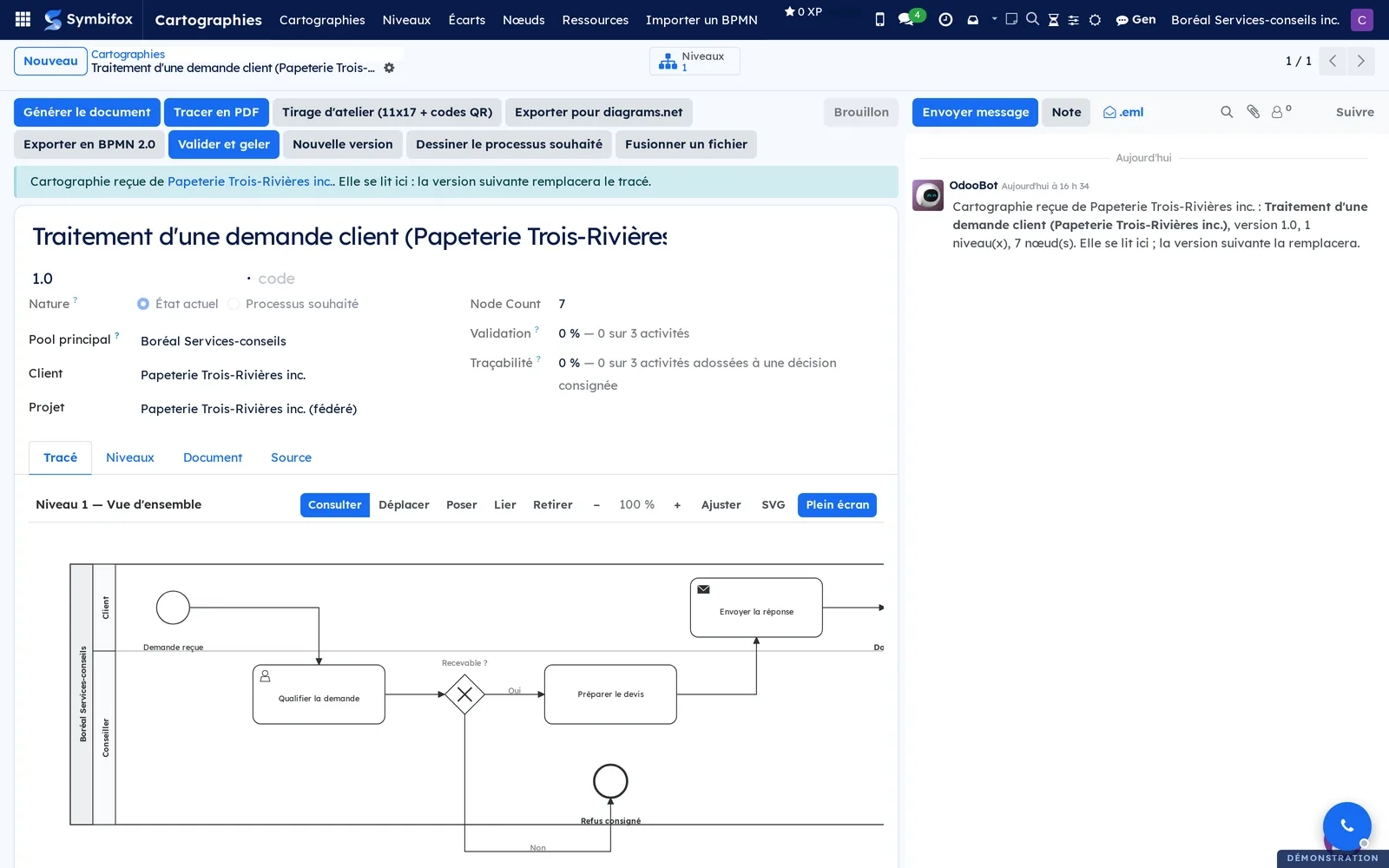
Share a process map. Fill in Fédéré avec on the map. The partner receives a real process map, with its levels, lanes, nodes and flows: they can draw it as a PDF and open its step pages. It carries your name in parentheses, to tell it apart from theirs. After reworking the drawing, use Renvoyer le tracé au pair (send the drawing again): levels are not among the watched fields, because a map is reworked through its nodes far more often than through its title.
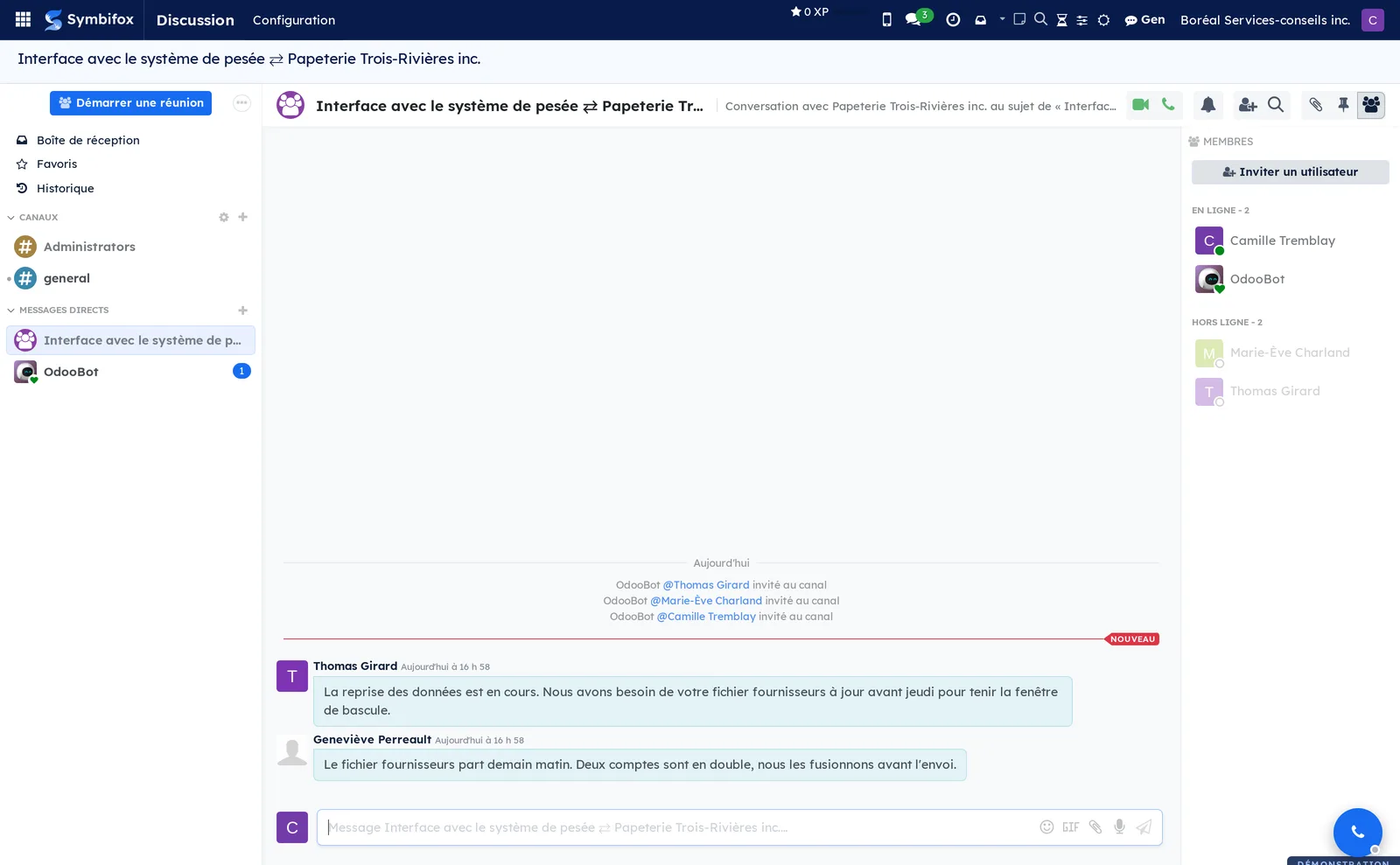
Open a discussion channel. From Fédération > Liens, the Ouvrir le canal button creates a channel for that object. What is written there is posted to the object's message thread, from which it travels to the partner; what comes from them reappears there. The channel is the window, the message thread stays the record. Expect two to four minutes per round trip: this is not instant messaging.
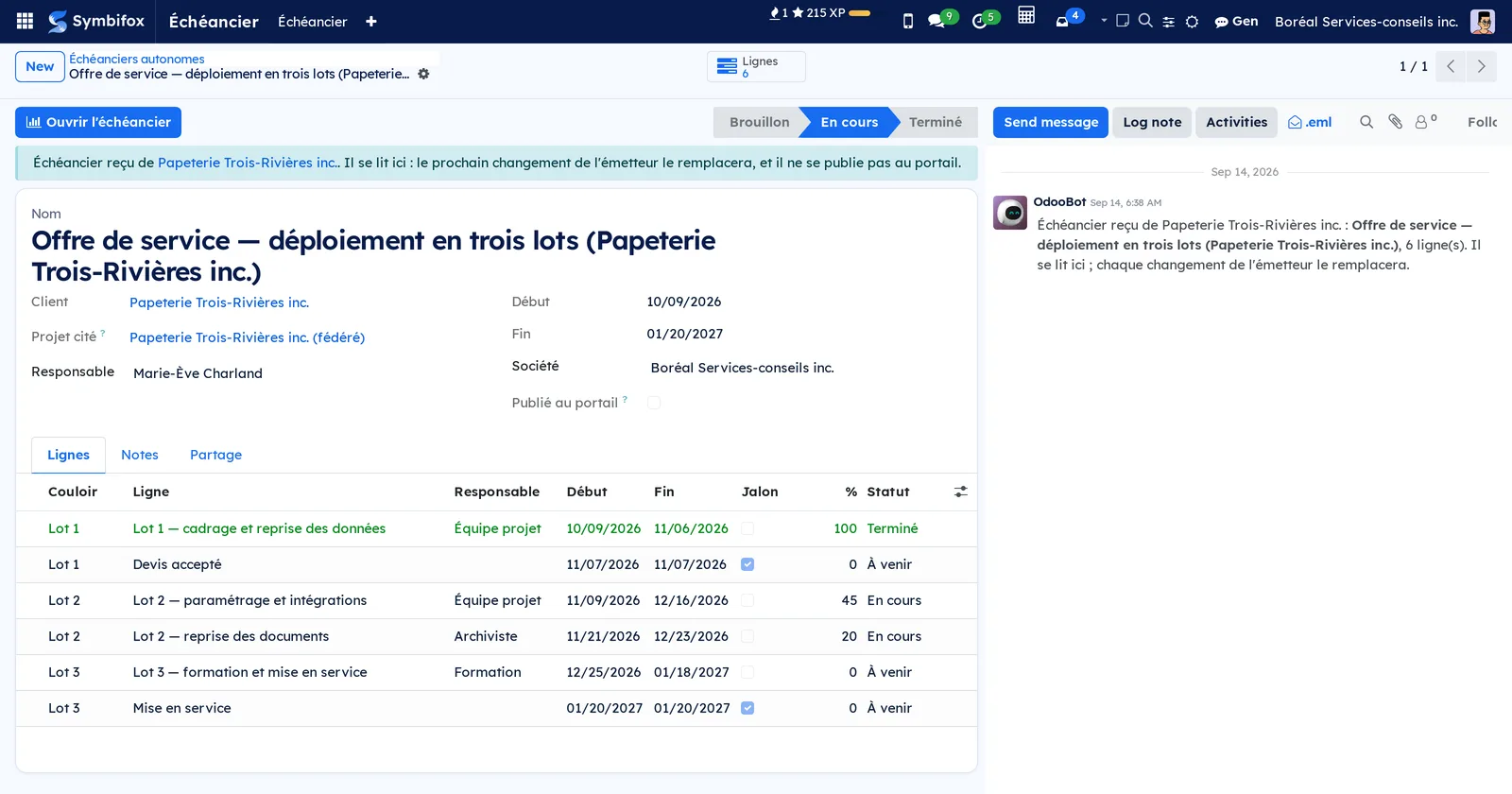
Share a schedule. On a schedule whose client or cited project names a peer, fill in Fédéré avec. The partner receives a real schedule, readable in the Gantt view: its lines, lanes, milestones, dependencies and their progress. Moving a line or changing progress sends it again on its own, and Renvoyer au pair (send to the peer again) sends it as it is. The planned hours of each line stay with you. At the partner's, the schedule is read-only: it cannot be edited and it is not published to their portal.
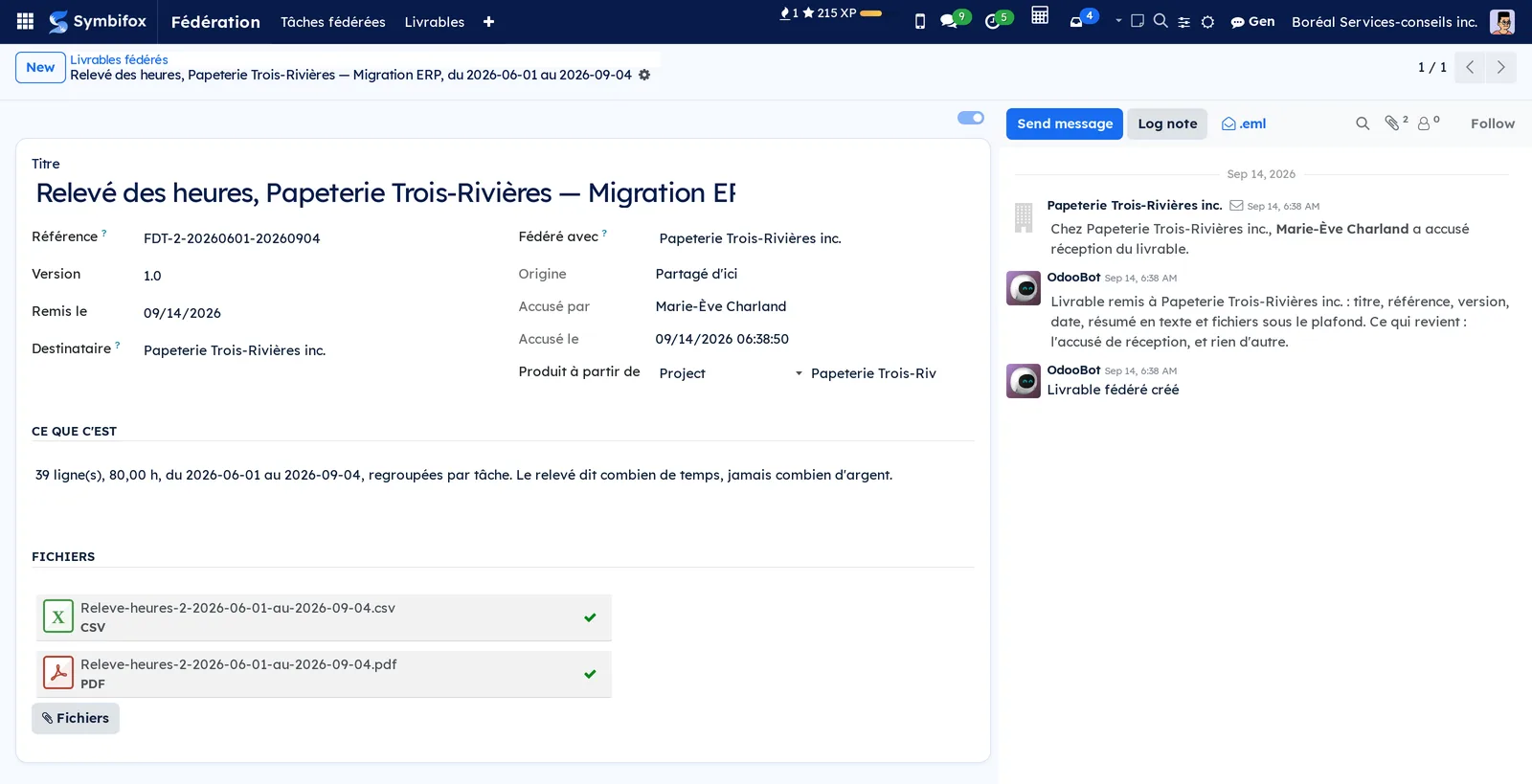
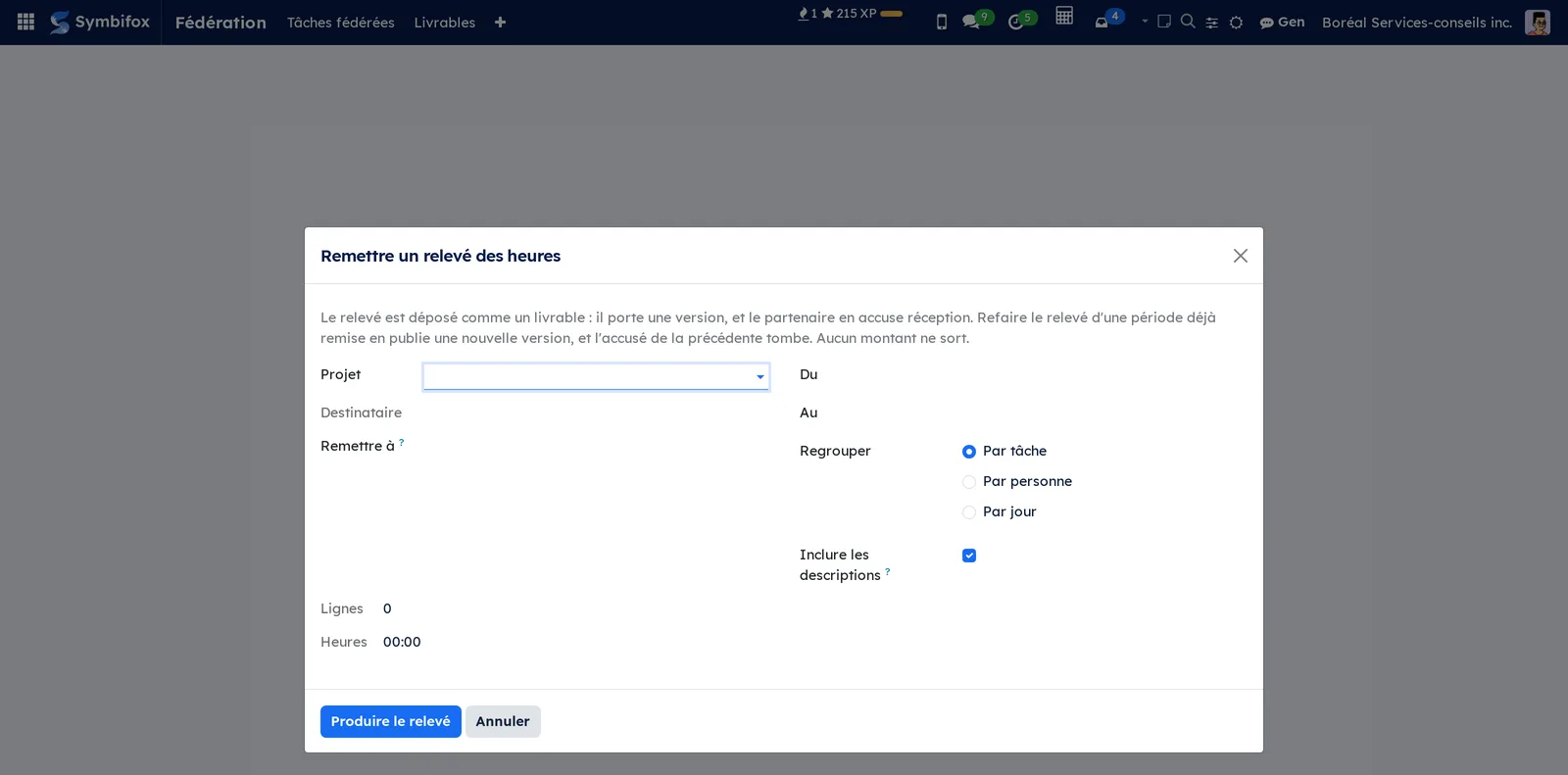
Deliver the timesheet statement. From the project, Remettre le relevé des heures (deliver the timesheet statement): choose the period, the grouping (by task, by person or by day) and whether descriptions go out. The statement is filed as a deliverable, in PDF and CSV, and the partner acknowledges receipt. Producing the statement again for a period already delivered publishes a new version if the content changed, and the previous receipt drops. A statement never carries an amount or a rate.
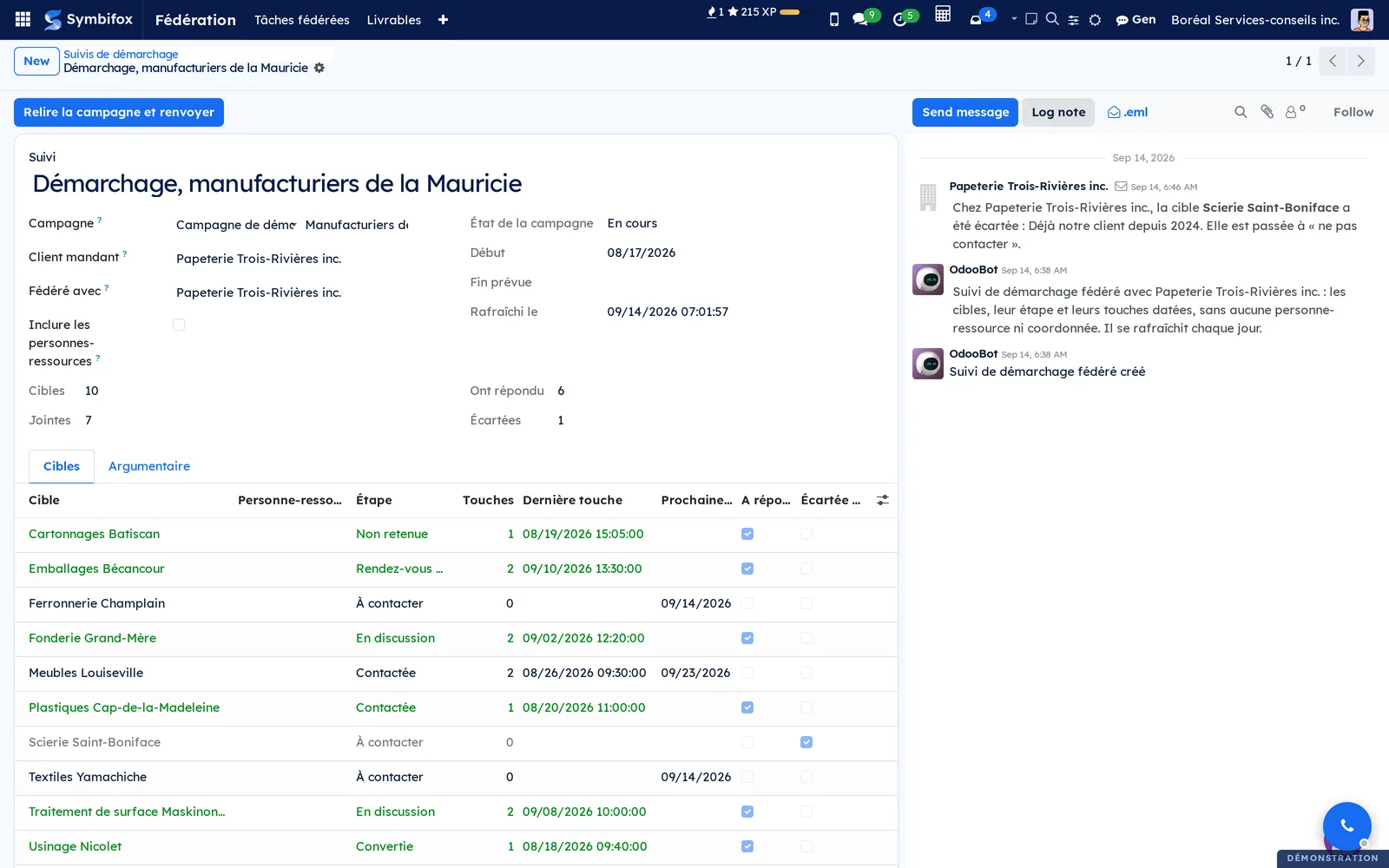
Share a prospecting report. From Fédération > Suivis de démarchage (prospecting reports), create the report of a campaign and name its client mandant (commissioning client): that client determines the peer offered. By default, only the targeted company, its stage and its dated touches cross over. Tick Inclure les personnes-ressources (include contact people) only for a mandate where the client is responsible for that information. The report refreshes daily, and Relire la campagne et renvoyer (reread the campaign and send) does it on demand.
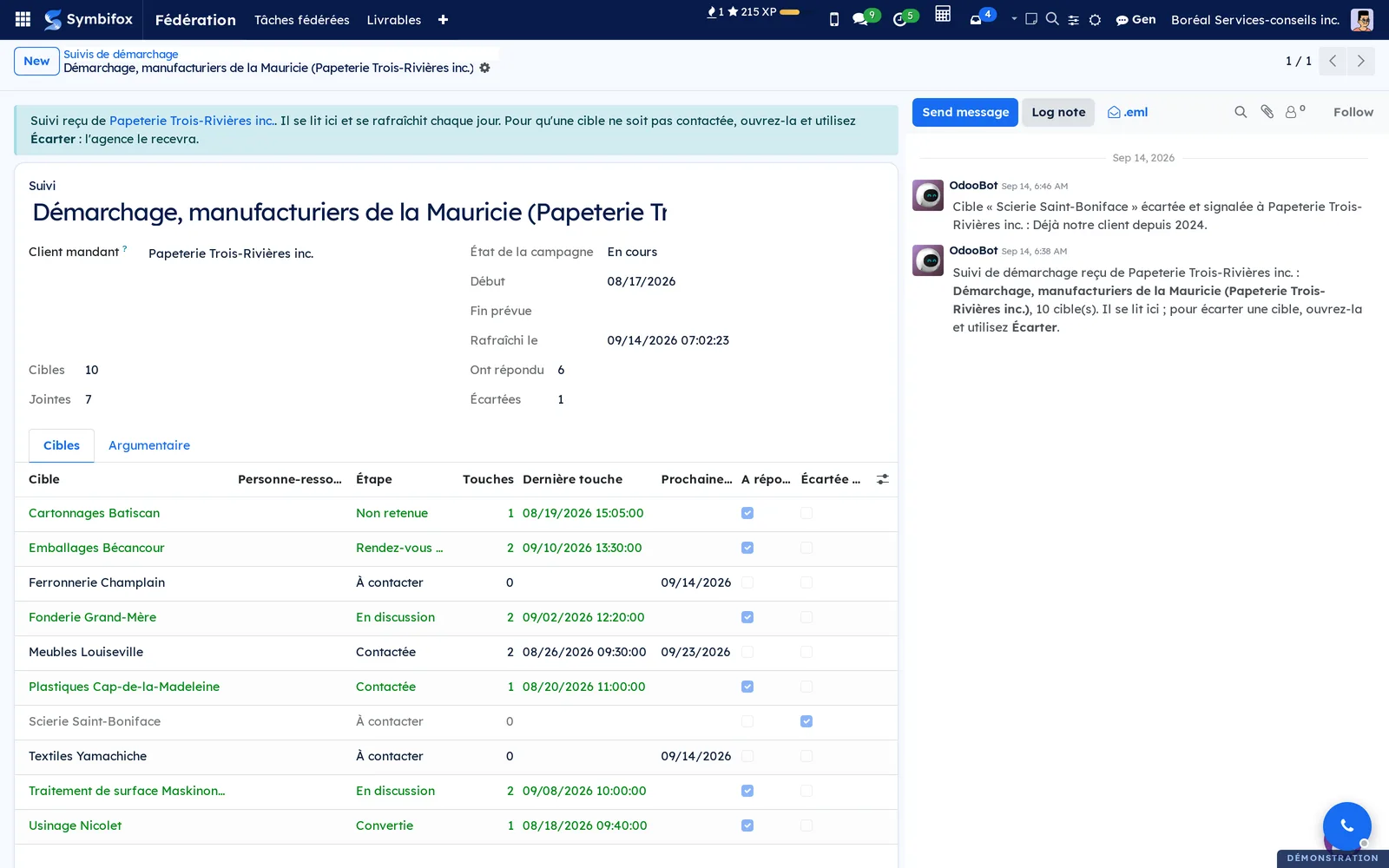
Set a target aside, at the client's. In a received report, open the target and use Écarter (set aside), with a reason. It becomes "do not contact" at the agency. That is the only thing a client can send back: it adds no target and changes no stage.
Withdraw a share. Clear Fédéré avec. The mirror is archived at the partner's, a note tells them, and nothing is deleted. Setting the peer again reactivates the mirror and sends it the complete card.
The menus, one by one#
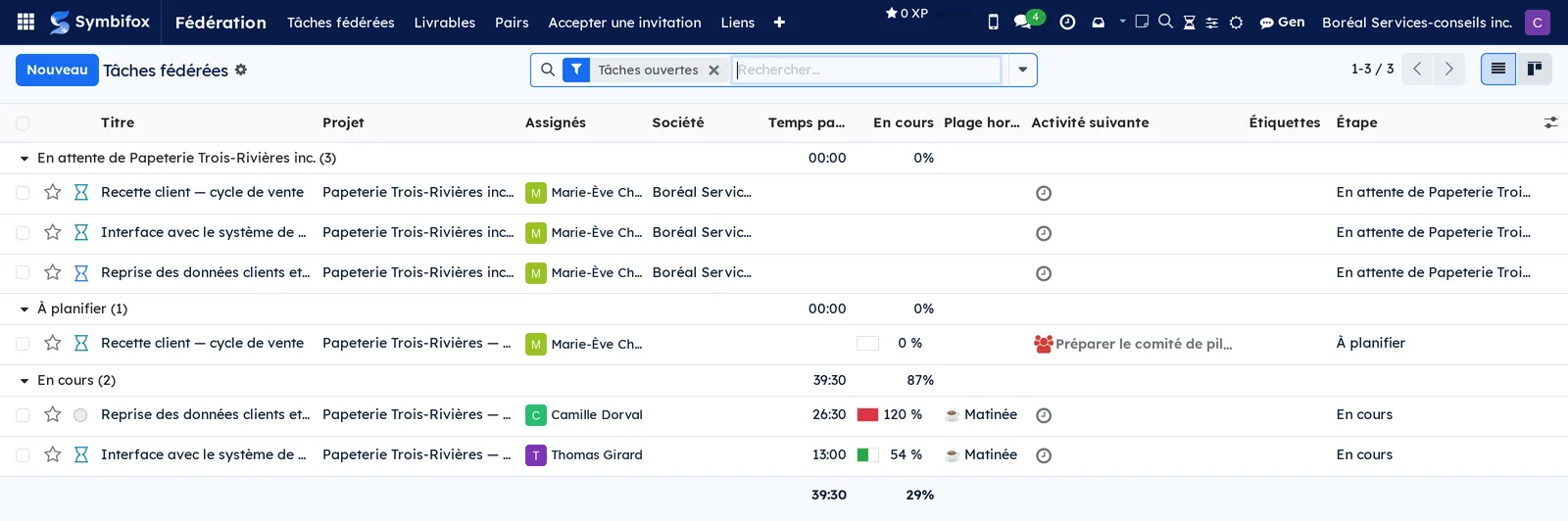
Fédération > Objets fédérés lists the tasks that have a mirror, with the peer and the direction of the share.
Fédération > Livrables lists deliveries in both directions. Filters separate what you delivered from what you received, and isolate what has no receipt yet.
Fédération > Pairs is each partner's record: the state of the link, the last contact, what they say they can receive, what you allow them to send you, the person who receives by default, and the table of matched people, which also says which account receives the tasks they address to your people. Administrators only.
Fédération > Accepter une invitation opens the pairing window on the invited side. Administrators only.
Fédération > Liens lists every link, whatever the kind of object, with its model and its peer. This is where an object's discussion channel is opened. Administrators only.
Fédération > Relevé des heures opens the window that produces a statement for a project and a period, and delivers it. Project managers only.
Fédération > Suivis de démarchage lists prospecting reports, delivered and received, with their commissioning client, their targets, those who replied and those set aside.

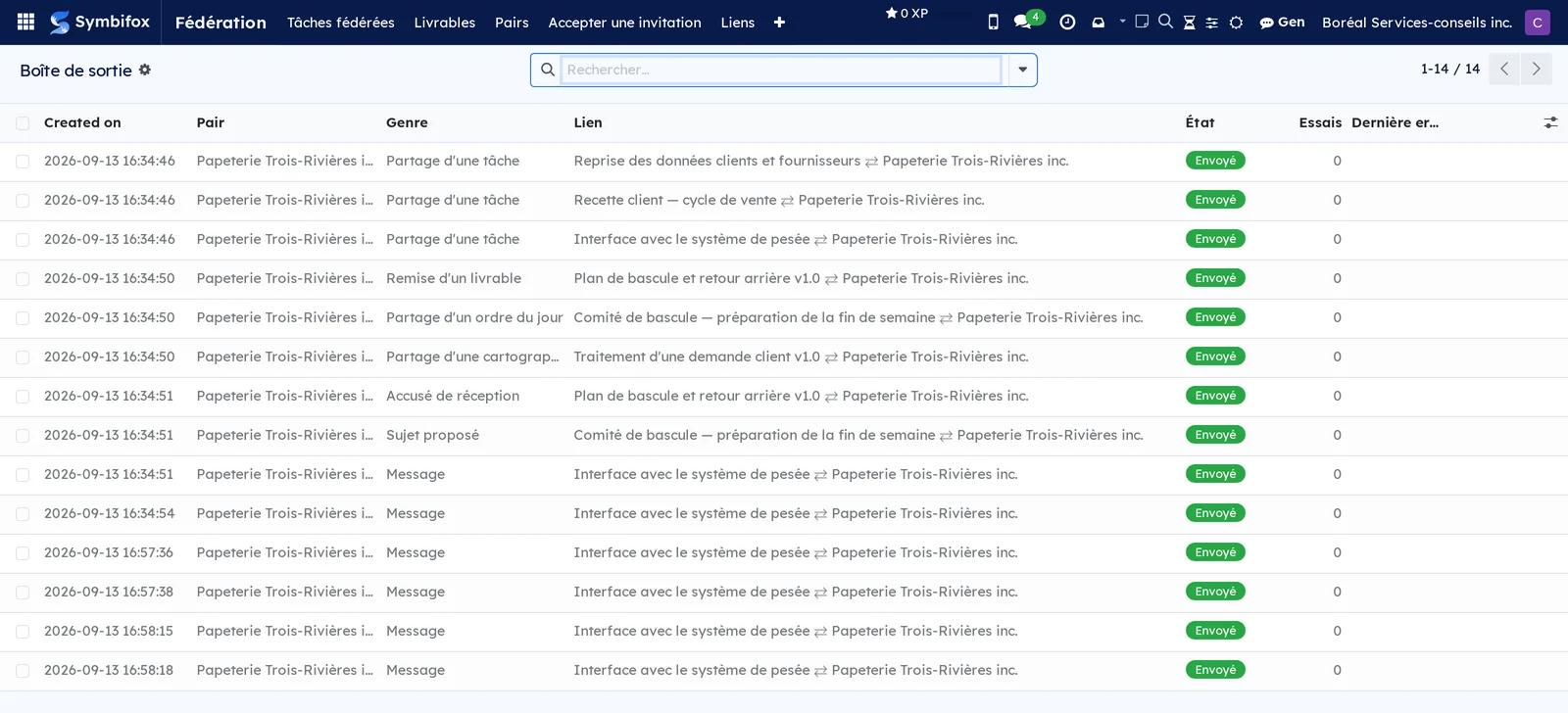
Fédération > Boîte de sortie shows each send, its state and, where applicable, the last error. Administrators only.
Reference#
The table of matched people. It does two things, and you are the one who keeps it. A received message is written under the name of someone on your side only if that table says a given address at the peer corresponds to a given contact of yours; failing that, it is written under the peer organization's name, with the announced name as a prefix. And a task the partner addresses to an address in the table goes to the row's Compte ici (account here) or, if that is empty, to the contact's account when it has exactly one, internal and active. A portal account never receives a task, two accounts are never picked between at random, and a designated account that was archived gives way to the default person, not to the contact's account. A partner presents an address; it never designates an account on your side.
The exclusion marker. A message or a note whose text begins with a padlock, or with the word private in brackets, stays with its author. The marker applies from the message thread as much as from the channel.
Announced kinds. Each instance tells the other what it can receive. A kind whose module is not installed at the partner's is refused rather than guessed at. A partner running an earlier version announces nothing, and is then treated as accepting everything: we do not forbid what we cannot see.
Roles. Only an administrator pairs, suspends or reactivates a peer, and sets what it may send you. A project manager shares, addresses and withdraws objects. A user reads the federated objects in their scope, like any other.
Modules that extend this application#
Law 25 breach notices also travel through federation.
Understanding#
Why the object goes to them rather than them coming to you. Symbifox already knows how to open a portal to a partner, and to share a project with editing rights. Those doors work, and they stay lightly used: people work in the tool they open in the morning, not in someone else's. Federation reverses the direction and puts the object where the partner already is.
Why the message thread stays the record. The channel gives the shape of a chat, livelier for back-and-forth. But an object has to keep a single history, readable a year from now by someone who was not there. So the channel writes into the message thread, never beside it.
Why a delivered document rather than a shared object. A policy, a procedure, an exported schedule: these are things you hand over, not things you draft together. Nobody drafts a privacy policy jointly with their client. The delivered document therefore says what it is: a dated version, handed over, that you want to know has been read.
Why a received report stays a draft. A report's only state says whether it was sent. Copying it at the receiver's would make them say they sent what they never sent, and would bring it close to their own client portal, where a report shows once sent. The state at the side that held the meeting therefore lives apart, in the banner.
Why the addressee at the peer is a proposal. To pick someone at the partner's, you would need the list of their employees, and that list has no business crossing over. So you propose someone you already know, and the partner decides, with their own table, who works in their house. For the same reason, a task already received does not change hands when you change your mind: someone may already have taken it.
Why a statement rather than timesheet lines. A timesheet line changes every day, gets corrected, moves from one task to another. What a partner wants to receive is a closed state, for a period, that they can say they have read. That is exactly what a deliverable is, which is why the statement becomes one.
Why a report rather than a campaign. A prospecting campaign carries a cadence and a scheduled job that creates call activities. Receiving a campaign as a mirror would create such activities at the client's, about people they are not prospecting. A report is read, triggers nothing, and does not require the Prospecting application from whoever receives it.
Why the recipient frames the delivery. With a single partner, the question does not arise. With five, a list showing all five makes delivery to the wrong one possible, which is not a typo but a confidentiality incident. The recipient makes the wrong partner impossible rather than improbable.
Troubleshooting#
The mirror does not appear at the partner's. Look at the outbox. A pending send goes out on the next pass, within two minutes. A failed send shows the peer's last answer: an unreachable address, a link it does not know, or a refusal. A send is retried on a growing delay for fourteen days, then abandoned.
An addressed task landed with the default person. Read the note on the task. If it says the address is not among the matched people, add the row on the peer record. If it says the address is matched but the row gives no usable account (portal account, several accounts, or an archived account), designate a Compte ici (account here) on the row. The task already received does not move: reassign it by hand.
A received task is assigned to nobody. The person who receives by default was archived or is no longer an internal account. Pick another one on the peer record.
The Destinataire chez le pair field is empty or refuses a person. It only offers contacts linked to the partner's company record who have an email address. Link the person to that record, or check that the peer record points to the company you know.
The partner refuses a kind. Their own record may limit what you are allowed to send them, or the matching module may not be installed on their side. The kinds they say they can receive are visible on their record, on your side.
The Fédéré avec field does not appear. On a task, an agenda or a meeting report, the project must name a peer. On a deliverable, a recipient is required. On a process map, a client or a project that names a peer.
A received agenda or report refuses to be edited. That is intended: a mirror is read. To add something to an agenda, use Proposer un sujet, and the sender decides whether to put it on the agenda. For a report, ask the sender for the correction.
The timesheet statement refuses to go. The project must have a client, and the period must contain hours. The Remettre le relevé des heures button only appears on a project that has a client.
A prospecting report shows no contact person. That is the default: the agency must tick Inclure les personnes-ressources on its report. Nothing on the client's side can force it.
A delivery has nothing left to replay. An abandoned send keeps its trace but not its content beyond a week: the files of something that never left have no business living forever in a queue. Share the object again.
See also#
- Projet for tasks, projects and their waiting states.
- Rencontres for agendas, meeting reports and the client portal.
- Process maps to draw, validate and version a map.
- Base de connaissances for versioned documents and their distributions.
- Discussion for channels and internal messaging.