Communications & Meetings10
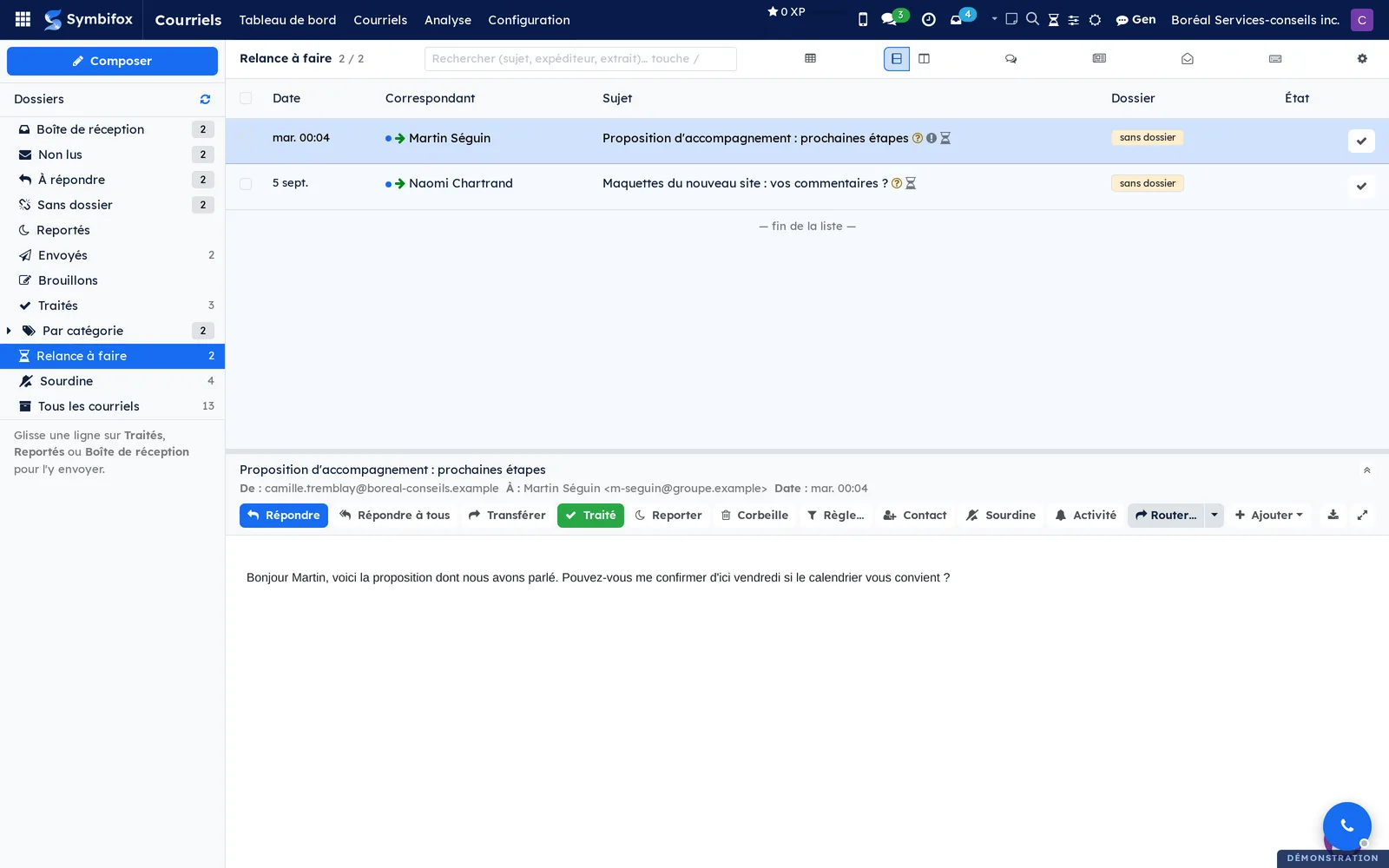
 Contact AbsencesKnow a contact is away before you write, not three days later when you read their auto-reply.BUSL-1.1
A dated period on the contact record, with the stand-in: who to write to in the meantime.
The banner shows where the work happens, on the chatter of a task, an opportunity or a record, not only when you hit send. One click schedules the message for the morning after they are back, and a reminder returns that day carrying the subject of the last exchange, so there is something to say beyond “just checking in”.
A shutdown recorded on a company warns for every one of its people, and the collective holidays of a trade, published a year ahead, are seeded in one pass.
The module also reads what already exists: the out-of-office replies arriving in your mail, and the calendar where you noted those holidays by hand before there was a module. It takes the period out of them, proposes it, and never writes anything on its own.
⚠️ Nothing is ever blocked: writing to someone on holiday is often exactly what you want, so that it is waiting for them.
Comparable to The out-of-office detection of Salesloft or Outreach, taken out of the outbound cadence


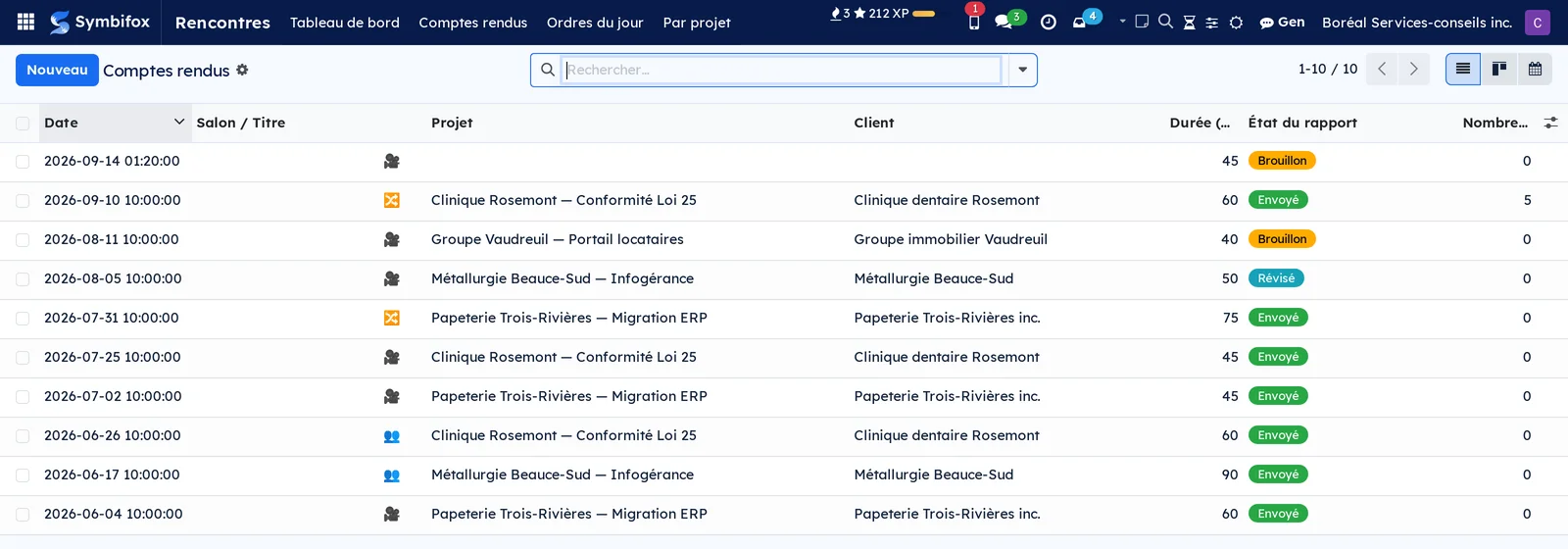
 MeetingsPrep the agenda, capture the verbatim, export a signed meeting record.BUSL-1.1
A meeting gets prepared, gets held, then gets lost. The agenda sleeps in an email, the decisions in somebody's notes, and six months later nobody knows who settled what.
An agenda prepares the meeting to come: its objectives, its topics with their duration and their speaker, the action items to discuss. A report tells the meeting held: the topics covered, the decisions with the person who made them, attendance, and the verbatim. Both attach to the same calendar event and the same project, with no re-entry.
⚠️ Follow-up works by exception: a meeting is presumed to deserve an agenda and a report, and the list shows step by step where each one stands. That is the opposite of the usual reflex, which shows only what was done and leaves the rest invisible.
Open tasks on the project can invite themselves to the next meeting. Decisions are filed into the knowledge matrices, where people will look for them. The report comes out as a PDF in your image, ready to send.
Audio capture and transcription go through a processor you host, not through a third-party service.
Comparable to Otter.ai + Fellow.app, integrated
1 add-on module
Meeting timerKnow what time the meeting will actually end, while there is still time to do something about it.
An agenda already carries its topics and the minutes allotted to each. Nobody knows where those minutes go: the plan is built to fill the calendar slot, and the report never says the first topic ate half of it.
The panel sits above the notebook on the agenda and stays in view while notes are being typed. It shows the projected end against the planned end, the running delta, what the topic just closed cost, and what is still allotted to the ones not yet covered.
A topic picked up again later sums its visits, one born mid-meeting is timed like the others, and a topic nobody had time for says so. At the end, the real time of each topic stays on the agenda and the report prints it.
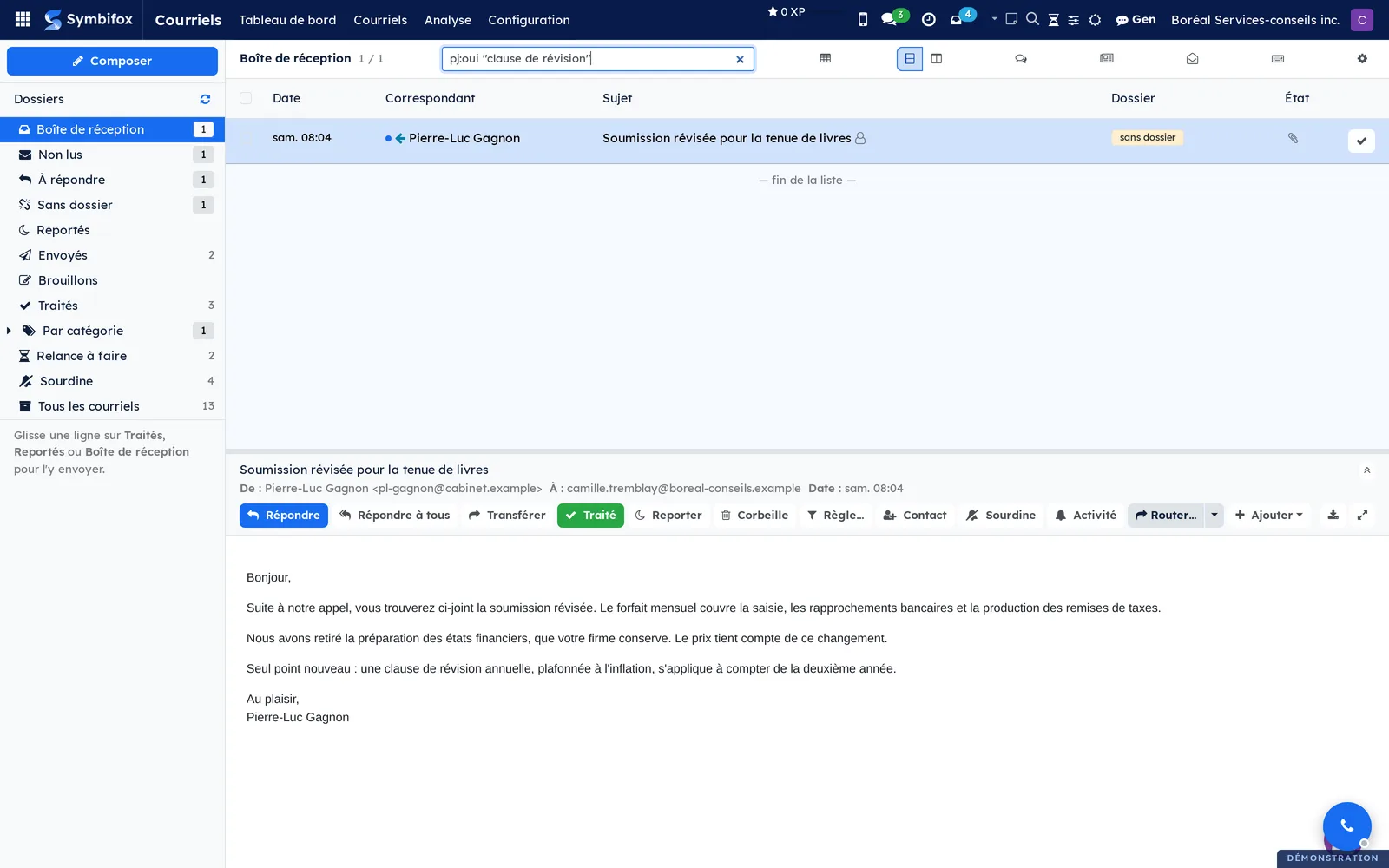
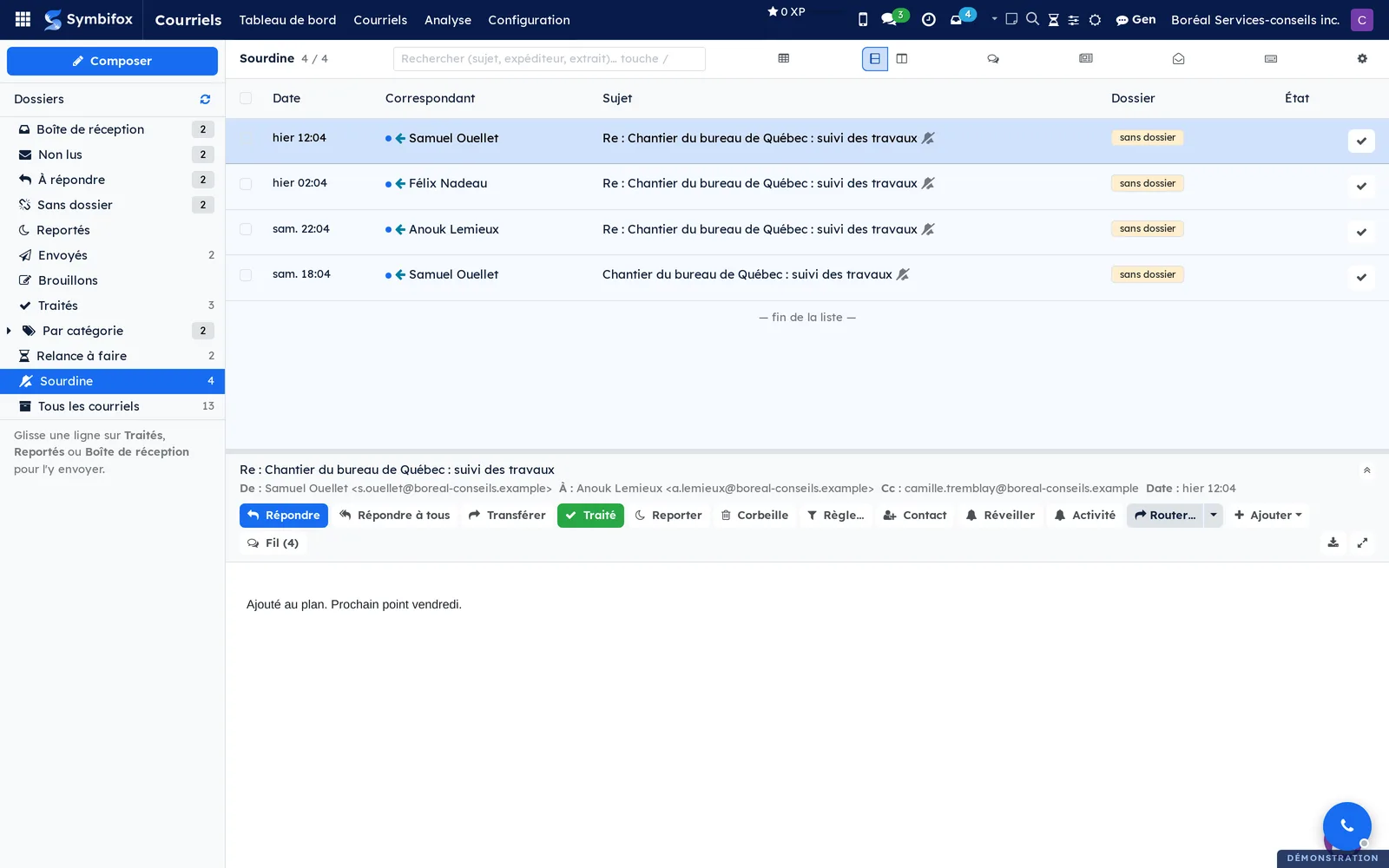
 EmailA real IMAP inbox inside Odoo, multi-account per user, two-click import to the chatter.BUSL-1.1
An email that matters ends up pasted into a task, or nowhere at all. Between the inbox and the file there is a copy-paste nobody enjoys and everybody forgets.
The mailbox brings two sources into one list. Your IMAP account, polled every five minutes, and Symbifox itself: every email sent from a message thread or received by the organization's gateway is projected there too. The two meet on the message's unique identifier, so one exchange never appears twice.
Filing to a record attaches an email to the thread of whatever it is about: the task, the ticket, the contact, the opportunity, the invoice. Two clicks, and the exchange lives where someone will look for it in six months.
Connecting a mailbox starts with two fields: you type the address, and the assistant finds the server, the port and the way in. Nothing is created until the connection works. Microsoft 365 refuses every password: each person gives their own OAuth consent, for their own mailbox.
⚠️ Accounts are per person, never under the admin account. A mailbox polled by a shared account makes everyone's mail readable by everyone, which is neither intended nor fixable afterwards.
Works with Migadu, Microsoft 365, Gmail and any standard IMAP server.
Comparable to Outlook or HubSpot Inbox, inside Odoo
 Link PagesA public page that gathers your links, and the QR code to drop into your email signature.BUSL-1.1
The links already exist in your database: booking, secure drop, meeting room, email, phone. The page resolves them at display time rather than copying them.
That is the whole difference. When someone's booking link changes, their page follows, and the QR already printed in their signature keeps pointing to the right place, since it encodes the page's address and not the link's. A hosted link-page service cannot do that.
Three kinds of page. One per employee, created and refreshed without intervention. One per client organization: the entry point you send when a engagement opens, with who to talk to, where to drop a document and where to find their things on the portal; its address is drawn at random rather than derived from the client's name, and it carries an expiry announced to the advisor before it falls. And a one-off page, with no owner, armed with an expiry from the moment it is created.
⚠️ A portal link only shows if someone at the organization actually has an account: a button that opens nothing but a login screen is the worst link in a welcome email.
Five looks, light or dark theme according to the device, FR/EN switch, and a branded QR whose legibility is measured rather than assumed.
Comparable to Linktree or Carrd, wired to your real records
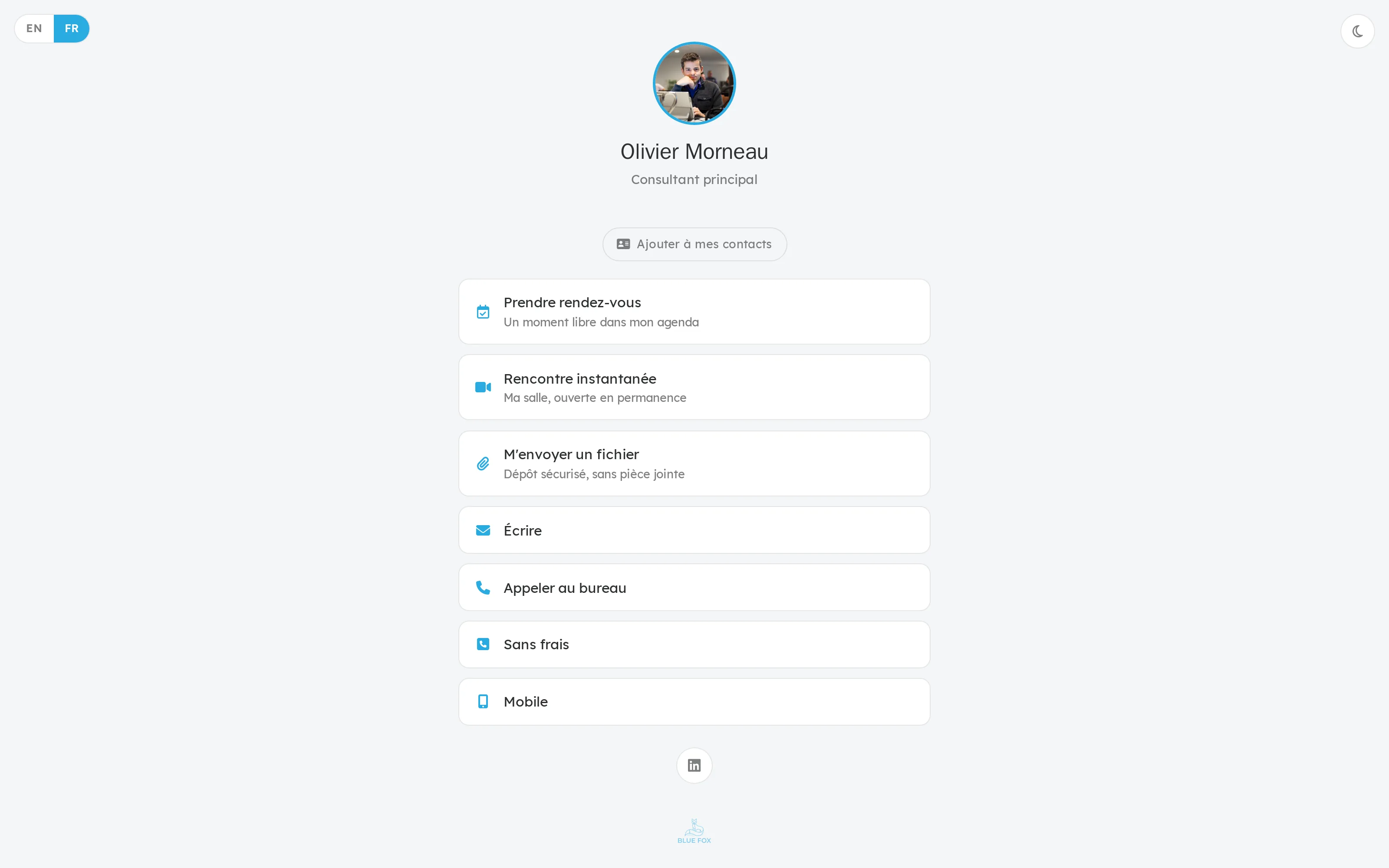
 SMS & CallsTwo-way SMS/MMS messaging over VOIP.ms, with SMS and call archiving.BUSL-1.1
Texting stays the fastest channel and the least documented. The exchange that settles an appointment lives on a mobile, and the file keeps none of it.
A line is a number attached to a person in the organization. A conversation groups everything exchanged with one number, messages on one side, calls on the other. An attachment places the trace of a message or a call in a record's thread, a task or a ticket for instance.
SMS and MMS go out and come in live through VOIP.ms, from a conversation space built into Symbifox, with an unread counter in the top bar. Your Android backups and your call history import, which brings what already exists in rather than starting over.
⚠️ Everything that enters here belongs to someone. A line has an owner, and the conversations held on it are their data. A thread marked confidential leaves the lists and the searches and stays with the person who holds it.
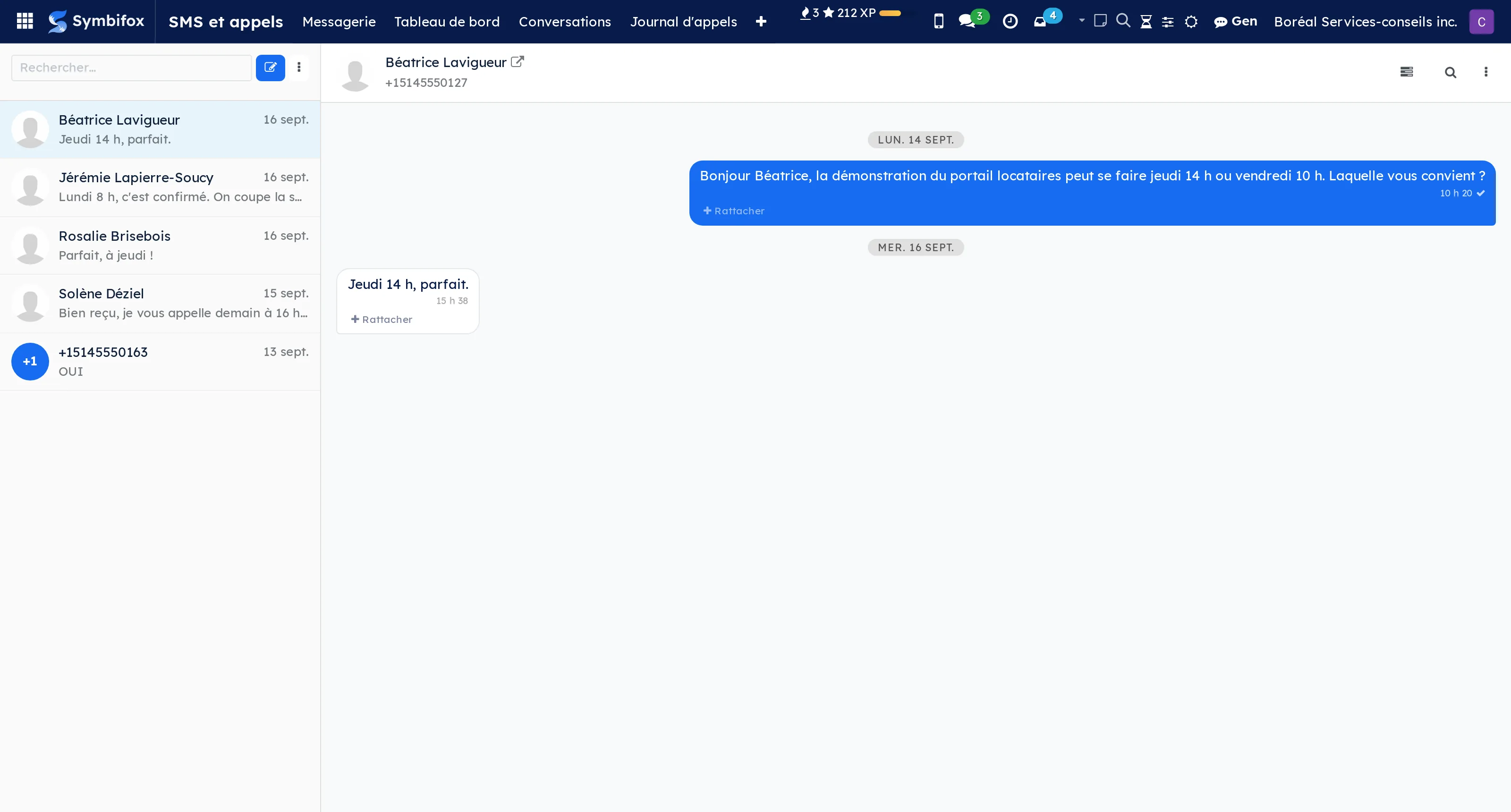
 Mass NotesAdd the same note to many records at once, from the list view Action menu.LGPL-3
Writing the same note on thirty records happens one record at a time, or not at all. It is usually “not at all” that wins, and the trace of the decision is missing where people will look for it.
Select several records in any list view, then post the same note on each one's message thread, in a single operation. The action appears on its own on every model with a thread, with no configuration: a module installed tomorrow will have it too.
⚠️ It is an internal note by default. Sending it as a message to followers exists, but behind a confirmation: thirty notes disturb nobody, thirty emails sent in one gesture are hard to take back.
Comparable to Bulk actions in Notion or Asana, inside the Odoo chatter
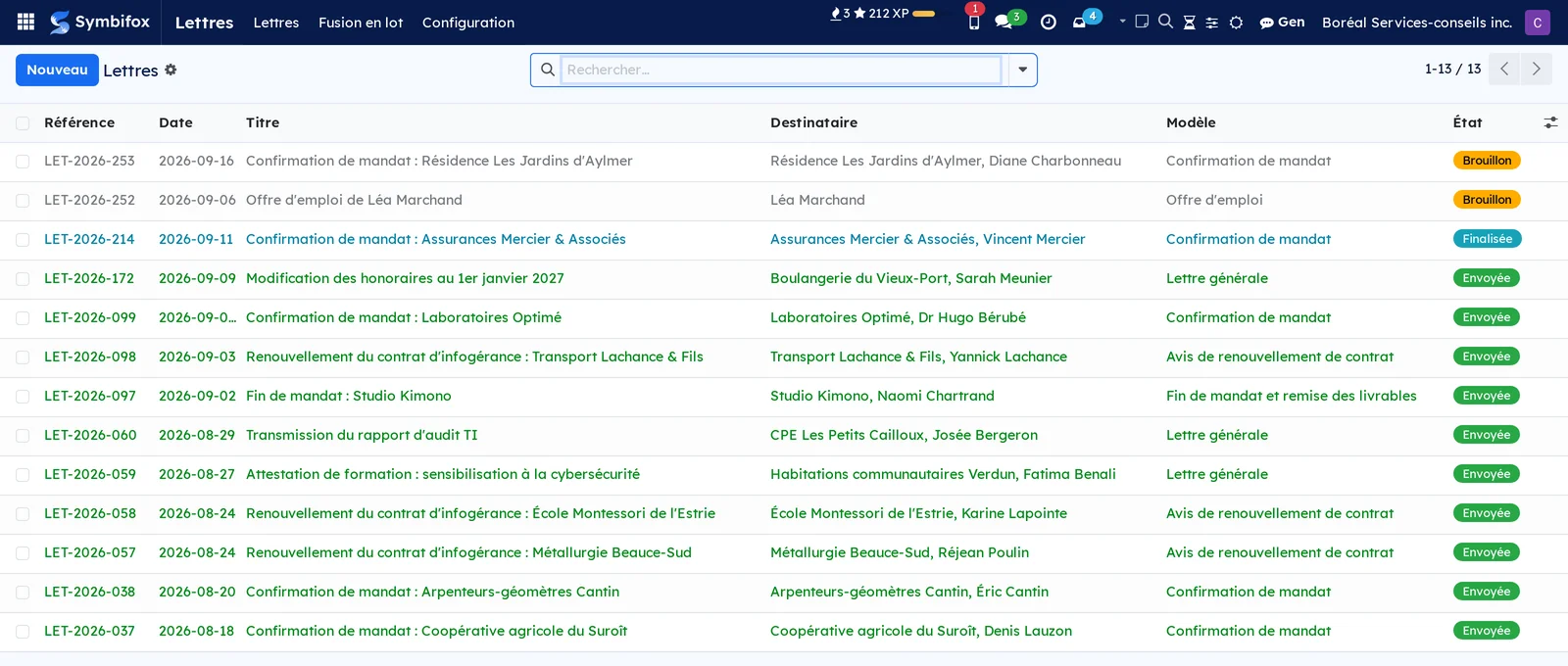
 LettersDraft formal letters from Odoo: templates, signatories, batch mail merge.BUSL-1.1
An official letter still comes out of a word processor too often, with the address retyped by hand from Odoo and the letterhead caught up from one version to the next.
Here the letter brings together the sender, a recipient drawn from your contacts, the date, the salutation, the body and the closing. It takes a reference on finalisation, and at that moment the recipient's name and address freeze as they stood that day: an address corrected next year does not rewrite the letter that went out.
Three objects prepared in advance do most of the work. A template carries a standard subject and body with merge fields replaced by the recipient's values. A text block is a reusable paragraph, filed by category and recalled by a shortcut. The letterhead decides the dressing of the page, from a dark banner to paper already printed.
⚠️ The dressing is locked. The author picks the layout, never the colours or the logo, and each company on the instance issues its letters in its own image. That is the only way correspondence stays recognisable when ten people write it.
Comparable to Word + mail merge, plugged into your Odoo
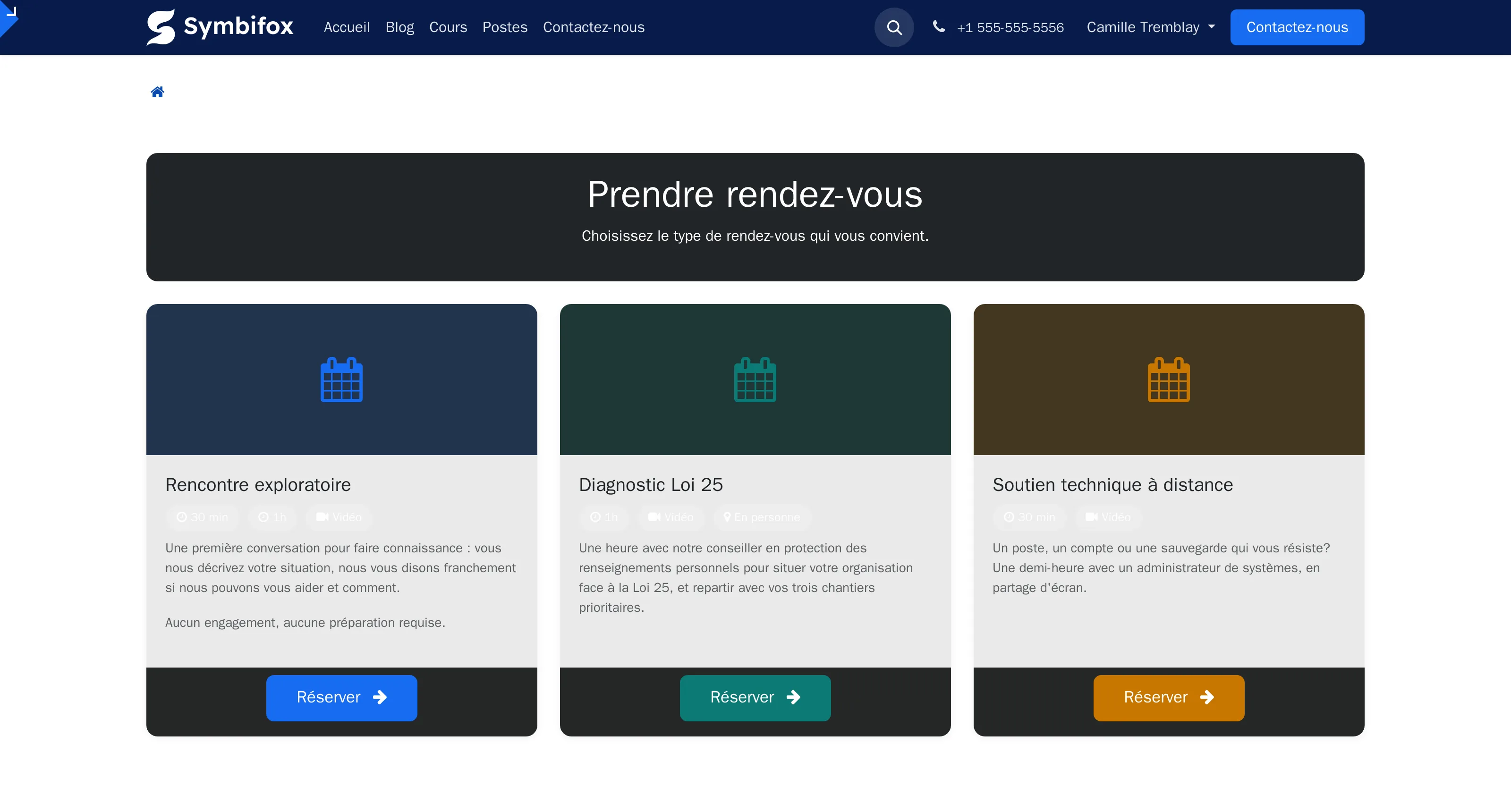
 AppointmentsPublic self-serve booking pages with schedules and meeting types.BUSL-1.1
Offering a time by email costs three round trips and often lands on a slot already taken elsewhere.
An appointment type carries everything that repeats: the duration, the place, the calendar consulted, the emails sent, the form put to the requester. A resource is whatever has to be free for the meeting to happen, a person, a room, a vehicle; a combination groups what has to be free at the same time.
A slot offered to a visitor is therefore a computation, never a list written in advance: the availability calendar opens the range, the combination confirms it, and the diary withdraws it the moment it is taken. Availability comes from your real calendar, not from a copy someone has to keep current.
The page is published on your domain, in your colours. Every confirmed booking places the event on the calendar, sends its invitation, creates the contact record with its language, and can open a project task. The intake form asks its questions before the meeting rather than during it.
The confirmation carries a Reschedule this appointment link, offered as long as the deadline allows: the client picks another time instead of cancelling and booking again. They receive the old and the new time, and the organizer hears about a move, not a new booking. On your side, a booking moves from the calendar or from its form, and keeps its resource. Outside the hours offered to clients, only a manager can move it.
The consents collected along the way are the Law 25 ones, kept with the booking: taking an appointment gathers personal information, and the tool treats it as such.
Comparable to Calendly or Cal.com (your data, your domain)
1 add-on module
Availability PollsPropose several slots, collect the answers, book the meeting in one click.
Setting a meeting for six people costs a dozen emails, and the slot chosen often turns out to be no longer free in the organizer's diary.
The organizer proposes slots already free in their calendar. Each invitee answers slot by slot, yes, if need be, no, from a page that reads on a phone and in their own time zone.
A slot stops being viable as soon as a required person answers no: that is what separates a useful poll from a grid of boxes to count by hand.
⚠️ Proposed slots do not block the calendar. Public bookings keep coming through while the poll runs, because holding six slots to keep one would make the calendar unusable every other week.
On closing, the meeting goes out the usual way: calendar event, .ics invitation, video room, reminders.
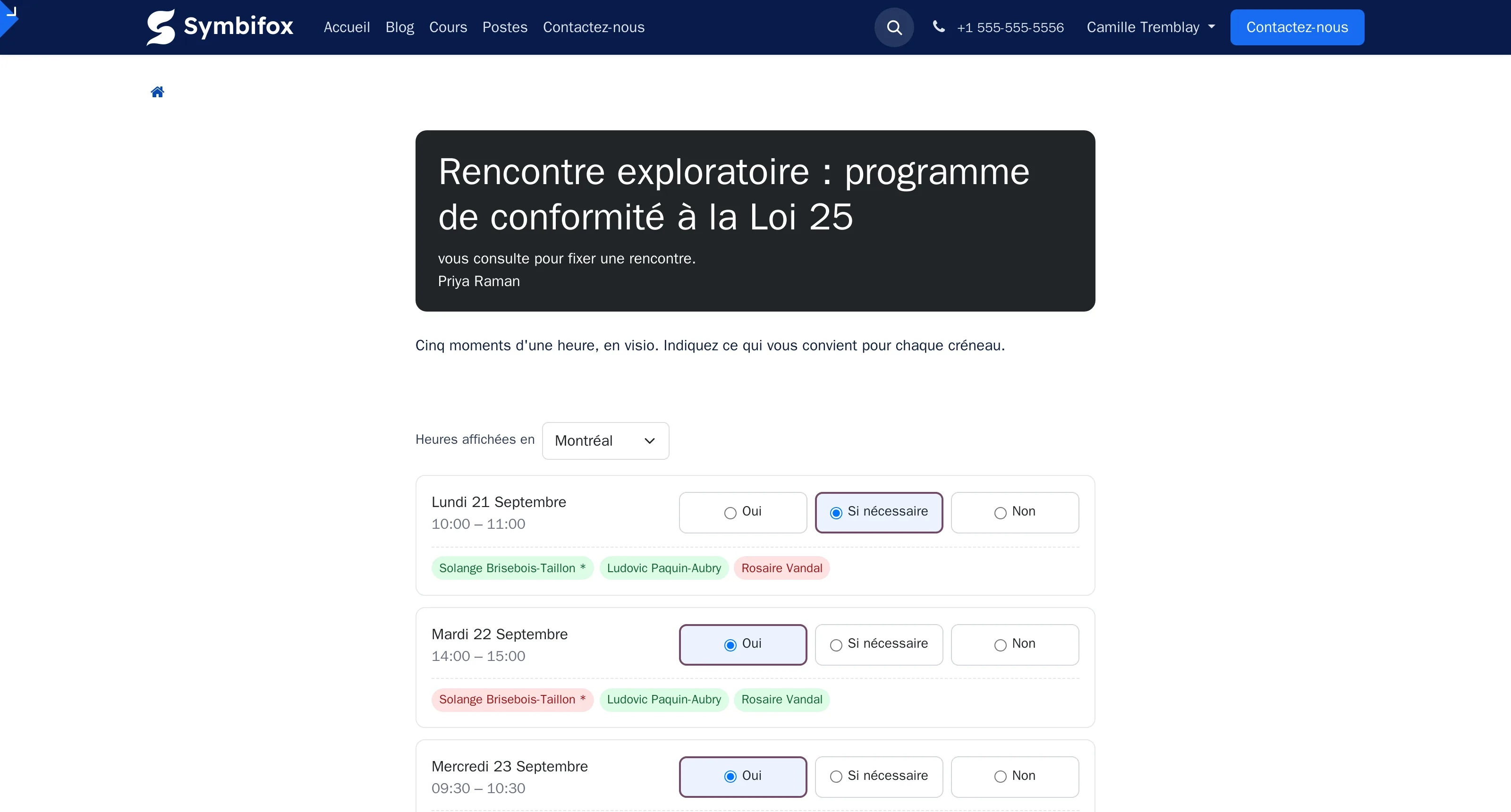
 OutreachRun your call, email and letter campaigns without a single target slipping through the cracks.BUSL-1.1
An outreach campaign rarely fails for lack of effort. It fails because a target slips between two follow-ups and nobody notices.
A campaign brings together a list of targets, a cadence and the tracking of each file through to its conclusion. A target is a file: an organization or a person, their contact, their details and their history. An interaction is a logged contact, call, email, letter, text or meeting, with its direction, its outcome and a summary.
⚠️ The cadence belongs to the campaign, not to each person's discipline. It sets, per channel, how many contacts to make and at what interval; the module derives each file's next contact date and shows at all times who is overdue, who has never been reached, and who has replied.
A request not to be contacted propagates to every campaign, present and future. An opt-out that only held for the current campaign is not an opt-out.
Replies received, calls actually made and appointments booked record themselves.
Comparable to Lemlist or Salesloft, inside your Odoo
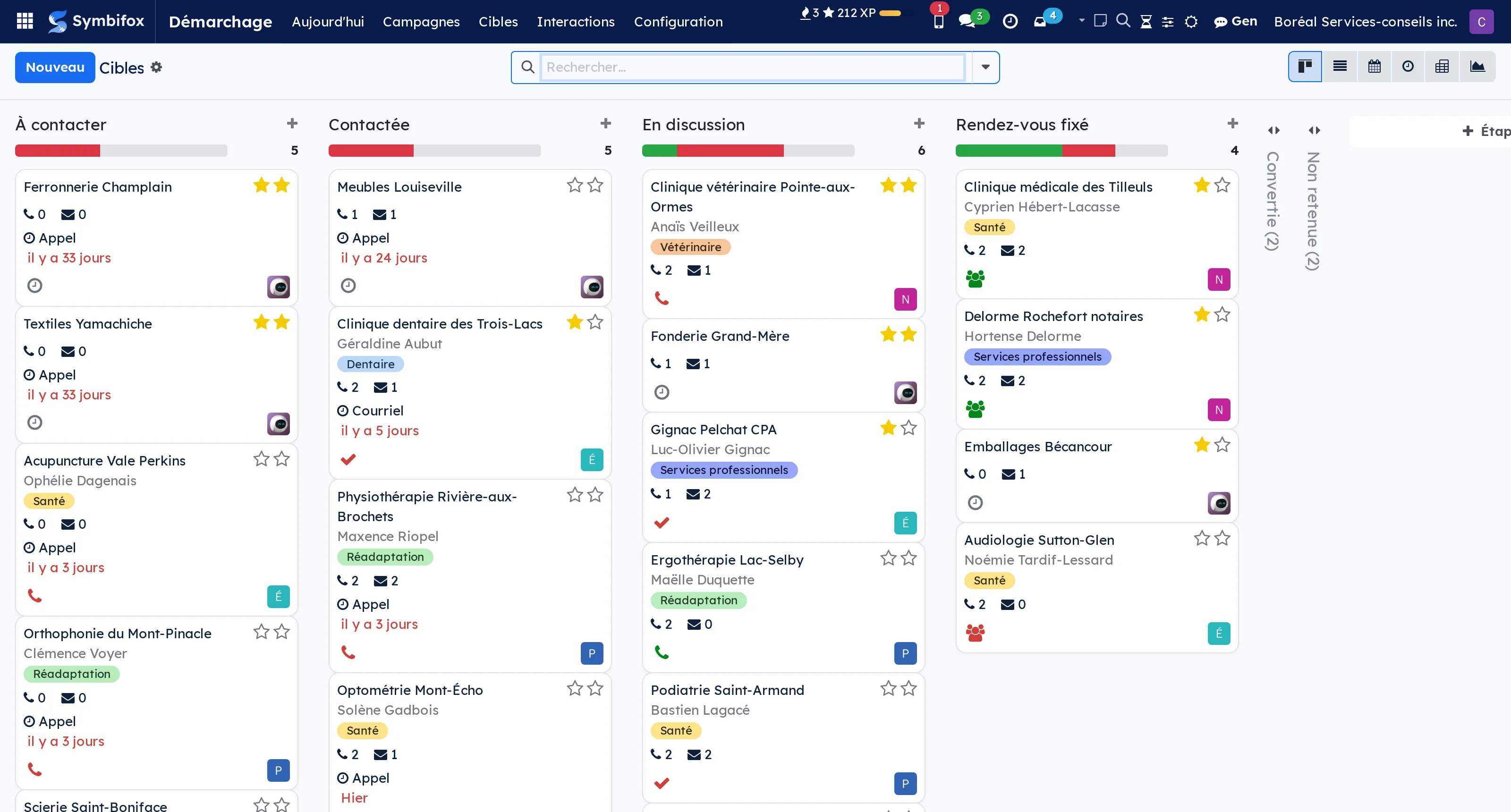
 Editorial WorkshopAn editorial calendar that computes itself instead of being retyped, and a gate that holds back an article that is not ready.BUSL-1.1
Odoo's blog knows whether a post is published or not, and nothing else: not its pillar, not the cadence of the stream, not what blocks what, not whether the translation has kept up.
An editorial entry carries its angle, its promise, its target keyword, its verified sources and the list of what is left to do. A calendar is a stream with its rules: target cadence, word floor, required languages, pillars with their intended share.
⚠️ The design principle fits in one sentence: store only the decisions, compute everything else. The date of the last publication, the ratio per pillar, the word count, language completeness are never typed in, so nothing drifts.
A button proposes the next piece to ship and explains every point of its ranking, rather than handing down a verdict. A pre-flight guard refuses publication until the list is green, and it holds for a scheduled publication too: that is precisely the one nobody thinks to check.
The style and accessibility checks are plain rules, with no AI model: they always run, including when the network is down.
Comparable to A Notion or Airtable editorial calendar, wired to your blog
Productivity & Team22
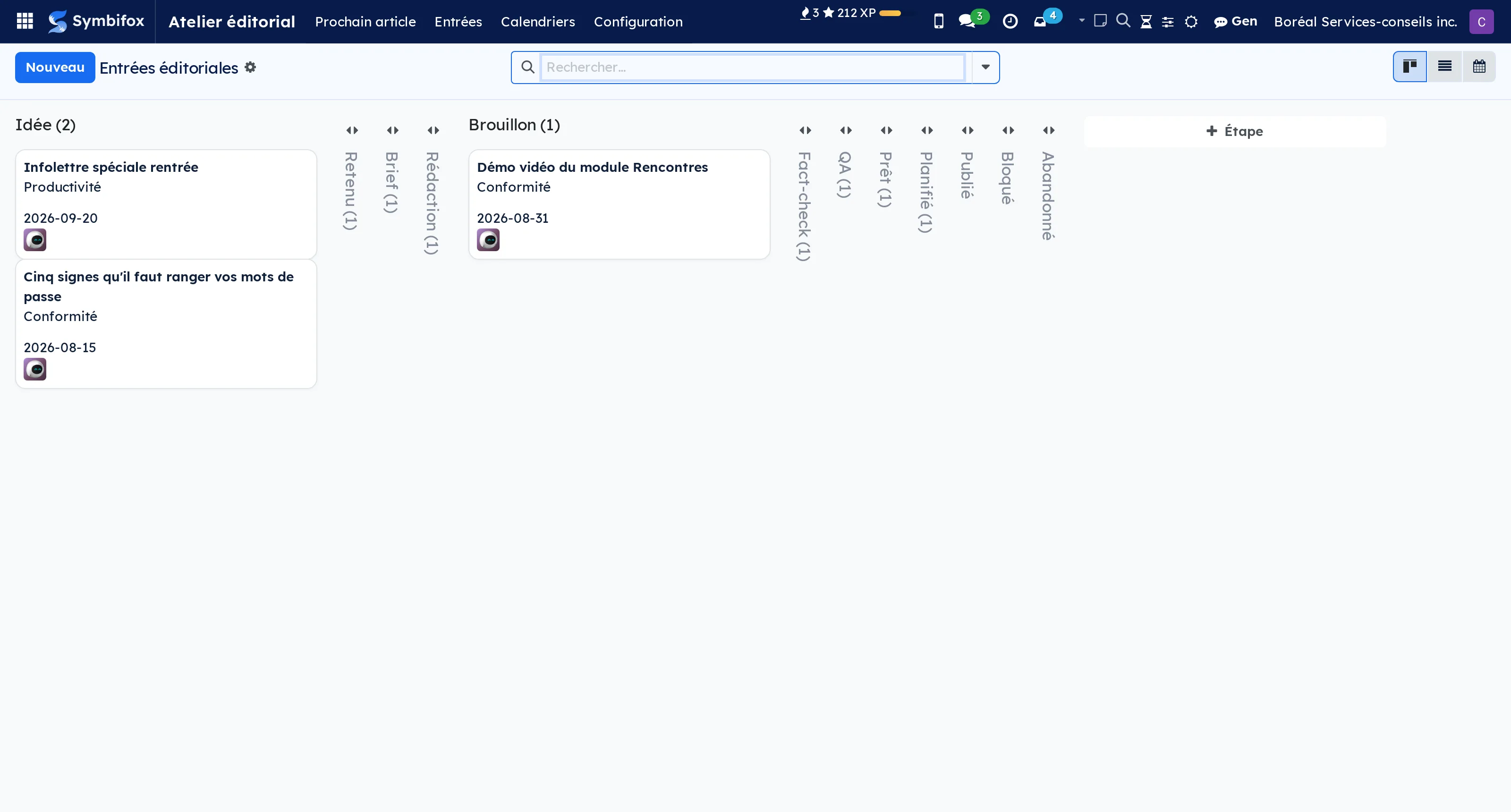
 Scan from your phoneA business card, an invoice, a document: photographed on the spot, filed in Odoo.BUSL-1.1
Paper travels badly. The supplier receipt stays in a coat and then in a pile, the business card picked up at a trade show gets retyped three weeks later, and the signed document waits until you are back at the office to join its file.
This page opens the camera and files instead. The card becomes a contact, with duplicates flagged before anything is written. The bill becomes a draft supplier invoice, never a posted entry, with its photo in the thread. The document joins the notepad with a reminder that becomes an activity, or goes straight to the thread of a record you searched for on the phone.
⚠️ A scanned bill stays a draft. Automatic reading that posted itself would turn a misreading into a decided entry.
It installs on the home screen like an app, on Android as on iPhone, with no store and no download, and it also carries its tile in the app grid for whoever works at a desk.
Every tile is guarded by the right of the gesture it performs: it only appears to someone who can already create a contact, an invoice or a note, and attaching a file to a record requires the right to edit it, not merely to read it.
In the Symbifox Mobile app, the same three gestures run without the browser, with the same rights.
Comparable to A scanning app, without a seventh package to install and maintain
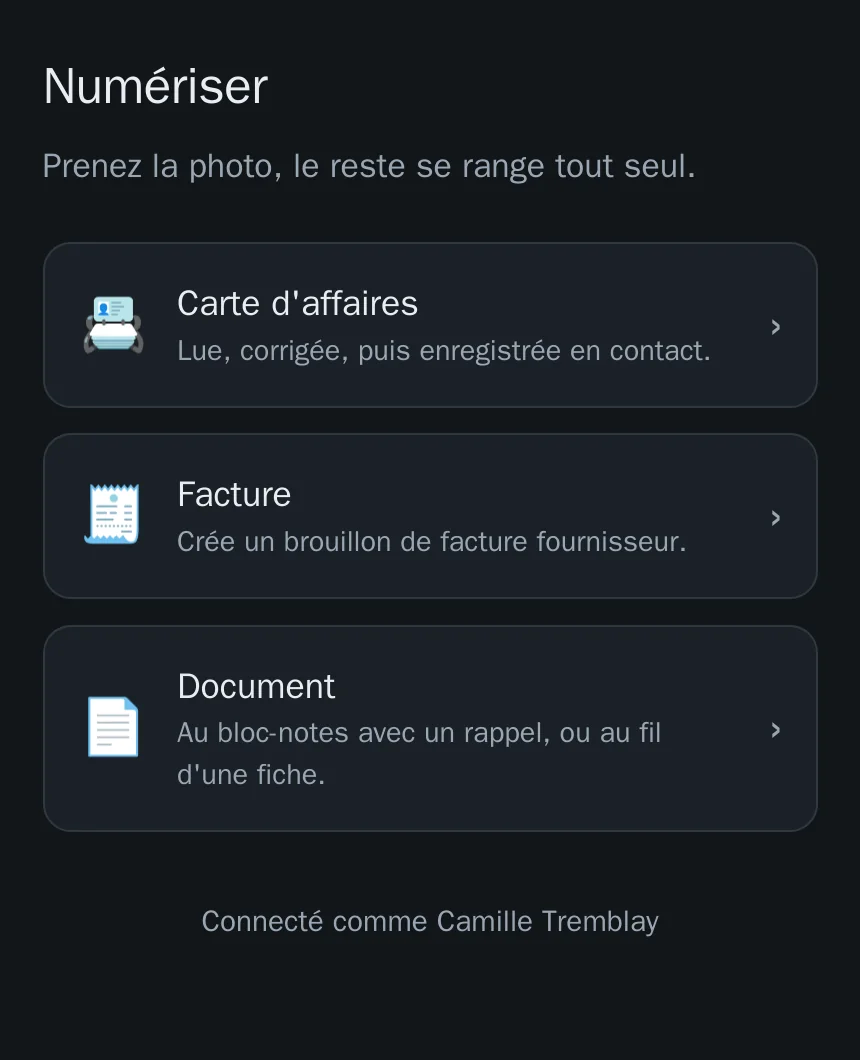
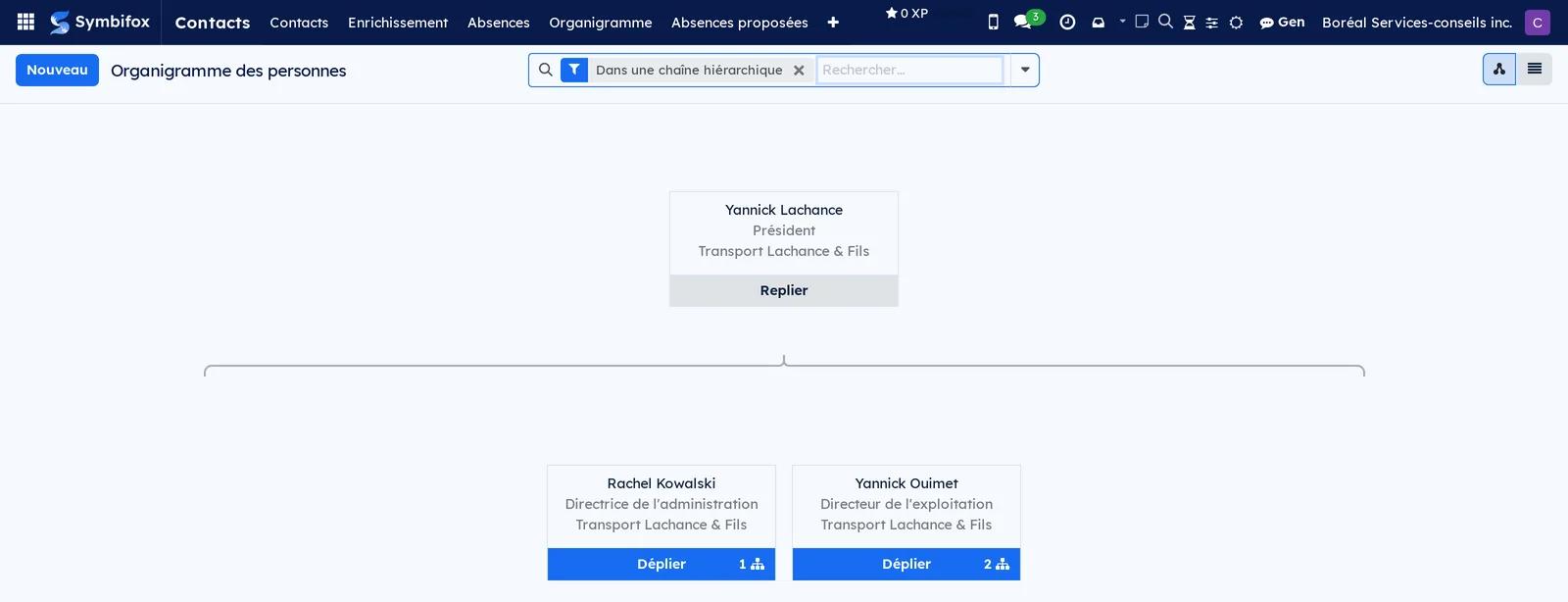
 Org ChartsWho reports to whom, who owns what: two org charts drawn from the contacts you already keep.BUSL-1.1
Two questions nobody knows where to write down, which end up in a diagram file that is out of date the day it is finished.
The first is the reporting line: a “manager” field on the record, distinct from the company the person belongs to, because working for someone and reporting to someone are two different facts. A subsidiary head who answers to the group director is a real structure: entry flags it, it does not refuse it, and the drawing shows the link with the employer's name under theirs.
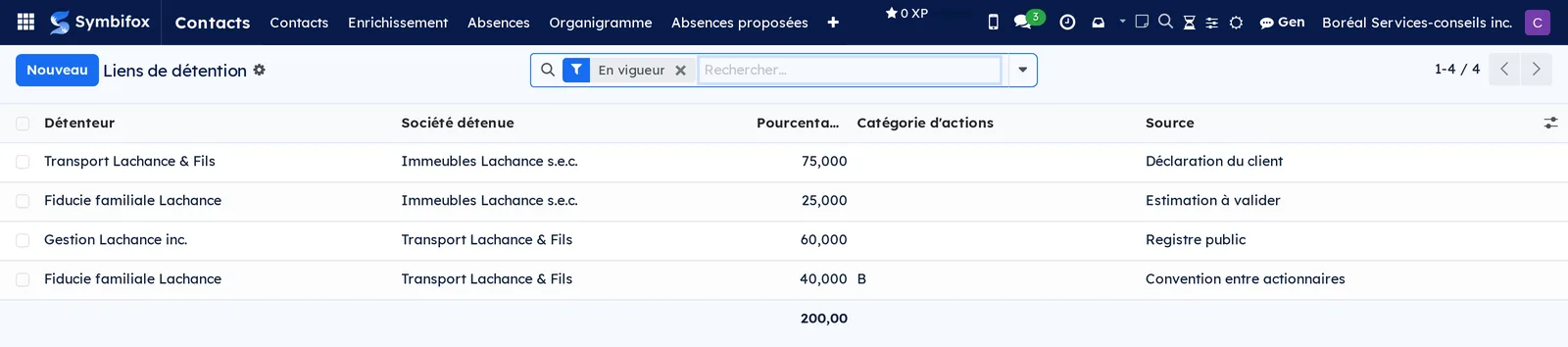
The second is ownership: who holds which company, for what share, in which share class, voting or not, since when and where the information came from.
⚠️ The percentage lives on the link, not in the box, which an ordinary tree cannot carry: a company has several holders, each for a share. One hundred percent is never required, because a half-known structure is the normal case for a prospect. What is refused is the closed circle, almost always a holder and a holding swapped round.
Both drawings come out in the same place: a screen you expand and collapse, and a vector PDF in your organization's colours. A structure too deep to fit the page says so, instead of truncating in silence.
Comparable to A diagram tool, without the file that ages the day it is finished
 NoticeboardThe announcements that have to land: a precise audience, an expiry date, and proof they were read.BUSL-1.1
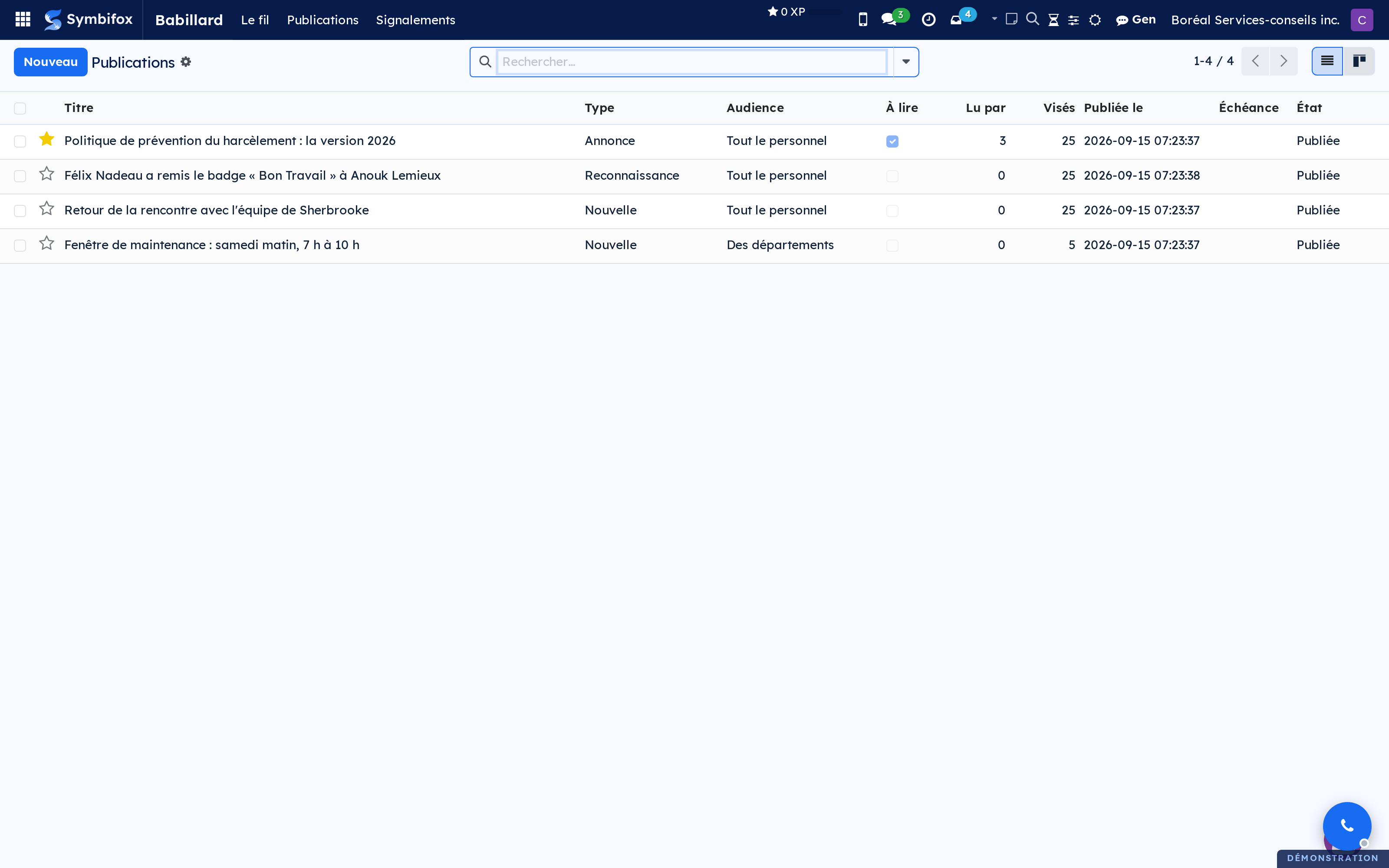
A chat channel scrolls; a noticeboard holds. They are not the same thing, and that is why an important announcement gets lost in the first one.
Every post is addressed to all staff, to departments or to groups. ⚠️ Anyone outside it sees it nowhere, not through an export and not through a direct link: the audience is an access rule, not a display filter.
Required reading writes a named, dated line, goes out by email with the link to confirm, and the editors see who is missing. A policy “sent to everyone” proves nothing; a policy confirmed by twenty-eight people out of thirty-two says exactly where the file stands.
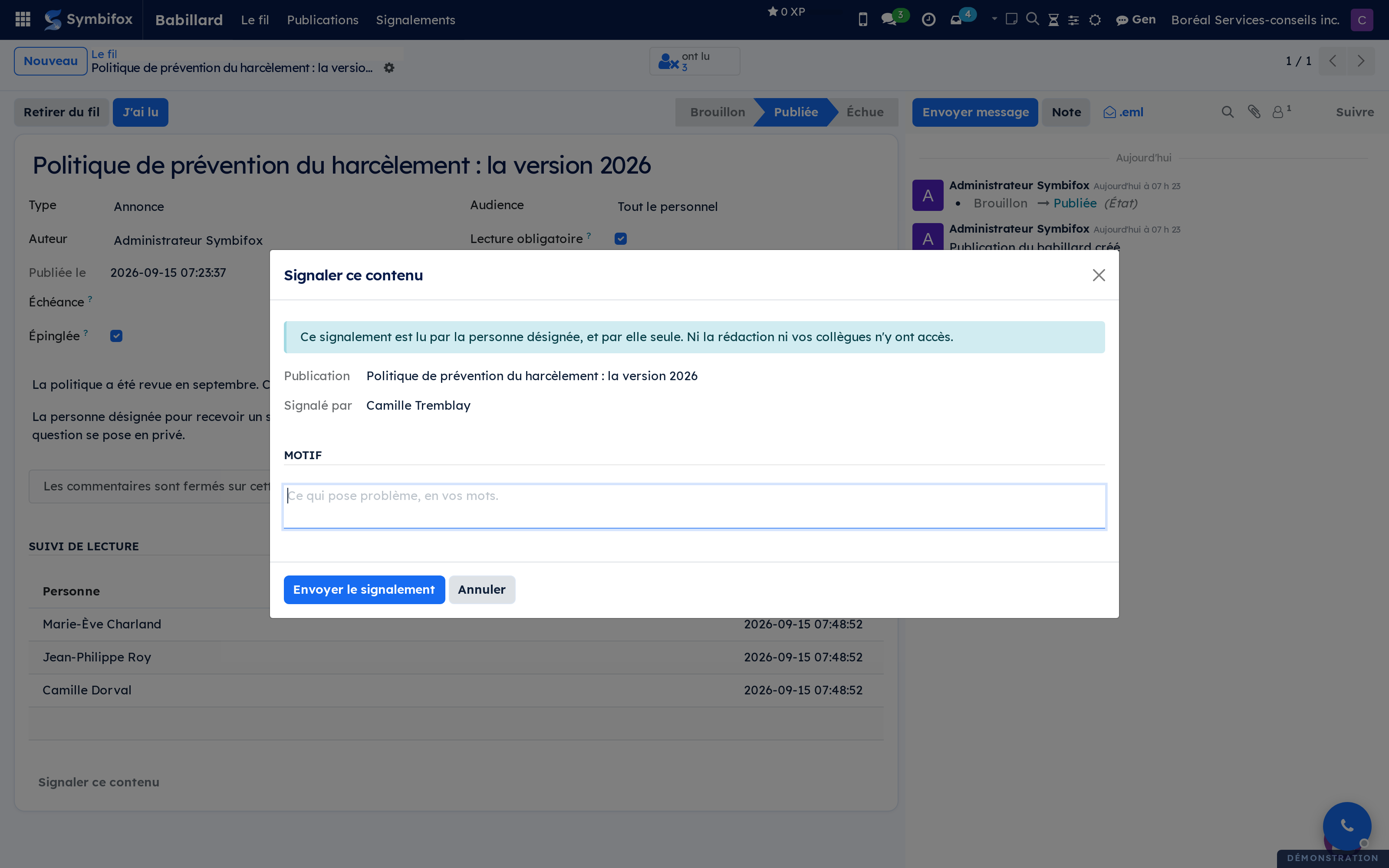
A report goes to the designated person, and to them alone: they receive an activity and an email that says nothing of the content, and the file keeps a copy of what was reported.
A poll lives in the feed: the question, its choices, and a one-click vote on the card. An anonymous poll stays anonymous to everyone, editors included, and its result only shows once three people have answered.
Seven bridges fill the feed: a delivered celebration card, a badge awarded by a colleague, the results of a pulse wave, an upcoming event, the tile of what you still have to read, and, when the editors ask for it, an Odoo survey or a date poll looking for answers.
Comparable to Microsoft Viva Engage, without the open feed or the communities

 RSS FeedsThe news watch that reaches whoever it serves, and clears itself once read.BUSL-1.1
A news watch kept through RSS usually ends up in one person's reader, forwarded by email when they think of it. The rest of the team sees nothing, and the client even less.
Each list reads sources and sorts them by rules: exclusions first, then industry terms, specialised issuers, sources taken whole. The reason is written under every item kept. AI sorting can follow the rules, on what they kept only.
Watched topics search the news for your company's name, a brand or a client, each through its own search, and AI sets namesakes aside by reading who the topic is. When an item cannot wait for the digest, an alert goes out by email right away, behind guards kept in code: recent news, one email per event, a daily cap.
A list is addressed to a department, a project or named people, and its audience is computed: whoever joins the team receives it, whoever leaves stops. Everyone reads their news as cards, in a Discuss channel or in an email digest, and what they read clears from their pile, for them alone.
A secret link shows a project's watch to a client with no account, as a public page or as RSS, with an expiry date and revocation.
Comparable to Feedly or Inoreader, without the per-seat subscription or the watch asleep in one person's reader
 CelebrationsThe card the whole office signs, without anyone having to create an account.BUSL-1.1
The card the whole office signs is usually made out of a spreadsheet of birthdays and an email chain. Both create the same problem: the person being celebrated ends up finding out.
A link and a QR code are enough: everyone adds their word, their photo or their GIF, and the card goes out on the chosen date. What sets the module apart lies in two rules rather than two screens.
⚠️ The first: the date comes from the person, never from the HR file. They are asked for the day and the month, without the year, and they answer among four choices including “no thanks”, which takes them out of everything. Their refusal stays invisible to colleagues and to HR alike, or it would give them away.
The second: the surprise sits in the access rule, so a list, an export or a report cannot get around it.
The calendar also covers work anniversaries and their milestones, welcomes, departures, retirements, congratulations and condolences. The organiser gets a reminder ten days ahead, with the button that creates the card, because a calendar nobody looks at makes nothing. A card left empty is never delivered.
People also write by hand, with a finger or a stylus. On delivery, the card goes out with its keepsakes: a PDF and a page to keep outside the system, and to a personal address if the person gave one, because a card in the database disappears one day with the account.
Comparable to Kudoboard, without the subscription or the spreadsheet of birthdays
 Labour relationsCertification, collective agreement, seniority, grievances and dues, in one file both sides read.BUSL-1.1
Odoo knows who works for you. It does not know which collective agreement covers that person, how much seniority they hold in their bargaining unit, or which clock is running on the grievance filed last week.
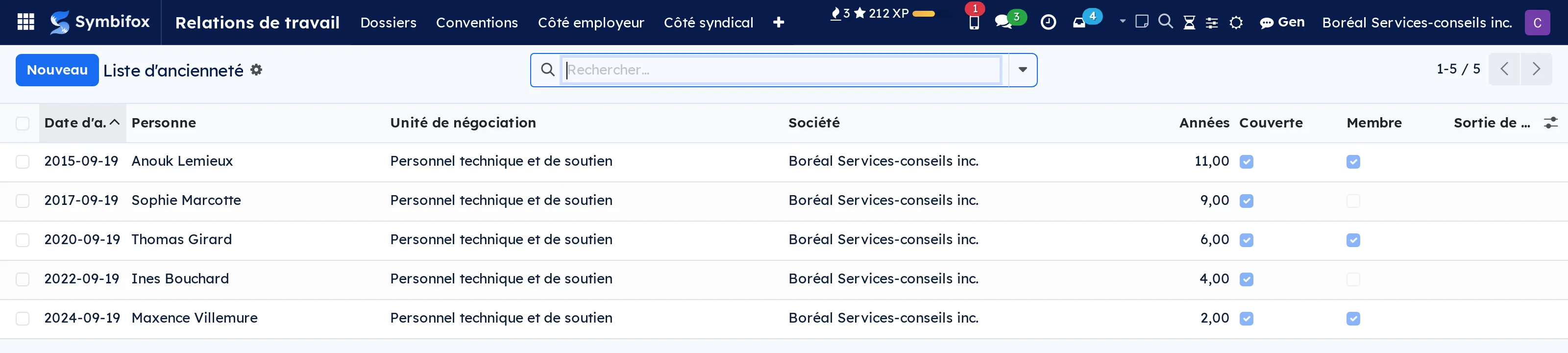
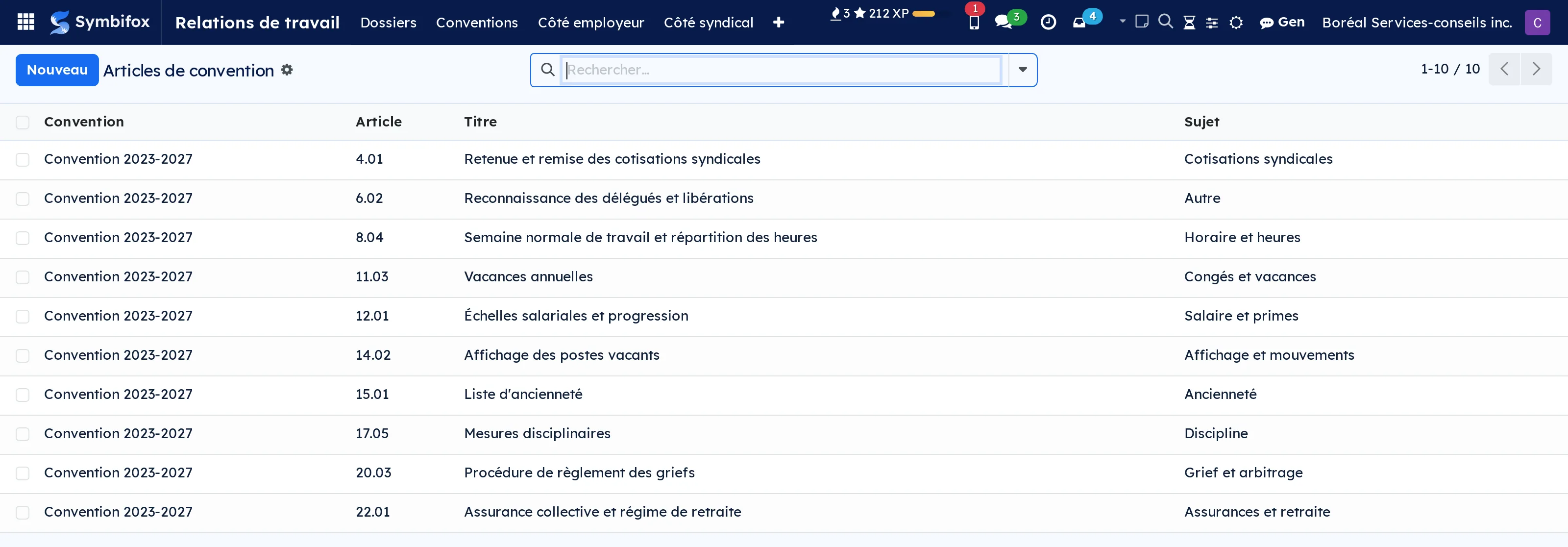
This module adds that half. The bargaining unit, carried by a company: a group where each site is a separate company has as many agreements as it has sites, each with its own expiry. The agreement and its clauses filed by subject, found without being hunted for. Seniority, carried by unit membership rather than by the employment contract: they are not the same, one grants a benefit and the other decides a layoff.
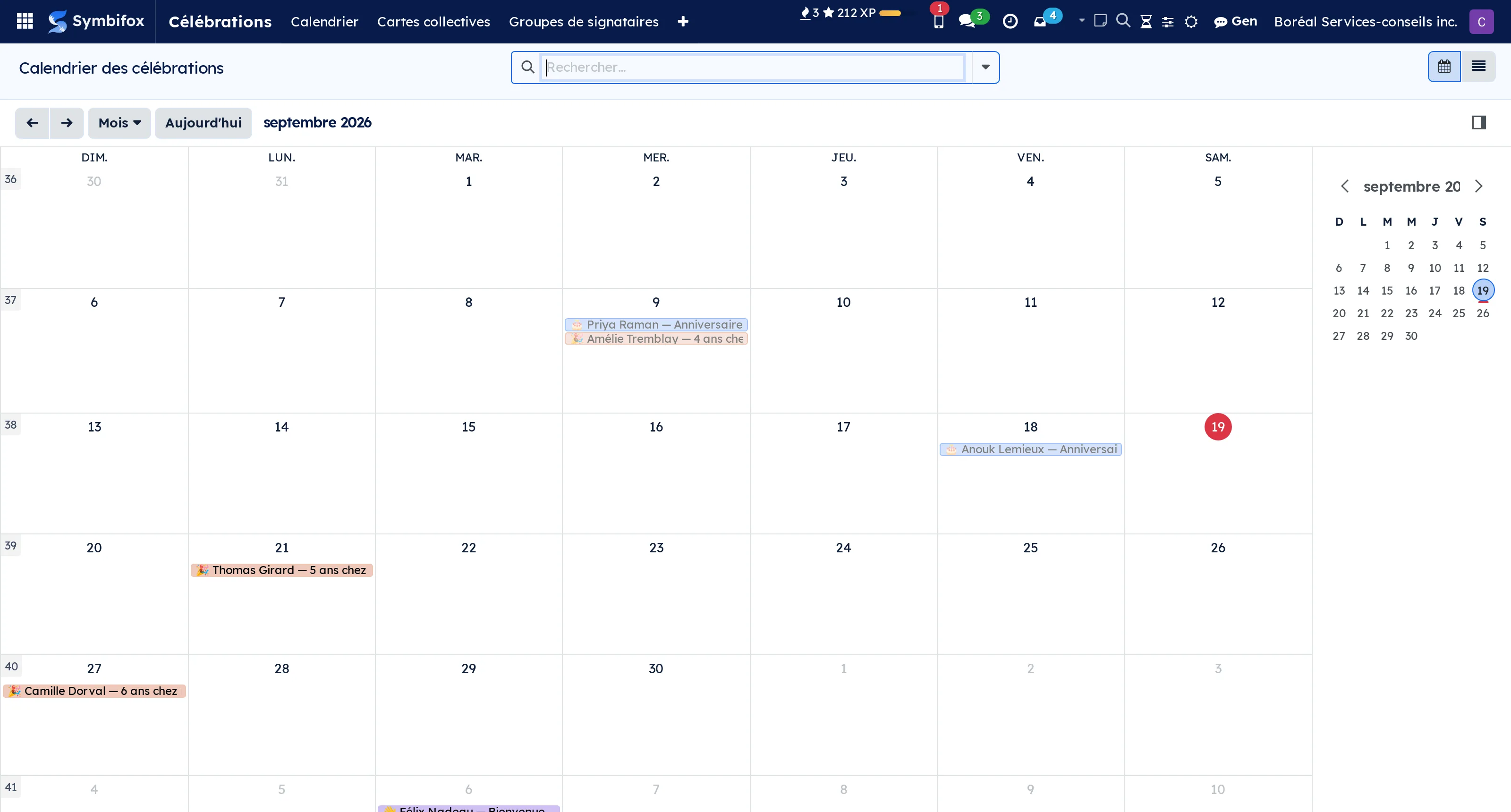
The posted seniority list is a dated photograph, not a view that recomputes. A correction made the following month does not rewrite the posting, and that is the whole point: a rank is challenged against what was posted, not against today's state.
The grievance lives in one place for both sides, and every step carries the agreement's delay and the deadline that follows from it. A file is rarely lost on the merits; it is lost on the calendar.
Dues are described by a rule holding the percentage and the flat amount together, declared by period, and reconciled against what the union received. ⚠️ Dues follow the unit, not the card: section 47 of the Quebec Labour Code requires the deduction from every employee in the unit, member or not. So coverage and membership stay apart, one deciding the deduction and the other the vote.
A workplace with no union sees nothing change: the absence of certification is a readable state, not a hole.
2 add-on modules
Employer sideObligations with reminders, the posted seniority list, job postings and movements, remittance preparation.
What the agreement requires of the employer, and when. An obligation carries its deadline, its recurrence and its reminder: the person answering for it gets the task before the date, because an obligation nobody is warned about is an obligation missed. Once done, an annual duty creates the next one and the old one stays on file with its date, since that compliance history is exactly what a union brings back out.
The posted seniority list is composed at one click as of the date you choose, then freezes. An error is fixed by posting a corrected, dated list, which leaves the trail of the correction instead of erasing it.
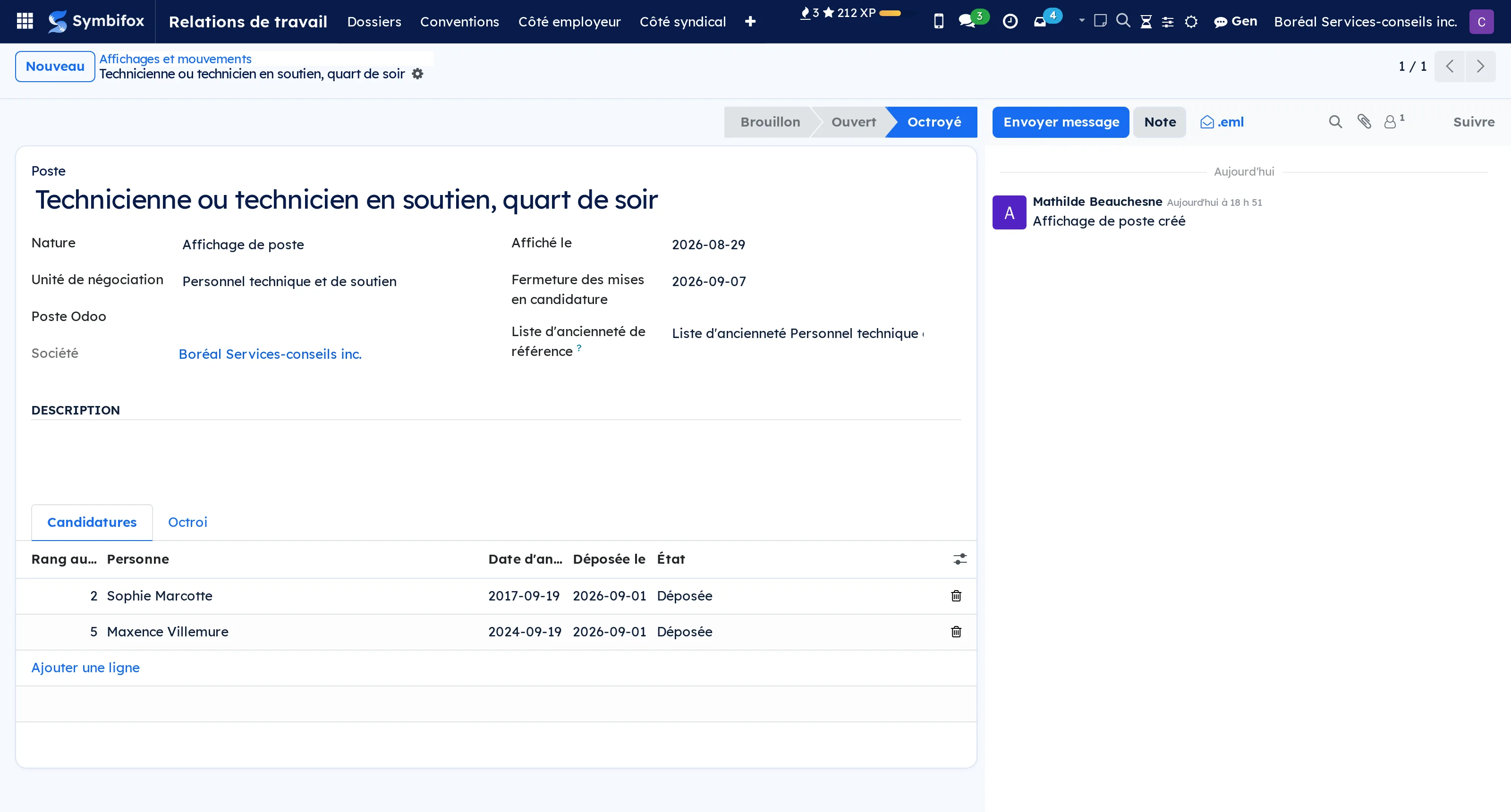
Job postings keep three doors to the same job apart: the ordinary posting, bumping and recall. Every bid carries its rank as of the posting, copied. ⚠️ Awarding to a less senior bidder is not forbidden, but the reason has to be written down: that is the text read back in a grievance.
The remittance is prepared one line per covered employee, and the agreement's rule applies to the base you enter. The gap between declared and computed stays visible: it gets explained or corrected, never erased.
Union sideMembership, meetings and votes, stewards and union leave, and reconciling the dues received.
The counterpart to the employer side. Membership keeps its history: a person leaves and comes back, and it is the history that answers "since when has she been a member". Signing a card never changes coverage, which comes from the certification.
Meetings count quorum on members present, not on the covered headcount: in a unit where many pay without having joined, those two numbers differ sharply. The share in favour is computed on votes cast, abstentions left out, otherwise votes the meeting carried would be counted as lost.
Stewards carry a dated bank of union leave, because what gets challenged is not the principle but the balance on the day of a refusal. A refused leave counts for zero hours and stays on file, with its written reason.
Reconciliation is the point of the rest: what the union received, what the employer declares having remitted, and the unit's covered headcount, side by side. A statement with no remittance linked is never called reconciled: the absence of a comparison must not read as a successful one.
 ShiftsSchedules for regular and unionised employees, checked against labour standards before they go out, and coded hours for payroll.BUSL-1.1
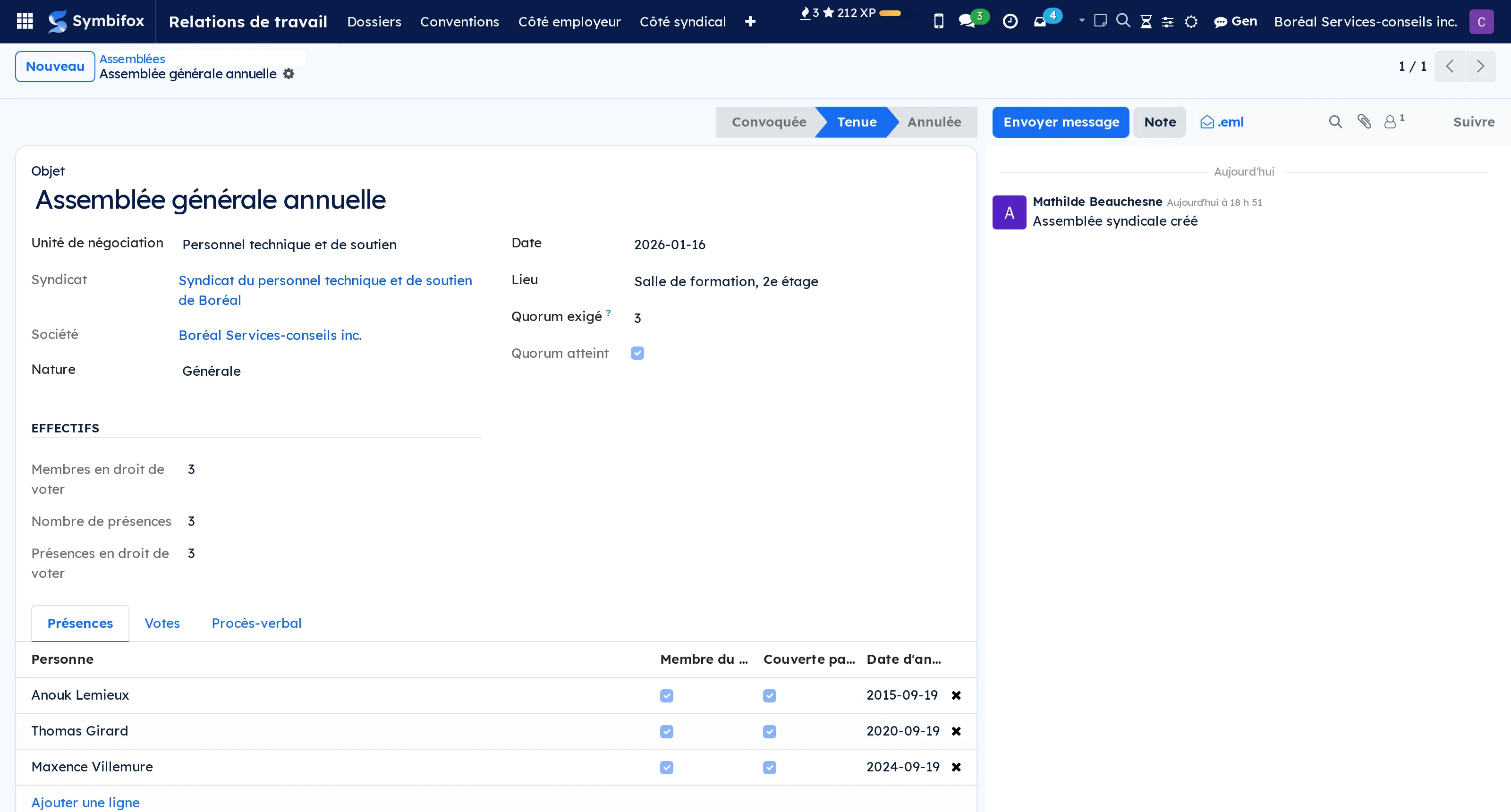
A schedule gets built in a spreadsheet, sent by email, then changed as the week goes on. Nobody checks it against labour standards, and on the day of a grievance someone has to reconstruct who was called, in what order, and who said no. Odoo Community has no shift planning at all: the Planning app is Enterprise only.
This module holds working conditions per group. Quebec's labour standards (LNT) ship as a record, and a collective agreement raises them: overtime thresholds, double time, time bank, minimum call-back, notice period, premiums. ⚠️ The LNT is the floor: a less favourable value is replaced by the one in the Act, and the form says so. The rule most favourable to the employee always applies.
Schedules are built from templates, published, then closed. Before publishing, the module warns: five days' notice, more than 14 hours in 24, more than 50 hours in the week, 32 hours of weekly rest, a meal break after five hours, rest between shifts, declared unavailability. It warns, it never blocks: the decision stays with the manager.
Once a schedule is published, every addition, change, reassignment or cancellation goes into the change log: before, after, who, when. Nobody can edit or delete it, not even a manager, and that is the point: this log is what you bring to a grievance.
An open shift is offered one person at a time down a call list, by seniority, rotation or inverse seniority. Every offer, every skip with its reason and every refusal is timestamped. Swaps between colleagues go through approval when the agreement requires it, and the warnings they raise stay on record.
At the end of the period, hours come out coded: regular, overtime, double time, time bank, call-back and the 3-hour minimum, on-call pay, holiday indemnity, evening, night and weekend premiums. Under averaging of hours (s. 53), by collective or written individual agreement, overtime is counted on the average of the period. Benefits such as an overtime meal or a taxi home, provided or reimbursed, and subsidised meals valued at cost, are sorted taxable or not, for Quebec and federally, with the reason. The CSV export goes to your payroll service.
After six years, records are destroyed by hand, never those under dispute: a schedule or a person named in a grievance stays, with the pay attached to it.
⚠️ What it does not do: no deductions, no contributions, no RL-1 or T4 slips, which stay with your payroll service. And it does not replace a lawyer or a tax specialist: the points not yet validated are listed in its documentation, to be confirmed before you rely on them.
Comparable to Agendrix or Odoo Enterprise Planning, with labour standards as the floor
 RecruitmentFrom the advert to the signed offer: candidate evaluation, the part Odoo leaves out.BUSL-1.1
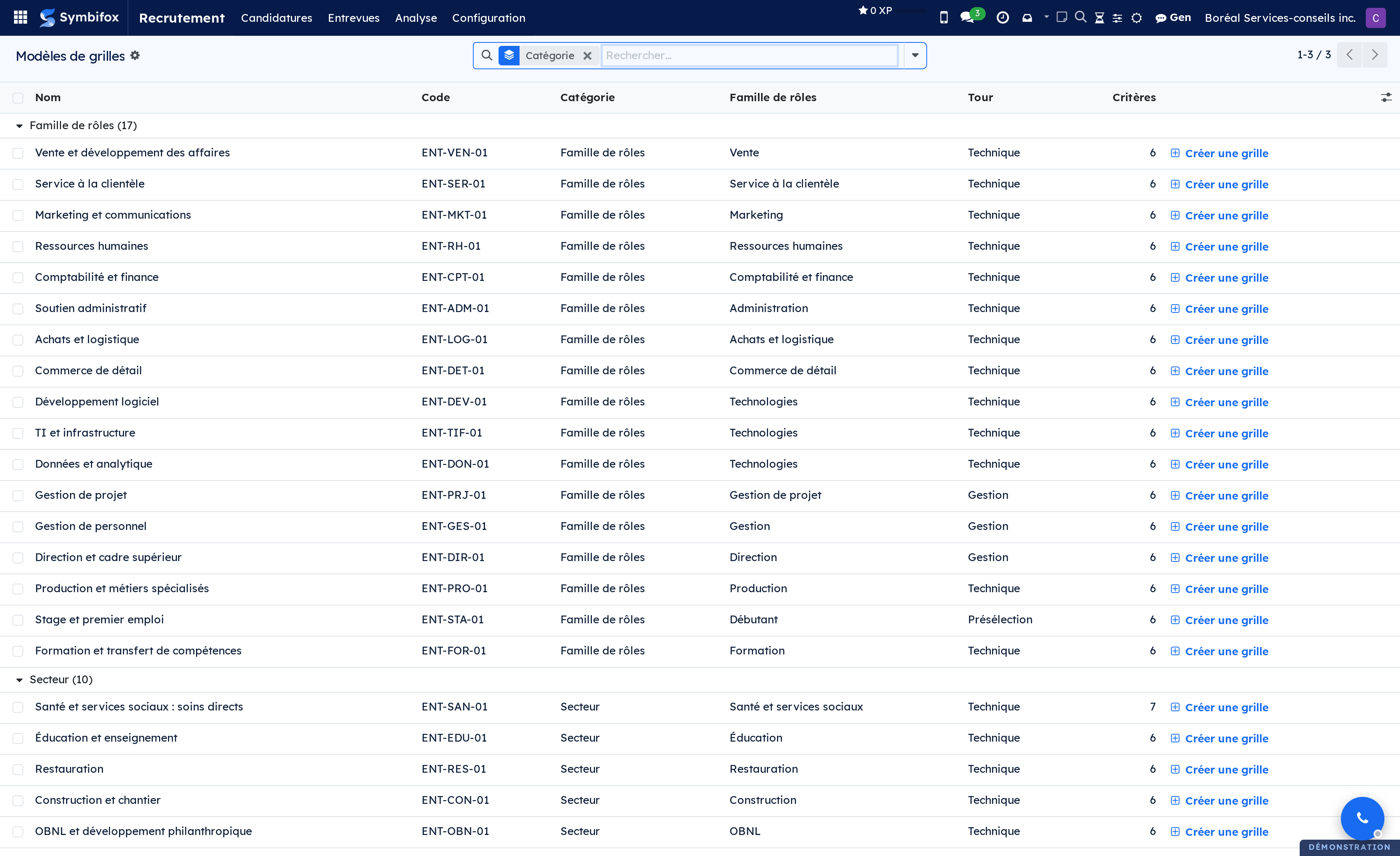
Odoo follows the pipeline very well: the position, the person, the application, the stages, the refusal reasons. It stops just short of the assessment itself, which lives in a free notes field and a questionnaire per position, with no weighting, no round, no panel and no comparison between candidates.
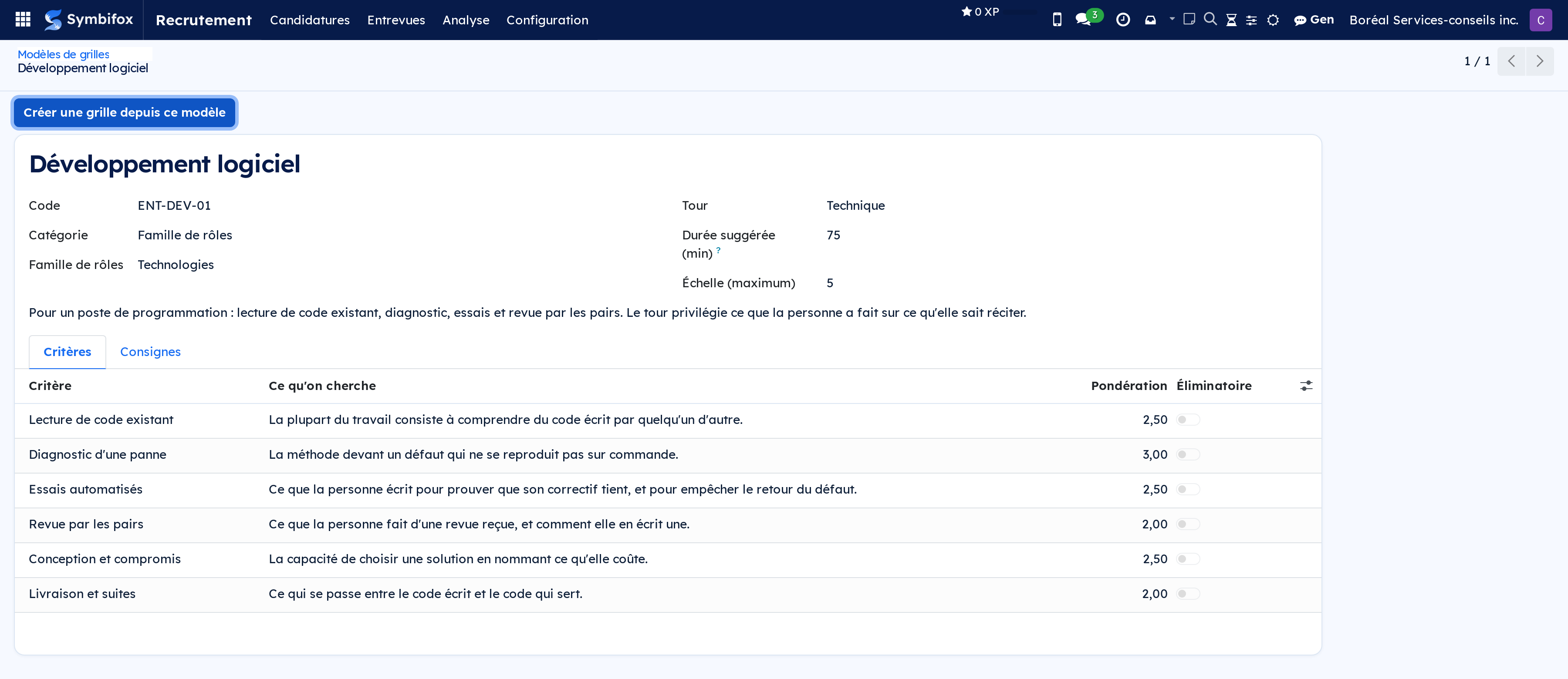
This module picks up there. You write a scorecard per role and per round, with weighted criteria and a scale described in observable behaviours. ⚠️ Each panel member files their scoring before seeing anyone else's, which stops the first opinion expressed from pulling all the others.
A refusal issued after an interview has been held requires a written reason, and the name of whoever decided stays on file. A published scorecard is frozen: last year's session reads back exactly as it was scored.
No automatic ranking is produced. The score helps a person decide, and a knock-out criterion flags without eliminating anyone: a tool that ranks candidates decides for you and leaves you the responsibility.
Eight modules add themselves as needs arise: the four candidate emails rewritten, a portal where the person follows their file, the job offer on your letterhead and its sending for signature, Law 25 retention and destruction with an anonymised measure that survives the destroyed scorings, expenses and cost per hire, and each job board's performance measured through a tracked link.
Comparable to Workable or Recruitee, without your candidates leaving your house
 DeskMulti-panel view: tasks, email, calendar and activities on a single screen.LGPL-3
A working day rarely happens in a single screen. You jump from activities to tasks, from tasks to email, from email to the calendar, and every jump costs the time it takes to find your place again.
A desk is a named layout that puts those screens side by side. Each pane points at an existing screen and keeps its own search bar, view switcher and favourites: this is not a summarised tile, it is the full screen, usable where it sits.
You create as many as you have contexts. Six layouts, one keyboard shortcut per desk, and optionally a time-of-day slot: the morning desk opens in the morning, the portfolio review one in the afternoon.
⚠️ Desks are personal. A colleague's does not appear in your list, and that is deliberate: a layout imposed on everyone goes back to being a dashboard nobody looks at.
Comparable to Salesforce Lightning App Builder, open-source flavor
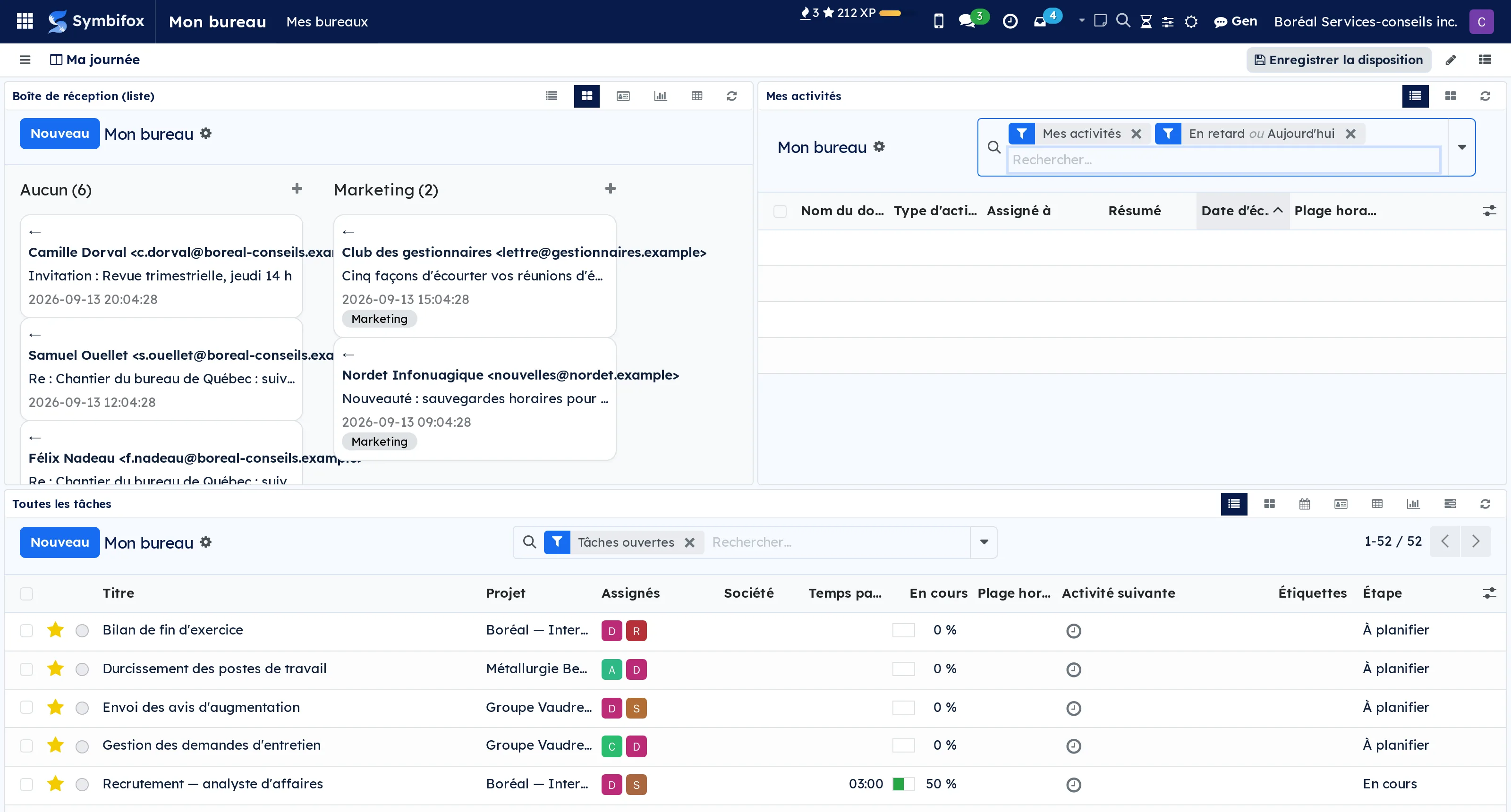
 NotepadQuick searchable notes you can attach to any record and convert into an activity.LGPL-3
Something worth remembering rarely arrives while the right screen is open. It arrives during a call, in the middle of a quotation, and it ends up on a scrap of paper or in an email you send yourself.
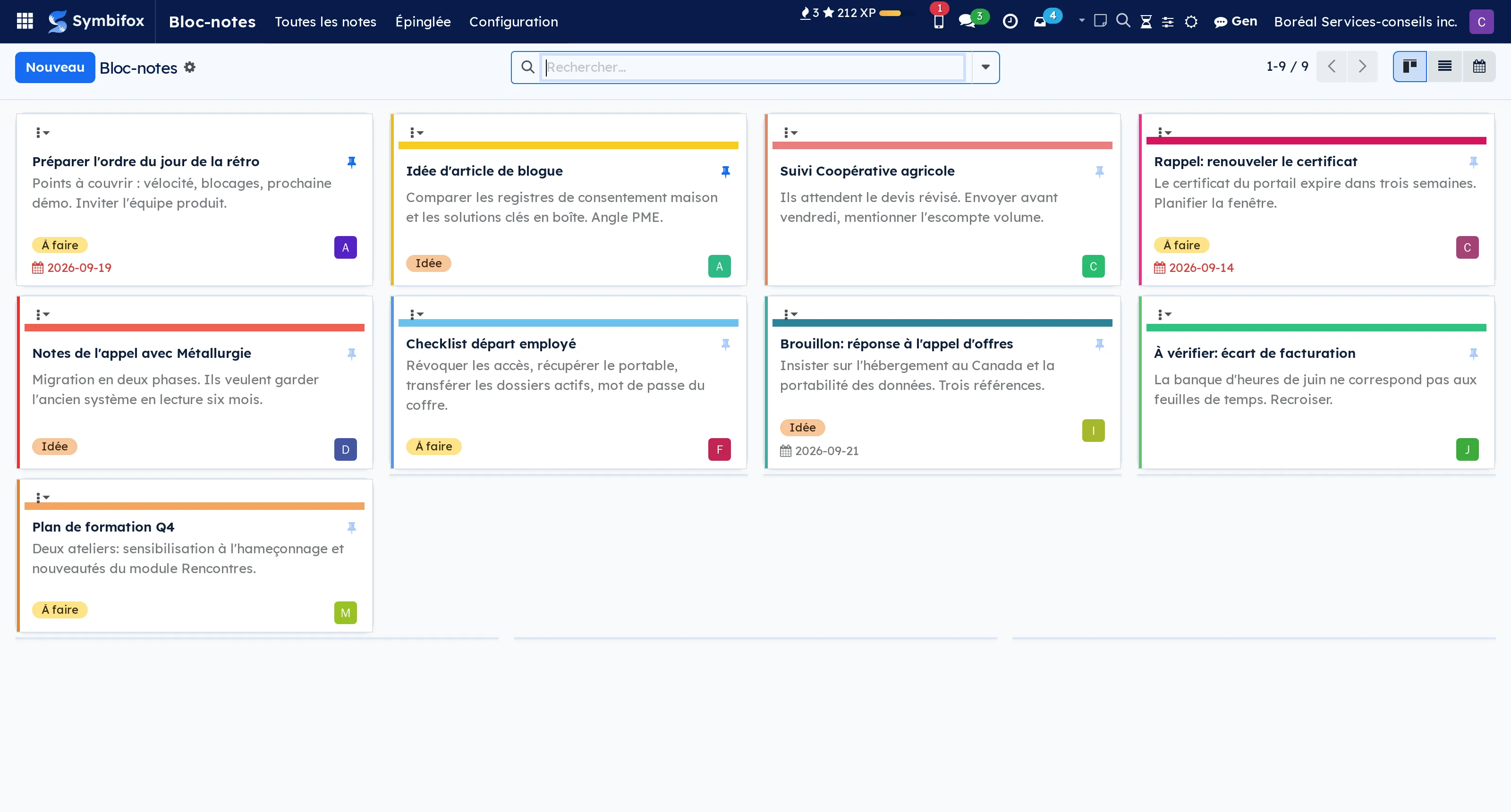
A note is taken from any screen, through the icon in the top bar or a keyboard shortcut, without changing tab. It is private by default, formatted, and attaches to one or several records: a contact, a quotation, a project, a ticket. Any record with a message thread can carry one.
You find it again by search, by its tags, by the pin, or from the linked record itself through a quick-access button. The day the note becomes something to do, it converts into a dated activity or a project task without re-entering the context.
Each note takes any colour you like: your swatches, the company's, or a free code. The notepad shows as Keep-style cards, minimal rows or a list, and that choice follows you from desk to phone.
On the phone, the Notes page installs on the home screen and opens on the text field. A note typed without a network stays on the device and goes out once the network is back, exactly once; Android's Share menu turns anything into a note in one gesture, photos and PDFs included in the Symbifox Mobile app, which reads the same notes.
That last point is what separates it from a notebook: a note that does not know what it refers to makes you tell the same story twice.
Comparable to Apple Notes, but wired into your records
 CalculatorA calculator in the top bar that keeps your history and posts a calculation, words included, to a record's thread.LGPL-3
A quote gets worked out on the phone's calculator, then copied by hand into an email, without the steps. Three weeks later, nobody knows where the figure came from.
The top-bar icon, or Alt+Shift+C, opens a calculator screen. You type the words with the numbers: « 6 (weeks) * 750 $ » gives $4,500.00 and keeps the weeks. As on a real calculator, the result stays in the field: an operator continues from it, a digit starts over.
Tabs do the rest: reverse tax (total back to before taxes, with the rates read from your accounting), hours, margins, a column pasted from a spreadsheet, and business days with Québec's statutory holidays. « 100 USD en CAD » converts at the Bank of Canada's daily rate, and the rate travels with the calculation.
A calculation posts as an internal note to the open record's thread, in your name and with your rights. History and variables stay personal, administrators included. No email is sent.
Comparable to the phone's calculator, but it remembers and explains its figures
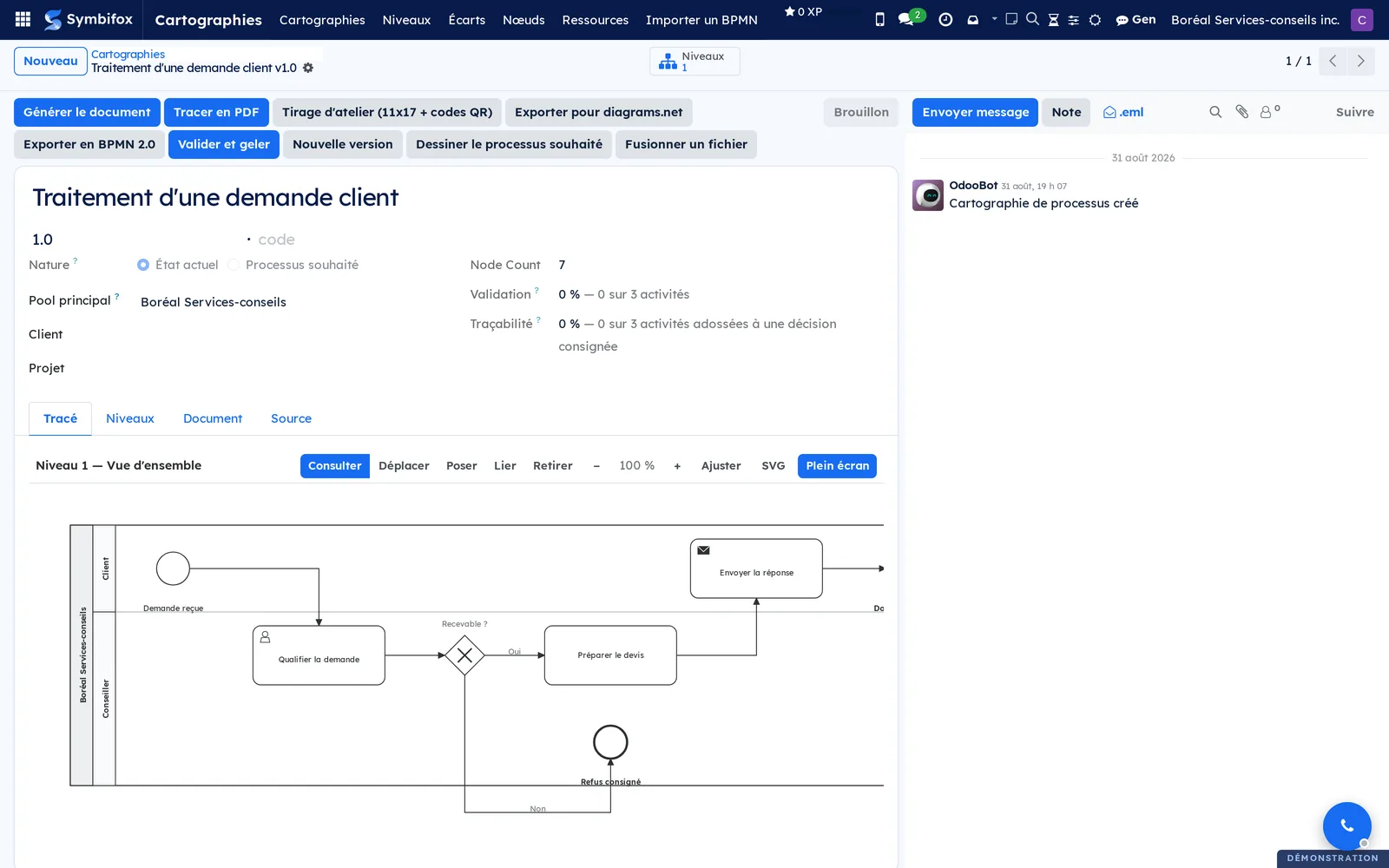
 Process mappingLiving BPMN maps: the model is the truth, the PDF and the XML are only renderings.BUSL-1.1
A process map gets delivered as a PDF, filed in a shared folder, and stops being true at the first change. Six months later, it gets redone.
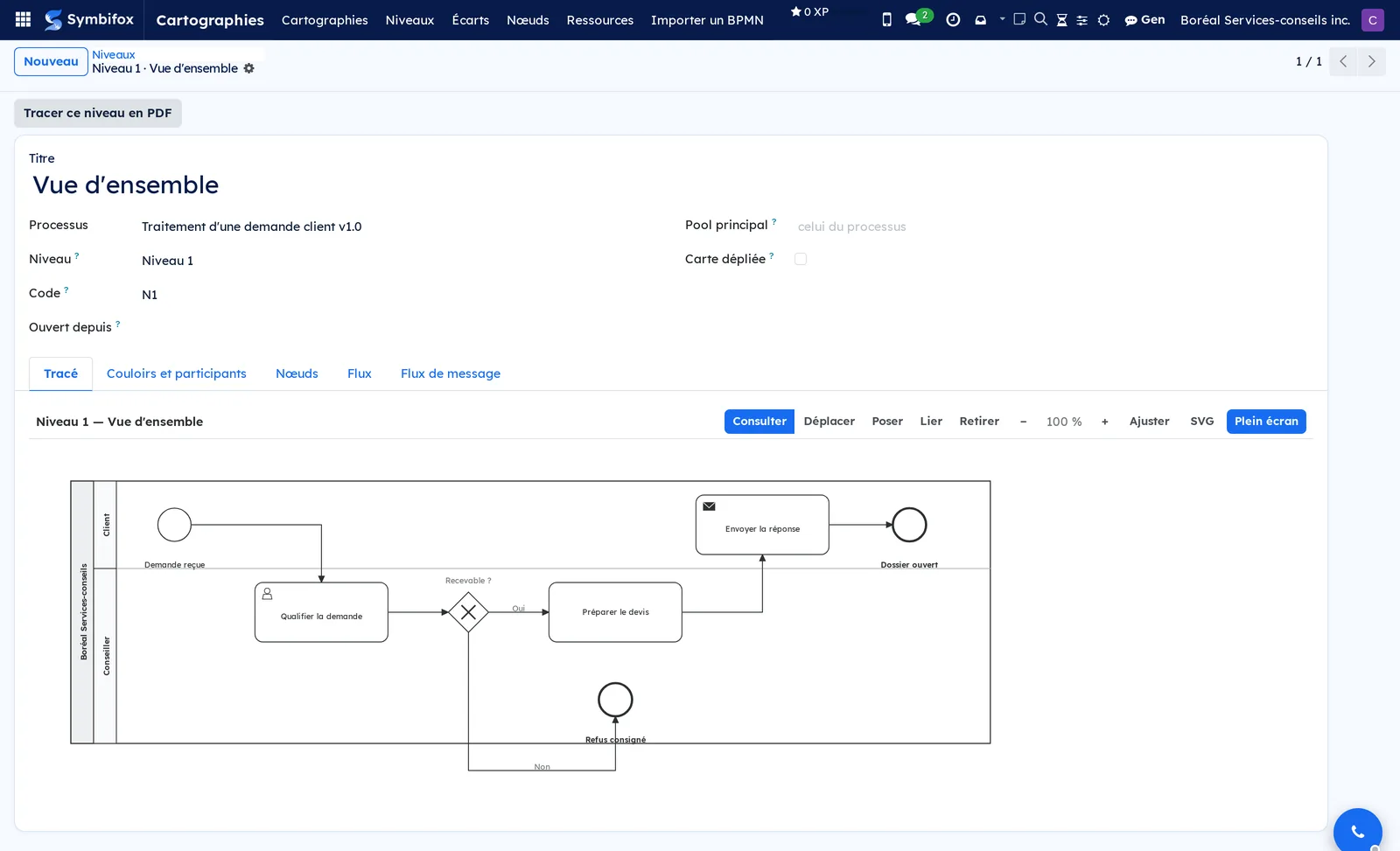
Here the pools, lanes, nodes and flows live as records, attached to a client and a project, versioned. The model governs: the PDF, the .bpmn and the .drawio are only renderings of it, and a fresh one can always be produced.
A map is cut into levels: the overview at level 1, collapsed sub-processes at 2 and 3, each its own page. That is what lets you show the whole to a management team and the detail to the crew without keeping two documents.
Every step carries its own message thread, its workshop photos and its documents. That is where the question that kills process maps gets settled: where did so-and-so's remark about step 7 go.
An as-is map stops being a one-off deliverable and becomes a reference worked on continuously. Export to .bpmn and .drawio to carry on in a third-party editor.
Comparable to Lucidchart or Visio, wired to your records
 AvatarsAn avatar in your house style for anyone without a photo, and a builder to make your own.BUSL-1.1
Hardly anyone uploads a photo. In our databases, 2 people out of 35 had one: everyone else shows a letter on a colour picked at random, and every contact without a picture becomes the same grey silhouette.
This module draws an avatar in your organization's style for anyone without a photo: initials in your own shades, or a hand-drawn character (Open Peeps or Notionists, both in the public domain). It comes from the name, so the same person always gets the same one. Contacts too; companies keep their icon.
“My avatar”, in the user menu, lets everyone build their own: hair, expression, glasses, colours. Each thumbnail shows your avatar wearing the part, not the part on its own.
⚠️ An uploaded photo is never replaced by a style change, not even an SVG. The image is put together on your own server from the style's own parts: no face is sent to an AI service.
Comparable to Gravatar and Bitmoji, but drawn on your own server
1 add-on module
Avatars for Fox QuestDecorative avatar parts are unlocked with earned XP.
The avatar builder's decorative parts are sold for XP in the Fox Quest reward shop, in packs of 25, 50 or 100 XP: hats, sunglasses, expressions, outfits, gestures. What says who you are stays free.
A pack is self-service and comes out of the XP balance, not the XP earned: buying never costs a level.
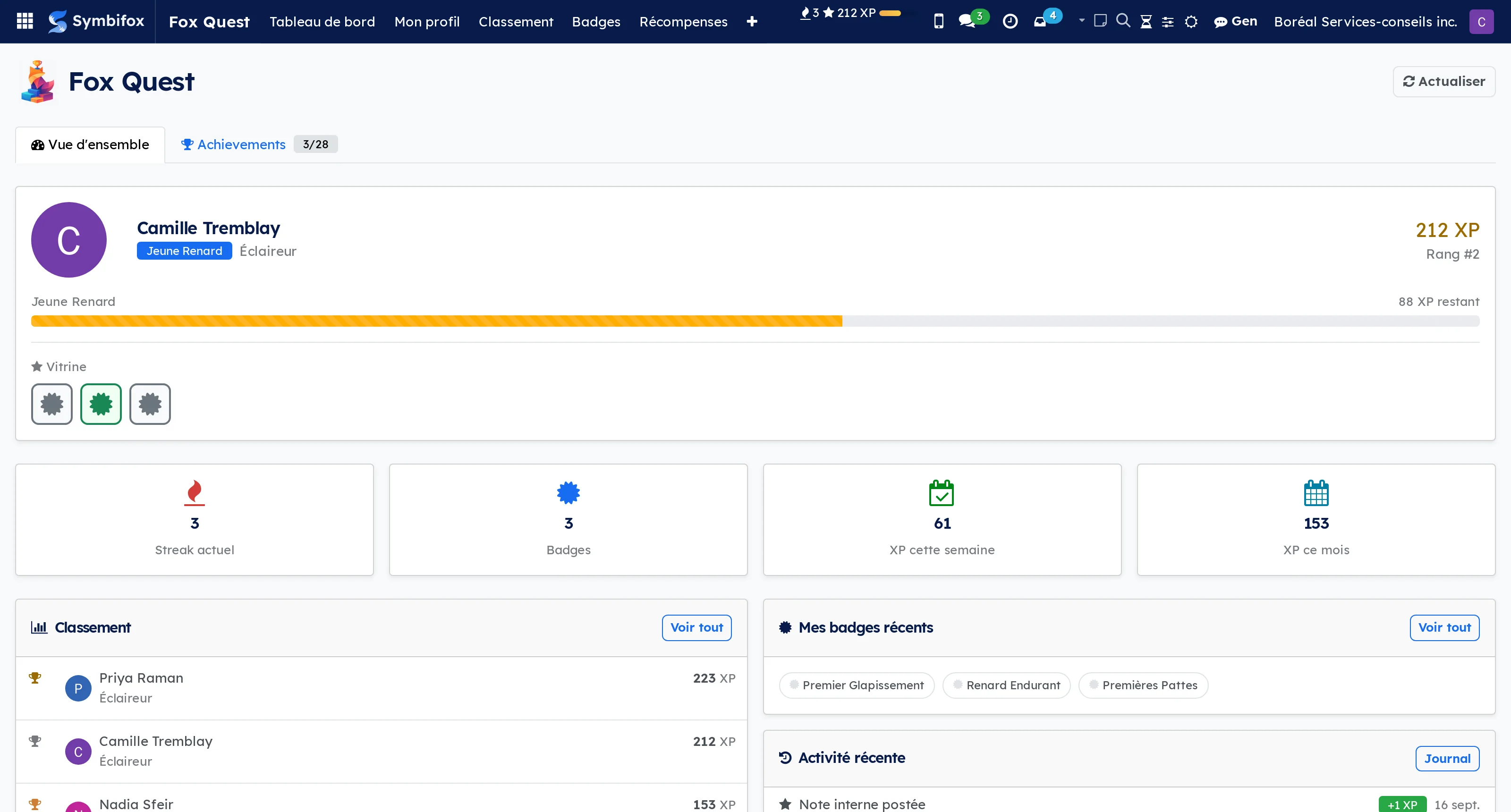
 Fox QuestGamification grounded in real activity: quests, levels, badges and concrete rewards.BUSL-1.1
Gamification fails when it rewards what is easy to count rather than what counts. A click counter ends up producing clicks.
Fox Quest wires its experience points to real activity: tasks completed, timesheets filed, tickets settled, meetings held. The level is crossed in steps, ten fox-themed levels from Renardeau to Kitsune. The badge is earned at a milestone or granted by hand by a manager, across six categories and five rarities.
Rewards are configurable and concrete: a gift card, a flex day, team kit, a bonus tier. A point that leads nowhere stops being looked at within a month.
⚠️ Dosage is the real subject. The application exists to put a little play where it helps, not to turn a team into a language-app cohort. Rules come out as easily as they go in, and nothing depends on them.
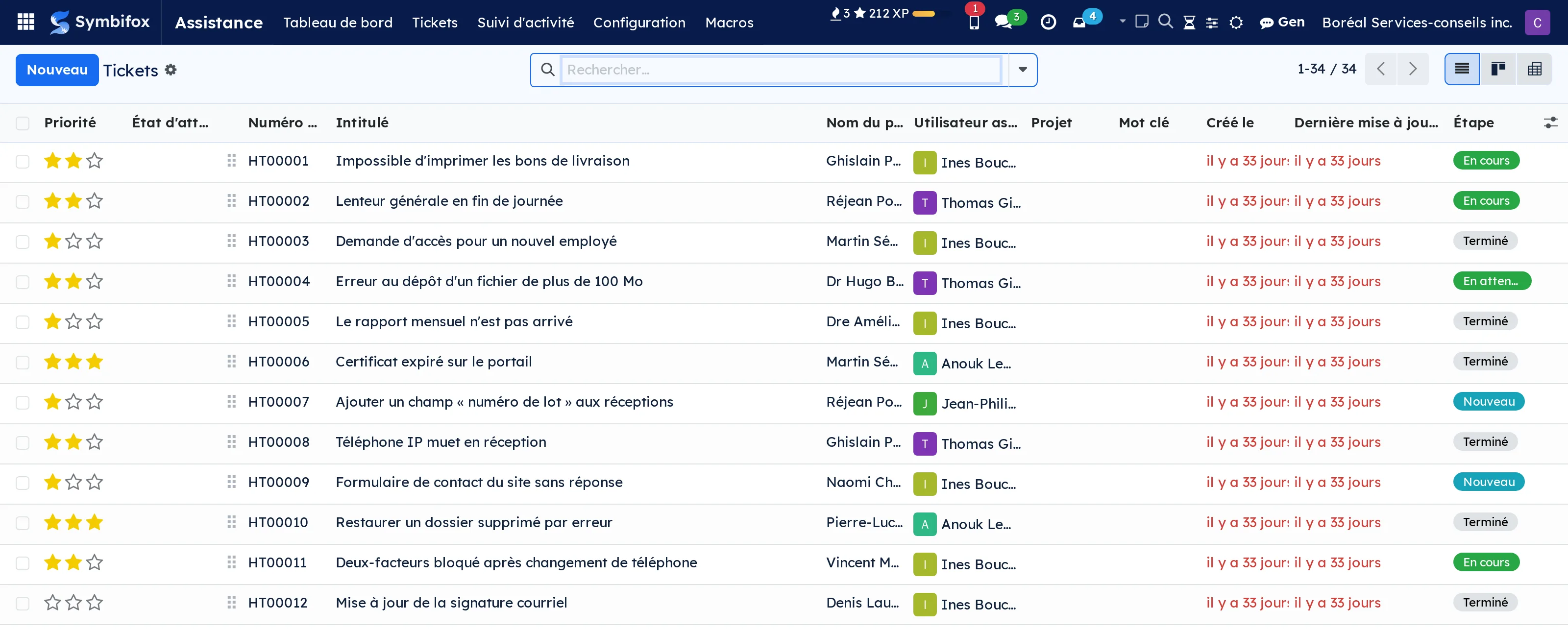
 HelpdeskInternal or client tickets: deadlines on business hours, portal and help center, in your brand.AGPL-3
A ticket carries a number, a subject, someone asking and a priority. Odoo can keep that list. What it cannot tell you is why a file has been asleep for six days.
This module adds a waiting state independent of the stage: a ticket can be “in progress” on the team's side and blocked at the client's or a third party's. Service deadlines count business hours of the team and pause while the client is the one expected to answer: otherwise the team would carry a delay that is not theirs.
Agents work from their teams' queue, sorted by deadline. Their macros fill in the client's name and warn them if someone answered in the meantime. The Client 360 tab shows the client's other tickets, hour bank and last survey, and the form tells which colleague is looking at it at the same time. Time logged on the ticket draws down the hour bank, with no double entry.
For the client: a public form per team, in your colours, a readable status in the portal, an acknowledgement, reminders when it is their answer that is awaited, a satisfaction survey and a public help center. Emails go out in your brand, in the client's language. ⚠️ Everything is switched on team by team: nothing reaches a client until you have set it up.
The AI triage button proposes a category, a stage, a person and a draft reply, which the agent accepts or dismisses; the ticket's text is sent to the AI model to do so. Two add-ons bring duplicate merging with parent incidents, and a section in the morning digest. Symbifox extends the OCA helpdesk_mgmt module here rather than building a separate product: what comes from Odoo stays Odoo.
Comparable to Zendesk or Freshdesk, small-business flavor
2 add-on modules
Duplicates, merge and incidentsDuplicates flagged at creation, complete merge, parent incidents with a grouped reply.
A client who writes twice opens two tickets, and two people answer them. At creation, the module flags likely duplicates in a banner: same contact, same address or same organization, similar subject. It merges nothing by itself.
The merge is complete: messages, attachments, followers and timesheets move to the kept ticket, internal notes stay internal and both sides keep the trace. ⚠️ It refuses two different clients: merging them would show one the other's messages.
When several clients hit the same cause, a parent incident groups their tickets, and one grouped reply goes to each of them, once per client.
Digest sectionYour open tickets and your helpdesk notifications, in the morning digest.LGPL-3
A Helpdesk section in the daily digest: the reader's open tickets, overdue or at-risk deadlines first, and the helpdesk notifications they chose to receive once a day. The add-on installs itself with the digest, and nothing is lost on a day without a digest: the helpdesk then sends its notifications by its own email.
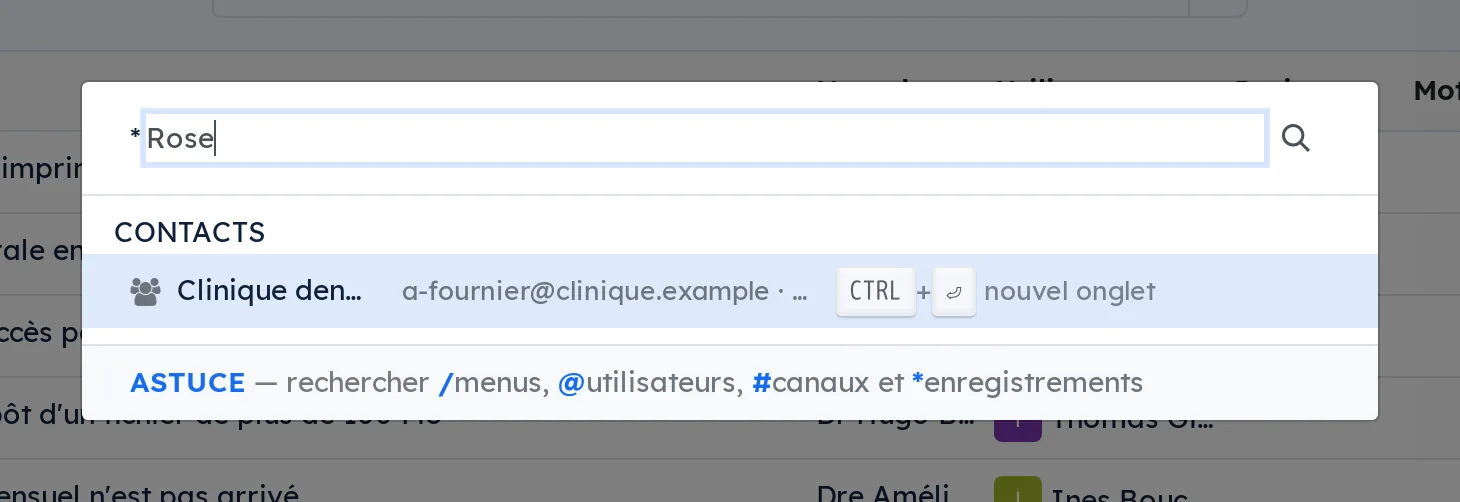
 Universal SearchCross-module search over close to twenty-five models via a command palette (Cmd+K).LGPL-3
Searching an ERP assumes you already know where the thing lives. You open the application, then the list, then you type. Three gestures before the first useful character.
Cmd+K opens one bar that crosses nearly twenty-five data types: contacts, opportunities, projects, tasks, meetings, emails, SMS, calls, invoices, signature requests, secure transfers, matrices, resolutions, articles, products, documents.
Type a number to jump straight to a task or a ticket. Active records come first and closed files are greyed: a search that puts a closed file at the top wastes more time than it saves.
Arrow-key navigation, opening in one click or in a new tab with Ctrl+Enter. Nothing to configure: the palette follows what is installed.
Comparable to Linear or Notion's Cmd+K, inside Odoo
 Time WindowsTime windows (Morning, Midday, End of day, After hours) on tasks.LGPL-3
A due date says which day, never which moment. Yet a great many things only make sense at a particular hour: the call happens in the morning, the follow-up over lunch, the backup outside office hours.
This module adds an indicative time slot to the task alongside its due date: morning, midday, end of day, out of hours. It shows on the kanban card and works as a filter, which lets you open your day on what is done now rather than on everything due today.
⚠️ It is an indication, not a constraint. Nothing fires at the stated hour and nothing is blocked outside it: a slot that triggered an action would become a schedule, and a schedule has to be defended, justified and maintained.
The same slot is used elsewhere in Symbifox, notably to decide which desk opens at which point in the day.

 Waiting States“Waiting on Client” and “Waiting on External” states for Odoo tasks.LGPL-3
A task waiting on the client is not “in progress”, and it is not “blocked” either. For want of a word for it, it stays in progress, and the team carries a delay that is not theirs.
This module adds two distinct states, Waiting on client and Waiting on third party, alongside Odoo's own. They read differently on the kanban and stay fully compatible with existing filters and reports: an added state that breaks the reports only serves for a week.
⚠️ The state is distinct from the stage. A task can sit at the “In progress” stage and be waiting on a third party, and that combination is exactly what you want to see: the stage says where the work stands, the state says why it is not moving.
The same mechanism serves helpdesk tickets, for the same reason: measuring a response time without separating out who is keeping whom waiting gives a figure nobody can defend.
Comparable to The “waiting status” pattern found in most project management tools
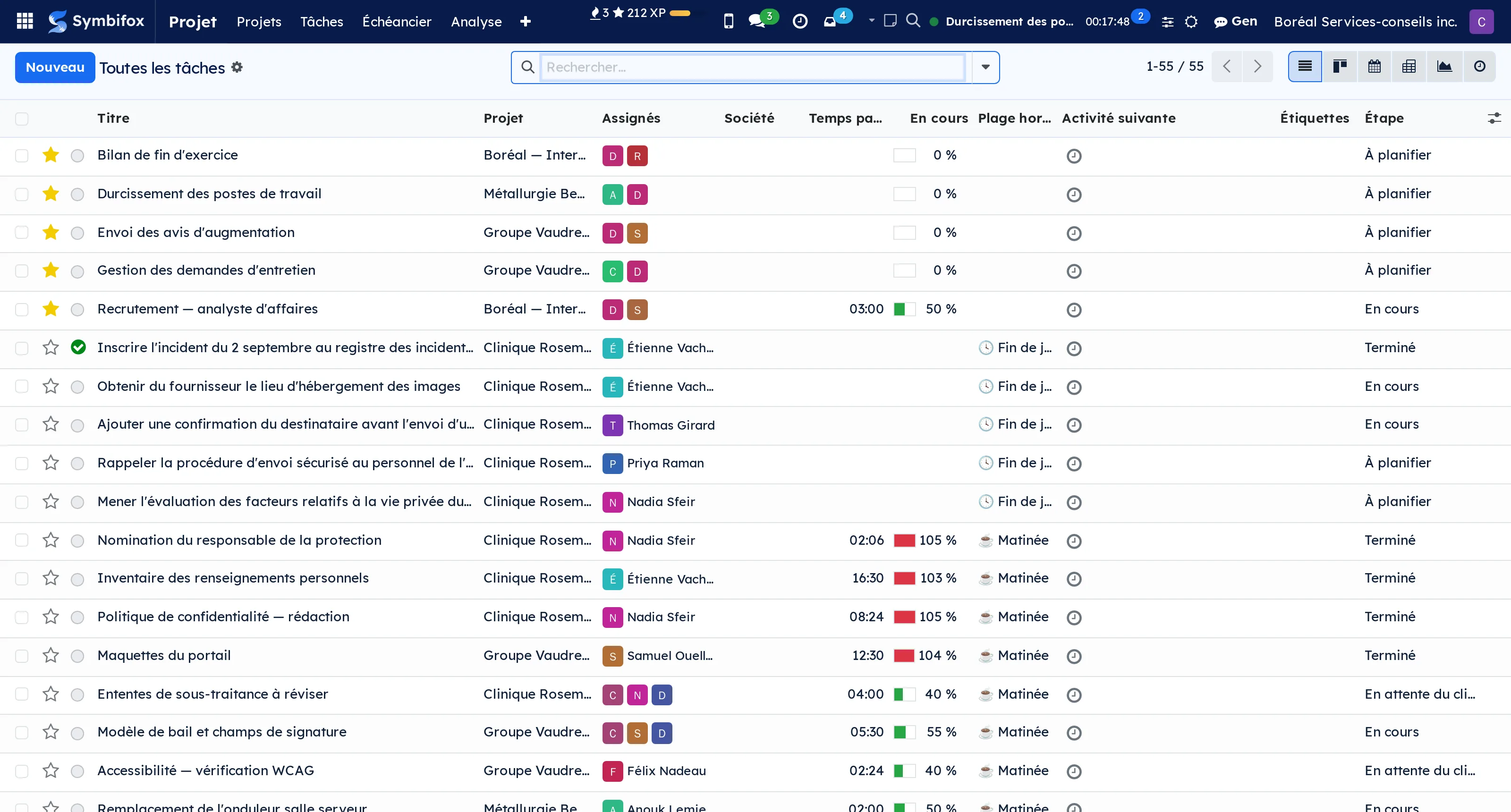
 Task MergeMerge tasks by moving their content onto the kept task instead of stranding it.LGPL-3
Two people open the same task two days apart. One gets archived, and everything it carried goes with it: the conversation, the attachments, the hours logged on it.
This module moves the content before archiving. The message thread, the activities, the followers, the attachments, the hours and the dependencies are reassigned to the task you keep, and the others are archived, empty.
The hours matter most: they are billable, they feed the hour bank and the project's profitability. An hour trapped in an archived task is neither lost nor visible, which is the worst of the two.
⚠️ Source tasks are archived, never deleted. Their number stays valid and an old reference still leads somewhere, because a dead link in last year's email cannot be explained away.
Comparable to Zendesk ticket merge, for your Odoo tasks
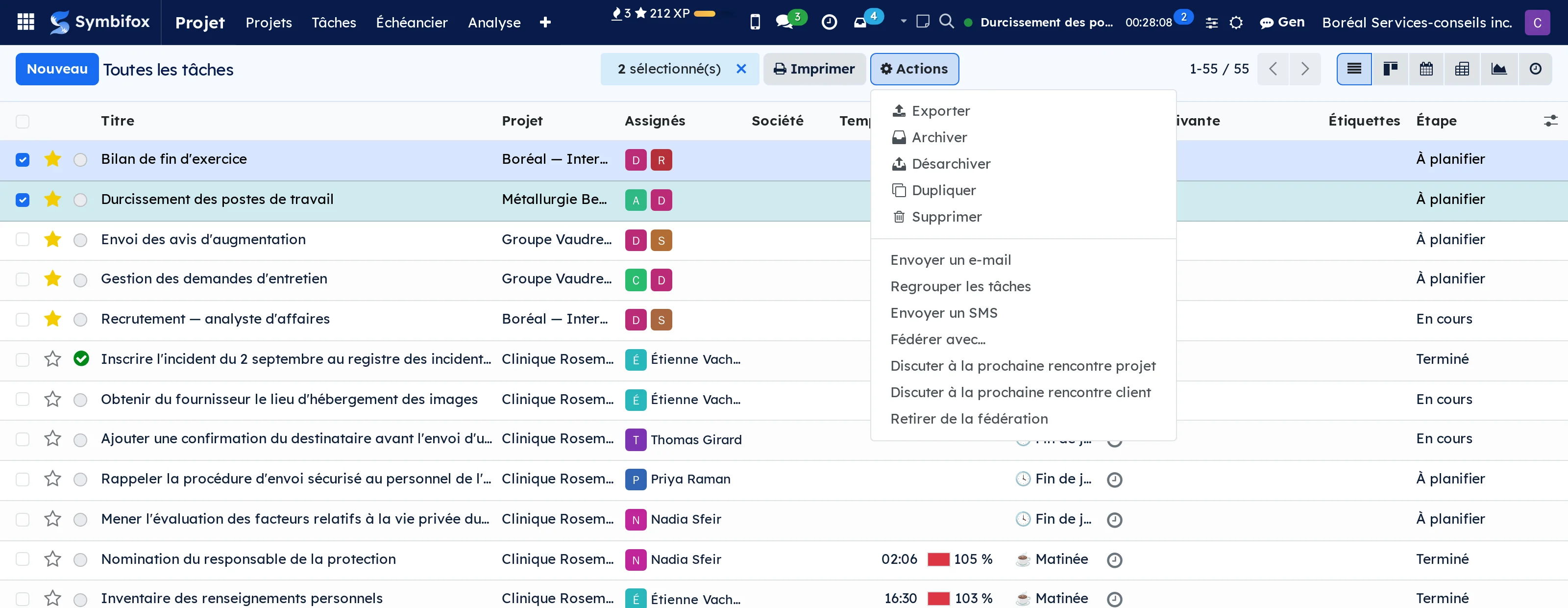
 Nextcloud FilesBrowse, preview and share your Nextcloud files without leaving Odoo.LGPL-3
A file lives on Nextcloud, the file it belongs to lives in Symbifox, and the person spends the day between two tabs copying links.
Three doors lead to the same files: a tab on the record of a project or a task, bounded to that record's folder; a full application in the main menu; and a launcher in the top bar that slides the browser over whatever screen you are on.
Folder tree on the left, built-in preview, drag-and-drop upload, moving, configurable share links, office documents opened straight in Nextcloud.
⚠️ Each person browses with their own Nextcloud account, connected once through your organization's authentication. Nextcloud therefore applies its own permissions, and every share carries the name of whoever created it. A browser going through a service account would show everyone everyone else's folders.
Symbifox does not replace Nextcloud: your files stay with you, on your server.
Comparable to SharePoint's file explorer, on your own Nextcloud
 NFC tagsA tag stuck on an extinguisher, a door or a projector: hold the phone near it, and the gesture runs in Odoo.BUSL-1.1
An NFC tag triggers nothing by itself. It holds a few dozen bytes, and the only format both phone platforms read without an app is a link. The phone opens it, and the server acts: that is what lets you add a gesture without anyone having to update their phone.
⚠️ What is written is a public code, never a secret: a tag reads at four centimetres without your consent and copies for pennies. Identity comes from elsewhere, and that is what separates the three doors: the Android app, with the paired device's token; the browser, with the session already open; and the signed NTAG 424 DNA chip, which signs every read and works for a person with no account. Every gesture runs with the bearer's rights, never more.
The gestures shipped: open the record, take out and return equipment, book a room, record attendance, start a timer, walk a round of points in order, report a problem that opens a pre-filled ticket. A tag can ask a question before acting, or offer a menu.
It can also ask for a checklist: compliant or not, a measured value with its range, a choice, a note. This month's fire extinguisher, the fire door, the padlock. The record is immutable once written, the anomaly is followed through to its correction, and the register comes out as a PDF with the regulation's section at the top.
With no network, the tap is kept with its time and goes out when the signal returns, checklist included. A QR code printed beside it does the same work for a phone without NFC. Signed chips are prepared from the app, but the company key never goes down into a phone.
Comparable to A patrol-tour reader and its software, replaced by a one-dollar tag and the phone you already have
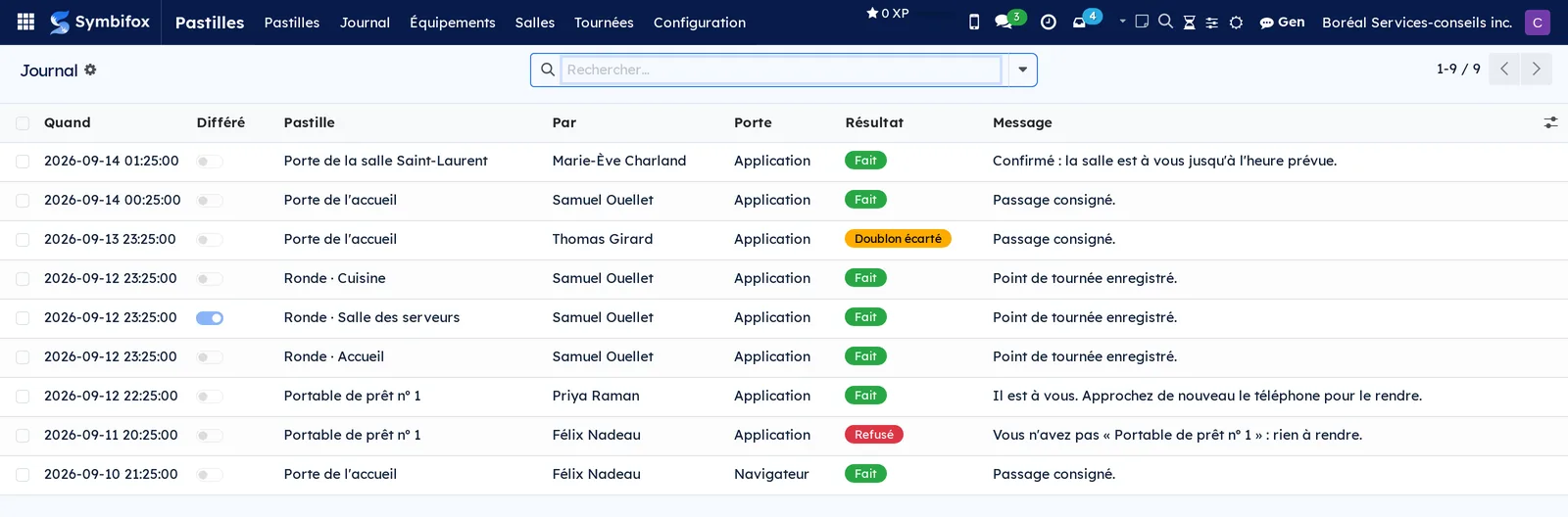
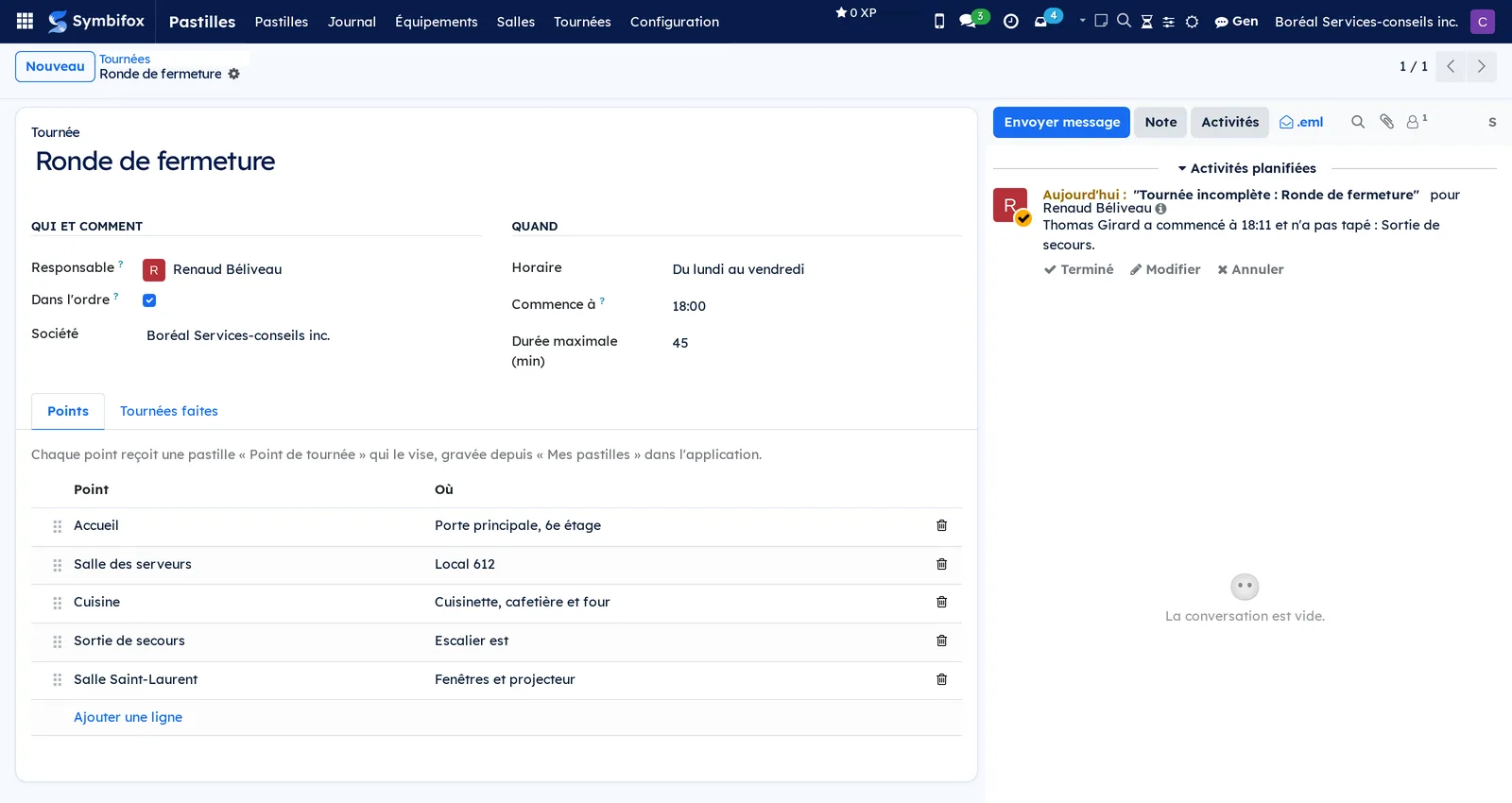
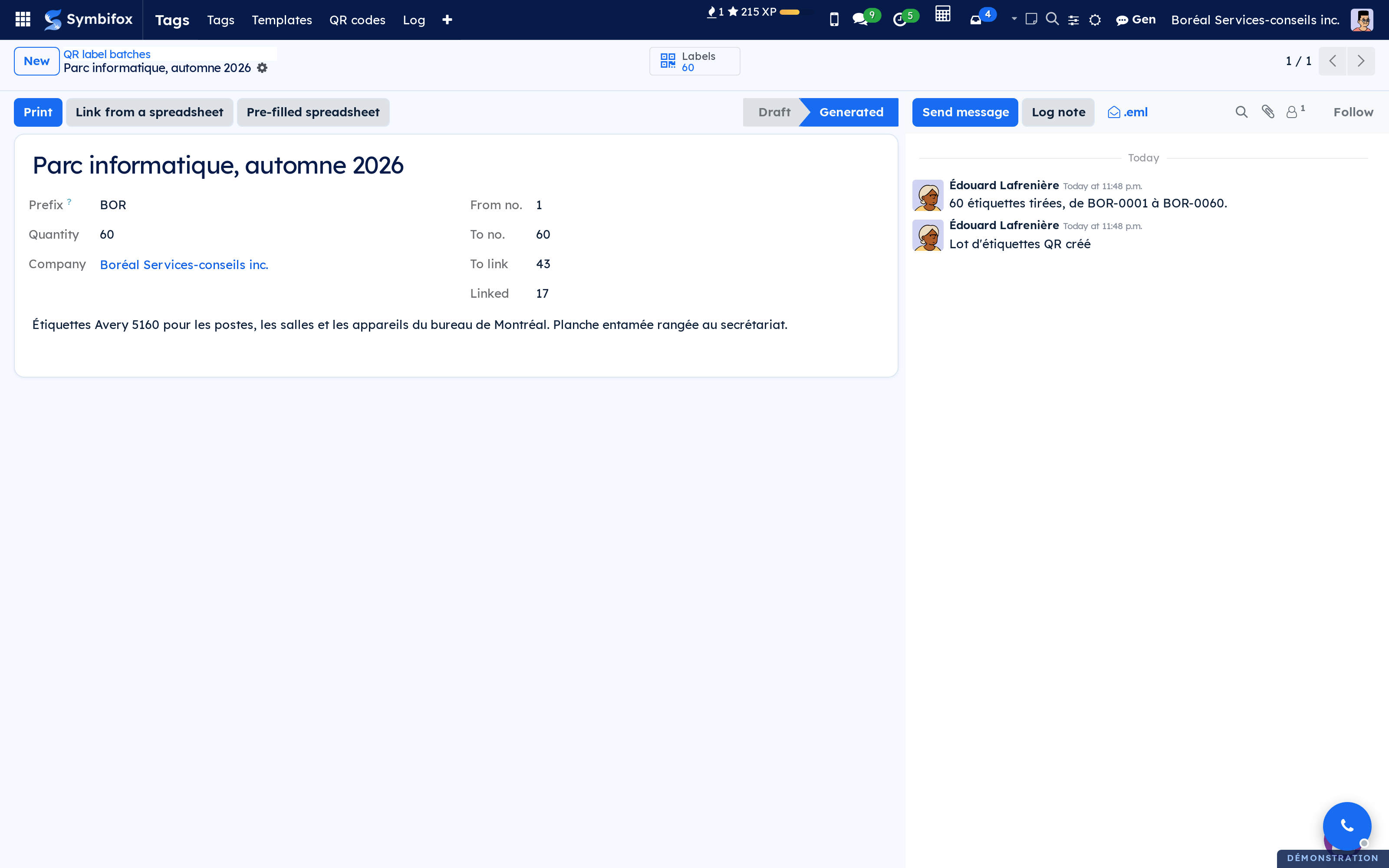
 Managed QR CodesQR labels printed ahead of time, linked on first scan, and pointed somewhere new without being reprinted.BUSL-1.1
A printed QR code usually carries its address hard-coded: the day the page moves, you peel it off and reprint. Here the code only carries a short pointer, and Symbifox decides where it leads.
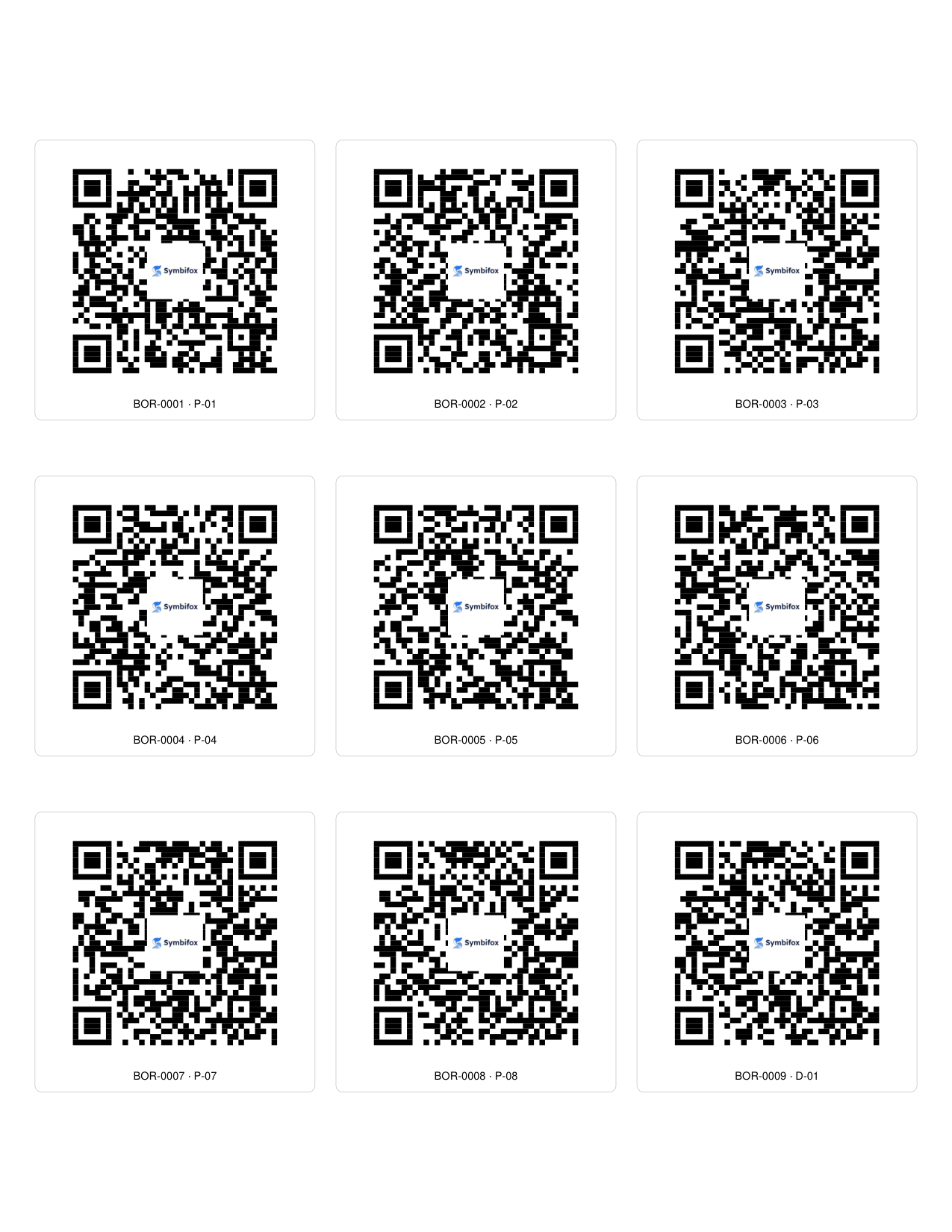
You generate a batch of blank labels, numbered after a prefix, before you know where they will go. On first scan, an authorised person picks what the label opens: a desk on the floor plan, a server, a room, an event, a link page, or a plain address. When the object leaves, the label is reset and reused elsewhere, its log intact.
Sheets print to the millimetre on ten common Letter and A4 formats, and a half-used sheet picks up where it left off. The centre logo and the colours are checked before printing: a code too small for a logo, too pale or inverted is refused rather than wasted. Two hundred desks can be linked at once from a spreadsheet, checked line by line before anything is written.
⚠️ A label open to the public takes a visitor without an account to an address or a published page, never to a gesture that writes. Companies are walled off, and every scan leaves its line in the log.
A QR label is a tag without a chip: every NFC tag gesture works with it, with nothing more than a laser printer.
Comparable to A dynamic QR code service, wired to your own records and your label sheets
 People I've MetA private notebook of the people you cross paths with: where, what they like, the detail to reconnect, without making them a contact.LGPL-3
You remember the café, the red bike helmet, the love of sea kayaking. Rarely the first name, which is the only thing an address book can search.
A card starts from a single clue: a first name, even an unsure one ("Ondine?"), a distinguishing detail or a photo. It keeps how you met (the place, the occasion, the date, even a rough one, who introduced you), their interests, what they know about you and the detail that will restart the conversation.
Capture stays a Notebook note, taken on your phone, offline or by voice: one button turns it into a card, and the note stays linked. One search box finds someone by whatever you remember, the text of your notes included.
⚠️ A card is not a contact, and it is private to the person who wrote it. It can be shared, card by card and read-only, with the household members you choose. Your address book changes only on the day you make a contact, with name, city, country and photo only.
A "Reconnect" reminder is set when you ask for one, as an activity: no email, no daily nagging.
Comparable to Monica or Dex, without the subscription or your friends on someone else's server
Data & AI6
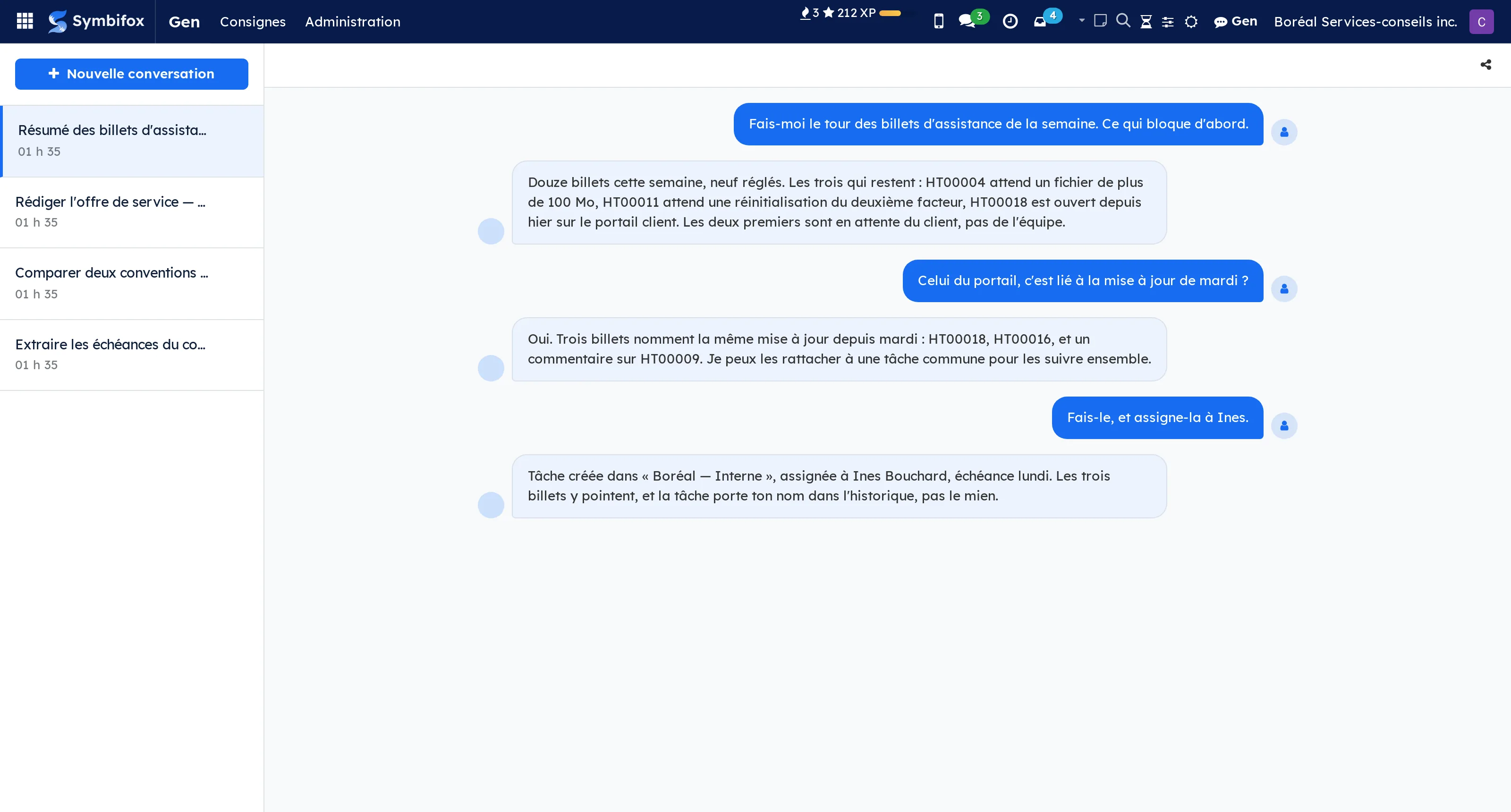
 GenAI assistant wired into your Odoo data. Your data stays with you.BUSL-1.1
An assistant that cannot see your data answers into thin air, and an assistant that sees it from a third-party service takes your files out of your house. Gen answers both problems at once.
It opens from two places: a side panel that follows the record you are reading, and a full-width page with all your conversations. A conversation opened from the panel remembers the record it started on, and the panel then shows only what concerns it. In the list, a pill names that record and opens it in one click, and a switch shows it in place of the title.
An instruction is a short directive the assistant respects everywhere, or only on one record type: that is where the house tone is written down rather than restated every time. Every turn is counted, in tokens, in duration and in equivalent cost, and the steps it took stay readable: read a task, search the mail.
⚠️ The assistant writes under your identity. A task it opens carries your name in the history, not an anonymous robot's, and it does nothing your account would not be allowed to do.
The connection to the model is made from your server: no data travels through a service that is not yours.
Comparable to Microsoft Copilot, self-hosted flavor
 Invoice OCRAI-driven data extraction from supplier invoices: amounts, dates, taxes.BUSL-1.1
A supplier bill arrives as a PDF and leaves as manual entry: the supplier, the date, the amount, the tax breakdown, the lines. Forty a month is a day's work that produces nothing.
Drop the PDF in. Extraction returns the supplier, the dates, the amounts, the GST and QST breakdown and the detail lines, then prepares the accounting draft.
⚠️ Human validation stays mandatory, and the screen is built for it: the extracted values are re-read at a glance, beside the original image. An extraction that posted itself would turn a reading error into a decided entry.
The analytic account is set along the way, which spreads the expense by project or by client without changing the books, and feeds the profitability shown elsewhere.
Processing happens on your server. A supplier bill carries your prices, your volumes and your partners: it has no business leaving your house to be read.
Comparable to Dext (formerly Receipt Bank), open-source and self-hosted
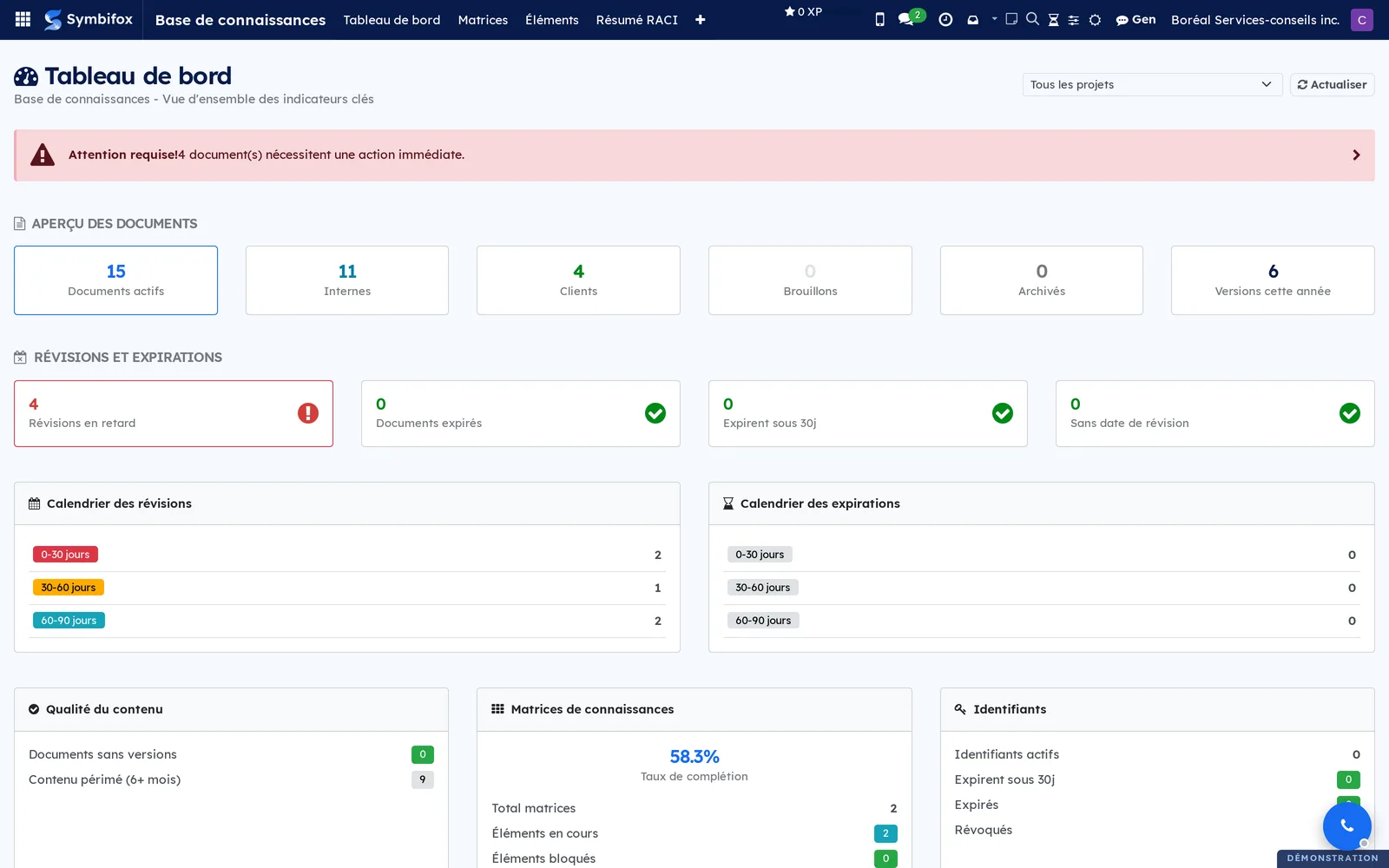
 Knowledge BasePolicies, procedures, registers, document templates and project matrices.BUSL-1.1
A wiki ages badly because nothing in it says which version was distributed, to whom, or when it is due for review.
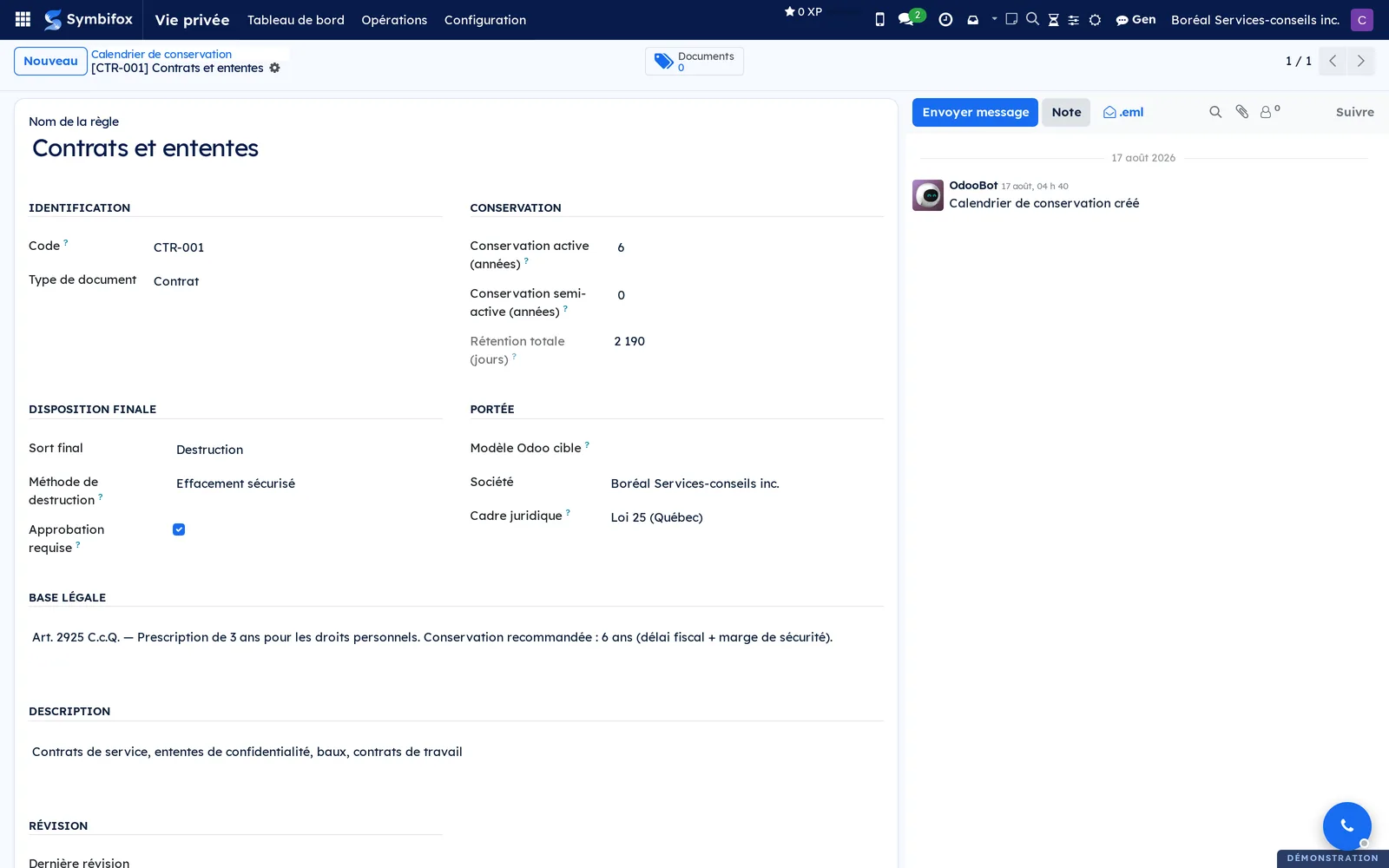
A document is a record: a name, a reference, a type, an owner, a next review date. Its content lives in versions, each with its number, its change log, its approver and its effective date. Publishing a version freezes its content: that is the one that was distributed, and it will not move again.
A distribution links a version to someone, client or employee, and records the sending, the method and the acknowledgement. That is what answers “who had received the password policy in February” without reopening a mailbox.
Matrices track an engagement's deliverables: status, owner, dates, attachments, linked tasks. Decisions taken in meetings are filed into them, where people will look.
More than a wiki, less than an ERP: a document's body can be written here, section by section, or stay a pointer to an external file.
Comparable to Notion or Confluence, structured by project

 PersonaWhat to know before writing to a contact: register, salutation, who belongs in copy.BUSL-1.1
Writing to a contact means remembering things that are written down nowhere: whether to address them formally, that their assistant must be copied, and that their partner asked to be left off.
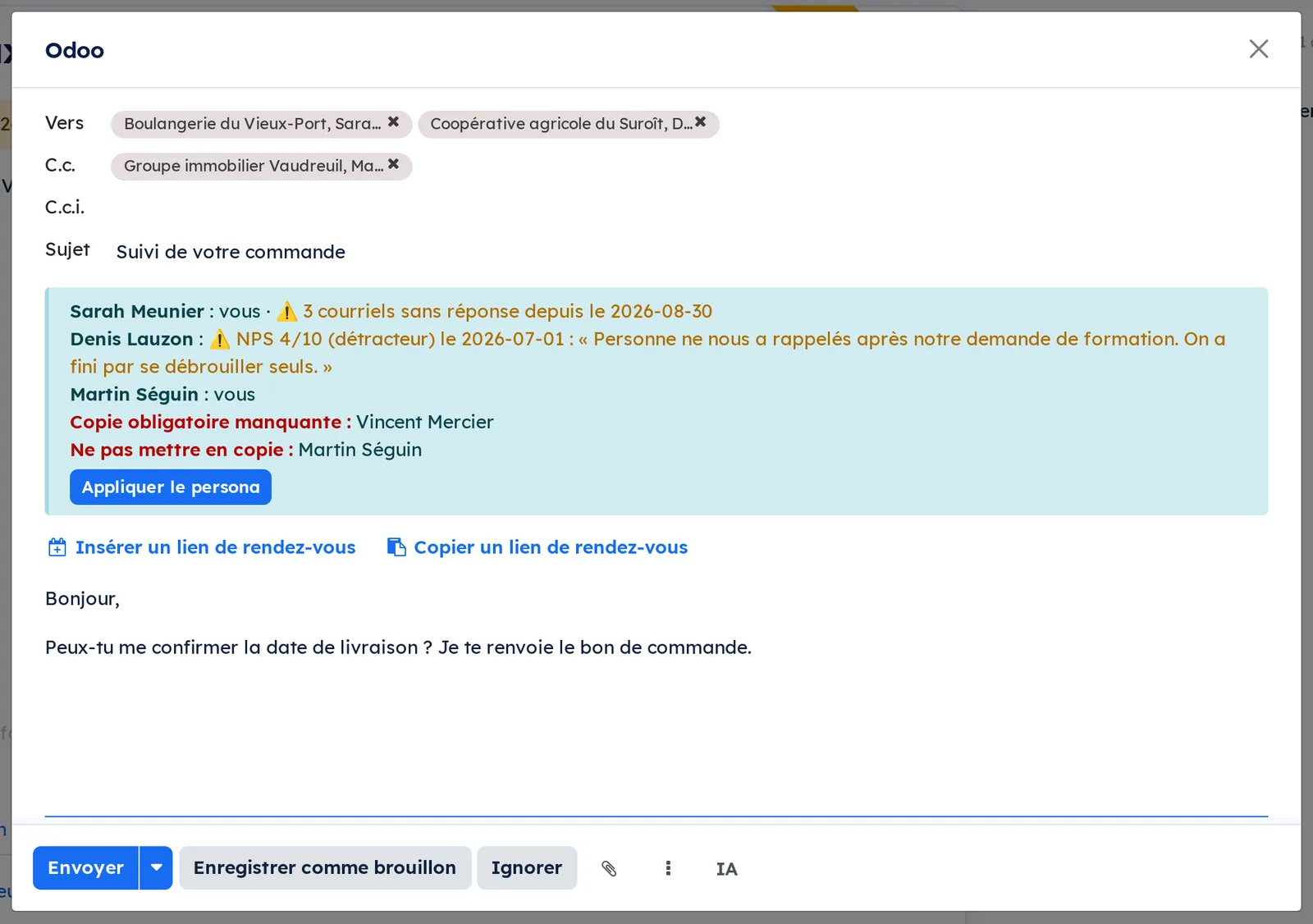
Every contact carries their register, their salutation, their closing, and what you should know before writing. As you compose, the banner reads the recipients themselves, in To and in Cc, and recalls who should be copied, who usually is, and who asked not to be. The button adds the copies to the right field.
⚠️ Copy rules are proposed, never applied: they are inferred from emails actually sent, with the observation that motivates them, and nothing moves before you confirm. A copy added automatically eventually sends bad news to the wrong person.
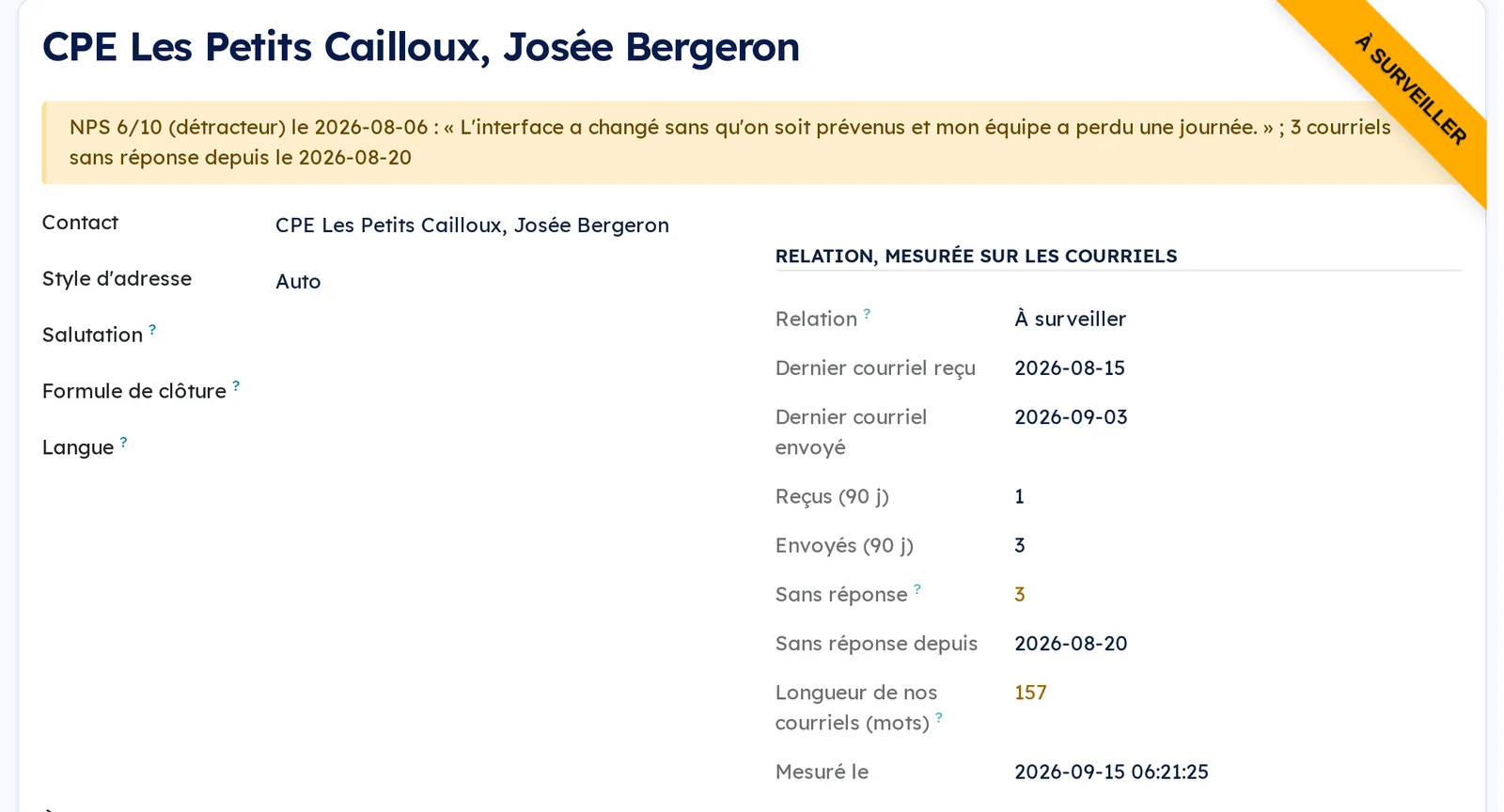
The relationship is measured daily on the messages themselves: your emails left unanswered, the length of what you write, the last exchange in each direction. Those are facts, not an invented score.
Paired with the client experience module, the persona also shows the contact's latest rating and their comment, right where you are writing to them.
Comparable to Salesforce Einstein Insights, small-business and open-source flavor

 Contact EnrichmentFill in your contact records with AI, from your desk or your phone: business cards, email signatures, web domain.BUSL-1.1
A contact book degrades on its own. Titles change, numbers change, and nobody opens a record to correct an extension they never dial.
Scan a business card, enrich a contact from the signatures in their emails, one at a time or in bulk, create a contact from an email received, import vCards, spot duplicates.
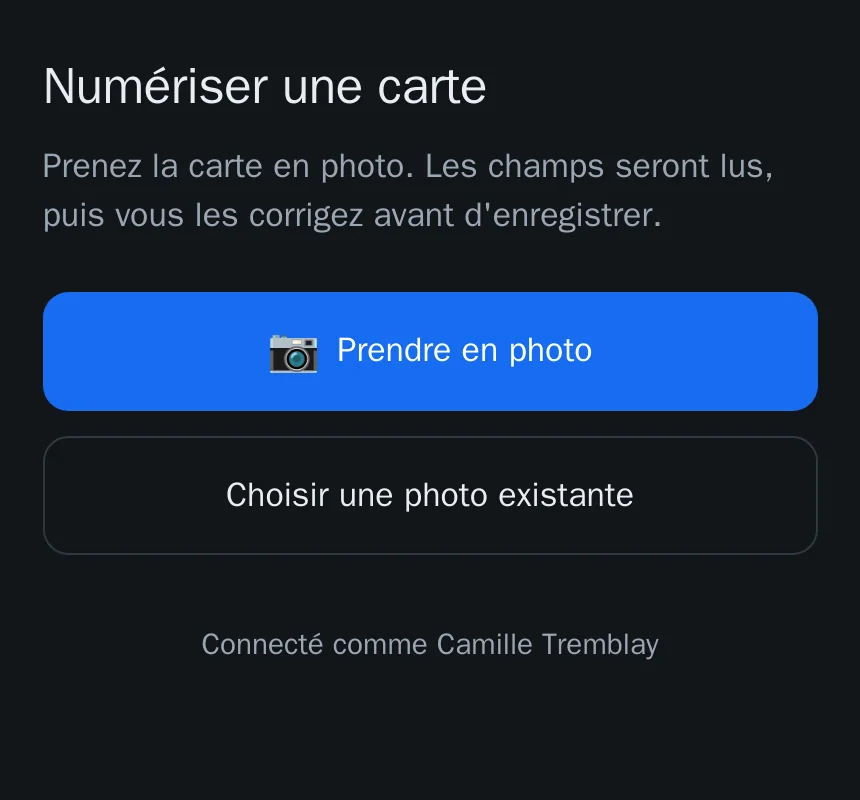
At a trade show or on a visit, scanning lives on an installable mobile page: an address to open, no app to download, and it is the phone's camera that takes the card.
⚠️ Enrichment never replaces a value already entered, and every addition is logged. That is the one rule that makes the automation acceptable: a tool that overwrites a hand-corrected number gets switched off within a week.
A completeness score highlights the records worth finishing, rather than leaving you to hunt. Model calls run on your own infrastructure.
Comparable to Clearbit or Dropcontact, open-source and self-hosted
 BI DashboardsDashboards designed on screen, inside Odoo, where each person only sees their own figures.BUSL-1.1
Odoo Community reads dashboards but cannot design them: the editor is an Enterprise feature. And a BI tool plugged in beside Odoo reads the database without its access rights, which then have to be rebuilt by hand, or dropped.
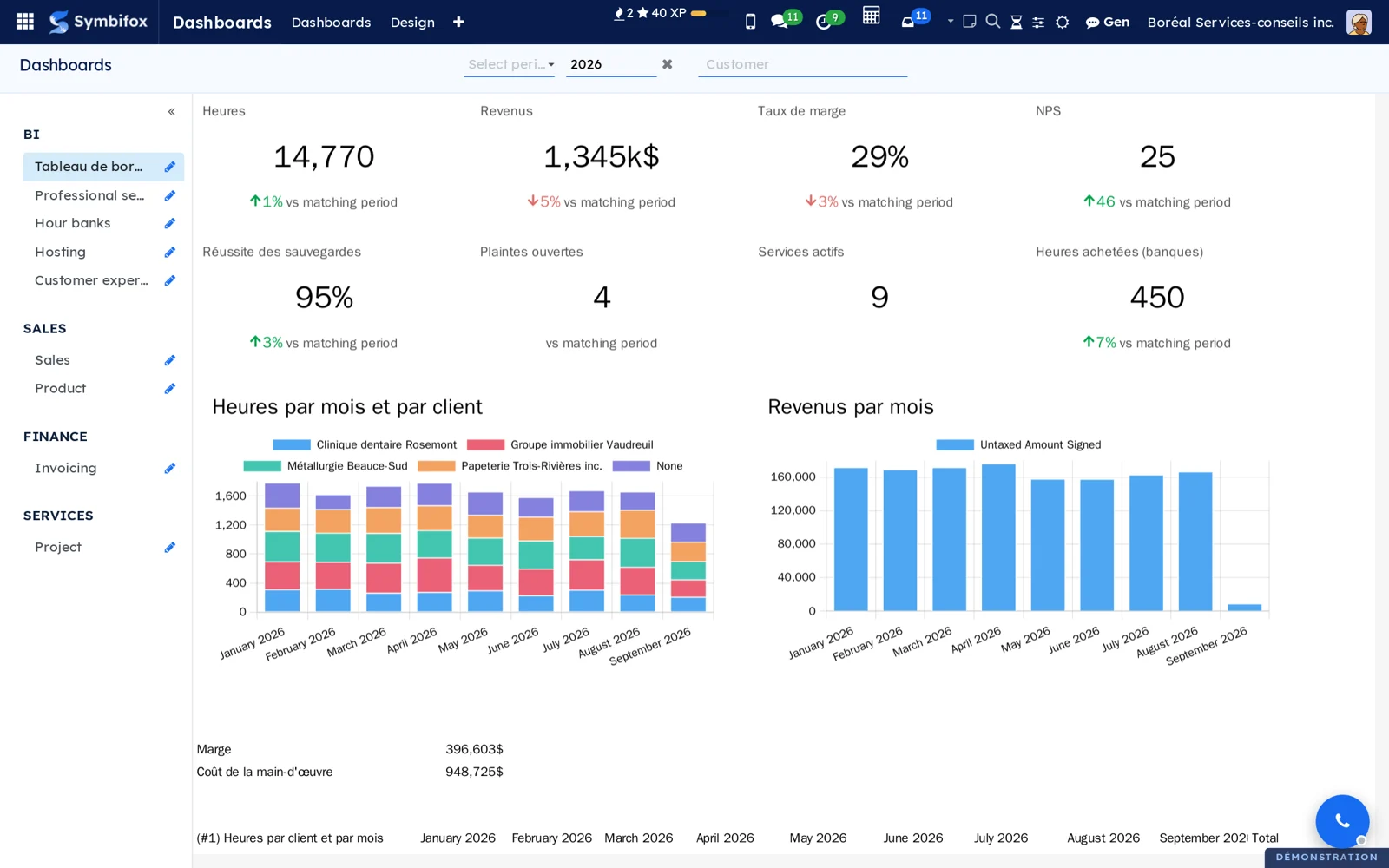
Here you build the dashboard on screen. A pivot or graph view, anywhere in Odoo, goes to a dashboard through “Add to a dashboard”, as a table, a chart or a tile. The Period and Customer filters are created for you and apply to the whole page. The editor saves itself, and never overwrites the version a colleague has just saved.
Named measures (margin, billable hours, NPS) are defined once and used everywhere. ⚠️ Every figure is recomputed for the person looking, under their own access rights: a consultant sees their hours, management sees everything, in the same dashboard. A tile compares the year to date with the same dates last year, not with the whole year.
A Grist document can be added as a source, closed by default and opened to the groups you choose; its key is seen by administrators only, never by readers. Ready-made dashboards install themselves with the modules they read.
Comparable to Power BI or Tableau, without copying the database beside Odoo or rebuilding its access rights by hand
5 add-on modules
Professional servicesHours, revenue, labour cost and margin, by customer and by month.
The Professional services dashboard and its named measures: hours entered on projects, invoiced revenue net of credit notes, labour cost from each person's hourly cost, margin and margin rate. It installs itself when timesheets and invoicing are present. The margin rate moves in points, not as a percentage of a percentage.
Hour banksYour customers' hour bank balances, and the hours added or removed.
The Hour banks dashboard: balances as the hour bank module computes them, and the hours added or removed over the period. It installs itself with hour banks, and is reserved to people who can read them: nobody gets a tile in error.
HostingServices in production, services down, backup success, storage and expiring domains.
The Hosting dashboard and its measures: services in production and those whose last health check failed, backup runs and their success rate, average share of storage used, domains whose registration ends within 90 days. It installs itself with hosting management.
Customer experienceNPS, responses, open complaints and resolution time.
The Customer experience dashboard and its measures: answers to the NPS question, promoters, detractors and NPS, complaints received and not yet resolved, average days to resolve a complaint. It installs itself with the customer experience suite. NPS moves in points.
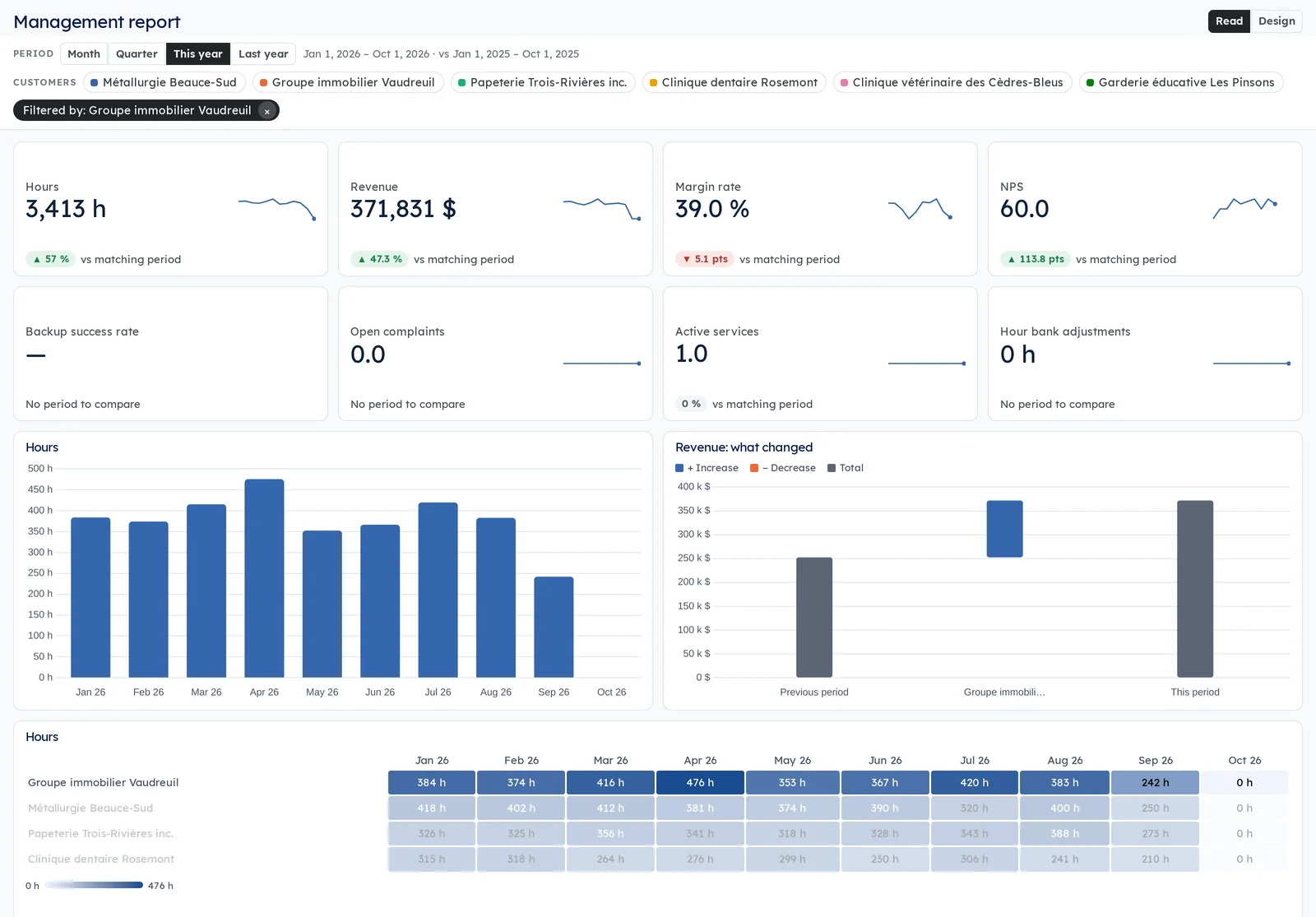
Interactive reportsReports that read like Power BI: slicers at the top, a click that filters the whole page, a detail page for each customer.
Period and customer slicers at the top of the page, and every visual follows them. A click on a bar, a slice or a row filters the whole page, and a right-click on a customer opens its detail page.
Tiles compared with the matching period, column, line and donut charts and tables, but also gauges with their target, waterfalls that explain a change customer by customer, and heat maps of customers month by month, in your company's colors if you like.
Designers build a report on screen: drag a measure, move, resize, with a history of the last 30 versions. Five reports come ready to use: management, time and margin, customer experience, hosting, hour banks.
The figures are the dashboards' named measures, computed under the access rights of the person looking: nobody sees a figure in a report that they could not read elsewhere.
Security & Compliance9
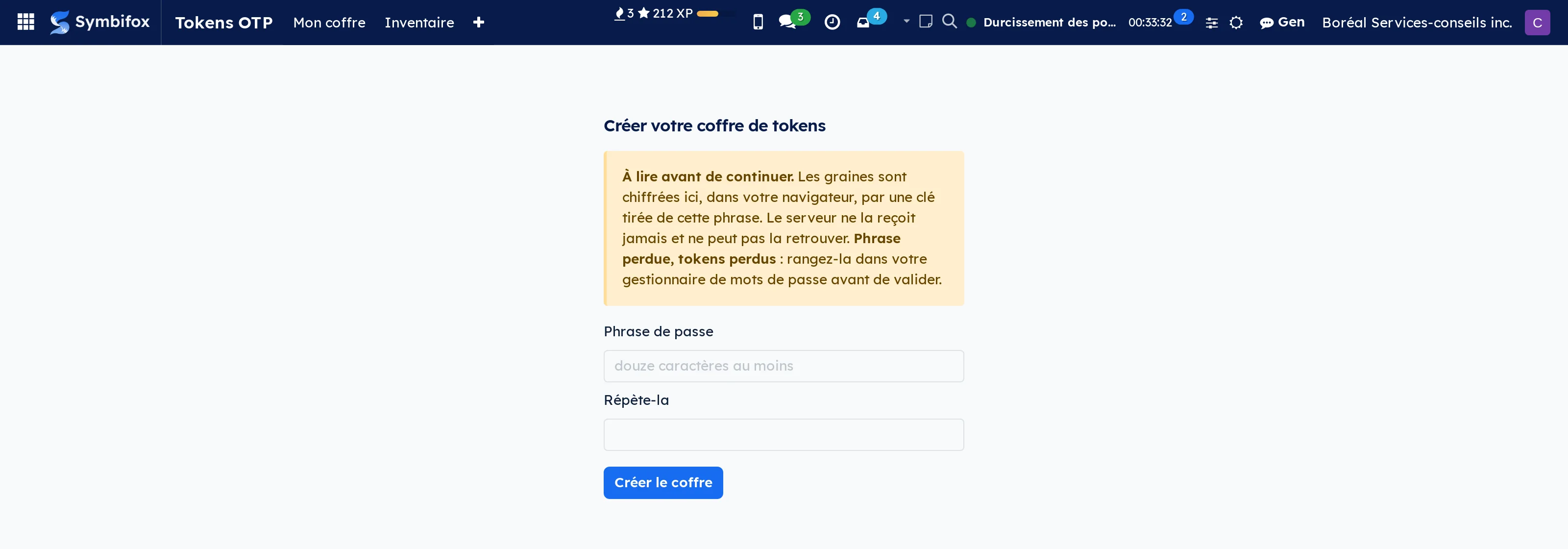
 One-time-code vaultYour two-factor codes inside Odoo, tied to the client and the mandate, on a server that cannot read them.LGPL-3
A team's one-time codes live on somebody's phone. Nobody knows what is held for whom, and a departure is discovered on the day someone needs to get in. This module puts the vault in Odoo, every code tied to its client and its mandate, and the client record says how many you hold for them.
The property it buys is rarer than the feature: the server holds no readable seed. Encryption happens in your browser, the key is derived from a passphrase that never leaves it, and the codes are computed in the page. We cannot produce your codes, and that is not a promise: it is checkable in the published source.
Open it with a fingerprint or a hardware key, and keep a recovery code offline for the day the passphrase is lost. The archive takes what you use twice a year out of the everyday list without destroying anything: the code still lives there, and search finds it. An assistant reads the domain in your accounts and proposes a filing for a whole vault, which you correct before it writes.
⚠️ And you are locked in nowhere: the encrypted export is the default, a plain export sits behind your passphrase, with one otpauth:// address per code that any other manager can read back.
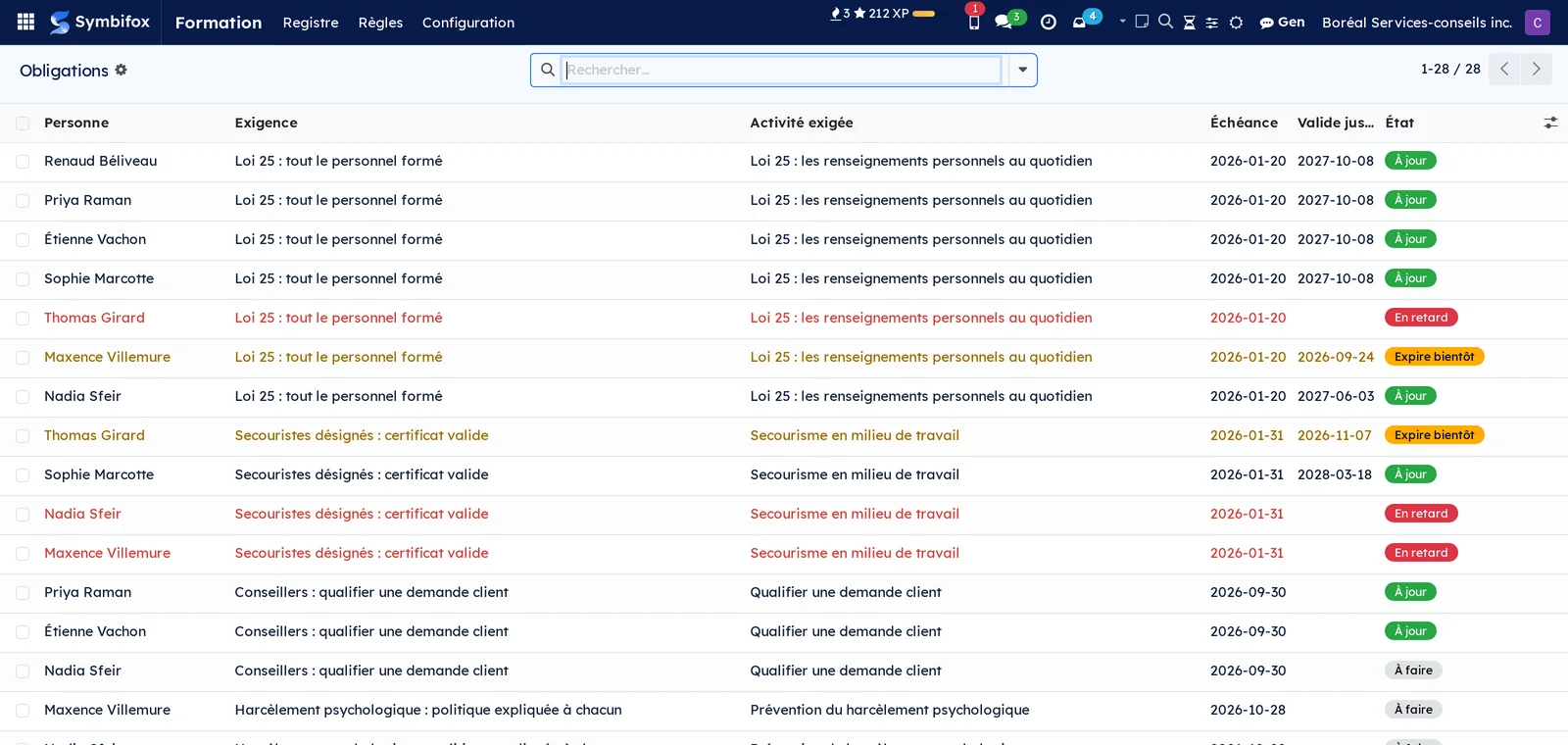
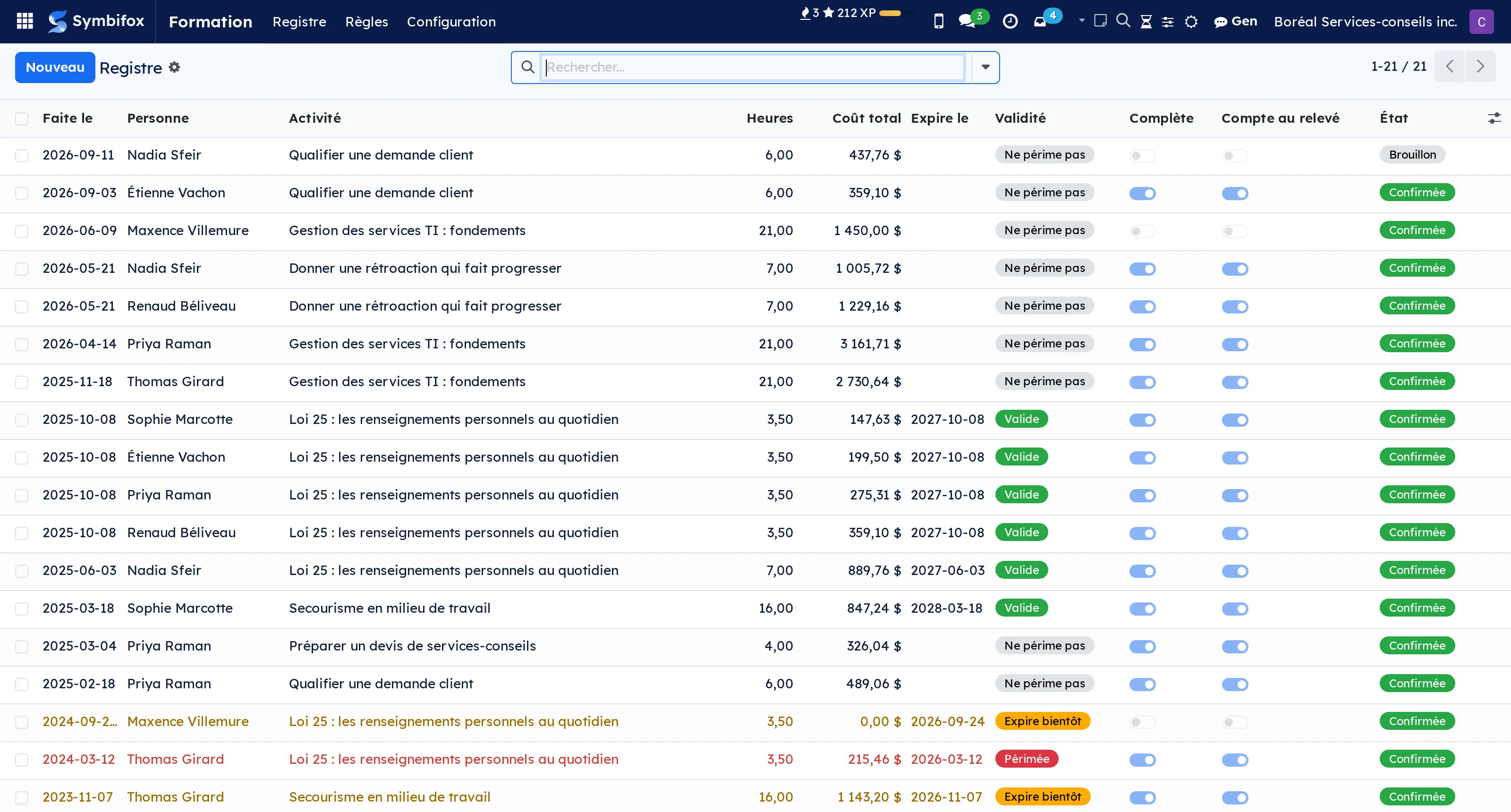
 Training registerWho owes which training, by when, proven by which document, and valid until when.BUSL-1.1
An e-learning module plays content. This one keeps the register, which is not the same work.
A requirement says who owes what, and it takes two forms that do not reduce to one another: a specific activity each covered person must have taken and kept valid, or a number of hours in certain categories, with the categories that do not count. From that rule comes one line per person, with its due date and its state: that list is what you show the inspector.
Facing it, the completion carries the proof: the real date, the hours, the provider, the number, the certificate attached, and the expiry date.
⚠️ Nothing is overwritten: three first-aid courses over nine years leave three lines, and the sequence shows. Expiry moves on its own, carried by a daily task rather than a field frozen the day it was written.
And what is missing is not worth zero: a line with no hours is marked incomplete and leaves the totals, instead of entering them at a null value that looks like a measurement.
Comparable to A corporate LMS, cut back to what can be proven
8 add-on modules
Online coursesA finished course becomes a register line, dated the day it was actually finished.
Odoo's content player keeps no completion date, and the line it adds to an employee file carries the date of the recomputation.
This bridge writes the record the moment completion happens, with the course hours. Anyone without a portal account is given one, without which a finished course reports nothing at all.
It also watches the content: when a course gains or loses chapters afterwards, the register flags it and decides nothing. Raising the version makes everyone who took the old one sit it again; acknowledging the change freezes the count and asks for nothing.
⚠️ Fixing a typo should not send anyone back to class, and that is why the decision stays with a person rather than with a rule.
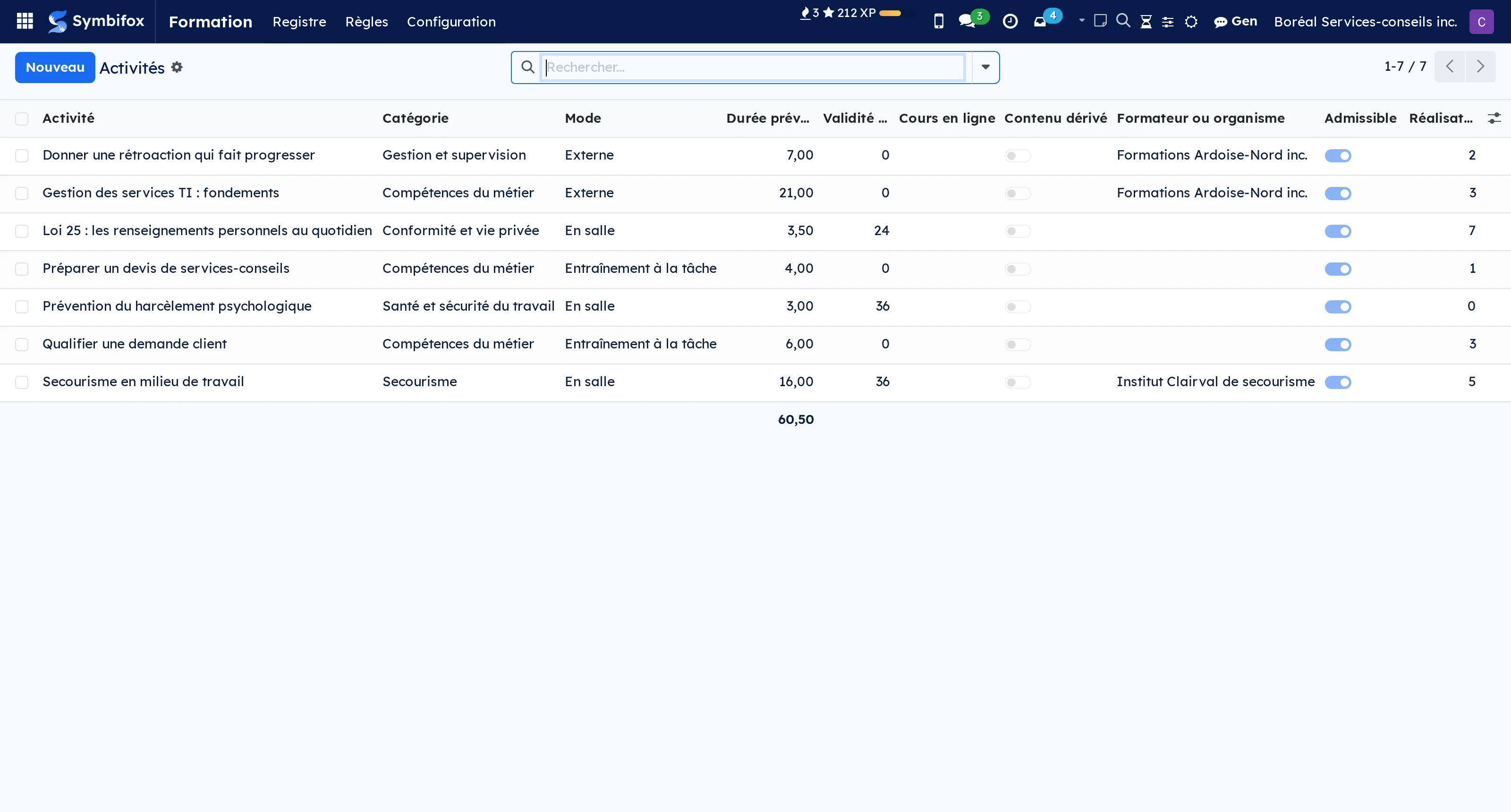
SCORM contentPlay a SCORM 1.2 or 2004 package inside Odoo eLearning, and carry its completion to the register.
Odoo 18 knows no standard course format: its player takes an image, an article, a document, a video or a quiz, and that is all. A provider delivering training as SCORM, which is nearly all of them, has no way to play it or to get the result back.
This module adds the missing type, with both APIs the standard mandates, the 1.2 one and the 2004 one, because any real catalogue holds some of each.
Completion reaches the register through the player's own hook: there is a single write path.
⚠️ The module says what it does not do: SCORM 2004 sequencing is not applied, and it announces that on the package record. A player that claims to sequence and gets it wrong is worse than one that says it does not sequence.
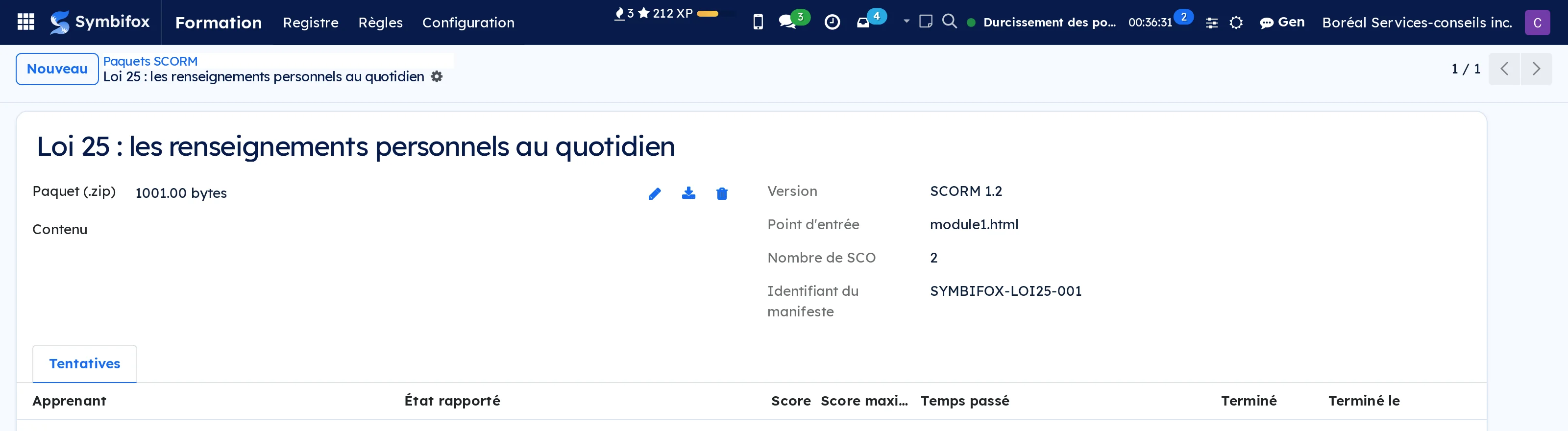
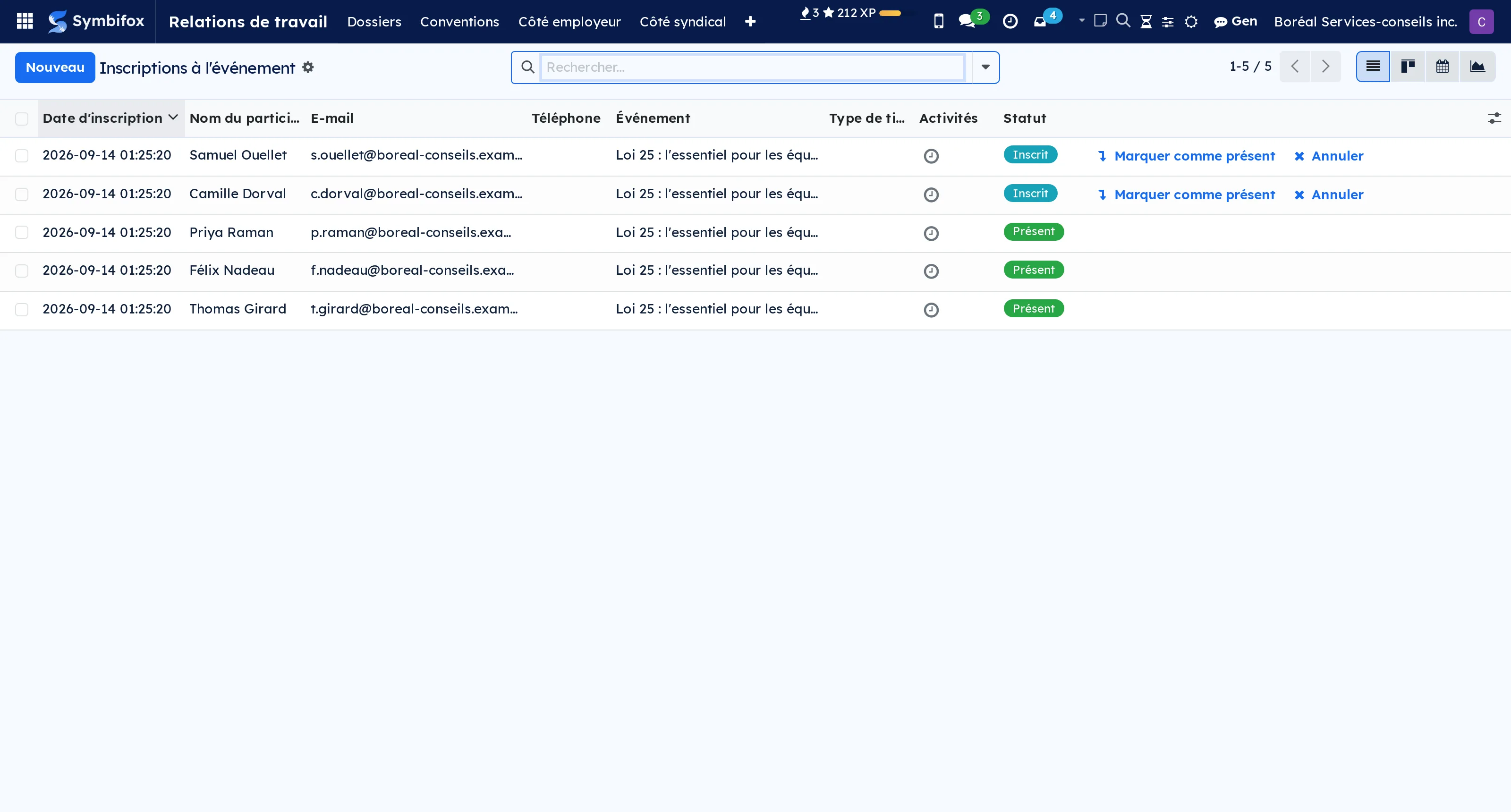
Classroom session and signed attendanceThe classroom session run by Events, and the signed attendance sheet that turns it into proof.
Odoo Events already runs a session: the date, the room, the seats, the registrations, the check-in. This bridge does not redo any of it.
It adds the two things a training session needs and an event does not carry: the signed attendance sheet, produced as a PDF with the signatures on it, and the write to the register.
⚠️ It also fixes two false friends in the native module. Odoo's “Attended Date” holds the moment someone clicked: a March session marked off in September would be dated September, and the register would date the training from the day somebody remembered it. The bridge takes the date of the session.
And a cancelled registration keeps its attended date, because the computation never clears it: reading that field would count people who never showed up.
An unsigned attendance is recorded and flagged incomplete, never lost: the person was there.
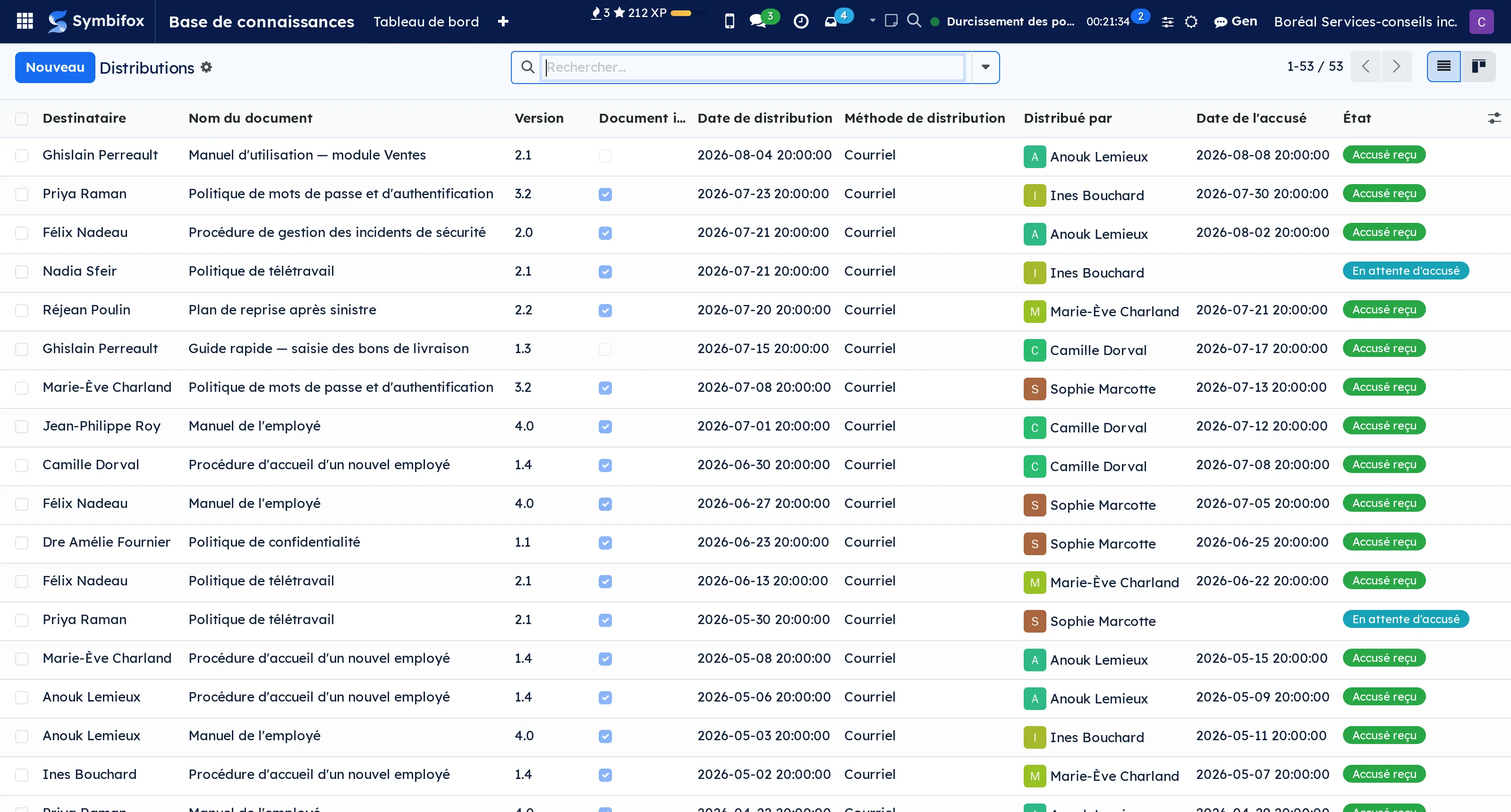
Signed acknowledgementReading a policy and confirming it in writing becomes a register line, dated and tied to the version read.
Some training is not a course: it is a document to read, and the expected proof is a dated, sometimes signed acknowledgement filed in the person's record. A prevention policy, a multi-module onboarding process, a procedure that changes.
Distributing a version assigns the training. The acknowledgement writes the completion record, dated the moment it arrives and tied to the version read, not to the document in general. A new version reopens the obligation for anyone who only acknowledged the old one, because a policy that changes has to be read again.
⚠️ A required signature is genuinely required: until it is there, nothing is recorded. A ticked box does not replace a dated, signed document.
When an onboarding process has several modules, each gets its own, which is the only shape that can say which one is missing.
On-the-job trainingThe swimlane on your process map finally says who holds the role, and the step says what it takes to hold it.
A process map says what gets done and by which role. The register says who must know how. Between the two sat a fact nobody held: who holds the role.
The bridge adds it to the lane, and a training requirement can then target that lane instead of a hand-copied list of names that goes stale on the first departure. Someone joining the role inherits the requirement; someone leaving it stops being covered.
⚠️ A lane with nobody in it targets nobody, and certainly not everyone by default.
From a step on the map you see what it takes to hold it, and from there who is current. On-the-job training is recorded with what stands as its proof: the trainer, the learner, the step worked on, and both confirmations. Training that only the trainer attests to is not training received.
What it actually costsThe real cost of training taken, carried into the budget, and the hours you cannot price counted as such.
The register knows what a training course cost: the hours, the hourly rate, the employer contributions, the fees. The budget knows what was planned. This bridge puts the two side by side.
A budget line names training categories and its actuals pick up the cost of training taken in the period, with no accounting entry. What is owed and not yet taken shows up as committed, not as a year-end surprise.
⚠️ The refusal is shared by both modules: incomplete training does not enter the actuals, its hours join the unvalued hours where the budget already flags them, and an obligation that cannot be priced is counted rather than silently skipped.
An under-stated commitment is worse than a missing one, because it looks filled in.
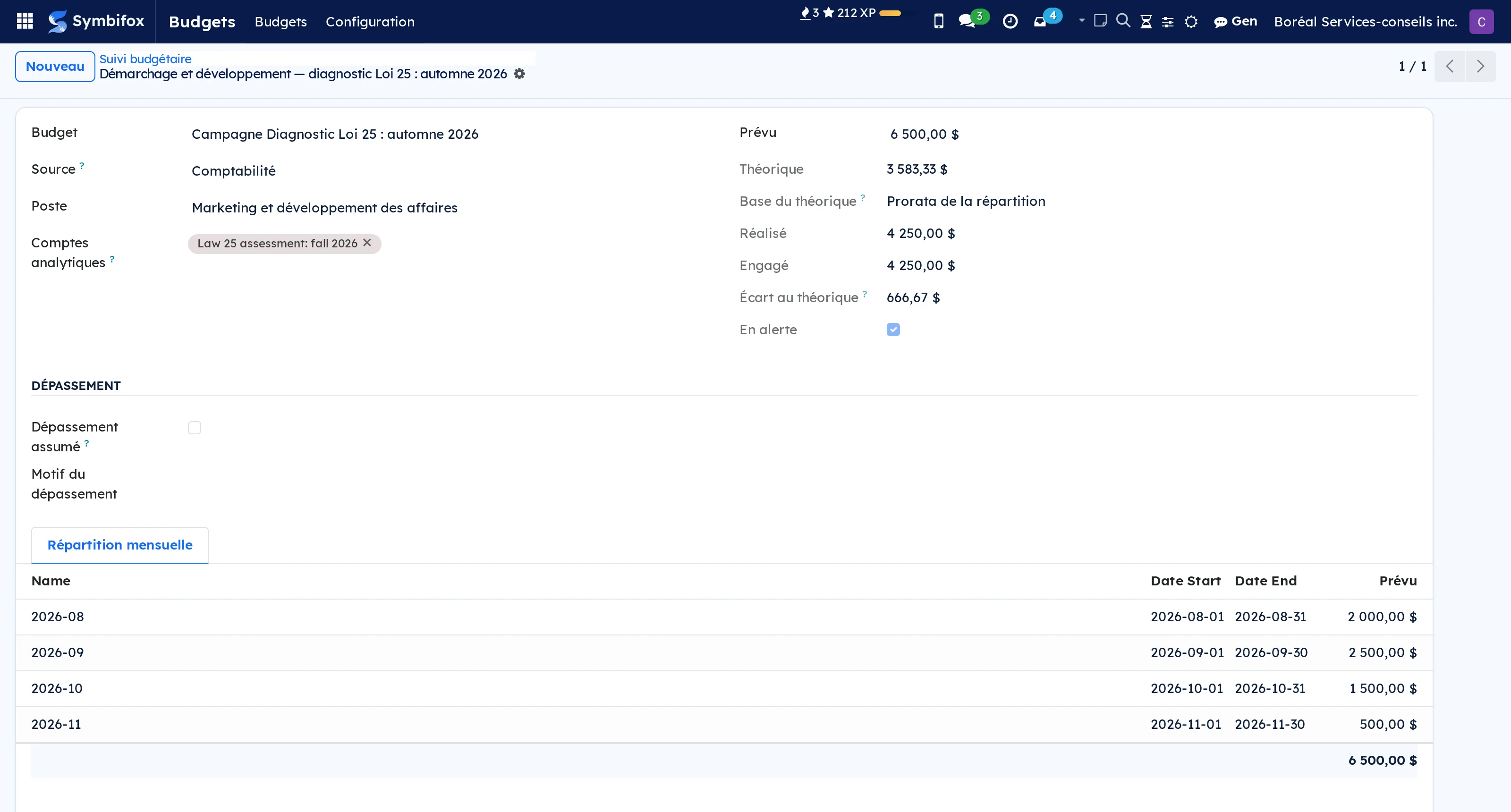
On your phoneMy training on my phone: what I owe, by when, and what I have already proven.
The mobile surface of the register: my obligations with their due dates, my completed training with its expiry, and what has been assigned to me.
⚠️ Three deliberate refusals.
No route takes an employee id: the person comes from the token, never from what the client sends, because a parameter you do not accept is a parameter nobody can forge. An organisation's training register holds precisely what people have no business knowing about each other.
Nothing writes to the register from the phone: proof of training is filed, not declared.
And an account with no employee record returns an empty list rather than an error: not being in the register is not a fault.
QuebecThe certificate you must be able to issue, the six-year retention, and the 1 % statement.
Three duties a generic register does not carry.
The certificate first: an employer must be able to issue one to anyone who attended training it delivered itself, when the outside trainer issues none. The PDF carries the subject, the hours, the dates, the trainer, and the right legal entity: the one on the record, not the one printing it.
Retention next: six years after the last year the document relates to, computed, and deleting a line still covered is refused.
The statement last: payroll, the minimum contribution, eligible spending computed as hours times hourly rate, the carried-over surplus and, where applicable, the levy.
⚠️ Incomplete records are kept out and listed separately with their hours, because a statement that swallows gaps produces a wrong figure that looks right. The document says of itself that it supports the filing rather than replacing it.
Eleven regulatory references ship with it, quoted in full.
 Workplace AllergiesYour people's allergies, readable by the person and by whoever organises. Plus the list you hand the caterer, without the names.BUSL-1.1
An allergy is health information, and therefore sensitive under Quebec's Law 25. A field visible to the whole company and a field reserved to whoever organises meals are not the same feature.
Here, the person concerned and the administration read the record, never the direct manager nor the rest of the staff. Everyone declares their own, because a consent its holder cannot exercise is not one.
The catalogue loads Canada's recognised priority allergens on install, plus latex, insect stings and fragranced products.
⚠️ And above all: the catering list, which gives a group's dietary constraints without the names, with the headcount and the highest severity. That is what you hand a caterer, instead of circulating a medical record to order sandwiches.
The privacy bridge adds express consent, retention tied to the employment relationship, and a purge shipped disabled.
Comparable to The allergy spreadsheet in the HR drawer, made compliant
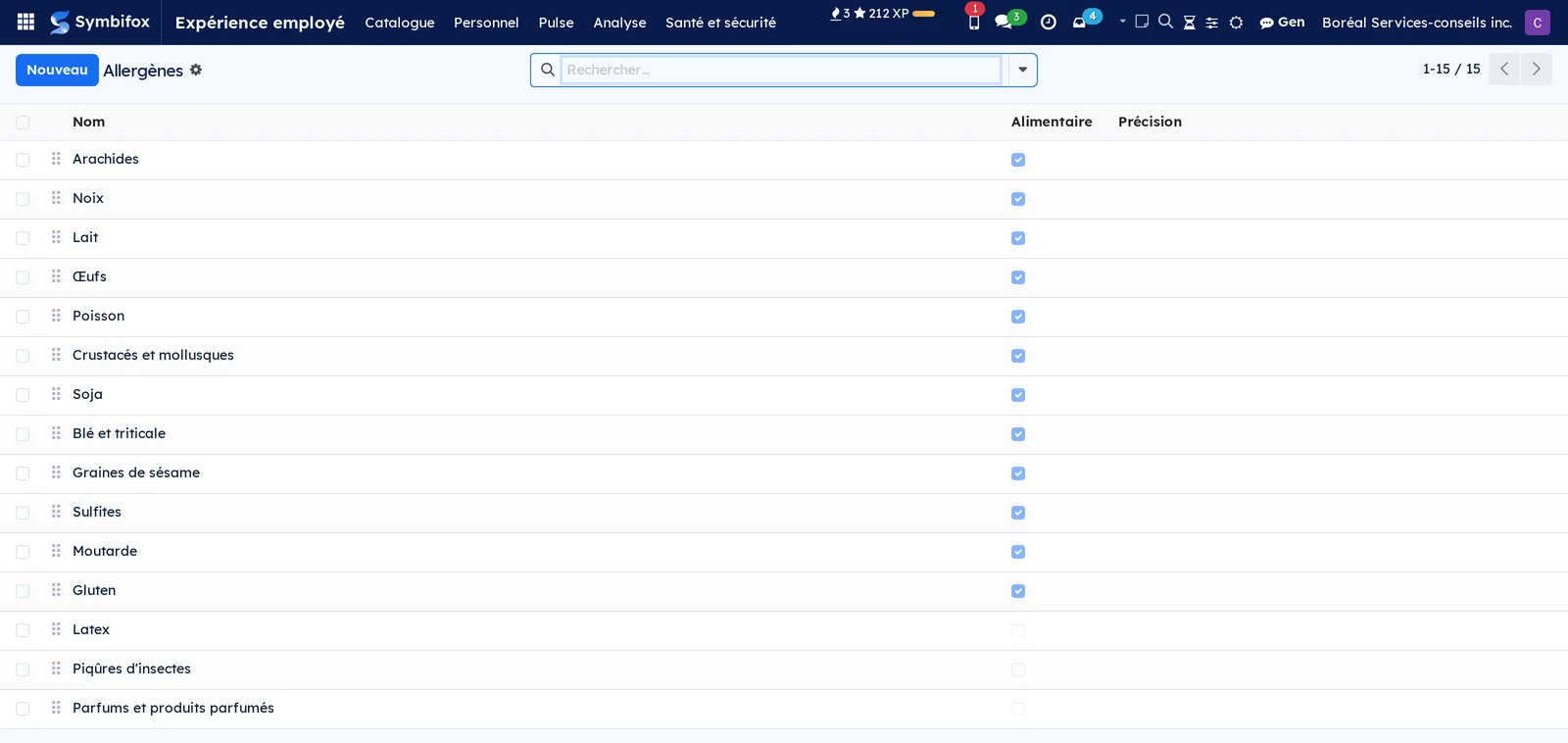
 Electronic SignatureGet documents signed inside Odoo, with a court-ready audit trail.BUSL-1.1
Getting a document signed costs a subscription per user, or a printout, a signature and a scanner. Both routes take the document out of your system.
A signature request brings together a PDF, one or more signers and fields placed on the pages: signature, initials, date, name, email, text, number, checkbox, one box per character, dropdown. Each signer receives a link of their own and needs no account.
When the last person has signed, the document is sealed: a PAdES digital seal that PDF readers show as “signed and not altered”, a completion certificate, and an immutable audit trail with timestamp, address, SHA-256 fingerprints and optional RFC 3161 timestamping.
⚠️ The public verification page is what makes that trail hold up. The third party who receives the PDF drops their copy on it and sees whether it matches, computed in their own browser, with nothing uploaded: they do not have to trust you in order to check your document.
An optional QR code stamped on the document leads there. Send a quotation, a purchase order or a corporate resolution in one click.
Comparable to DocuSign or Odoo Enterprise Sign, inside your Odoo
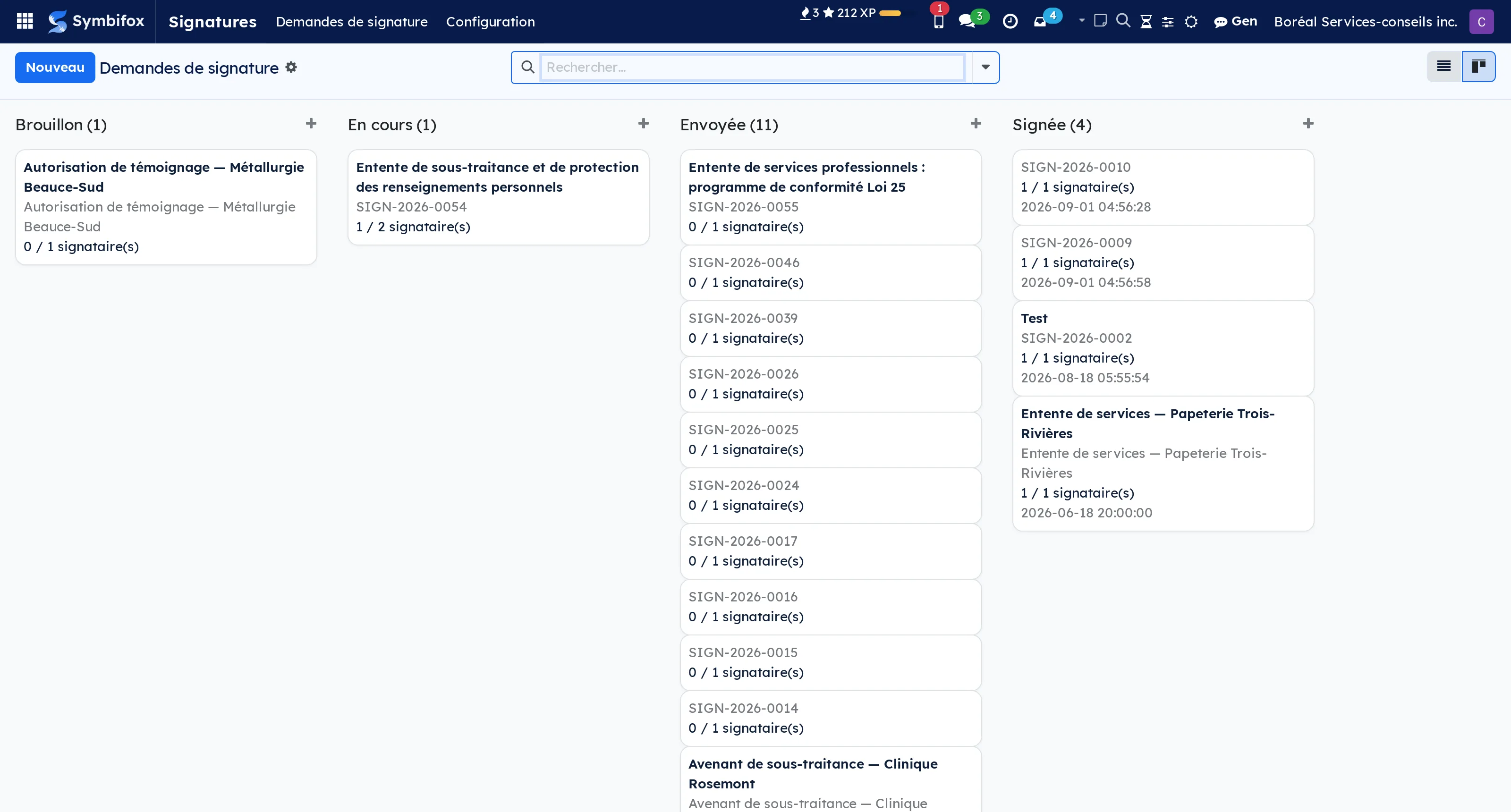
 Secure TransferSend multi-GB files through a secure link: expiry, password, access log.BUSL-1.1
A file of several gigabytes goes out as an attachment that bounces, or through a free service that hosts the client's data elsewhere and keeps no trace of it.
A transfer brings together a sender, recipients, a subject, a message, files and an expiry. The share link carries a token that cannot be guessed and stops working at expiry. The recipient code is single-use, sent by email or SMS: until it is entered, neither the message nor the files appear.
Upload goes from the browser to object storage directly: large files never pass through the server, which is the only way to send several gigabytes without bringing it to its knees.
⚠️ The access log records every event, from creation to purge, with timestamp, address and fingerprints. That is what answers the question that matters after an incident: who opened what, and when.
Automatic purge at expiry, data hosted in Canada, public page in your brand according to the domain the visitor arrives through.
Comparable to WeTransfer or SwissTransfer, with Law 25 compliance built in
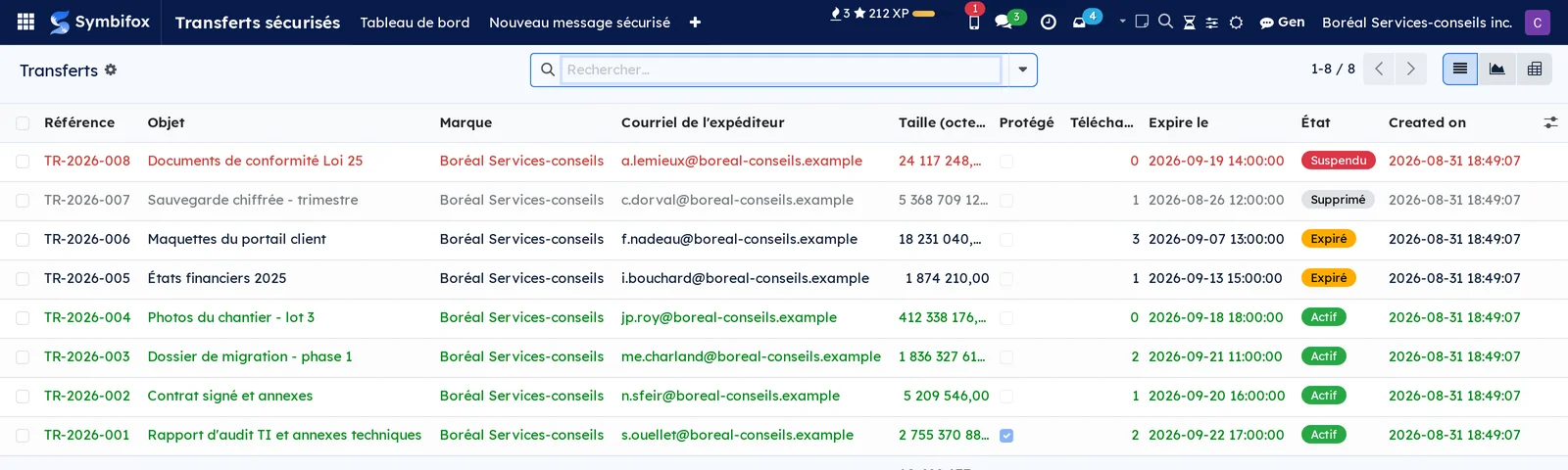
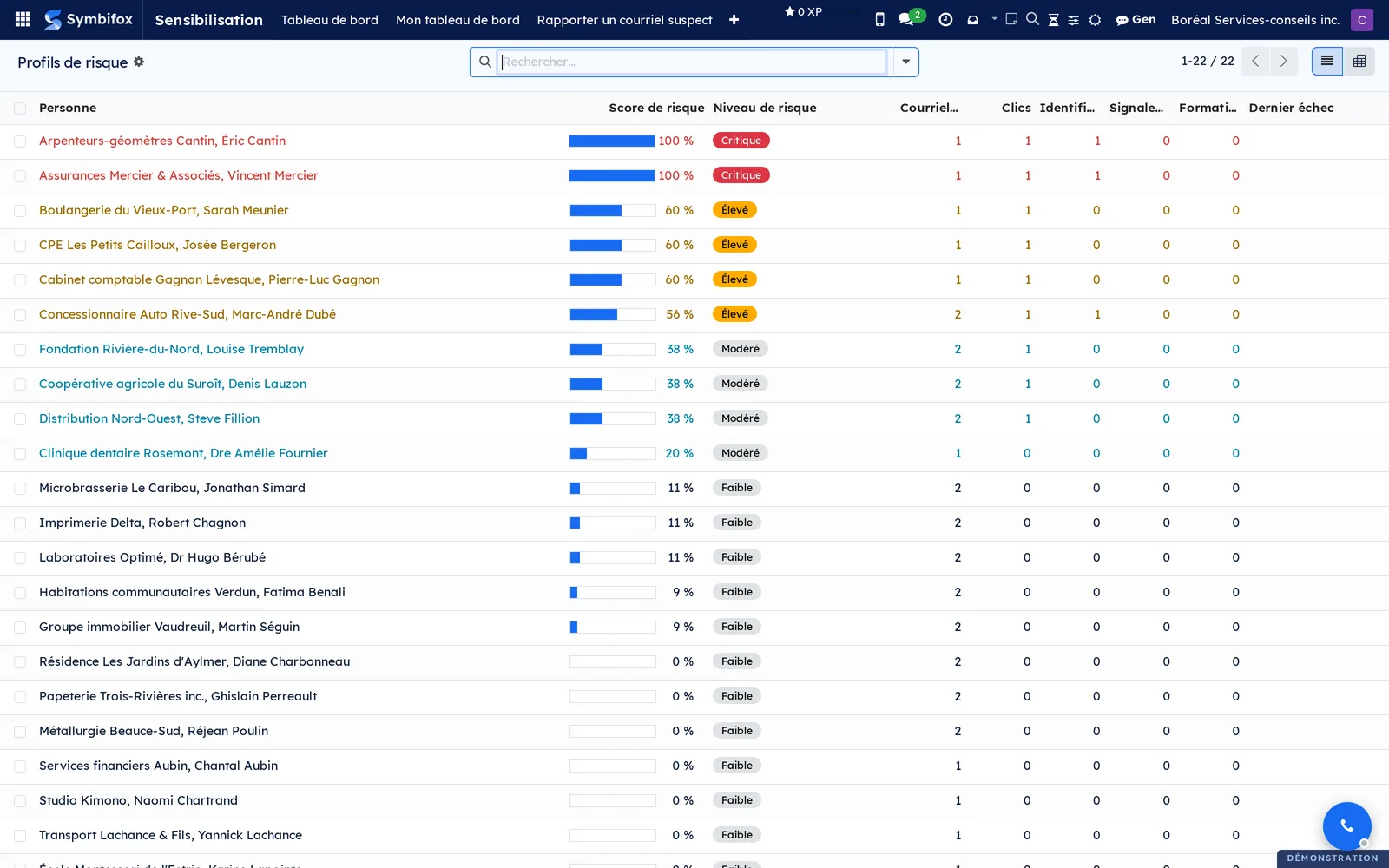
 Security AwarenessSimulated phishing, ongoing training and per-person risk profiles.BUSL-1.1
An annual security course gets skimmed and forgotten in two weeks. What changes behaviour is getting caught with no consequence.
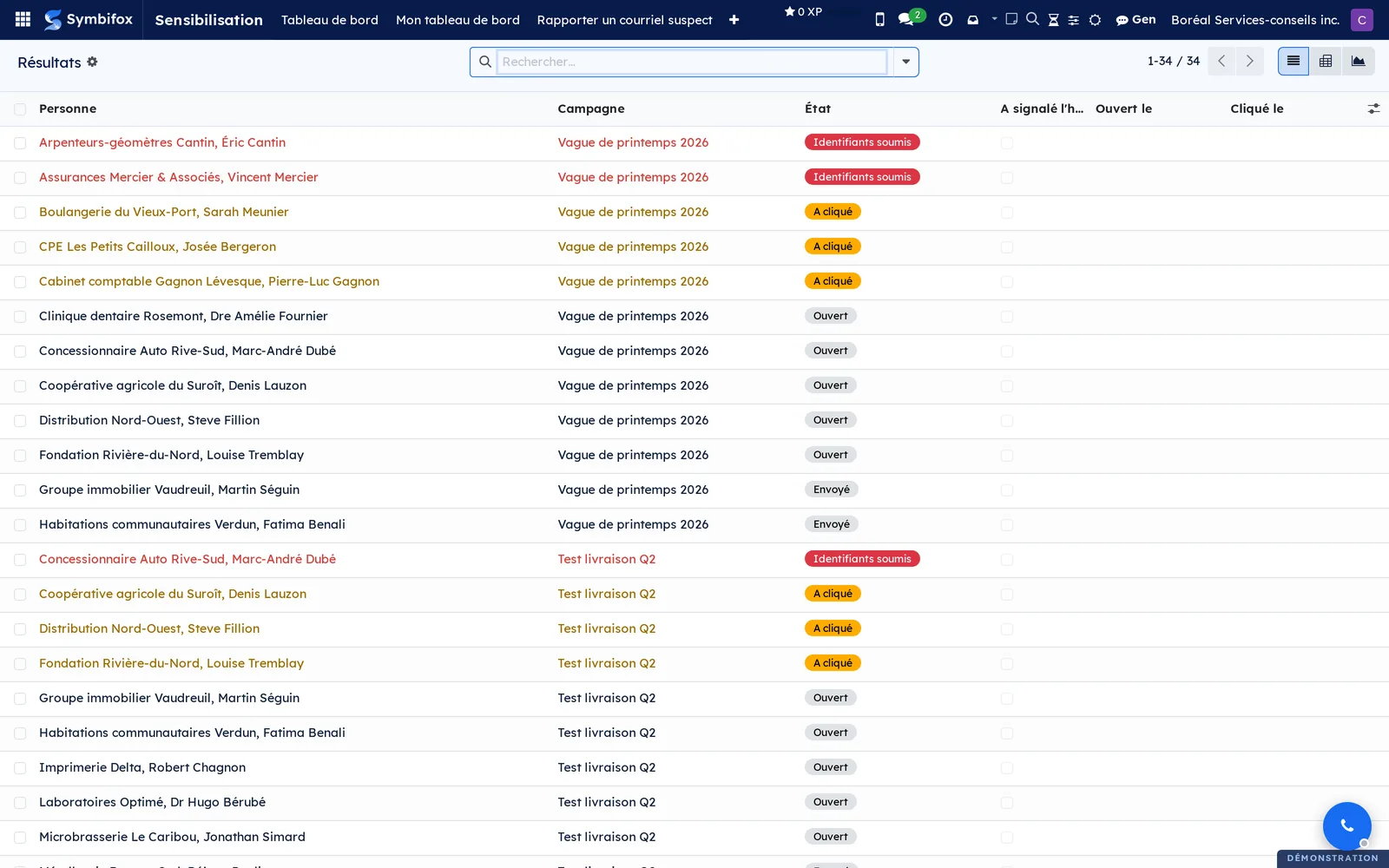
A lure template brings together the fake email, the landing page, the educational page shown afterwards and the course assigned on failure. A campaign sends that template to a group, on a chosen date, spread out or not. A result is one line per person per campaign: sent, opened, link followed, form submitted, and above all lure reported.
Reporting counts as much as failing. A “Report as malicious” button lives in everyone's mailbox, and an organization where people report quickly defends itself better than one where nobody clicks.
⚠️ In a real incident, email clawback pulls a message out of Microsoft 365 or IMAP mailboxes, with a reversible quarantine: a permanent deletion on a false positive costs more than the message did.
Risk profiles are per person, and exist to target training, not to rank people.
Comparable to KnowBe4 or Terranova, open-source inside your Odoo
 IT AuditStructured IT security audits for Quebec Law 25 compliance.BUSL-1.1
An IT audit is easy to narrate and hard to prove. The question that comes back is not “do you have backups” but “which of your four providers holds them, and since when”.
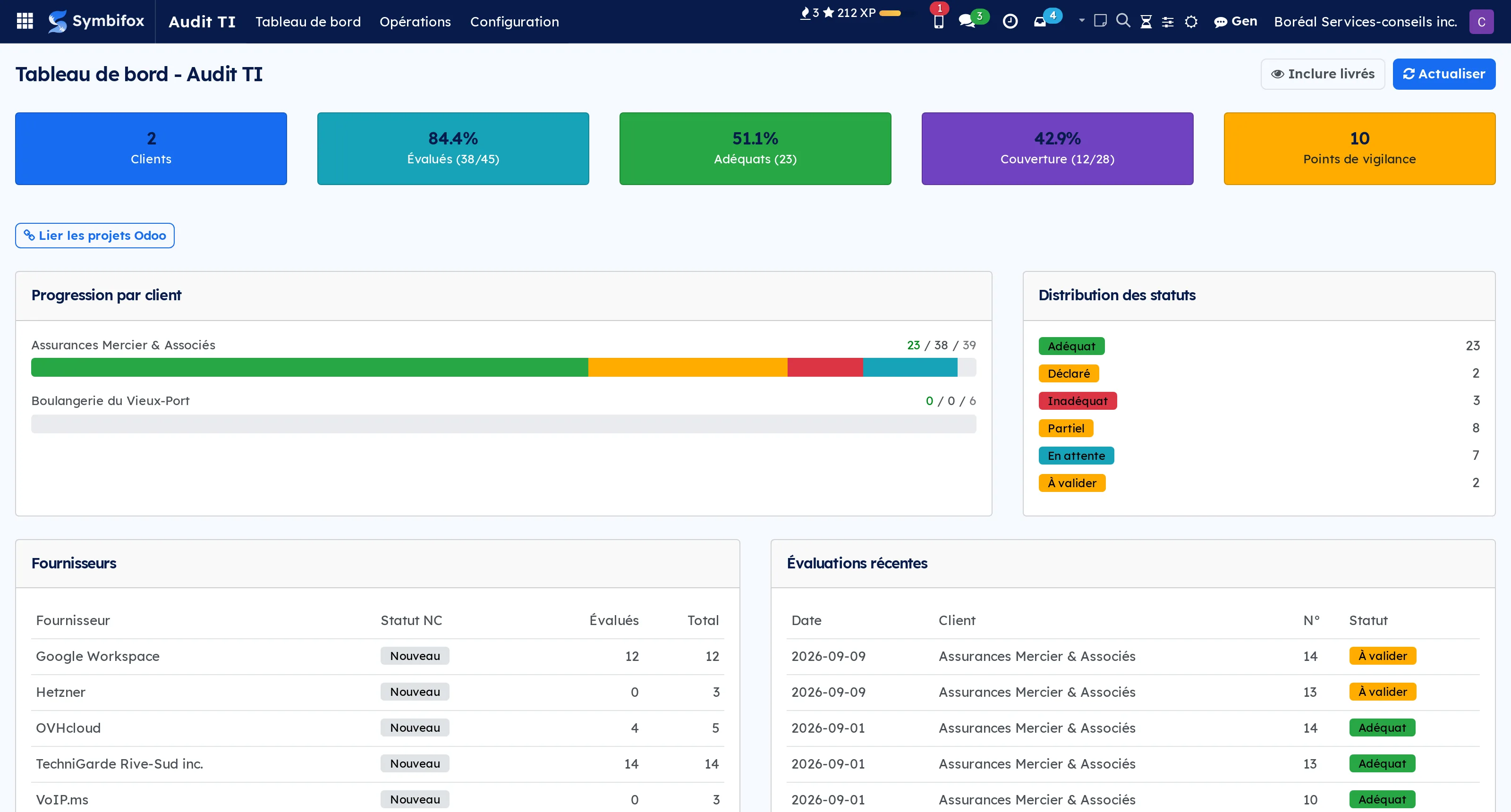
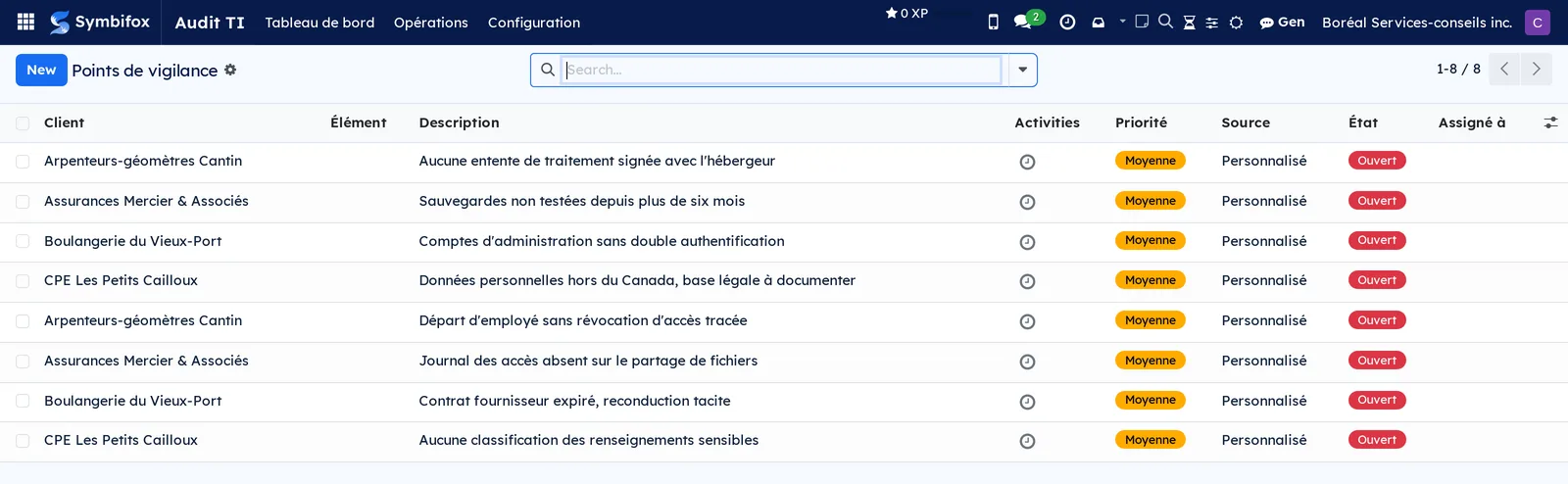
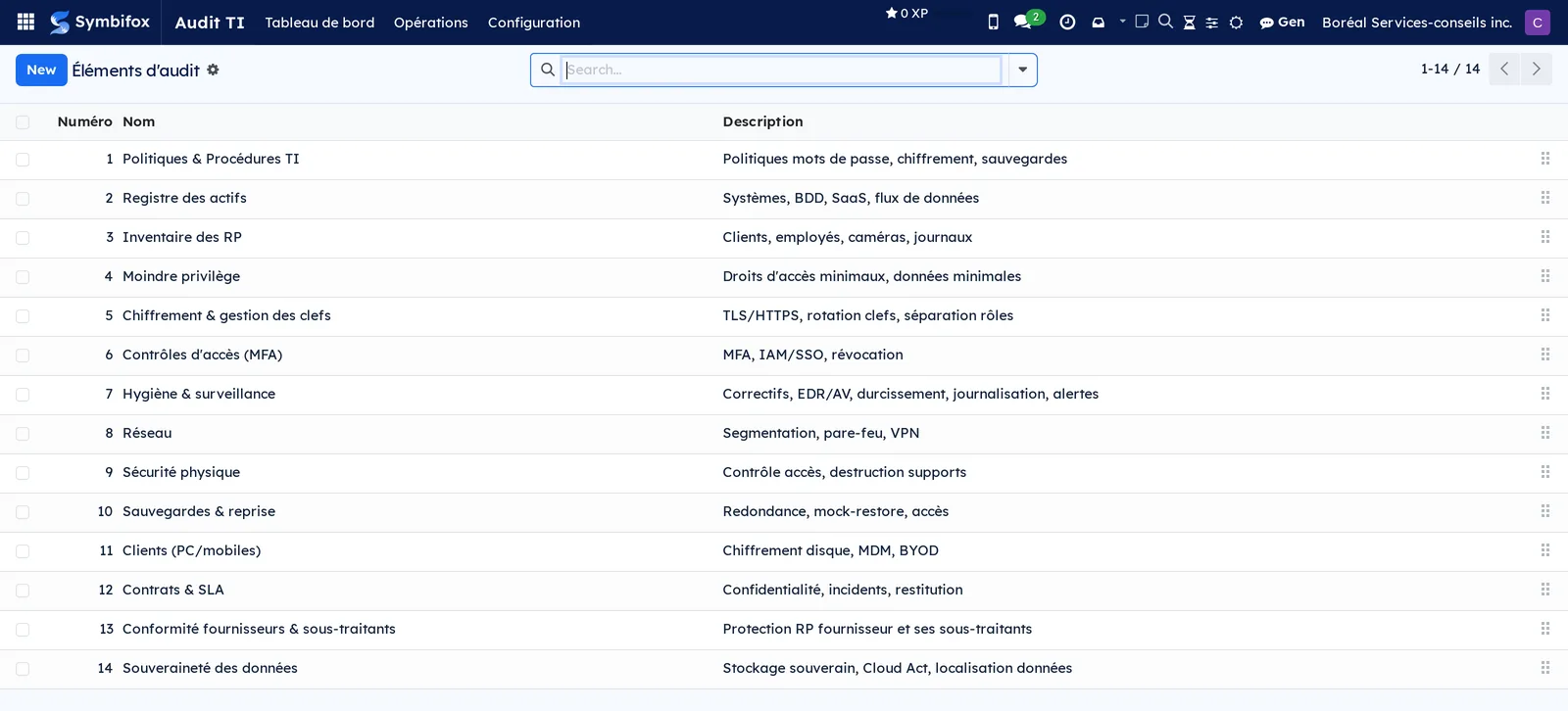
Five notions are enough. An audit element is a theme to check: fourteen ship with the module, from policies to backups. An IT provider is a third party that touches the audited organization's data. An audited client is the engagement file. An assessment is the crossing of a client, a provider and an element: it is the cell of the grid, and it carries a status. A watchpoint is a risk raised during the engagement, with its priority and the person responsible.
The crossing is what changes everything. Assessing an element without naming the provider that carries it produces a report you cannot hand to anyone to act on.
The dashboard sums up each engagement in three numbers, the green, yellow and red elements, without opening the file. Coverage sits next to the adequacy rate: an engagement at 100% adequate on 30% assessed is not a good engagement.
Co-developed with PME Conforme for Law 25 audits of Quebec small businesses and non-profits.
Comparable to Vanta or Drata, tailored to Law 25
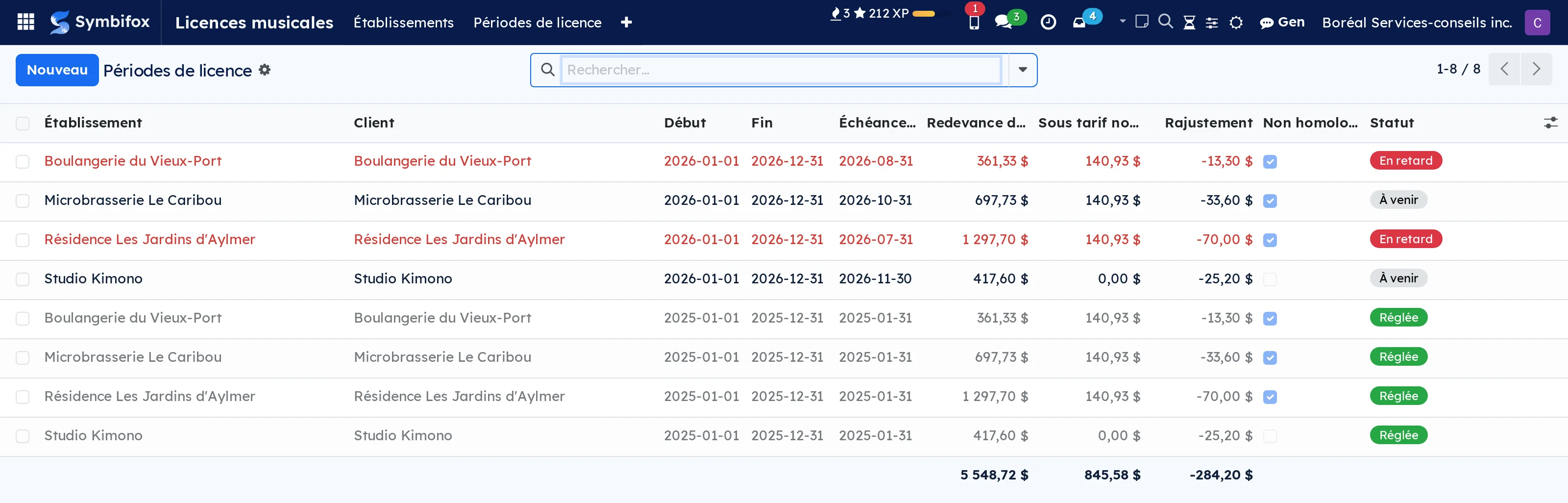
 Music LicensingWhat you owe SOCAN and Re:Sound for the music playing in your space, and what you might still owe.BUSL-1.1
Playing music on your premises creates royalties, and the amount is not final. Background-music tariffs are before the Copyright Board, which can certify them years later, retroactively.
An establishment is where the music plays: its floor area, its uses and its operating days form the base. A licence period is a paid slice, with its renewal date, its settlement date and its payment reference. A royalty line applies a tariff to a period and carries, beside it, what was actually paid.
⚠️ The reference table is dated: every period carries both the proposed rate and the certified rate. That is what no spreadsheet does, because a spreadsheet cannot say “not certified yet”, and an empty cell reads as a zero.
One button quantifies exposure since 2020: what you paid under a tariff that nothing makes final, and what you could still owe.
No music passes through: the module tracks your compliance, it broadcasts nothing.
Comparable to The tracking no spreadsheet does, because a spreadsheet cannot say "not certified yet"
 PrivacyConsent tracking and destruction register, multi-framework (Law 25, GDPR, PIPEDA…).BUSL-1.1
A consent you cannot reconstruct is not a consent. The question asked in an audit is not “did you ask” but “what exact text did the person accept, and when”.
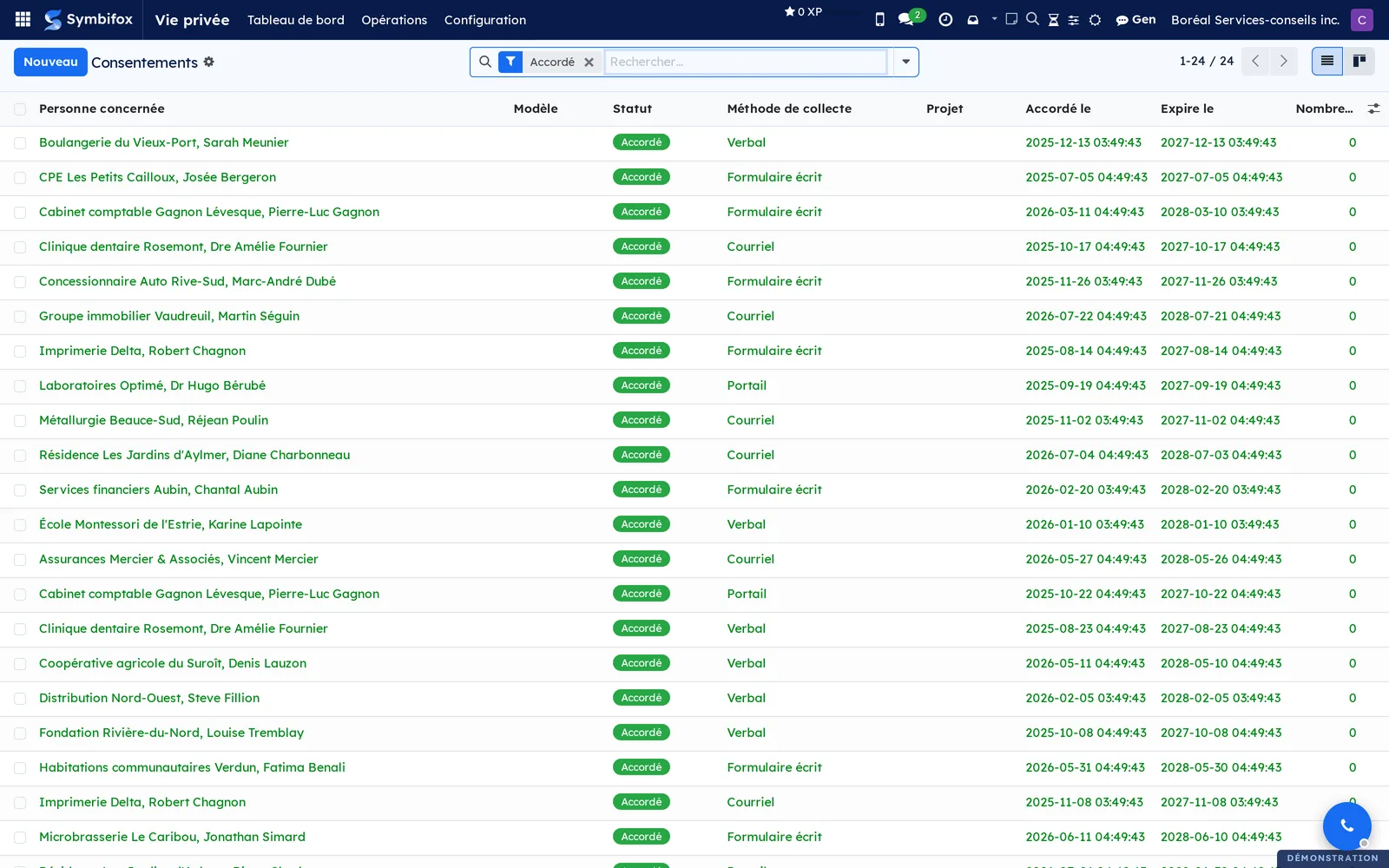
A purpose says why you collect. A notice is the text presented to the person: it is versioned and each version carries a fingerprint, which lets you state later what was accepted. A consent links a person, a purpose, a notice version and evidence: signed file, capture, portal log.
Contact preferences say through which channel a person agrees to be reached, with a Do not contact switch that overrides everything else.
The documentary side follows the same logic: retention schedule, destruction register, incident register, handling of access requests.
⚠️ The engine is multi-framework. Quebec's Law 25 is built in; companion modules cover GDPR, UK GDPR, PIPEDA and New Zealand's Privacy Act 2020. Emails and certificates adapt to the applicable framework, because a response deadline and a definition of incident are not the same from one regime to the next.
Comparable to OneTrust or Didomi, small-business flavor
Mandate tracking & billing7
 ScheduleA Gantt view for Odoo Community, and a start date that finally exists: shareable on the portal without a seat.BUSL-1.1
Odoo Community has no Gantt view, and its tasks have no start date at all. So the schedule gets drawn elsewhere, and it diverges from the project in the first week.
The module brings both, with no Gantt library: a single geometry is computed server-side, and the screen, the PDF, the PNG, the SVG, the workbook and the Microsoft Project file all draw it identically. Two renderings that diverge are two truths presented to the same client.
A schedule is drawn on a project, or off-project when the point is to illustrate a proposal without creating forty tasks. The swimlane groups bars by stage, milestone, person, company, or nothing.
⚠️ A missing start is not hidden: the bar carries a dotted rule and says where its date came from. A schedule that guesses a start date without saying so gives a plan nobody can check.
MSPDI and Excel import and export, both ways. Shareable on the portal without buying a seat per person.
Comparable to A per-user Gantt subscription, or Enterprise
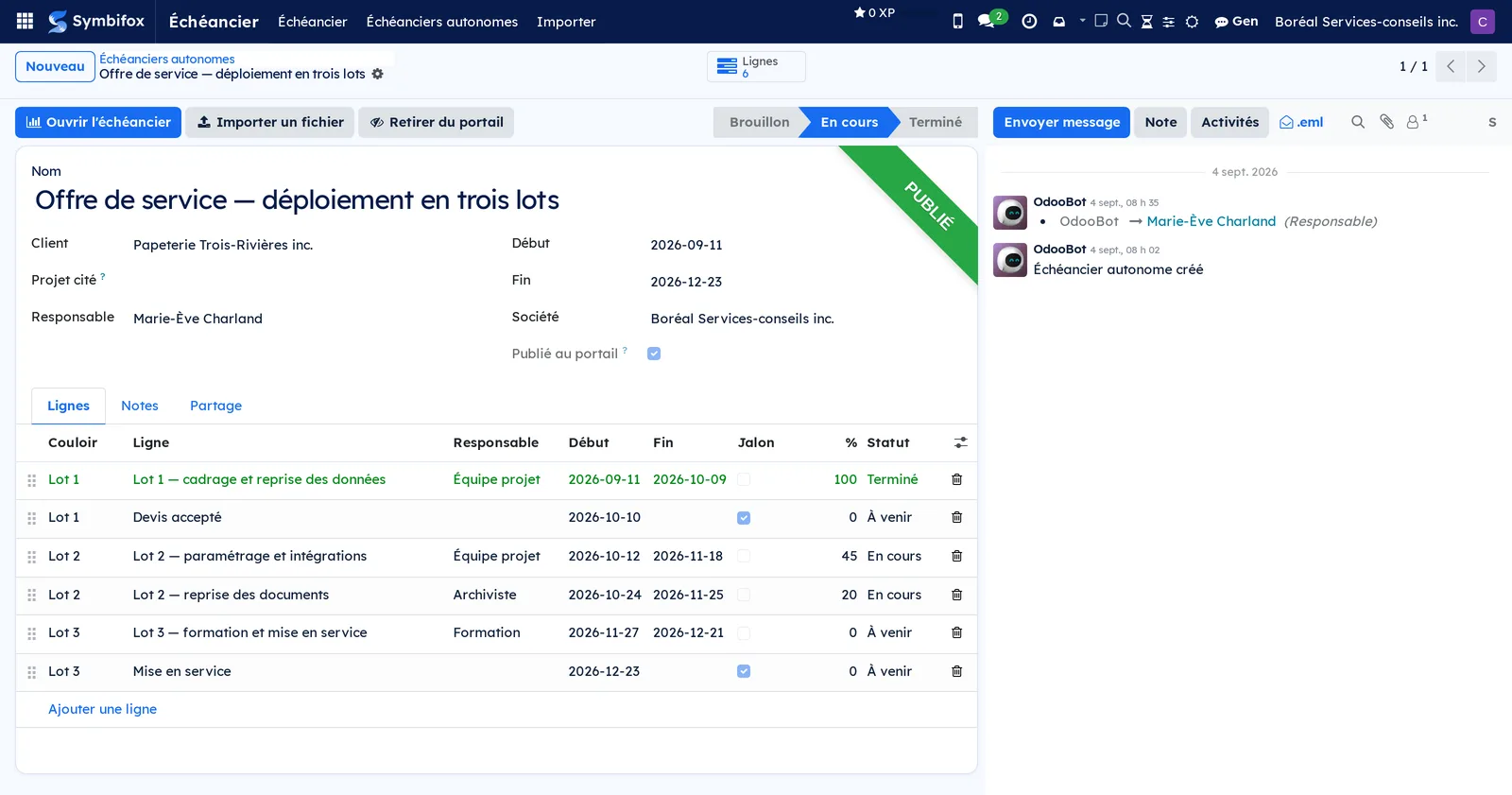
 FederationShare tasks, deliverables and meetings with a client's or a partner's Symbifox without opening yours.LGPL-3
Working with a client on their tasks usually means opening an account for them on your side, or asking them to open one on theirs. Both cost, and both leak.
Two instances that trust each other pair by invitation, administrator to administrator: one issues a single-use code, the other accepts it. A shared secret is born of the two halves, neither instance picks it alone, and it then signs every message.
A federated task appears on the other side in a closed project, addressed to someone you propose; the partner decides. State, due date, messages and small attachments travel both ways.
The task does not cross alone. Satellite modules also share delivered documents, meeting agendas and reports, process maps, schedules, timesheet statements and outreach tracking.
⚠️ What does not cross matters just as much. Internal notes stay with their author, unless their side chooses to send them to that partner. A message that begins with 🔒 stays home, always. Nothing is ever deleted: withdrawing a share stops the exchange, it does not erase what was said.
Only projects that name a peer offer sharing, which keeps a task from landing at a partner's through one distracted click.
Comparable to Nextcloud federated sharing, Asana guests, Jira external collaborators
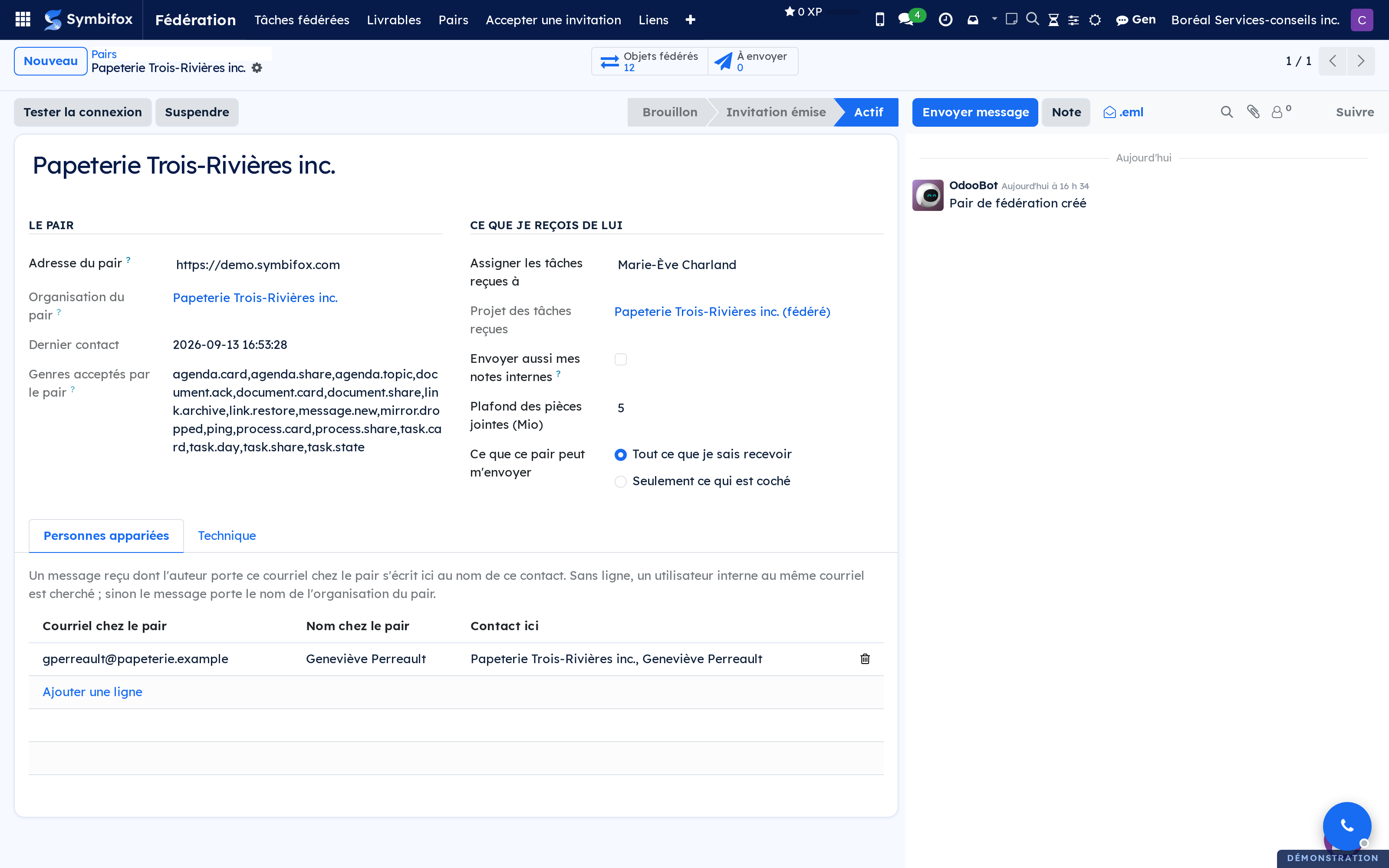
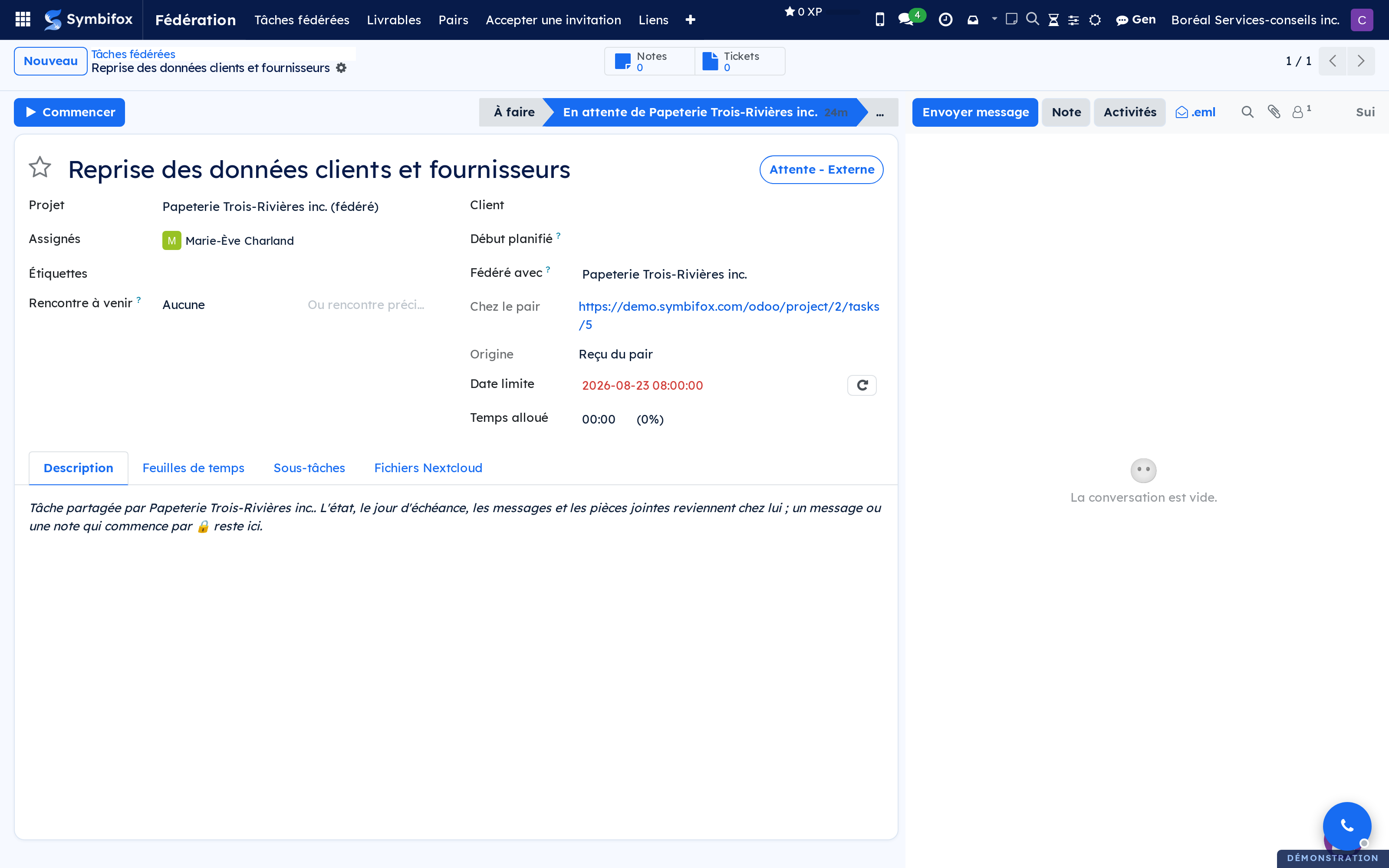
 ProgressDashboard and self-serve client portal showing the progress of an ongoing mandate.BUSL-1.1
In a guided engagement, the question that comes back is not “is this moving” but “what are you waiting on from me”. It comes back because the answer is written nowhere the client can read it.
Every step of the engagement is documented: what happens in it, what has to be supplied, and by whom. The team works from an internal dashboard; the client opens a self-service portal and sees where things stand, what is coming, and what is still owed from their side.
⚠️ The part that changes things is the last one: telling the client what they owe, with its date. A tracker that only shows the team's progress moves the chasing from the client to you without reducing how much chasing happens.
It is built for linear engagements, the ones that go through the same steps every time. An engagement that forks at every client is better followed as an ordinary project.
Comparable to Asana Goals + a homegrown client portal
 Hour BankAutomated hour-bank tracking: balance, alerts, top-ups.BUSL-1.1
Selling a block of hours is simple. Knowing what is left of it, mid-month, without opening a spreadsheet, is less so.
An hour bank is one record per client, not an accounting account. The balance fits in a sentence: credits and adjustments, less debits. A debit is every timesheet line entered on one of the included projects. A credit is every validated invoice line, filtered by company, by invoicing partner and by product. An adjustment is a manual entry for whatever escapes the other two: a write-back, a correction, a discount.
⚠️ The application reads timesheets and invoices, it never edits them. A bank that rewrote a logged hour would make the billing diverge from what was actually done.
The balance appears on the client portal in real time, and an alert goes out at the agreed threshold. A client warned at ten hours left tops up; a client warned at zero negotiates.
Comparable to The “hour bank” model from consulting firms, automated

 StopwatchTimesheet timers in the Odoo bar, on a full-screen page and in an Android app.LGPL-3
Time gets written down afterwards, from memory, at the end of the week. It is the best-documented source of error in hourly billing.
A timer starts from any task, from a kanban or from the list of recent tasks. Several can run at once and be paused, because a real day is not a queue.
On stopping, the duration is proposed according to your rounding and the timesheet is written in one gesture. Rounding is set once: billing to the minute produces invoices nobody reads.
The Android app does the same outside the browser, with a persistent notification, a home-screen widget, and sharing a task link to start its timer from an email.
The timer lives in the top bar: it stays visible whatever screen is open, which is the only way not to forget it is running.
Comparable to Toggl or Harvest, natively integrated into Odoo
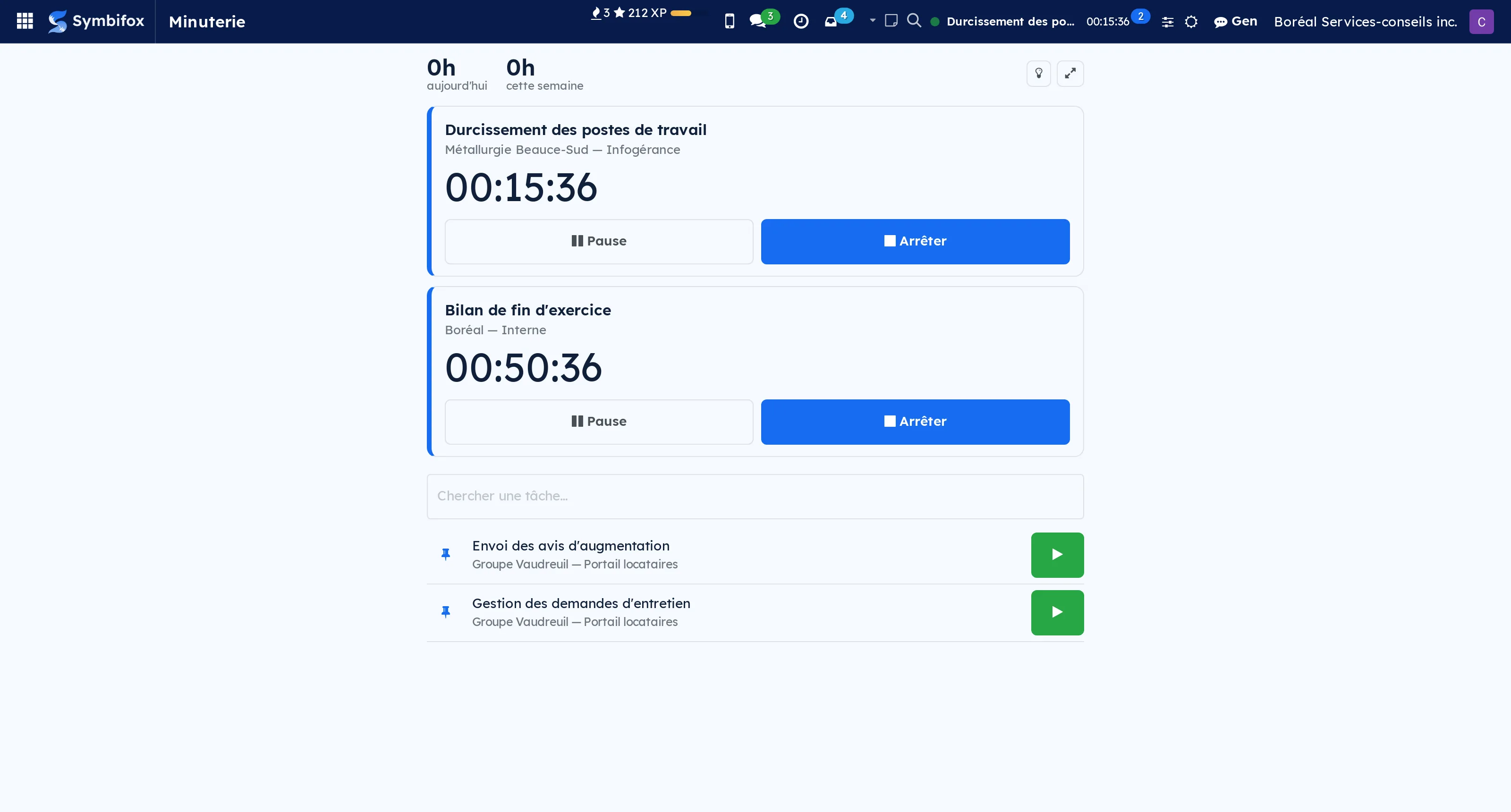
Work categoriesClassify work by category, and find it on hours, Gen conversations, notes, emails and meeting records.LGPL-3
Knowing how many hours went to business development, and not just to which projects, usually takes an export and a spreadsheet.
A work category is a project label you tick as one: the label you already use will do. Set on a project or a task, it carries over by itself to the timesheets, Gen conversations, notes, filed emails and meeting records that belong to it.
The category is stored on every record: filter on it, group a pivot by it, export it like any other field. Each record also says where its category comes from: its label, its task, its project or the record it is attached to, and a category chosen by hand wins over all of them.
⚠️ One category per record, on purpose: an hours report that counted the same hour twice would give a wrong total. When a task carries two categories, their order decides.
Classifying is not editing: changing a project's category does not change the last modified date of its tasks, notes or emails.
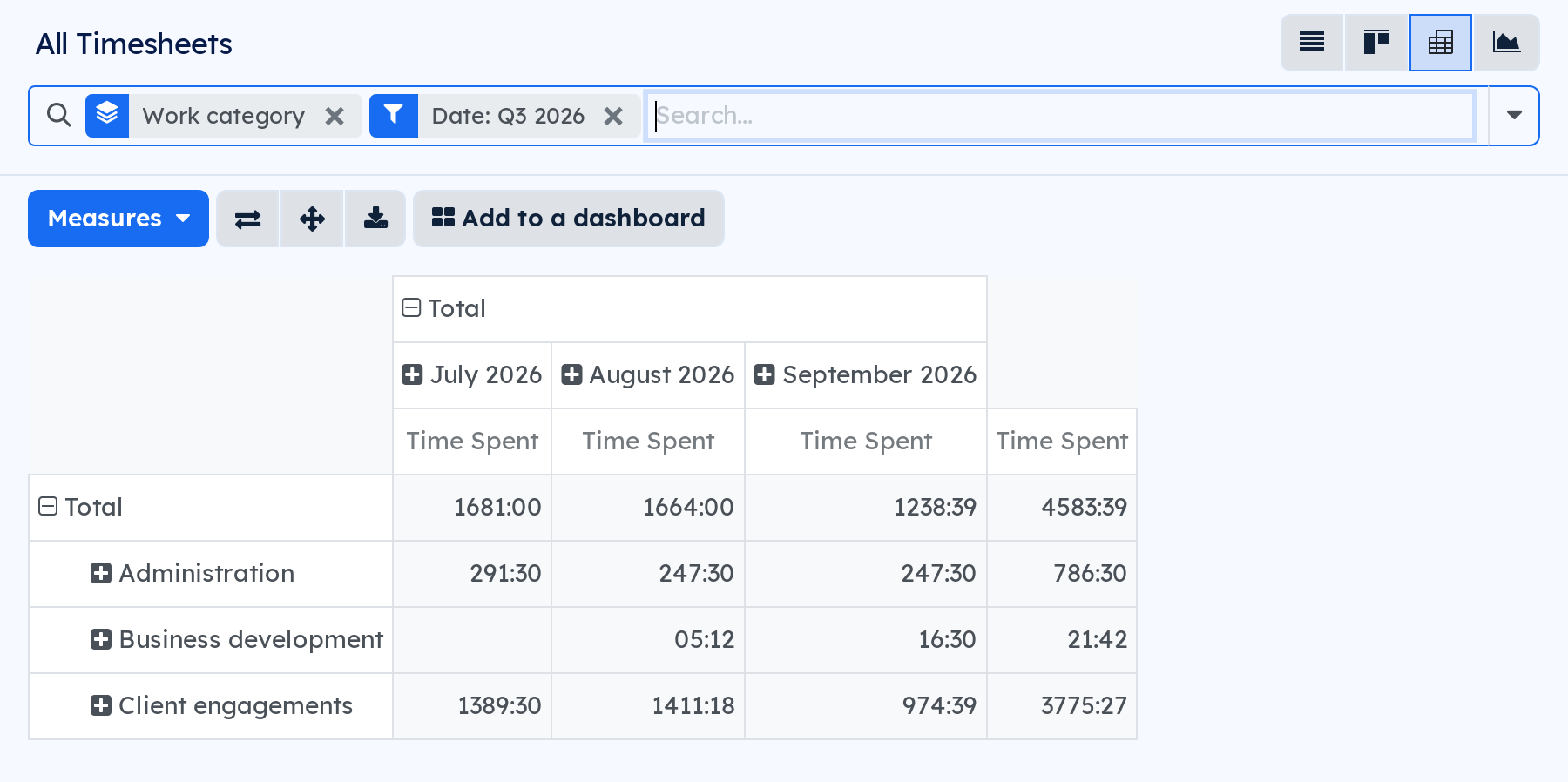
6 add-on modules
TimesheetsHours by category, in the timesheet pivot and in the timesheet analysis.
Each timesheet line takes the category of its task, or of its project when time is entered without a task. The timesheet pivot and the hours analysis group by Work category, and a line can be given an override category.
GenA Gen conversation takes the category of the record it is attached to.BUSL-1.1
A conversation attached to a task, a project or any categorised record takes its category, which you can filter and group by in the conversation list.
⚠️ Only if its owner can read that record: attaching a conversation to something you cannot open tells you nothing about it.
Gen cockpitThe conversations' category in the Gen cockpit.BUSL-1.1
The Gen cockpit has its own list and search: this add-on brings the conversations' category there, as an optional column, a filter and a grouping.
NotesA note takes the category of the record it is attached to.
A note attached to a task, a project or any categorised record takes its category, which you can filter and group by in the note list.
The category never changes a note's last modified date: notes stay in the order of your own edits.
MeetingsA meeting record takes the category of its project.BUSL-1.1
Each meeting record takes the category of its project, or an override category, and the meeting list filters and groups by category.
EmailsA filed email takes the category of the record it is filed on.BUSL-1.1
An email filed on a task, a project or any categorised record takes its category, if its owner can read that record, and the email list filters and groups by category.
 Customer ExperienceNPS, continuous feedback, complaints and consent-tracked testimonials: customer listening inside your ERP.BUSL-1.1
Measuring satisfaction is easy. Not wearing the same people out while doing it, and doing something with the result, is a great deal harder.
A feedback is a register entry: a score, a comment or both, with its date, its channel and the client concerned. A programme links a survey to a measurement intent and sets the invitation template, the reminder delay and the minimum cadence between two solicitations.
⚠️ The guardrails are global, not per programme: a cooldown per contact across all channels, a Do-not-contact list, and the exclusion of files in collections. Three programmes each respecting their own rules can, together, write to the same client four times in a month.
The NPS score is computed over an honest window and stays hidden below ten responses: a score on three responses is not a score, it is an anecdote with a decimal point.
The closed loop on detractors carries a deadline. The complaints register follows ISO 10002: a real acknowledgement, root cause, satisfaction follow-up. Testimonials stay locked until a consent has been recorded.
Comparable to Qualtrics or Delighted (the essentials, in your Odoo)
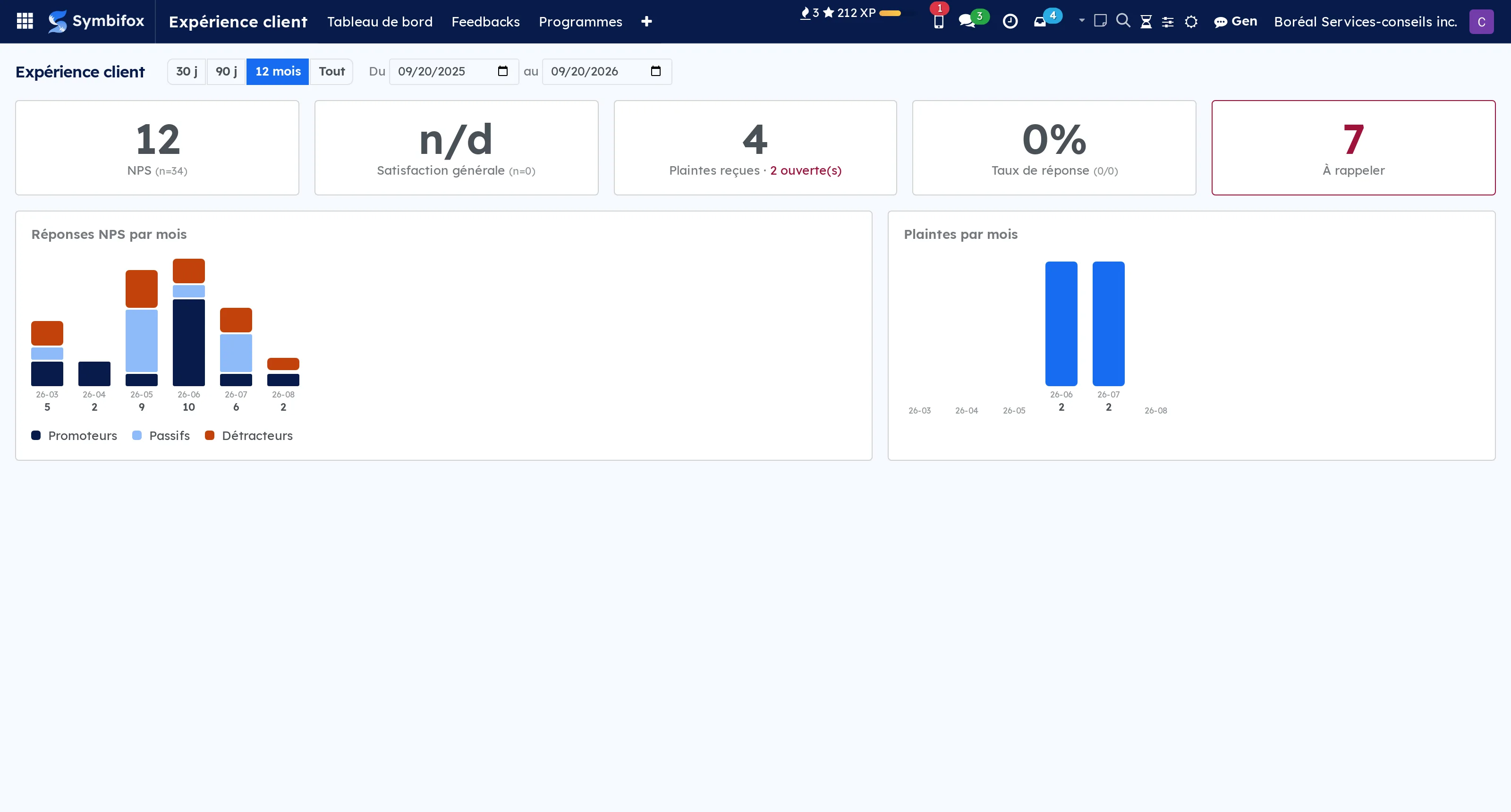
1 add-on module
AI verbatim analysisSentiment, summary and themes of each comment, through the AI bridge.LGPL-3
Reading a hundred comments to find three trends takes half a day. The Analyser (IA) button gives each comment a sentiment, a one-line summary and up to five themes taken from your own vocabulary, and two filters sort out the negative comments and those still to be analysed.
⚠️ The comment is sent to the AI model through the AI bridge. The automatic daily analysis is off by default: it is switched on in the settings.
Finance & budgets1
 Operating BudgetsAn operating budget built on your chart of accounts, compared against reality with no prior data entry.BUSL-1.1
Odoo Community ships no budget module.
This one puts your budget positions on groups of ledger accounts, not on analytic accounts: a budget therefore works on day one, even if no vendor bill carries an analytic key yet.
Four amounts, in Odoo's own vocabulary: planned, actual, committed and theoretical. The actual is never copied, it is re-read from your books every time it is displayed.
⚠️ The theoretical follows the calendar, not the clock. A yearly expense does not spread over twelve months: the monthly split is editable, and when your subscriptions provide a dated schedule, the theoretical is built on it and says so. A flat time-elapsed prorata would report an overrun every renewal month, and an alert nobody trusts protects nothing.
An open budget is not edited: it is revised, and the original stays readable. A coverage check reports the accounts no position covers and the ones two positions count twice. Alerts fire when a drift passes a percentage and a currency floor: a percentage alone screams about small positions, an amount alone stays silent about large ones.
And the rolling forecast: a twelve to eighteen month horizon that crosses fiscal years, re-made every month with one button, where each pass keeps its figures forever. It is the comparison between two passes that teaches you something: “we forecast 28,896, we now forecast 27,666, and the difference is what August actually did”.
Comparable to Odoo Enterprise's Budgets module, in open source, following the calendar rather than the clock
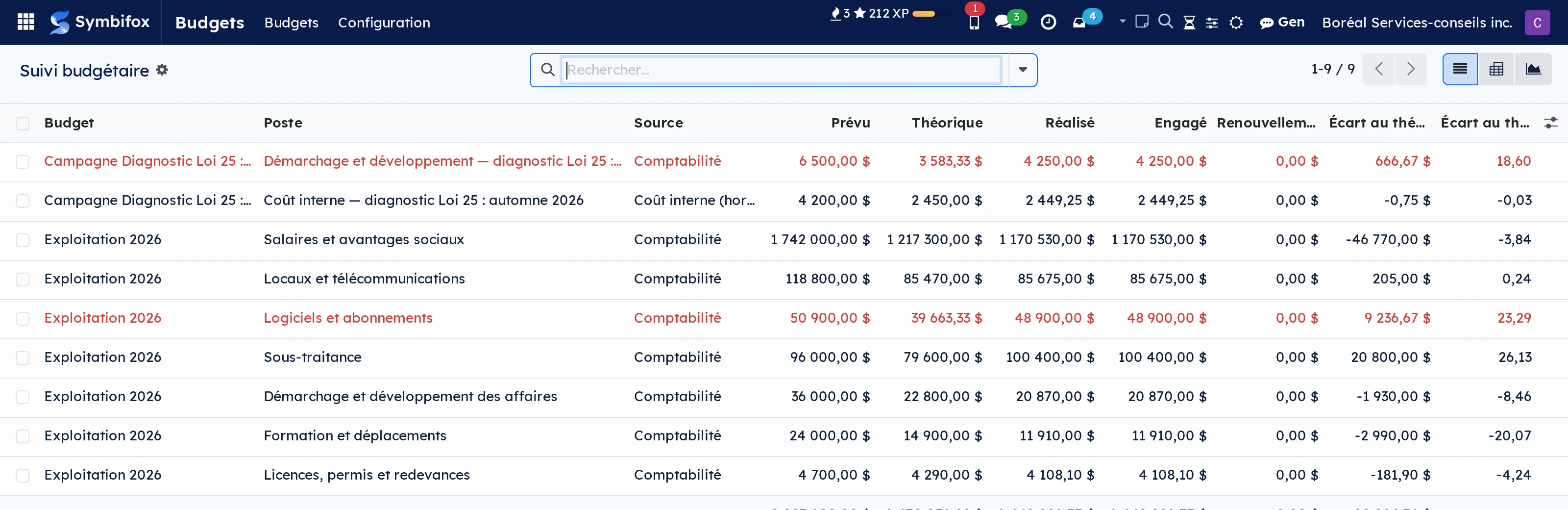
1 add-on module
Campaign BudgetsA marketing campaign already knew what it earned. It finally knows what it spent.
Odoo knows what a campaign returned: invoiced amount, leads, quotations, all computed on utm.campaign. None of its thirty-three fields is a cost. The campaign therefore measures a return whose denominator it does not have.
This module does not build a parallel spend register, which would eventually diverge from the accounting. It attaches one analytic account per campaign, with a uniqueness constraint so an account never serves two campaigns, and splits the spend between what went through accounting and what is internal time.
⚠️ Time is valued by Odoo from the hourly cost. When that rate is missing, the module counts the unvalued hours and says so, rather than displaying “nothing spent”: a zero cost reads as a profitable campaign.
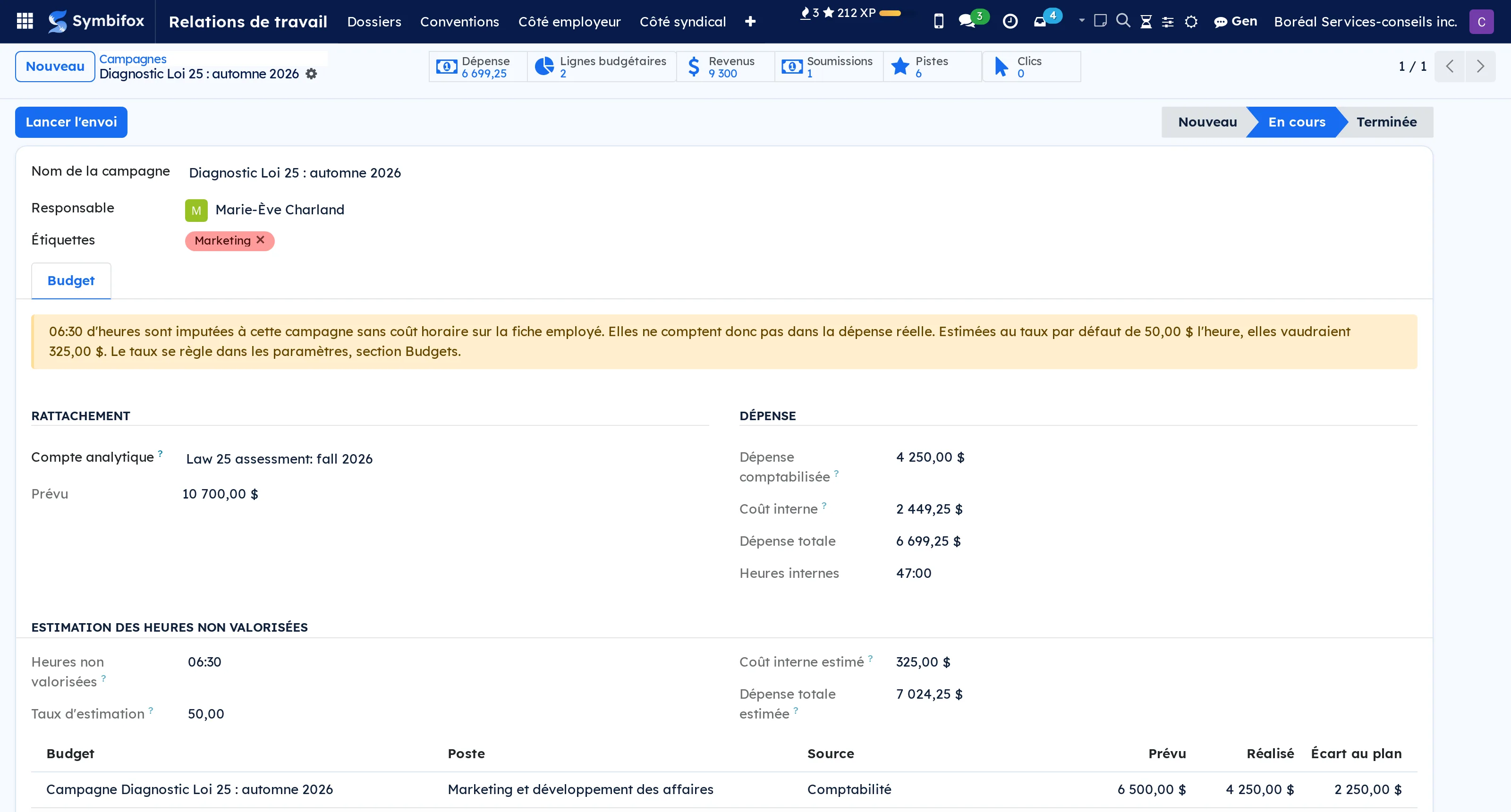
Platform & Hosting6
 Enterprise migration recoveryLeave Odoo Enterprise without leaving behind the data that has no Community counterpart.LGPL-3
An Enterprise to Community migration drops part of your data by design: a Community database has no table for helpdesk tickets, knowledge articles, signature templates or subscription plans. The import tool counts them in its summary, then they leave with the source copy.
This module is the other end. It keeps first: everything set aside becomes browsable and searchable inside your instance, whether a destination exists or not. It re-homes next, onto the open-source counterpart, and every mapping states what it cannot carry before anything is written. A preview shows the first ten records as they would be created, with the list of what was dropped and why.
Nothing is taken on trust: a contact that no longer exists is dropped with its reason rather than written at random, and each record is created on its own, so one bad row does not cost the others.
⚠️ And ten checks go over your instance afterwards, where the import tool only prints a list that lives as long as a terminal window: language or timezone codes that do not exist, a site address left on a test value, scheduled work still stopped, counters running behind, attachments whose file did not come along. A check that could not look says so, instead of blending in with a green light.
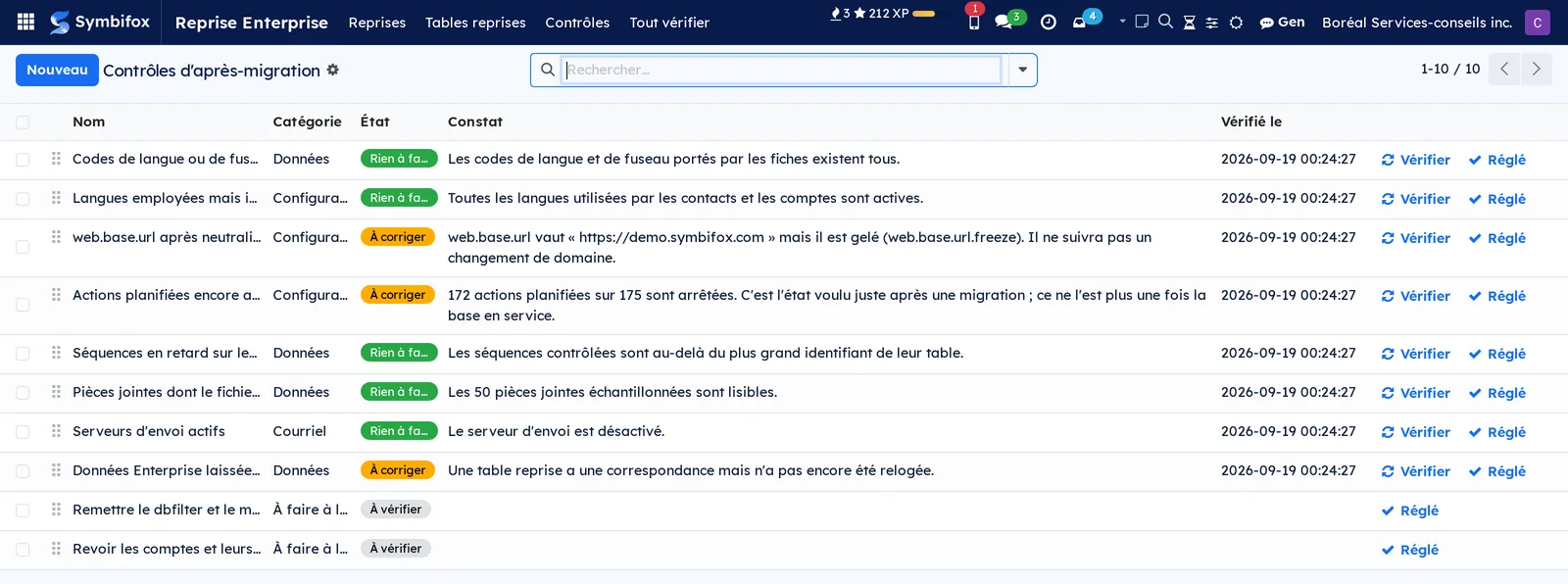
 Hosting ManagementCentral inventory: servers, services, client fleet, licenses, SSL, backups, updates, telephony and DMARC.BUSL-1.1
A hosted estate lives in somebody's head until the day that person is on holiday and a certificate expires.
The application opens on a dashboard of counters rather than a list: availability over the last 24 hours, open alerts, services expiring at 30, 60 and 90 days, maintenance, backups, domains and security. Three buttons re-run the checks on demand.
A service is something you host for a client. Around it come the containers, the certificates, the restic backups, the available updates and the maintenance due dates.
⚠️ A probe that answers is not a service that works. The health check distinguishes the kind of what it measures: a service can be up, answer 200, and no longer do anything.
The application also covers the client estate (endpoints, encryption keys, groups), software licences with their seats and expiry alerts, VoIP.ms telephony and DMARC email authentication reports.
Comparable to Plesk or cPanel, open-source
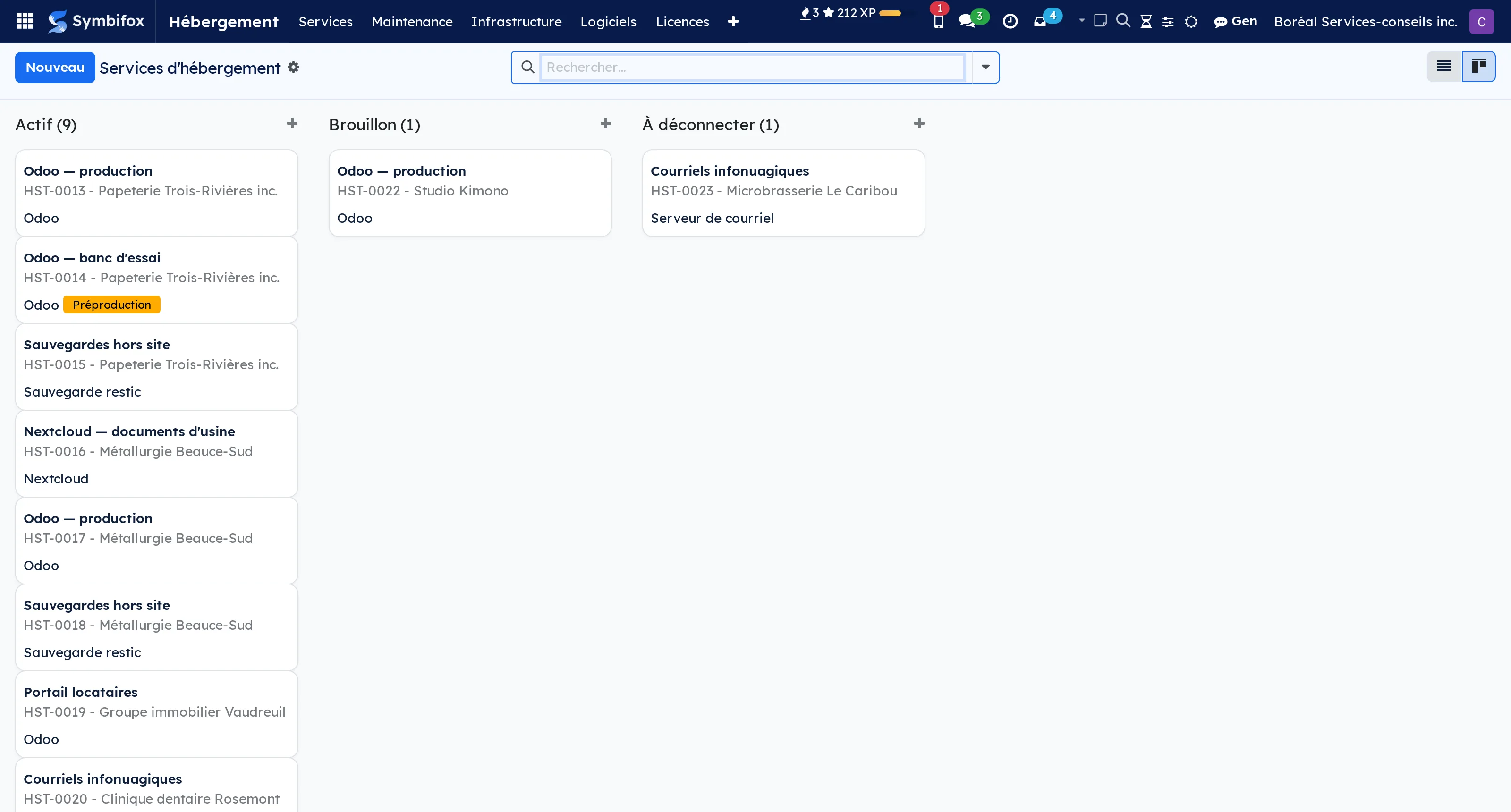
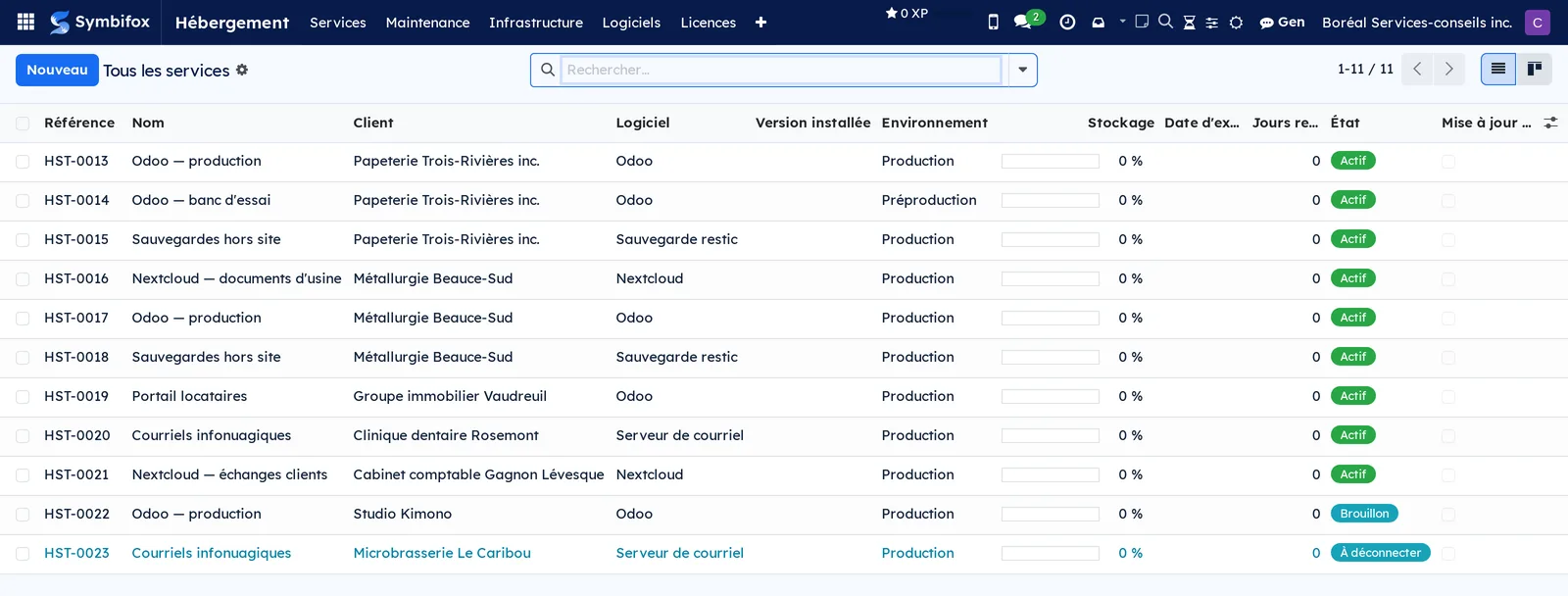
 Blue Fox OS workstationsEvery Blue Fox OS workstation takes its configuration from your Symbifox, from install to login.BUSL-1.1
A workstation is set up once, by hand, and then it drifts. The next one is built from memory, a little differently, and nobody knows any more which one is right.
Here, the configuration of every Blue Fox OS workstation comes from your Symbifox. One record per organisation sets the defaults, and each person can have their own on top: language, keyboard, time zone, login, wallpaper, mounted Nextcloud folders, pinned applications, browser extensions. An edited record also reaches machines already installed, not only the next ones.
Installation is zero-touch, from the same record: boot the machine on the installer, type the organisation's address, sign in on a second device, and the workstation installs as planned. Symbifox decides who may enrol a machine and keeps the list of enrolled workstations.
The disk is encrypted from installation, and the passphrase that unlocks it is held in escrow in Symbifox rather than written on a scrap of paper. Reading it back takes a separate right, and every reveal stays on record on the machine's page.
At login, the welcome screen shows the person's photo, taken from their employee record.
Comparable to Intune and Autopilot, for Blue Fox OS workstations
 ForgeAdd custom fields to any Odoo form, no code required.BUSL-1.1
There is always a field missing. A file number used at the client's, a renewal date, a checkbox only your team understands. The usual answer is a development project, for three fields.
Forge stays deliberately narrow: it adds fields to existing forms, and nothing else. It creates no new record type, draws no report, and replaces no bespoke development.
Five objects are enough. The custom field, from text to currency, from date to a link to another record. The view injection, which decides where it shows: form, list, card, search filters. The stat button, which shows a count at the top of a form and leads to the records counted. The default value, per person or per company. The shared filter, offered to the team rather than to its author alone.
⚠️ Forge keeps the description of every addition, then rebuilds what it needs to if an update wipes the underlying wiring. Data entered in a custom field is never touched: that is the difference between a customisation and a change you redo at every version.
The module is named bf_studio_light in the code and on GitHub.
Comparable to An open-source alternative to proprietary customization tools
 BrandCustomize Odoo's visual brand: Lexend font, colors, logos.LGPL-3
A management instance you look at every day ends up looking like everyone else's, and so do the PDFs that come out of it. The document sent to the client suffers most.
This module applies the Lexend typeface, drawn for legibility, everywhere: interface and PDF reports. It sets the brand colours, company logos and favicon from the settings, without touching code.
⚠️ The setting is per company. On an instance carrying several, each issues its documents in its own image, and an invoice never goes out in the neighbouring company's colours.
The consistency runs from the web client through to the PDF: a brand that stops at the edge of the screen is not a brand, it is a theme.
Comparable to No direct equivalent on the open-source side
 Dark ModeDark mode in the Odoo backend, with the Blue Fox grey palette.LGPL-3
A management interface is looked at eight hours a day, and often in the evening. Odoo's pure white was never designed for that.
This module switches the interface to dark tones, on a restrained grey palette drawn from the brand colours. It is not a mechanical colour inversion: backgrounds, borders, hover states and warning colours are reworked one by one, so that the red of a passed deadline stays readable instead of turning brown.
⚠️ The brand blue is never used as text on a dark background. It stays a fill, a rule, an accent. A light blue set in letters on dark grey passes contrast checks on paper and tires the eyes in practice.
The choice is personal and is made from the account preferences. It is not imposed on the team and changes nothing in the documents produced: a PDF exported in dark mode is still a PDF on white.
Comparable to The Slack or Notion dark mode, inside Odoo
Real estate2
 Co-ownershipThe syndicate of co-owners as the Civil Code organises it: general meetings, common expenses, contingency fund, maintenance log and an occupant portal.BUSL-1.1
A syndicate of co-owners usually runs on a spreadsheet of relative values, an accounting package and whatever the manager remembers. None of the three knows that article 1101 of the Civil Code deems unwritten any clause that changes the number of votes required, or that the maintenance log has an author who cannot be the building's manager.
The foundation holds the structure: the syndicate, its buildings, its fractions and their relative value, the common portions, general or for restricted use, and the history of co-owners, undivided co-ownership included, because article 1070 calls for a register, not just the name of today's owner. The total of relative values is checked against the declared base: a gap shows, it never blocks data entry.
Thirteen add-ons build on it. General meetings and the board of directors, with votes counted in the order the Code sets. Common expenses, fund calls and collection. The maintenance log, the contingency fund study and the certificate for a seller. The occupant portal. Building operations run by maintenance teams. Then electronic signature, secure hand-over of documents, text message notices, occupant satisfaction and the Act 25 register.
⚠️ The law is applied as written: the Civil Code of Québec, its regulations and the transitional provisions of the 2019 statute known as Bill 16, each rule with its article. Where the text is silent, the module says so on screen instead of inventing a threshold: no statutory deadline to answer an occupant, no imposed interest rate, no contingency fund floor chosen on the syndicate's behalf.
Emails go out in the syndicate's name, never as Odoo's generic invitation, and take your organisation's look when the Symbifox branding module is installed. Screens and documents exist in French and English, with the Code's official terms. Data is partitioned by company.
This is software, not legal advice: the decisions remain the syndicate's.
Comparable to BuildingLink, on your own domain and under Québec's Civil Code
13 add-on modules
General meetings and board of directorsNotice of meeting, quorum, weighted votes and majorities, encoded from the Civil Code rather than left as settings.
Article 1101 of the Civil Code deems unwritten any clause of the declaration that alters the number of votes required. A configurable percentage is therefore not a feature, it is a defect, and article 1103 makes a counting error a ground to annul the decision, with 90 days to bring the action.
Votes are counted in the order the Code sets, each step measured on the result of the one before: votes in proportion to relative value and split between undivided co-owners, no vote for a fraction the syndicate holds, loss of the right to vote, the presumed mandate between undivided co-owners, and the caps for small co-ownerships and for the promoter. The three majorities (arts. 1096, 1097 and 1098) show with their article. ⚠️ Since 10 January 2020, article 1097 no longer requires a majority in number, whatever much of the online commentary still says.
The notice of meeting is checked against the 10 to 45 day window, and a meeting held without ever being called is told apart from a late notice. A secret ballot keeps an urn with no names and a register with no choices. ⚠️ Because a weighted ballot has to carry its number of votes, the module counts the ballots their weight makes recognisable, rather than promising a secrecy the arithmetic cannot keep.
The board of directors has its meetings and minutes, which belong in the register just as the general meeting's do. Transmission of the minutes within 30 days is tracked; the module does not send them itself, and it does not model the board's composition, which the declaration of co-ownership sets.
Common expenses and fund callsBudget, allocation of expenses to the cent, fund calls, imputation of payments and arrears, the way the Civil Code settles them.
⚠️ Article 1064 of the Civil Code sets three regimes, not two. Major repairs to a common portion for restricted use follow the general rule and are spread over every fraction, unless the declaration provides otherwise. A module with a single "restricted use" expense type is wrong by tens of thousands of dollars: here, every budget line carries its nature.
The board of directors fixes the budget after consulting the general meeting, as article 1072 requires, and the module refuses to fix one that has not been through that consultation. Fund calls are allocated to the cent, basis by basis, and the shares add up exactly to the amount called. The module keeps no expenses and does not depend on Odoo accounting: its "budget against actual" is the cycle of fixed, called, collected.
Payments are imputed as the Code dictates (arts. 1569 to 1572), interest before capital. Interest runs from default, never from the due date, and no rate is hard-coded: the syndicate enters its own, and the default is no interest at all. Loss of the right to vote after more than three months of arrears is proposed on the attendance sheet, never ticked on its own.
The contingency fund floor has three possible bases depending on where the syndicate stands, including the 5 % of Bill 16's transitional provisions, which is widely and wrongly described as repealed. The module picks none: the syndicate records its own, on its notary's or lawyer's reading. The ten-year catch-up, the self-insurance fund and the statement of common expenses due to a prospective acquirer complete the module. ⚠️ That 15-day deadline runs against the syndicate, and the prior notice goes by email to every owner on the register who has an address; the thread names those who must be reached some other way.
Maintenance log, study and certificateThe maintenance log, the contingency fund study, the certificate for a selling co-owner and the documents owed to a promising buyer, with their deadlines.
The 2019 reform gave the syndicate documentary obligations whose thresholds are not in the Code but in the regulation. Reading the Code alone gives you no figure at all.
The maintenance log knows its author and the conditions that author must meet: a member of one of the four professional orders named, chartered appraisers included, which the usual list forgets, and independent of the building. ⚠️ The building's manager cannot draw up the log. Every inventory item says where it is. The review interval is five years, and ten only when one of the regulation's size conditions is met.
The contingency fund study depends on the log: the module refuses to record it as obtained while the log is not established, and says what is missing. Once obtained, it feeds the contingency fund data of the finance module.
The syndicate's certificate for a selling co-owner (art. 1068.1) follows the eight points of the regulation and the 15-day deadline. What the module can know, it draws from the register and the finance module; the rest, such as claims, inspections or litigation, is entered by hand. ⚠️ The certificate cannot be handed over while anything is missing, and the module names what is.
The documents owed to a promising buyer (art. 1068.2) are released only after the other co-owners' personal information has been reviewed, and the exact list of what was handed over then goes to the owner. A transitional calendar dates all of these deadlines: where a text reads two ways, the module takes the earlier date.
Occupant portalAnnouncements, documents, maintenance requests, common space bookings, parcels and visitors, each person seeing only what concerns them.
A lessee is in the syndicate's register, but that gives them no right to the register, which article 1070.1 reserves to co-owners. A generic notice board cannot tell the two apart. This one does it with access rules, not with what the page happens to display: a lessee who guesses the address of a document meant for co-owners gets nothing.
⚠️ Putting a register item online is the syndicate's decision, not a default. Article 1070.1 provides for consultation in the presence of a director, at reasonable hours; opening it at all hours gives more than that, and the module refuses to publish until the syndicate has acknowledged it.
Maintenance requests show who bears the cost under the three regimes of article 1064, and never close without saying what was done or why the request was refused. The decision goes by email to the person who filed it. No statutory response time is invented: the syndicate enters the commitment it gives itself. Common spaces are booked without anyone seeing who took Saturday, and a common portion for restricted use cannot be booked by anyone else.
The parcel and visitor log shows each person only their own, and it expires: the syndicate sets a retention period, and a daily job deletes the closed entries that have passed it. No directory of co-owners, no anonymous links.
The portal invitation and the welcome message are the syndicate's own, and the office is told when an occupant files something.
Building operationsWhere each piece of equipment is, which team answers for the building, preventive maintenance, and the work shift with its handover.
Odoo's Maintenance app knows everything about a piece of equipment except where it is: its only location field is free text. This module gives it the building, the private portion or common portion, and the team that answers for each building.
Preventive work belongs to the equipment, not to the work order. A boiler is inspected twice a year whether or not the last work order was closed: a daily job opens whatever falls due, and every missed occurrence gets its own work order. ⚠️ Scheduled maintenance that is not done must say why, as the maintenance log regulation asks.
A work shift brings together a team, a time span, the people assigned and a work list. It closes: whatever is still open passes to a named next shift, with a handover note, and an item leaves the list only with a reason.
⚠️ The caretaker sees the address of their team's buildings, never the register of co-owners. The module does no payroll and no time clock, and it serves a rental building as well as a co-ownership.
From the occupant's request to the work orderAn occupant's request reaches the team for their building and produces the work orders it calls for.
A squeaking garage door makes two objects: the occupant's request and the work to be done. This bridge links them, and installs itself when operations and the portal are both present.
The request carries the building, and the building names its team: the request reaches that team without anyone dispatching it, then goes to the team lead if nobody is already responsible for it. One request can produce no work order, one, or several. ⚠️ A refused request opens no work, and a request with work under way cannot be deleted.
The occupant sees their request, its state and what was done. They see neither the team, nor the technician, nor the work orders: access rights close the work register to them.
The maintenance log and operationsThe maintenance log cites the equipment operations keeps, and flags when the two drift apart.
A boiler has two records, and neither contains the other: the regulatory reading in the maintenance log, drawn up by an independent professional, and the team's operational reading. The risk is not duplication, it is drift: the day the log still describes a boiler that operations has already replaced.
The log item cites the equipment, and a warning appears at the top of the log when that equipment is scrapped or archived. ⚠️ The warning never blocks a save: the regulation asks the log to state what was not done and why, and a refusal would stop it from telling the truth.
Three dated facts travel from operations back to the log: required servicing done, a routine repair done, and scheduled work not done, with its reason. Only an established log is updated, a date never moves backwards, a reason a person wrote is never overwritten, and every write is recorded on the log's thread.
Electronic signatureHave the maintenance log declaration, the article 1068.1 certificate and the minutes signed, without confusing signing with delivering.
Only one document in the suite has to be signed according to the text: the on-site examination declaration by the author of the maintenance log (regulation, s. 6). A box ticked by the manager says something else, namely that the manager asserts the professional declared. Here the author receives a link and signs without an account in the instance, and it is their signature that ticks the box and sets the date.
⚠️ Signing is not delivering. The certificate's 15 days stop at delivery, the minutes' 30 days at transmission, and neither text requires a signature. The module offers one without presenting it as an obligation.
It never guesses who signs for the syndicate: the declaration of co-ownership sets the board's composition, so the module asks at sending time. A signed paper declaration stays valid, and the box can still be ticked by hand.
Secure hand-over of documentsHand the certificate, the statement of expenses due and the documents for a promising buyer over by secure transfer, and know whether they were opened.
The three document regimes of a fraction's sale are all a hand-over to someone outside the syndicate, and two of them carry a 15-day deadline. This bridge sends them through Symbifox's secure transfer.
⚠️ Sending is not delivering. A link expires, and if it expires without anyone opening it, the module says so instead of counting a hand-over that never happened. On the statement of expenses due, whose deadline runs against the syndicate, the warning is red.
A document the module produces is frozen on the record once it has left, since a certificate regenerated six months later would no longer say the same thing. For a promising buyer, only files attached to the record go out, never those carried by the discussion thread, and the bridge refuses until the personal information review is done. The access code can travel by text message rather than to the same mailbox as the link.
Text message noticesTell an occupant a parcel has arrived or an urgent notice concerns them, with their express consent, dated and revocable.
A phone number is not in the register by right: article 1070 admits it only with the person's express consent. So consent is a record, not a checkbox: given to one syndicate, dated, channel by channel, and withdrawn rather than erased, so that anyone can say what was permitted when a message already sent went out.
Two switches, both off by default: the syndicate opens the channel, the person consents. The message gives the syndicate's name and nothing else, no door number, no carrier, no tracking number. An urgent notice goes out from a button, never as a side effect of publishing, and ⚠️ the announcement's audience outranks the consent: a notice addressed to co-owners does not reach a lessee.
A failed send never blocks recording the parcel, and the reason is noted on it.
Occupant satisfactionAsk the occupant how their maintenance request went, once it is settled.
When a maintenance request is settled, the person who filed it gets a single question with three answers, and the reply lands in the Symbifox experience register like any other rating.
⚠️ A refused request is never measured. Asking "how did it go?" right after a refusal measures the refusal, not the service. The syndicate turns the measurement on itself, it is off by default, and the per-person solicitation limit and the unsubscribe link apply on top.
The email comes from the syndicate and names no software. A failed send never reopens a settled request, and the thread says why nothing went out.
Privacy (Act 25)Record in the register of processing activities what the co-ownership suite collects, with its legal basis and retention period.
A syndicate that keeps the article 1070 register processes personal information, and Québec's Act 25 makes no exception for it. This bridge writes three purposes into the register of processing activities, each with a plain-language summary, because they do not fall under the same regime.
The syndicate's register exists by operation of law: no consent is asked, since asking would suggest it could be refused. Text message notices rest on express consent, and each consent opens a formal consent file, closed the day it is withdrawn. The parcel and visitor log concerns third parties who consented to nothing.
⚠️ A declared retention period that differs from the one the portal actually applies is worse than no policy: the bridge compares the two and shows the gap, without correcting either. Installed on a database that already holds consents, it manufactures no file dated today.
Operations: privacy (Act 25)Record in the register of processing activities what a work shift says about the people who held it.
A work shift names people and records what they did. That is personal information, even when those people are employees. This bridge declares the shift in the register of processing activities, with a plain-language summary.
No consent is asked: the employer knows who held the shift because the employer assigned it, and a consent that cannot be refused would be a form, not a consent.
⚠️ The shift is not a disciplinary file. It records the work, not appraisal, performance or hours, and the summary says so.
 Residential leaseThe lease of a dwelling in Québec: what was agreed, which mandatory form was used, and what the module refuses to produce.BUSL-1.1
Rental software designed elsewhere in North America arrives with a security deposit, a lease it prints and a "legal" rent increase percentage. In Québec, all three are wrong.
⚠️ No security deposit field, not even an empty one: article 1904 of the Civil Code forbids the lessor to exact any sum other than the rent, and a test fails if someone adds one. No lease produced: the Tribunal administratif du logement's form is mandatory and carries Reproduction interdite on every page. The module records what was agreed, names the form used and keeps the signed copy as an attachment. No increase percentage, because none exists that binds the parties in advance.
The lease holds the lessor, the dwelling, the lessees and whether they are bound solidarily as ticked on the form, the term, the rent and services, and the restriction on the right to have the rent fixed (art. 1955), refused if it would not be enforceable. Departure without notice separates abandonment, which resiliates the lease of right, from a dwelling unfit for habitation. ⚠️ When belongings are left behind, the module applies the rules on forgotten property: 90 days, notice of the same length, sale then gift to charity before any other disposal, and neither "throw away" nor "destroy" among the choices offered.
Four add-ons build on it: notices under the lease and their deadlines, rent and arrears, the lessee portal and the Act 25 register. A syndicate of co-owners cannot be the lessor, and low-rental housing, a separate regime, is refused rather than handled under the wrong rules. Data is partitioned by company, and the screens exist in French and English.
4 add-on modules
NoticesNotices given under a lease, their deadlines in calendar months, and what the lessee's silence produces, which is not the same from one notice to the next.
⚠️ Silence does not mean the same thing twice. A month without an answer is acceptance of a notice of modification of the lease (art. 1945), but a refusal to leave on a repossession or an eviction, and a refusal of the offer of a new lease in a private seniors' residence. A module that treats no answer one way is wrong three times out of four. Every notice states what silence will produce.
The module records and tracks notices; it does not draft the notice document. It computes the window in which each must be given, in calendar months rather than blocks of days: a lease from 1 July to 30 June is 364 days, and dividing would put it under the wrong regime. The response period runs from receipt, and until receipt is known no deadline is shown. After a refusal, it gives the date by which the lessor must apply to the Tribunal.
The eviction moratorium is a recorded state, with its source and the date someone checked it, not a hard-coded date: it can end earlier, sixty days after a notice in the Gazette officielle.
Resiliation by the lessee separates its grounds and the attestation each one requires. ⚠️ For spousal violence, sexual violence or violence against a child (art. 1974.1), the attestation comes from a public servant designated by the Minister of Justice, on the strength of a judgment or a sworn statement, never a medical certificate. That ground is readable by managers only, and it is neither tracked on the thread nor sent to followers.
Rent and arrearsRent terms, what is still owed, and what the module refuses to conclude from it.
The lessor enters the terms, payments are applied to them, and the module keeps each term's balance, the days late and the lease's arrears. Rent deposited at the court office with the court's authorisation (art. 1907) never counts as arrears: the lessee has paid, elsewhere.
⚠️ What it refuses to conclude matters as much. It never proposes resiliation: in Québec, only the court resiliates a lease of a dwelling. The three weeks of article 1973 are not a resiliation threshold; they take away the court's power to grant time, and that is all the module shows. It computes no interest and records no rate, does not count late payments to reach a threshold the law never wrote, and holds no total balance of the lease, since article 1905 deprives of effect any clause making the whole rent exigible.
It also refuses a term larger than the agreed rent, and a payment of zero or less.
Lessee portalTheir lease, their notices and deadlines, what they have paid: read only, without having to phone.
Three pages on the Odoo portal: the lease and its signed form, the notices received with the time left to answer and what silence will produce, and the rent terms one by one.
⚠️ The lease says who sees it, not the fraction. Every co-lessee sees it, so does the lessee of a room, and a person recorded as the occupant of a fraction without being party to the lease sees nothing. The portal opens neither the register, nor the owners, nor the attachments of other leases.
The pages never announce an eviction, never total the rent still to run, and never show the ground of a resiliation for violence. They do say when refusing a modification means having to leave (art. 1955), and which date runs against the lessor after a refusal.
The portal invitation is the lessor's, not Odoo's generic one, and emails about the lease name the lessor.
Privacy (Act 25)Record the lease file in the register of processing activities and, separately, what a resiliation notice reveals about the lessee.
Two purposes in the register of processing activities, never one. The lease file: name, contact details, rent, payments and notices exchanged, which rest on the lease and the Civil Code, not on consent. The summary also says what the file does not hold: no deposit, no credit check, no appraisal of the person.
⚠️ The ground of a resiliation by the lessee can reveal that a person is a victim of violence. Folding it into the ordinary file would announce "name, address and rent" where the lessor actually records much more. The register declares it separately, with what protects the person: the lessor keeps the ground invoked and whether the attestation was received, not its content.
The legal basis of that ground is recorded as a legal obligation, and the module states that this qualification has not yet been validated by legal counsel.
Donations & Charity2
 FundraisingDonor management and fundraising for nonprofits: gifts, campaigns, receipts, portal.AGPL-3
A gift is easy to count. Knowing which of your two appeals produced it, and which of last year's donors gave nothing this year, takes a structure spreadsheets do not have.
Fundraising is built on four levels. The fund says where the money goes and carries the analytic account that allocates the gift. The campaign is a period's overall effort, with its goal. The appeal is one precise effort inside the campaign. The package is a variant of that appeal, the printed envelope against the email.
⚠️ It is the package that answers the real question: which of the two worked. Without it, you measure a campaign and credit its result to the channel you prefer.
People are called constituents, donors, members and prospects together, with their giving summary, their rating, their household and their appeal codes. The lapsed donor report names those who gave last year and not this one.
Public donation form and donor portal included. Compliant Canadian receipts come from the companion module “Donation receipts”.
Comparable to Raiser's Edge / Blackbaud, in your Odoo

 Donation Receipts (CRA + Revenu Québec)CRA + Revenu Québec compliant official donation receipts, in French, with a branded email.AGPL-3
A non-compliant donation receipt is not a layout detail: it exposes the charity to revocation of its registration, and the donor to a refused credit.
Receipts meet CRA and Revenu Quebec requirements, in French: registration number, gapless annual numbering, eligible amount, gifts in kind with fair market value and appraiser, cumulative annual receipts, cancellation and reissue.
⚠️ The eligible amount is the gift less the advantage received, and that is where most tools go wrong: a $200 fundraising dinner whose meal is worth $60 produces a $140 receipt, not a $200 one.
Gapless numbering is the other requirement people discover during an audit. A cancelled receipt keeps its number and is replaced by a replacement receipt that names it, rather than disappearing.
The receipt is a standalone layout in your brand, not a disguised invoice, sent by email with its PDF attached.
Comparable to Raiser's Edge's tax receipting, adapted for Canada
Associations & Members1
 MembersThe member register of an association or a non-profit: memberships, renewals, delegates, general meeting and votes.BUSL-1.1
An association knows who it serves. It rarely knows, without opening three files, who is a member in good standing today, since when, who represents a member that is an organisation, and who has not renewed.
The register does not depend on an invoice: most associations collect money elsewhere, and a payment is recorded with its source, cheque, transfer or online platform. Each membership carries two separate states, the membership and the payment: an honorary member is in good standing without paying, and an application can be paid before the board accepts it.
The period is described once, on the category: a fiscal year from April 1 to March 31, twelve rolling months from joining, or for life. A member organisation has one vote, carried by the delegate it designates.
⚠️ Nobody leaves the register. The law wants every person who is or has been a member in the book: a departure is dated and explained, never erased. What never made anyone a member, an application never paid, is refused and deleted together with its contact.
Renewal and reminders are off by default: nothing is sent until the organisation turns them on, and a late reminder is skipped rather than sent. Importing a list matches duplicates by member number, email, then name and postal code, and names conflicts instead of guessing.
Belonging to an association can reveal a person's health, beliefs or allegiances: without the Members role, an employee neither sees nor searches who is a member, and consents are proven on the membership.
Comparable to Wild Apricot or CiviCRM, without a second system to keep up to date
4 add-on modules
Invoicing and tax receiptsInvoice the membership fee in Odoo, and issue a registered charity's partial tax receipt for money actually received.
When the accounting lives in Odoo, the fee is invoiced in the member's own name, person or organisation, and its payment is read on the membership: paid, the membership is in good standing; a bounced cheque puts it back to pay.
For a registered charity, the partial tax receipt subtracts the value of the benefits the membership gives, prints the eligible amount, and is numbered and signed. It certifies money actually received only, on a fee-only invoice: a write-off, a discount or a credit note makes it refuse rather than inflate an official amount.
The donor's name and address are frozen at payment, a receipt is replaced or cancelled with its reason, and the invoice shows on nobody else's portal.
Portal, online applications and directoryThe member sees the membership, renews and pays online, prints the card; the public applies through a form.
On the portal, members read their membership and its history, change their consents, renew and pay online, and print their membership card. The person who represents a member organisation sees the organisation's membership.
The public application form is closed by default. Opened, it answers the same page whether the person is known or not, never writes to an existing contact, notifies the team and sends an acknowledgement that repeats nothing that was typed; the invoice is only created on the “Pay online” click. The team then attaches the application to the right contact.
The member directory, closed too, shows only the name and city of members in good standing who consented to it, to the public or to signed-in members only.
General meetings and votesCall the meeting within the delays, fix the voter list, keep quorum, proxies and votes.
The meeting is called within the delays set for it: the notice goes to each member who consented, by email and in their name only, with the documents attached; the others make up the postal list. The voter list is fixed at a record date, from the register: an organisation votes through its delegate, one vote each.
On the day, attendance and proxies are recorded, capped per person, the quorum is computed, and each proposal is voted by show of hands or by secret ballot, counted on paper and entered as totals. From the first result on, the majority, the text and the movers are frozen, and every entry is logged in the meeting's history.
The minutes print, and a closed meeting can no longer be rewritten.
General meetings and the corporate registerA proposal adopted at the meeting is entered in the resolution register, as it was voted.
A proposal adopted by a closed meeting, with quorum reached, is entered in one click in the corporate governance resolution register, as a members' resolution, with its meeting and its totals.
Once entered, it keeps the text, the totals and the signatories of the meeting that voted it: it is not rewritten, not deleted, and only ever becomes “superseded”.
Schools1
 Symbifox SchoolThe family portal and the life of a private school: students, families, announcements, authorisations, admission, contracts, attendance, health, meals, work handed in and course contents, in the school's Odoo.BUSL-1.1
A private school often keeps its families in one portal, its authorisations on paper, its admissions in another tool and its contracts in a word processor. Symbifox School brings all of it into the school's Odoo, where its invoicing and documents already live.
The core holds the schools, the school years, the levels from pre-K to Secondary V and the groups with their teachers. A student is a contact, with a birth date and a permanent code. Each adult is linked to the student through ticked roles: parental authority, receives notices, signs, pays, may pick up, emergency contact, lives with. Shared custody, a partner who picks the child up without parental authority, a grandmother as emergency contact are recorded as they are.
These roles decide the rest: who receives an announcement, who signs a trip or a contract, who orders meals, who sees health information on the portal. The parental authority links feed the Law 25 consents: under 14, the parents are asked; from 14, the student.
Sixteen modules add to the core, each installable on its own.
12 add-on modules
School: family portal“My children” on the portal: groups, teachers and each adult's roles, and the portal invitations.
On the portal, each parent sees their children, their groups, their teachers and the roles the school recorded for them. Only the school changes this information.
The office invites to the portal the adults who receive notices, for one student or for the whole school at once. Adults already on the portal or without a usable address are counted and named, never invited twice.
School: announcements to familiesAn announcement to the whole school or to groups: one email per parent, even with three children, and the read receipt.
The noticeboard gains the School families audience: the whole school or chosen groups. The families reached are computed on the day, from enrolments and guardian links.
Each adult receives one email, in their language, whose subject names their children: a parent of three receives one, not three. The announcement also shows on the portal. When it asks for confirmation, the parent clicks “I have read it” and the school sees who confirmed and when; opening the email does not count.
A teacher writes to the families of their own groups, and to nobody else.
School: authorisationsTrips, activities and overnight stays authorised in one click, on the portal or through a personal link without an account, with dated evidence.
The office writes the authorisation and sends it to the groups concerned. Each parent who signs receives a personal link that works without an account; parents with an account also find it on the portal.
“I authorise” or “I refuse”, in one click, and final: to change their mind, the family calls the school. One parent is enough by default (Civil Code art. 603), an overnight stay requires every parent who signs, and a refusal always wins.
Each answer keeps its evidence: date, channel, IP address, browser and the SHA-256 fingerprint of the text as sent, which can no longer be edited. A reminder goes out in one click, and authorisations past their deadline close by themselves.
School: Law 25 consentsPhotos, the group's contact list and educational platforms: four separate consents, asked of the right people.
Four separate school purposes, each with a plain text in French and English: photos and videos inside the school, those published outside the school, the contact list of the group's families, and outside educational platforms.
One button asks this year's consents for every enrolled student. Under 14, the request goes to the adults with parental authority; from 14, to the student (Private Sector Act s. 4.1 and 14). A student the request would get wrong, with no birth date or a minor without anyone holding parental authority, is left out and named in a note rather than asked by mistake.
School: contract for educational servicesThe Private Education Act contract, caps and mandatory mentions included, signed online by the parents.
The price is itemised as the regulation requires: admission fee, educational services, each accessory service and the total. The caps are constraints: 50 $ to study an application, 200 $ or a tenth of the price for admission, at least two instalments, a capped termination penalty.
The document prints the mandatory mentions, including sections 70 to 75 of the Act word for word and the face-uncovered clause of section 68.1. It goes out for electronic signature to the parents who sign, and what they sign is frozen once sent.
When the family terminates, the amount the school may keep and the refund due within ten days are computed (s. 72 to 74).
School: admission and re-enrolmentA public admission form, an application fee paid online or at the counter, an exam, a rank and a decision taken by a person; re-enrolment on the portal.
One campaign per coming year: levels offered, dates, fee and exam. The public form takes the student, one or two parents and their documents. The fee invoice stays a draft until the office has checked the application: an anonymous visitor creates no invoice.
The fee is paid online or at the counter, and the application moves on as soon as the invoice is paid. Then come the exam notice, the score, the rank per level, and the decision. The rank helps, but a person decides, and the decision records who and when (Law 25, s. 12.1). An accepted student is enrolled in one step, with the family links; applications not retained are purged along with the documents received.
Re-enrolment happens on the portal: one click per child for the parent who signs, confirmed once the registration fee is paid. Each step emails each parent, and a personal status page keeps them informed.
School: parent-teacher meetingsParents book on the portal one slot per teacher and per child, with no overlap.
The office enters the teachers' hours for a session, and the slots are generated. On the portal, each child shows the teachers of their groups and their free slots: one click books, one click cancels, until booking closes.
A child meets each teacher once, a parent never holds two meetings at the same time, and two parents clicking the same slot at the same instant are settled by the database. An email confirms the time, the teacher and the room, always in the school's time zone. Teachers see their schedule.
School: attendance and absencesAttendance by half-day or by period, absences declared by families on the portal, same-day notice.
The teacher takes attendance for their groups, by half-day in elementary or by period in secondary. Everyone is present by default, and the absences the family already declared are filled in, justified.
When the roll call closes, the adults who receive notices are told the same day about any unjustified absence, with a link to justify it. On the portal, the family declares an absence to come or justifies one after the fact.
The office sees the list of students with repeated unjustified absences: three days or more in thirty days.
School: conduct and monthly follow-upThe rules of conduct of regulation 10.01, breaches, graduated sanctions, notice to parents and monthly follow-up.
The rules of conduct of regulation I-13.3, r. 10.01, which also binds private schools since 2025: formal “vous”, cell phones, images captured without consent, bullying, violence. The school adds its own.
A breach counts the previous breaches of the same rule this year and suggests the next sanction; a person decides. The notice to parents is checked on the server: a suspension gives its reasons and the support measures, and sexual violence, from 14, is told to the parents only with the student's consent.
The annual report on bullying and violence is one table, and the monthly follow-up (Basic school regulation, s. 29.2) reminds the responsible teacher each month of the students whose parents got no news.
School: homework and calendarHomework, studies, projects and tests on the portal, and a calendar you subscribe to in Google Calendar or Apple Calendar.
The teacher posts the homework, studies, projects and announced tests of their groups. On the portal, each parent sees what is due for each child, by date.
Each adult has a personal calendar address: subscribed in Google Calendar or Apple Calendar, the children's due dates appear there and update by themselves. A new address stops the old one.
School: health and medicationA health alert for all staff, the detailed record for the Health group only, signed medication authorisations and the register of doses.
Two levels. All staff see a short health alert on the student, substitutes included. The Health group, named by the school, alone sees the detailed record, the emergency plan, the authorisations and the register: the Administration does not get it by default (need to know).
The medication authorisation goes to the parents who sign; its text is frozen when sent and the signature keeps its fingerprint, date and address. A refusal always wins. No dose is given without a valid authorisation that day, except emergency epinephrine, which any staff member records and the family is told about at once. A dose recorded is not rewritten.
On the portal, parents see the alerts, sign the authorisations and read the doses of the last 60 days.
School: caterer mealsMenus with their allergens, family orders on the portal, a prepaid balance or a monthly invoice, as chosen.
Each day's menu, with prices and allergens. On the portal, the parent who pays orders for each child up to the school's deadline, and cancels until the time set on the day.
Two ways to pay, as the school decides or as the family chooses: a prepaid balance, topped up by an invoice paid online or at the counter, or a monthly invoice. An order the balance cannot cover is refused, even when two go out at once.
A meal containing a student's declared allergy cannot be ordered, and the kitchen list shows every allergy. A closed day, a storm or a professional day, credits all its orders at once.
Other modules160
Single-purpose modules that support the applications: fixes, bridges, settings, themes.